Tools · Service history · CSV
Bring your service history with you
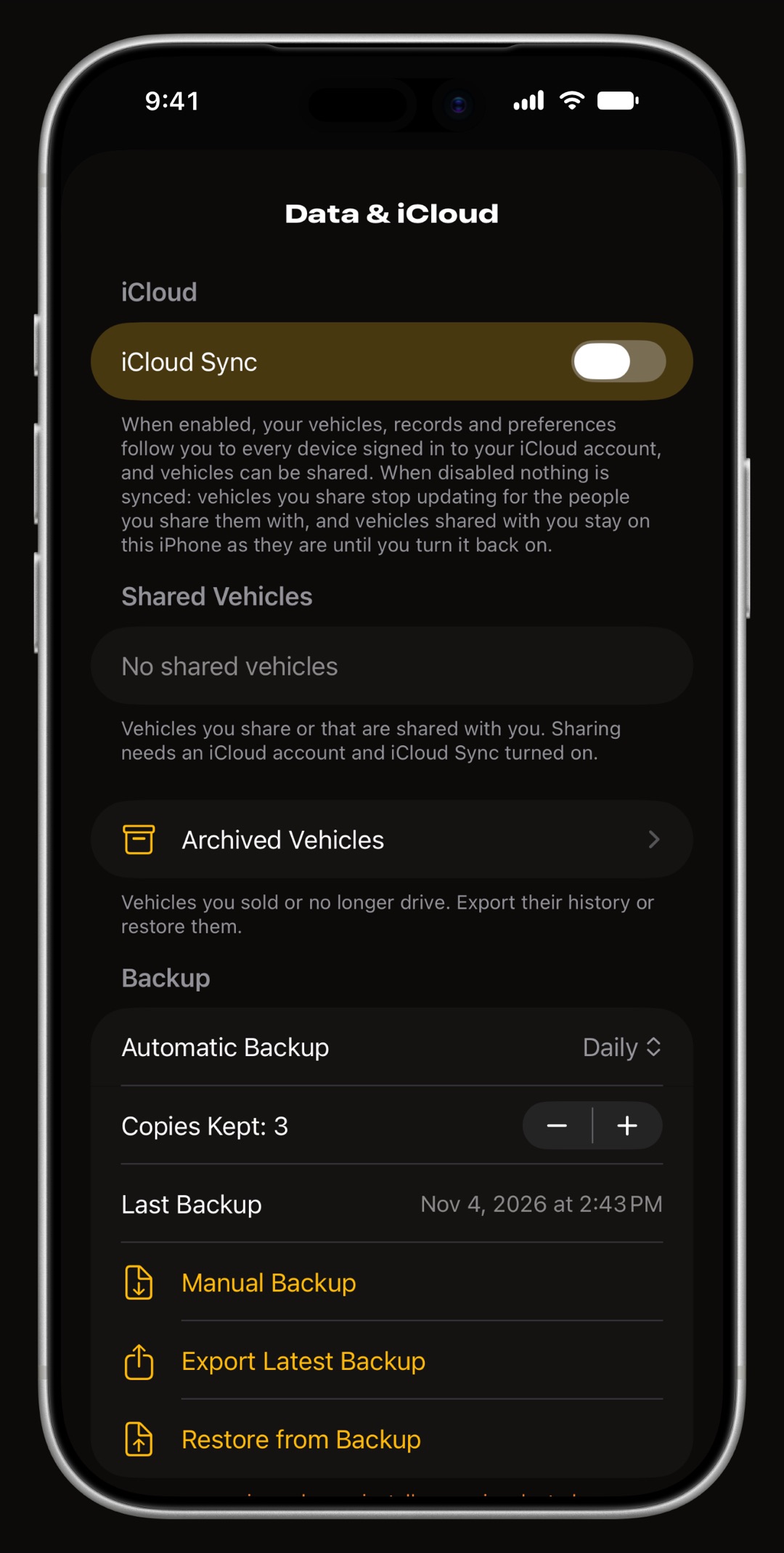
This free service history template is a CSV file for the maintenance your car or motorcycle has already had: one row per service, with its date, odometer reading, what was done and what it cost. Download it and fill it in with Numbers, Excel or Google Sheets, or type the services into the table on this page and download the finished file. Then open WrenchTime, go to Settings, Data & iCloud, Import from CSV, and pick the file. You do not need WrenchTime's own names for the work: write it the way your invoice or service book does, in any language, and the app's built-in AI matches each line to one of its 59 maintenance procedures or 12 service kits, for you to check before anything is saved. Import from CSV is part of WrenchTime Pro.
Fill in your service history online
Tap a job to start a row with it, or add your own and tap it again for every time it was done. One row per service, in any order. Leave a cell empty when you do not know it.
| Date | Odometer | Service | Cost | Remove row |
|---|---|---|---|---|
Rows stay in this browser and are never uploaded. Currency, vehicle and notes columns are in the full template.
Write services in your own words
No codes to look up and no list to pick from. When you import the file, WrenchTime reads each service name with Apple Intelligence, on your iPhone, and matches it to one of its 59 procedures or 12 kits, whatever the language. Every match is a suggestion you check before the import, and a line it cannot place is left for you to choose.
On an iPhone without Apple Intelligence, names are matched by keywords instead, and the ones left over wait for you to pick.
- Cambio olio + filtroOil change
- Plaquettes avantBrake pads
- Zahnriemen gewechseltTiming belt
- MOTInspection
How do I import the file into WrenchTime?
Fill in the file
One row per service. Receipts, the service book and workshop invoices are the best sources.
Open Import from CSV
In WrenchTime, go to Settings, Data & iCloud, Import from CSV. Pick the vehicle the history belongs to and choose the file.
Review and import
Check the matched services, fix any the AI was unsure of, and import. The whole import carries a tag, so Data Cleanup can undo it in one step.
Frequently asked questions
Is there a free car service history template?
Yes. The WrenchTime service history template is a free CSV file with columns for the date, odometer, service, cost, currency, vehicle and notes. It opens in Numbers, Excel and Google Sheets, and you can also fill it in online on this page.
Do I have to use WrenchTime's names for each service?
No. Write each service the way your invoice or service book does, in any language. When you import the file, WrenchTime's built-in AI matches each name to one of its 59 maintenance procedures or 12 kits, and you confirm every match before it is saved.
Which iPhones can match services with AI?
The matching uses Apple Intelligence, which runs on the iPhone itself. On an iPhone without it, service names are matched by keywords and the rest are left for you to pick from the list.
Does the import need WrenchTime Pro?
Yes. The template and the online table are free for everyone; Import from CSV in the app is part of WrenchTime Pro.
Can I import fuel and charging history the same way?
Yes, the same Import from CSV reads fill-ups, charging sessions and odometer readings too, including the exports of Fuelly, Drivvo, Fuelio and Spritmonitor. See importing from another app.
Made for people who would rather know than guess.
Free to download. One vehicle, real features, no ads. Your garage will thank you.
Download WrenchTime on the App Store