Motorcycle maintenance app · iPhone · iOS 26+
The motorcycle maintenance app that was not built for cars first
WrenchTime is a maintenance, fuel and mileage log for iPhone in which a motorcycle is a first-class vehicle, not a car with a different icon. Chain maintenance, valve clearance and fork service are built-in procedures among 56, a Motorcycle Service kit bundles the usual jobs into one entry, rides record themselves when your helmet headset connects over Bluetooth, and the driving-dynamics detector uses a cornering profile made for a machine that leans through bends. The WrenchTime Live dashboard carries a lean-angle instrument alongside speed, revs and G-force. It runs on iOS 26 and later, keeps every record on your device and in your own iCloud, and is free for 1 vehicle.
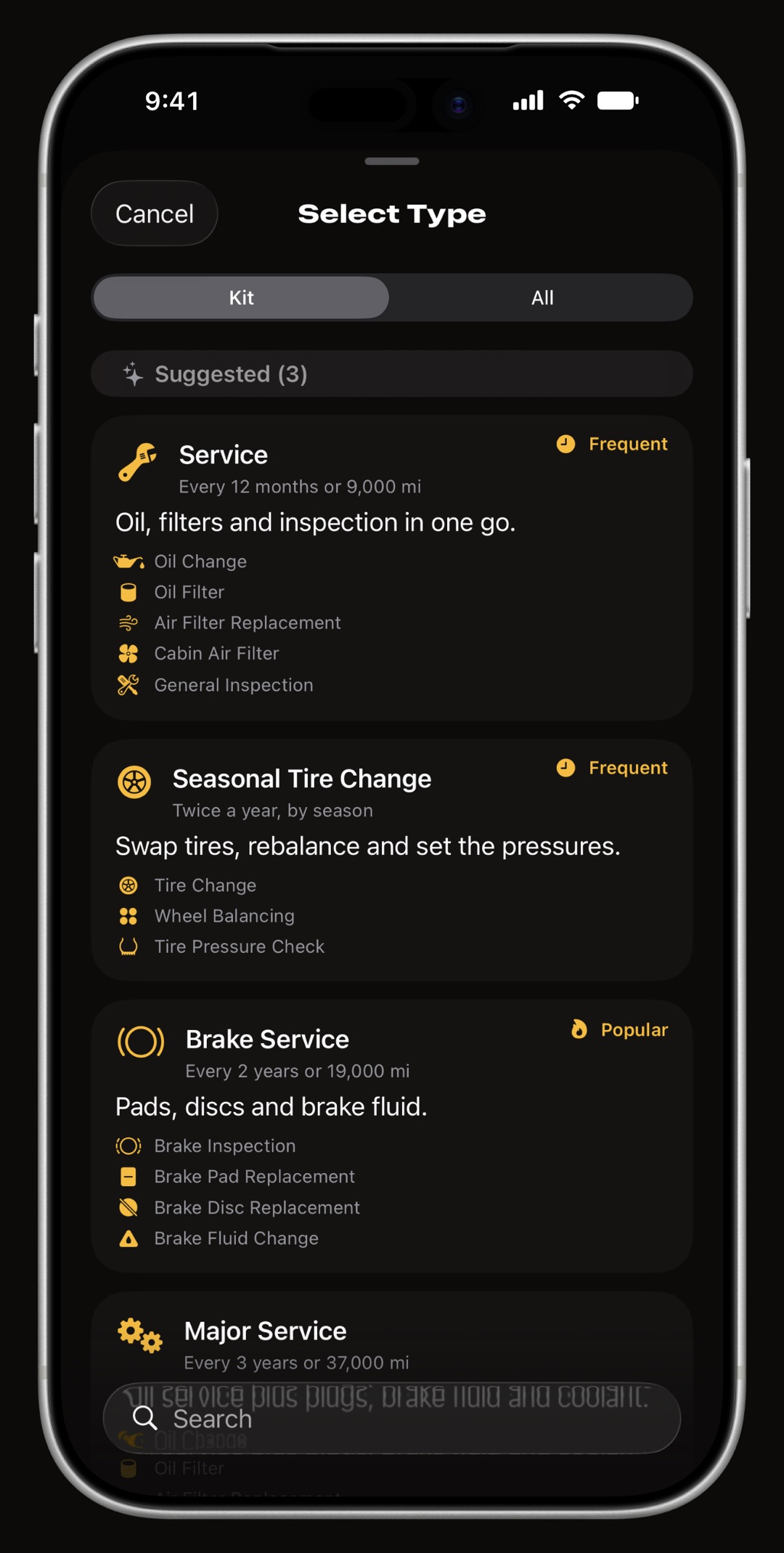
Which motorcycle service jobs does WrenchTime track?
The Care tab holds 56 procedures across 9 categories, and the three that only a motorcycle needs are built in rather than typed as custom entries: chain maintenance, fork service and valve clearance. Everything a bike shares with a car is there too, with its own schedule hint and a practical tip: oil and filter, brake pads and discs, brake fluid, coolant, spark plugs, air filter, battery, bulbs, tire change, tire pressure and wheel bearings. Procedures that make no sense for a motorcycle are hidden, not offered and refused.
- Chain maintenance clean, lubricate and adjust, on a distance interval that matches how a chain actually wears.
- Valve clearance the job every owner postpones, scheduled by distance so it stops being a guess.
- Fork service fork oil and seals, tracked with a date and a mileage like any other procedure.
- Motorcycle Service kit one of 12 kits: the usual jobs bundled into a single entry with a checklist and one cost.
- Dues kept apart road tax, insurance and fines are tracked separately from workshop work, so running costs and repair costs stay two different numbers.
How does it schedule a service by date, by distance, or both?
A yearly inspection is a date. Chain adjustment is a distance. An oil change is often both, and WrenchTime treats whichever comes first as the one that matters. The list puts the urgent thing first: overdue by mileage, then overdue by date, then upcoming, so you never hunt for the job that is late. Reminders arrive as local notifications, by date or by odometer reading, with a configurable number of days of warning. Set a job or a whole kit to repeat every few months and completing one queues the next occurrence with its reminder already scheduled.
How does a ride log itself from a helmet headset?
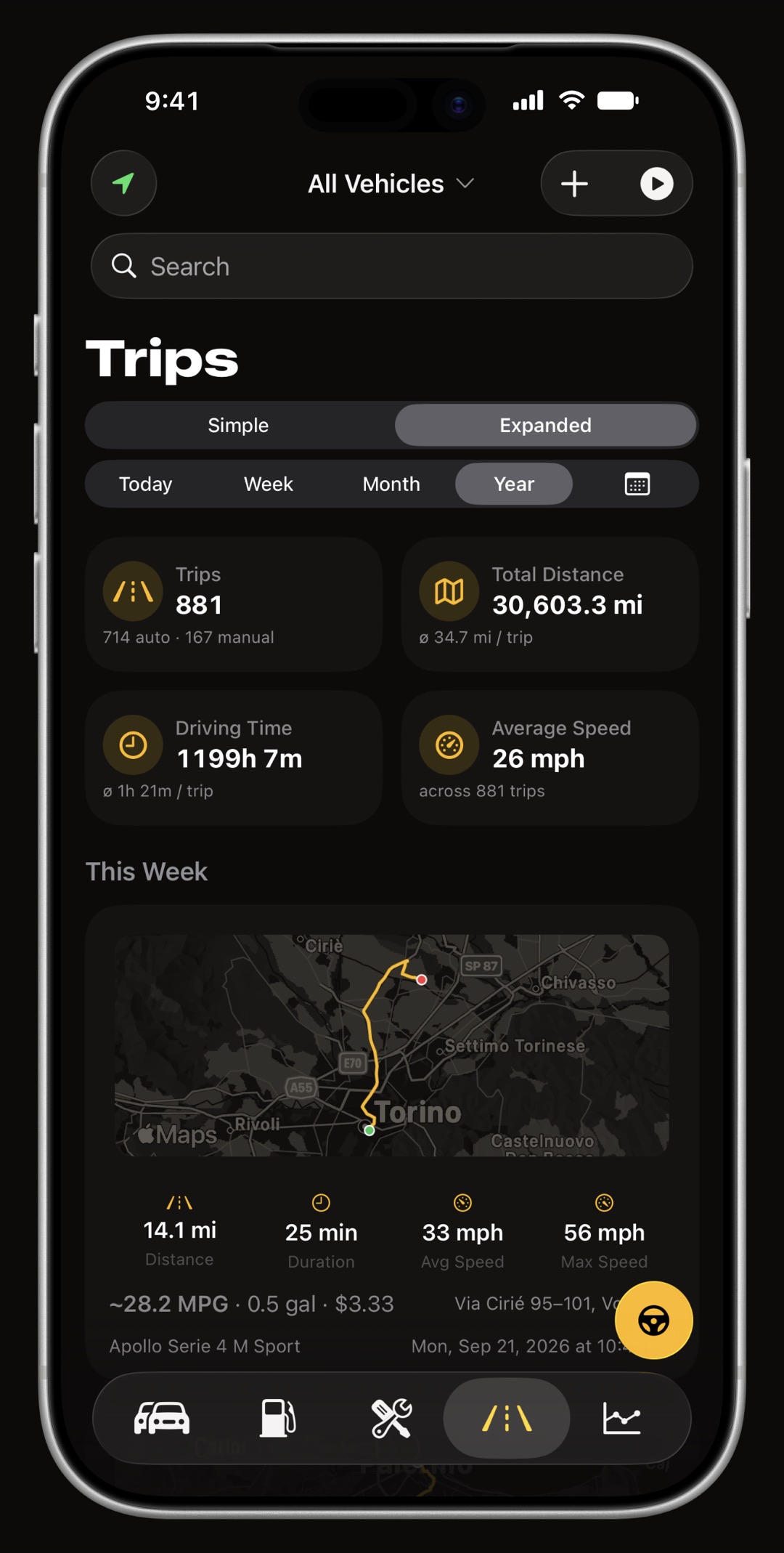
Pair your helmet headset once over Bluetooth and link it to the bike. When the headset connects, trip detection arms; the ride starts at the first GPS fix above the speed gate and stops on its own when you park. Every ride lands on the right vehicle with its route, distance, duration and average speed, and its distance is added to the odometer with a full audit trail, so the chain interval and the valve interval count down from real mileage. A bike stereo or a Shortcuts automation works the same way, and a ride recorded without a paired device can be assigned to a vehicle afterwards.
- No phone in your hand the ride starts when the headset connects and the bike moves, and ends when it stops.
- You define a ride a minimum distance and a minimum duration, or either one off, so a trip round the block can be kept or discarded on purpose.
- Roads, not zigzags the recorded track is pulled onto the road network for drawing, so a mountain road looks like the road. Every distance and speed still comes from the raw fixes.
- Nothing lost to a crash if iOS kills the app mid-ride, the trip is reconstructed from Core Motion history on the next launch.
What does it record about how you ride?
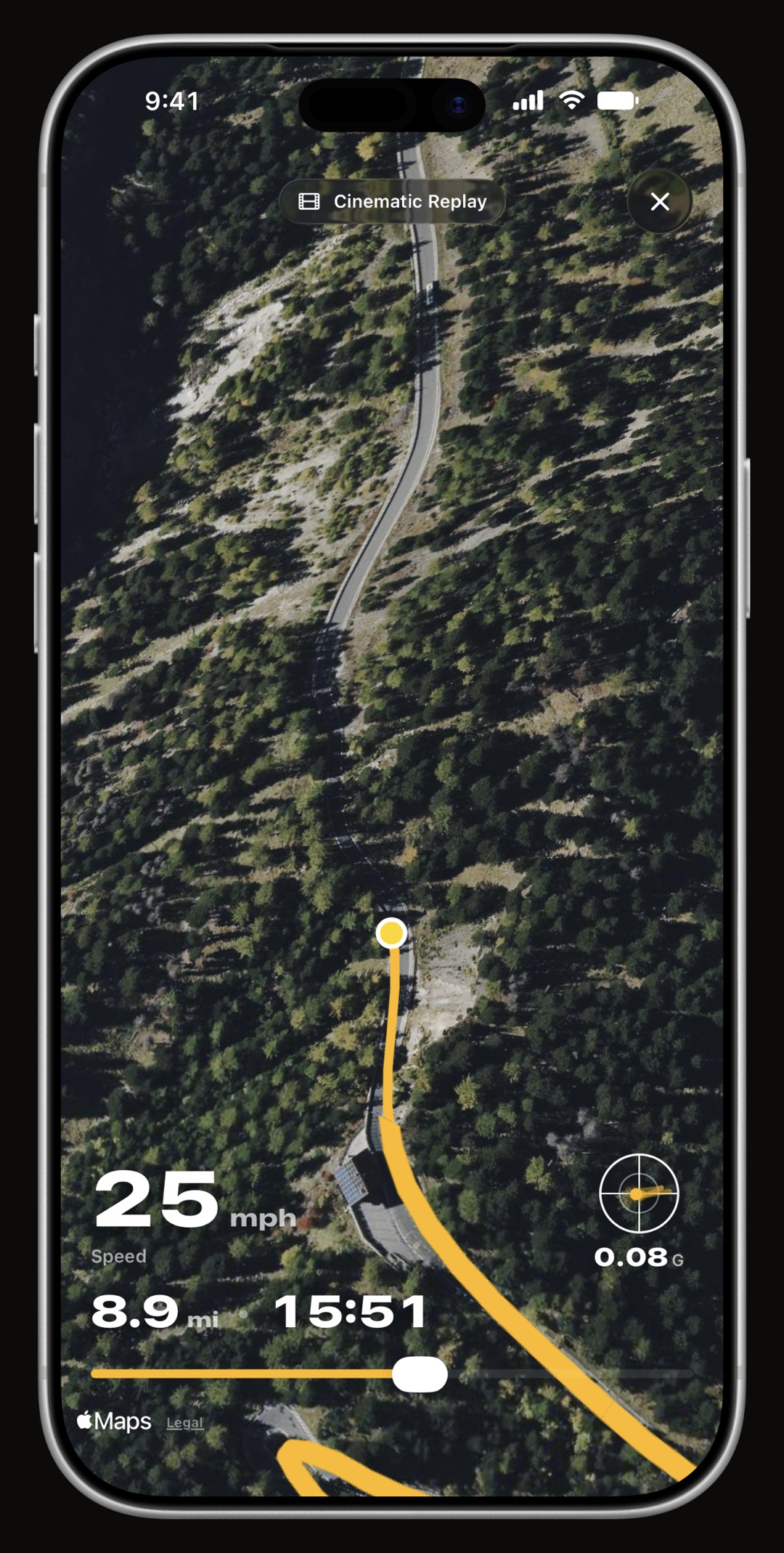
Every ride has a replay: the route played back with a scrubbable timeline, gauges for speed and G-forces, and an altitude profile, plus a 3D cinematic version that flies a chase camera along the route over satellite terrain and exports a short vertical video. The driving-dynamics pipeline fuses GPS speed with the gyroscope so it works however the phone is mounted, and it counts braking, acceleration and cornering events. Cornering is the one channel that differs between a car and a bike: a motorcycle sustains lateral force through an ordinary bend that would be a sharp corner in a car, so the cornering profile is set for a machine that leans, while braking and acceleration stay identical so your history remains comparable across the change. Separately, the acceleration timer in the Vehicles toolbox times your own runs by GPS, for a bike as for a car, and keeps the best and the latest per vehicle; it is an estimate, and only for a closed road or a track.
Is there a dashboard for the ride itself?
Yes. WrenchTime Live turns the phone into a full-screen instrument board pointed at one vehicle, built from 17 instrument types on pages you lay out yourself, in portrait or landscape depending on how you mounted it. For a bike the useful ones are lean angle, speed, G-force, road grade, compass, altitude, range, trip stats and, with a trip recording and Heart Rate from Apple Watch turned on, your pulse, all of them drawn as real instruments with colored bands where a value leaves its normal range; with a Bluetooth OBD-II adapter paired, revs, coolant temperature and throttle join them. The screen stays awake while you ride. The free tier gets 3 instruments on the first page.
Can I keep a car and a motorcycle in the same app?
Yes, and that is the point. Each vehicle has its own profile, odometer, service history and fuel log, every tab can be filtered to one vehicle or show the whole fleet, and CSV and PDF exports are per vehicle. Every icon and piece of copy adapts to what you own: the parking widget says find my bike, the vehicle card shows a motorcycle. The free tier holds 1 vehicle; WrenchTime Pro, as a subscription or a one-time lifetime purchase, removes the limit.
How does WrenchTime compare with Fuelly, Drivvo and Magica for motorcycles?
Fuelly logs fuel for two-wheelers and reminds you of basic services, but does not know what a chain or a valve clearance is and does not record rides. Drivvo manages a bike like any other expense ledger. Magica records trips but treats a motorcycle as a generic vehicle. WrenchTime is the one with motorcycle-specific procedures, a Motorcycle Service kit, helmet-headset ride logging, a lean-angle instrument and a motorcycle cornering profile, and the only one of the four with no account and no vendor server. If your bike's log lives in Fuelly or Drivvo today, the CSV import brings its fill-ups and services across.
Frequently asked questions
Does WrenchTime work for motorcycles?
Yes, as a first-class case. Chain maintenance, fork service and valve clearance are built-in procedures, a Motorcycle Service kit bundles the usual jobs, G-force detection uses a cornering profile suited to a machine that leans, and every icon and piece of copy adapts.
Can a ride start from my helmet headset?
Yes. Pair the headset over Bluetooth, link it to the bike, and a ride starts at the first GPS fix above the speed gate after it connects, then stops on its own when you park.
Does it know that a bike leans?
Yes. The cornering detector uses a separate profile for motorcycles, so an ordinary bend is not logged as a sharp corner. Braking and acceleration thresholds are the same as for a car, so your history stays comparable. WrenchTime Live also draws lean angle as an instrument of its own.
Does it track chain maintenance?
Yes, as a built-in procedure with its own schedule hint, on a distance interval that counts down from the mileage your recorded rides add to the odometer.
Is it free?
Free for 1 vehicle with limited entries per month. WrenchTime Pro, as a subscription or a one-time lifetime purchase, unlocks unlimited vehicles and every feature. There are no ads on either tier.

Made for people who would rather know than guess.
Free to download. One vehicle, real features, no ads. Your garage will thank you.
Download WrenchTime on the App Store