iPhone · iOS 26+
The car app that feels like part of your iPhone
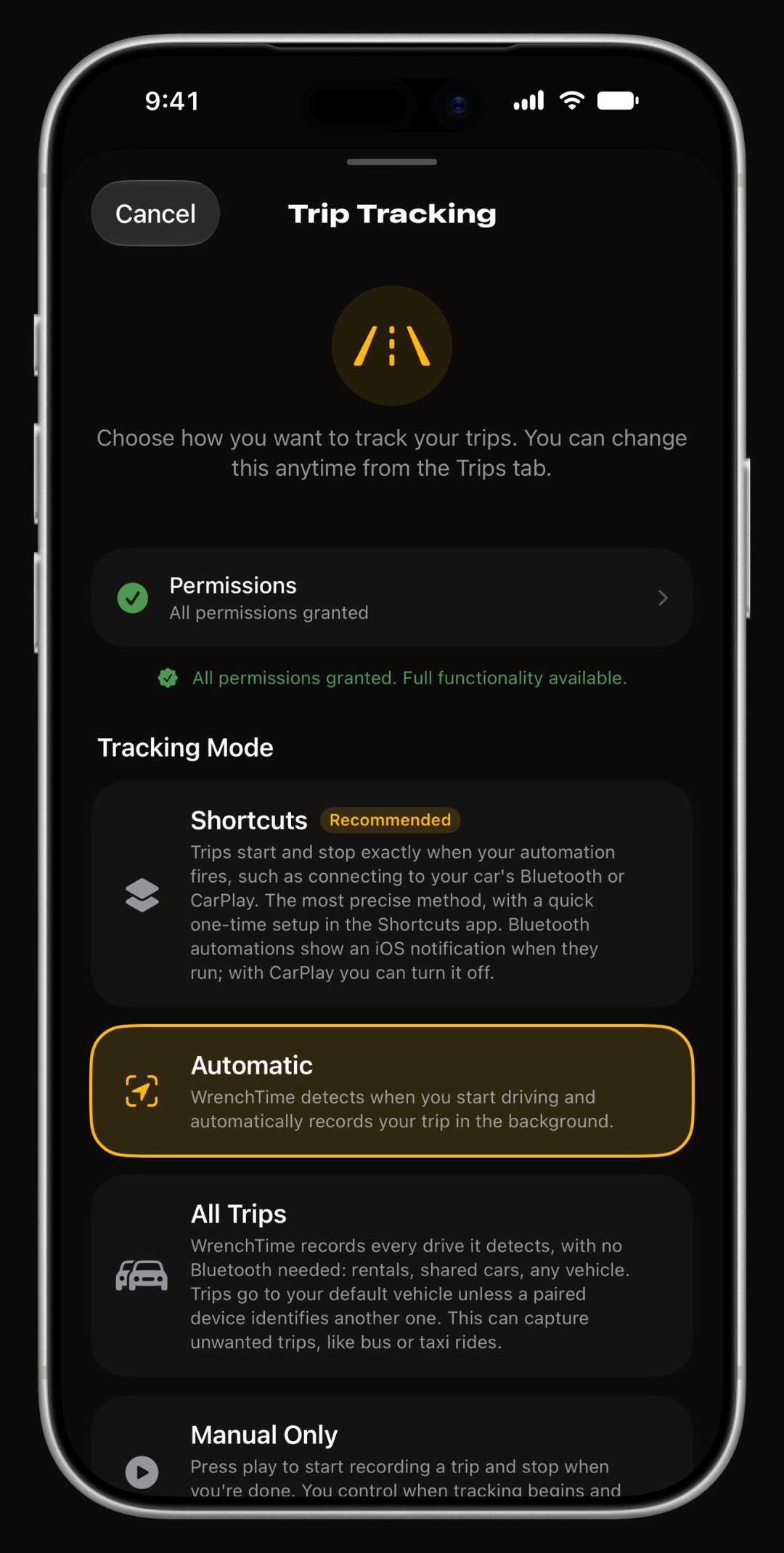
WrenchTime is a maintenance, fuel and trip log for cars and motorcycles, built for iPhone rather than ported to it. It records trips by itself from your car's Bluetooth, remembers where you parked at the end of every drive, reads the fuel pump's display from a photo, and puts the drive on the Lock Screen and in the Dynamic Island while it runs. 9 Home Screen and Lock Screen widgets, a CarPlay app, Siri shortcuts and an Apple Watch app bring the same garage to the places you already look. The app is free for 1 vehicle; WrenchTime Pro removes the limits.
What does WrenchTime do on an iPhone?
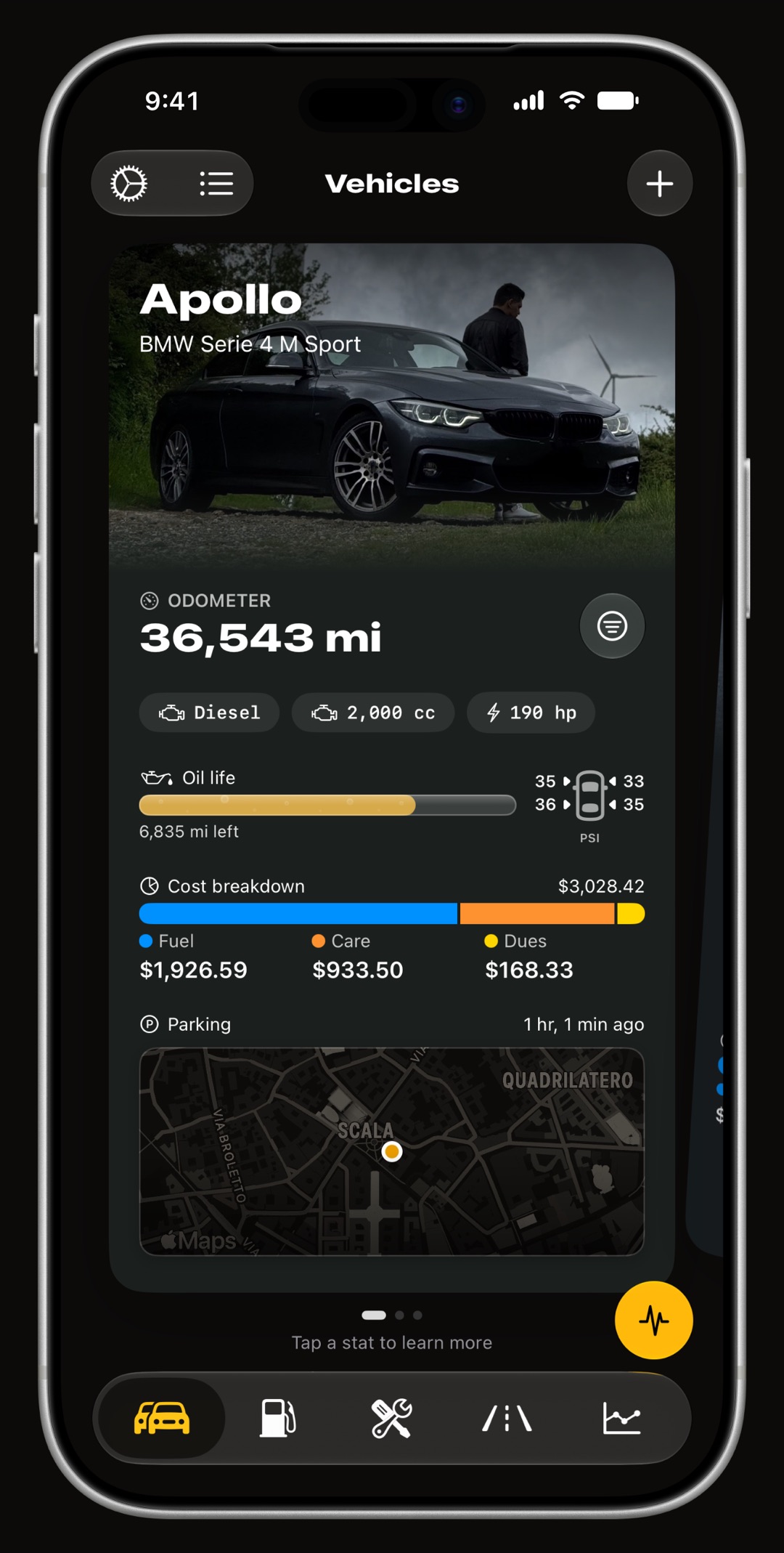
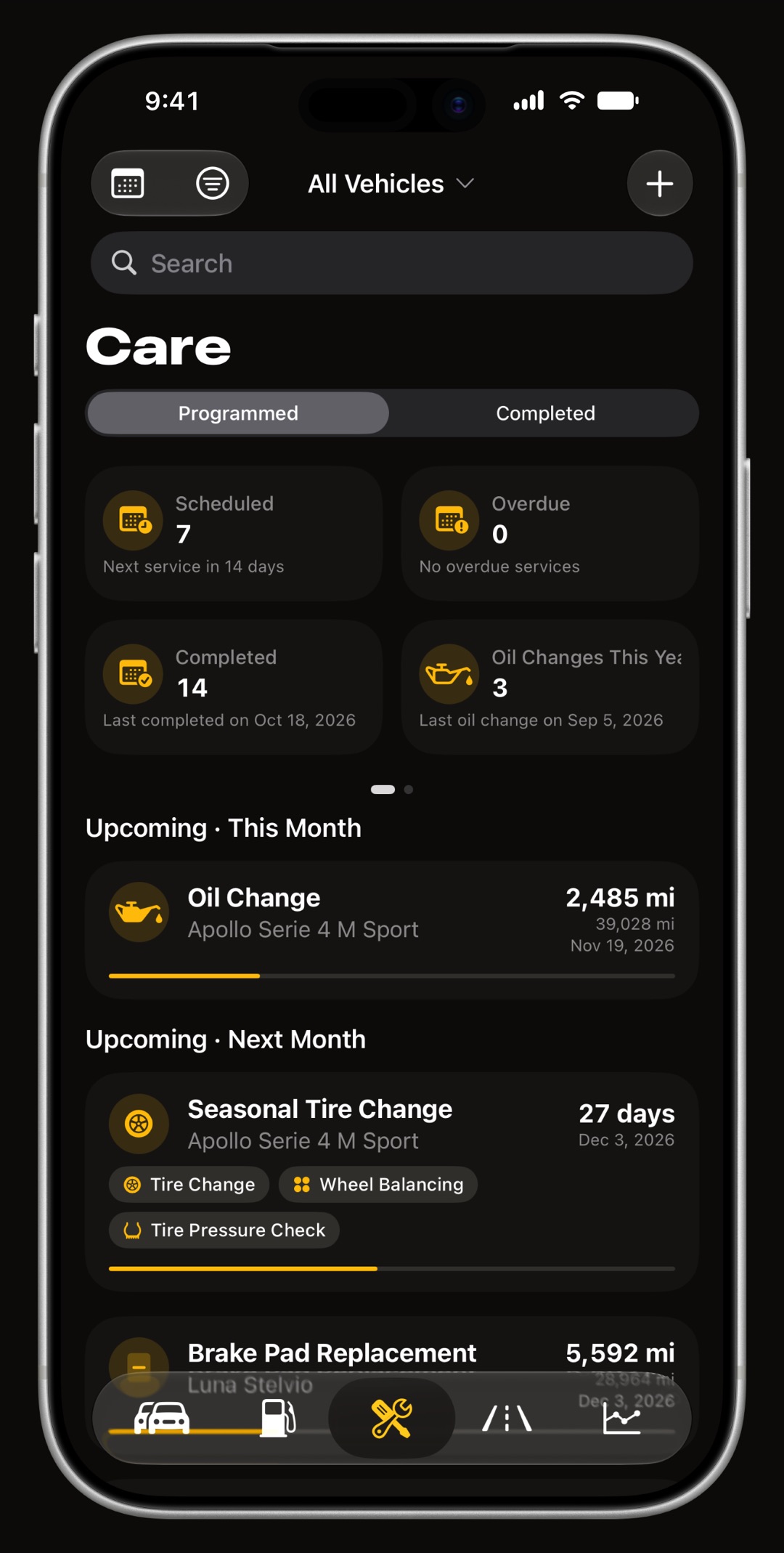
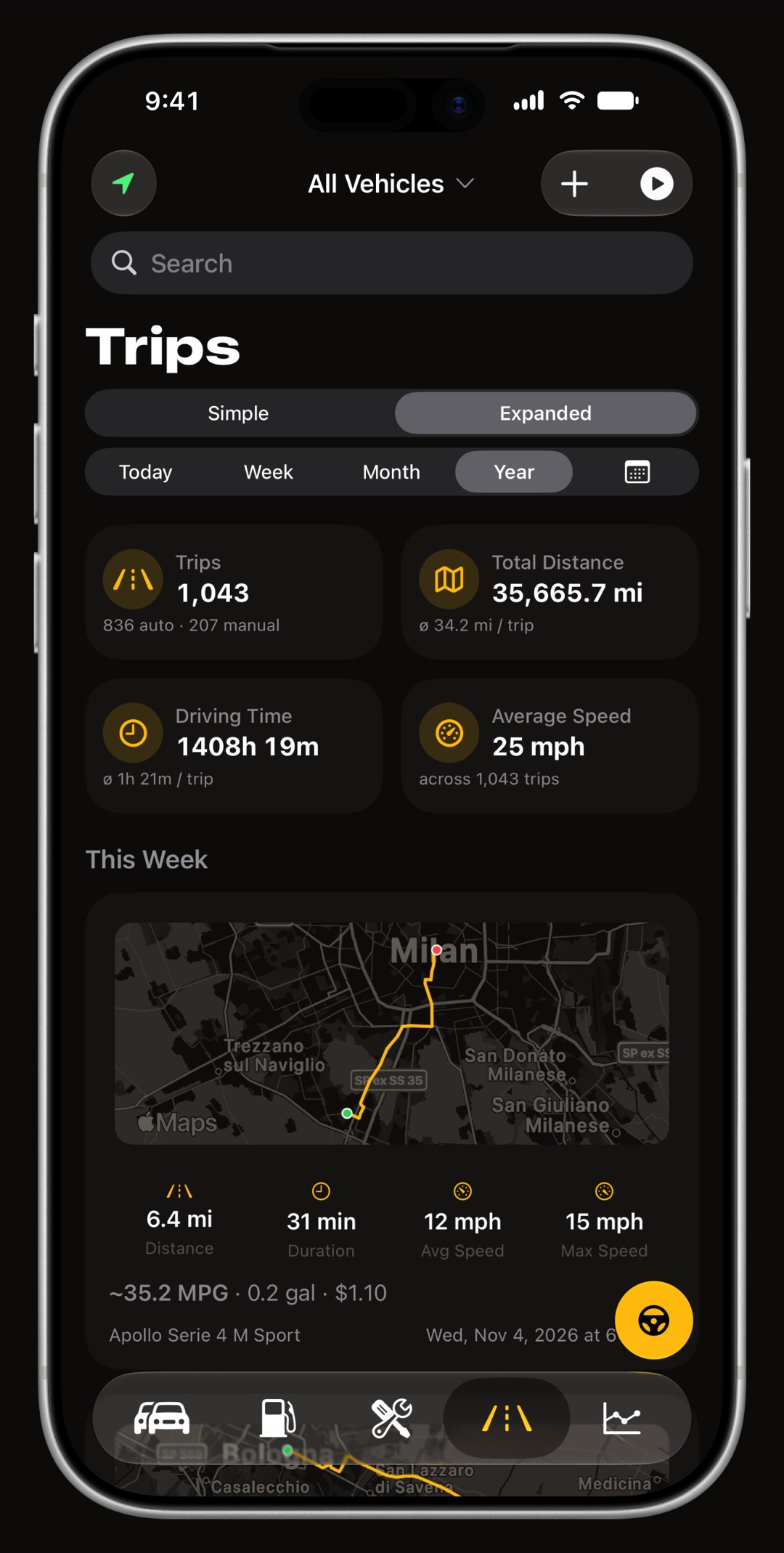
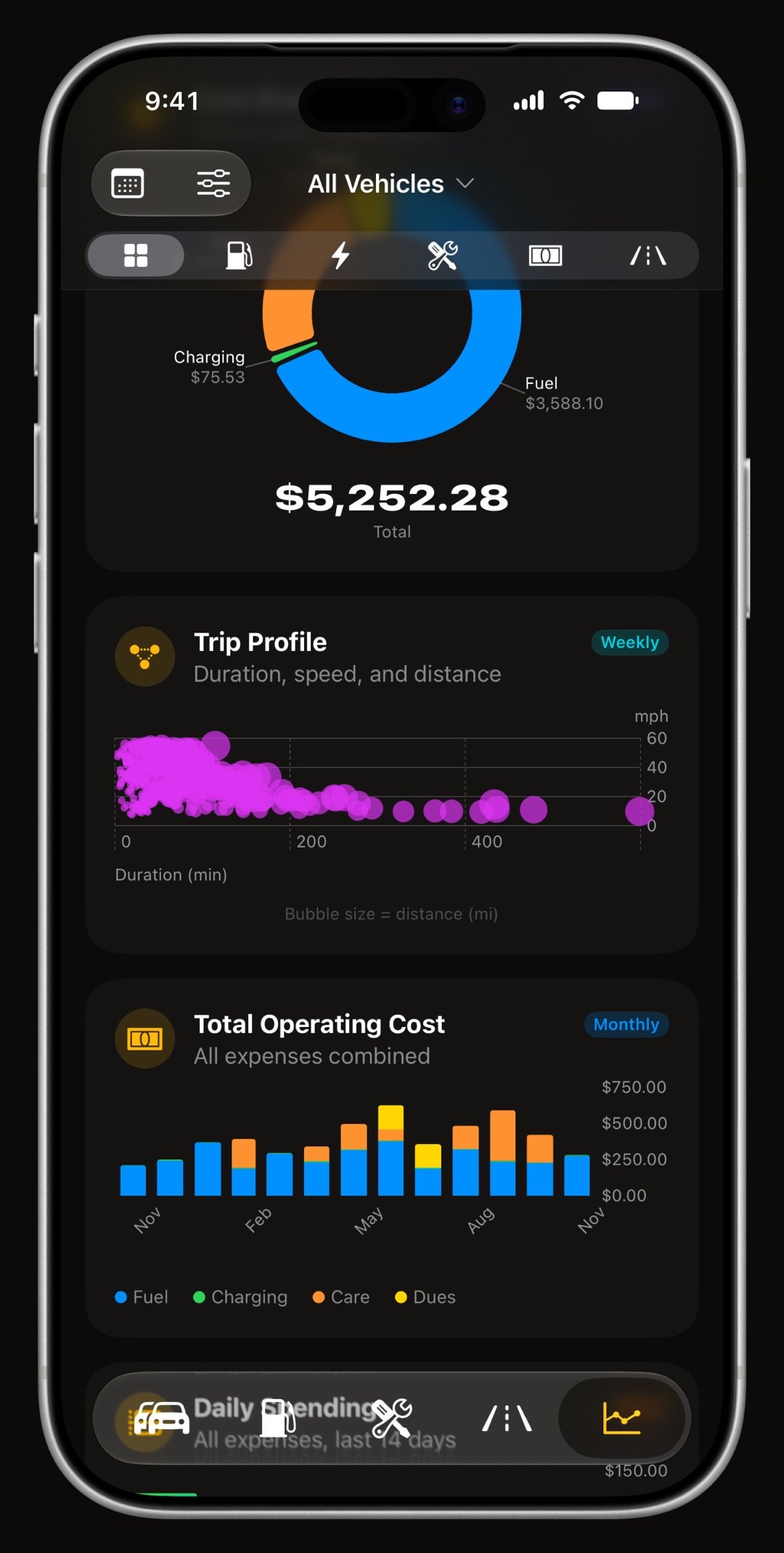
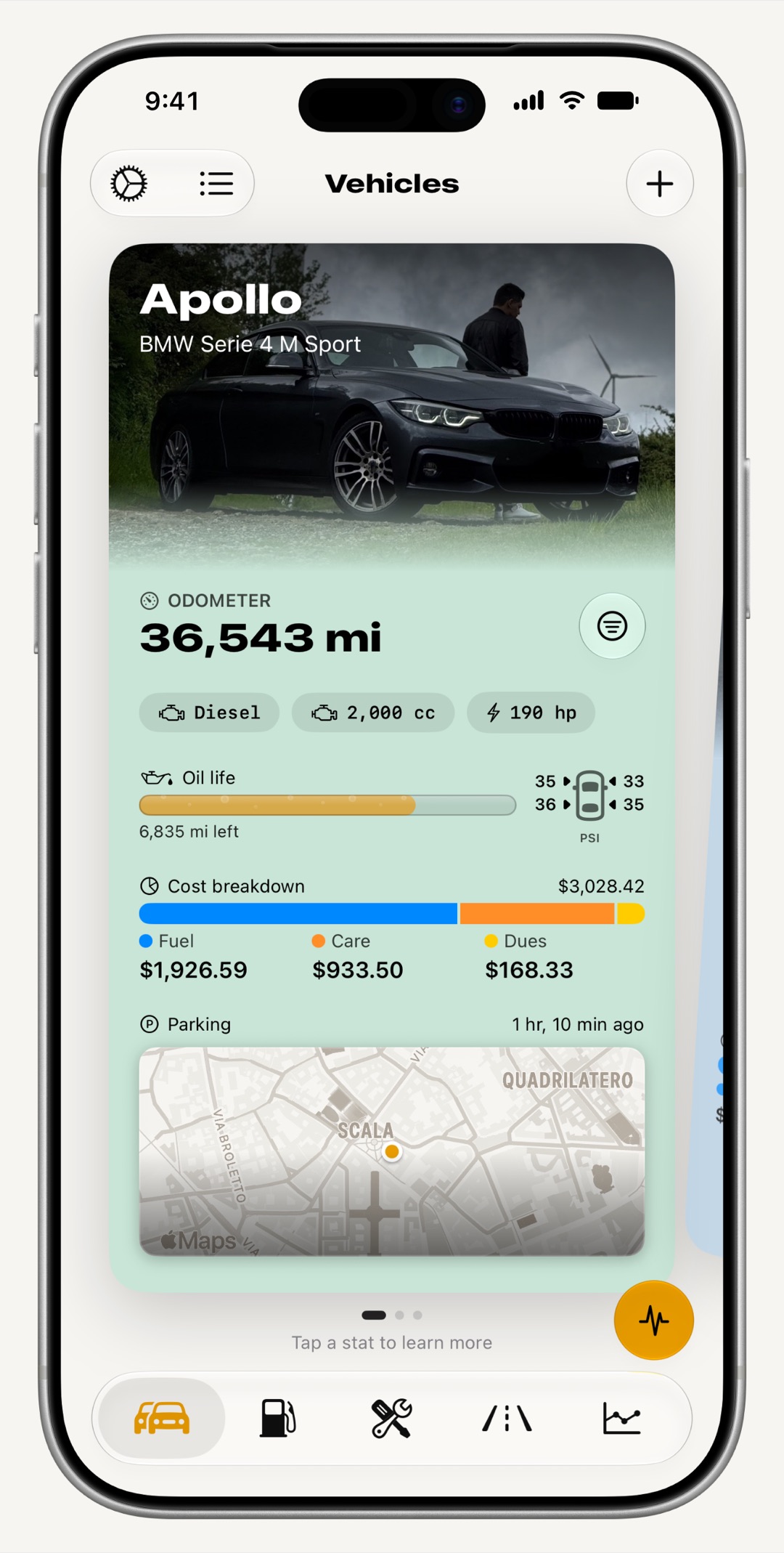
It keeps a vehicle's whole life in one place: 59 maintenance procedures with reminders by date or mileage, fill-ups and charging sessions, trips with their route and speed, and 31 charts of what the car really costs. Each vehicle gets a card with its photo, odometer, oil life, tire pressures, running costs and where it is parked, and every tab is built the way iOS apps are: sheets, search, swipe actions and Liquid Glass.
Can it find where I parked my car?
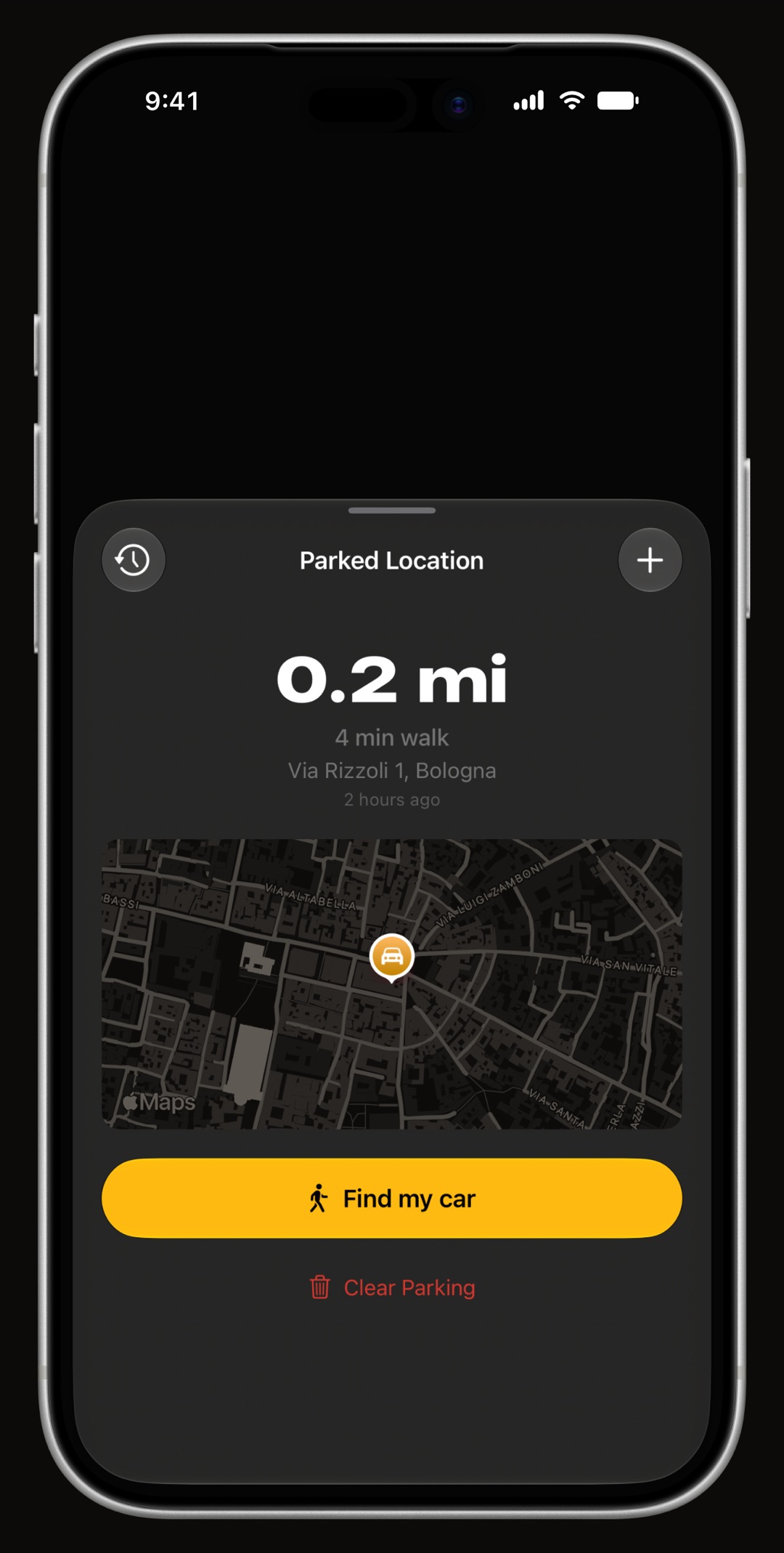
Yes. At the end of every trip WrenchTime saves where the car stopped, even when the drive was too short to keep, and shows it on the vehicle's card, on the Parking widget and in the app with walking directions. Nothing to tap when you get out: the trip ends when the car's Bluetooth disconnects and the car stops moving, and the spot is already there. On a motorcycle it reads "Find my bike".
Can I log a fill-up without typing?
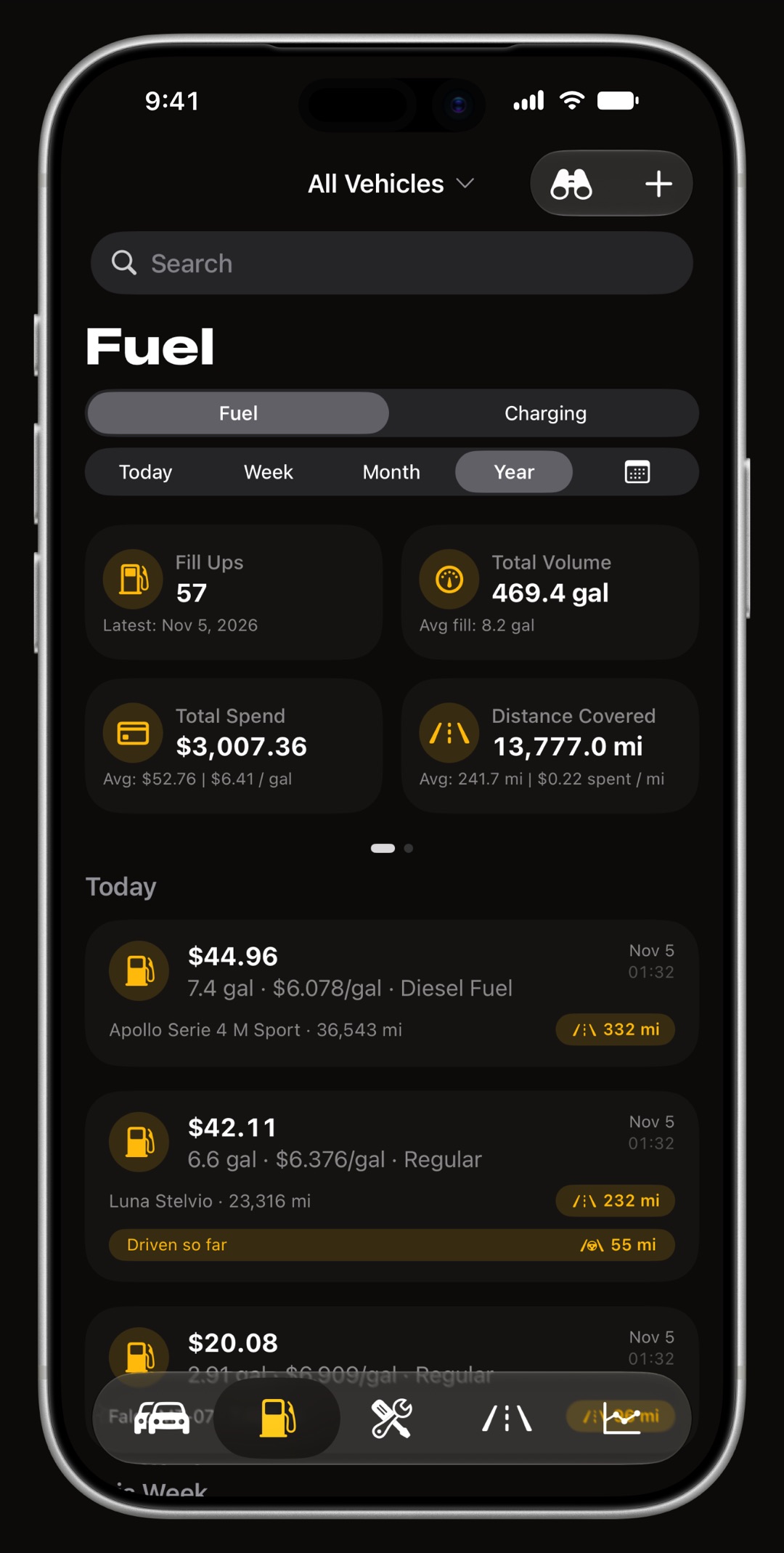
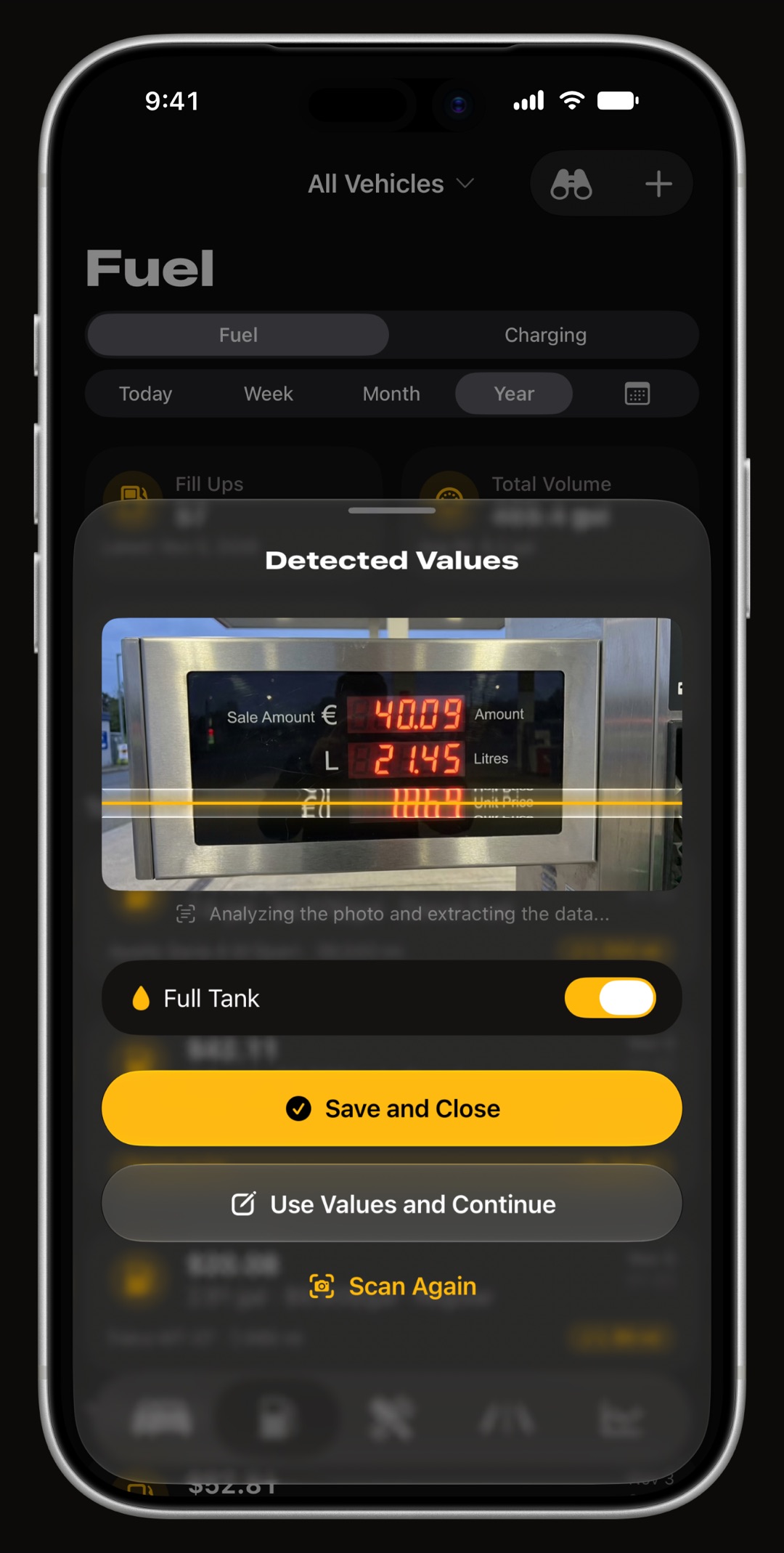
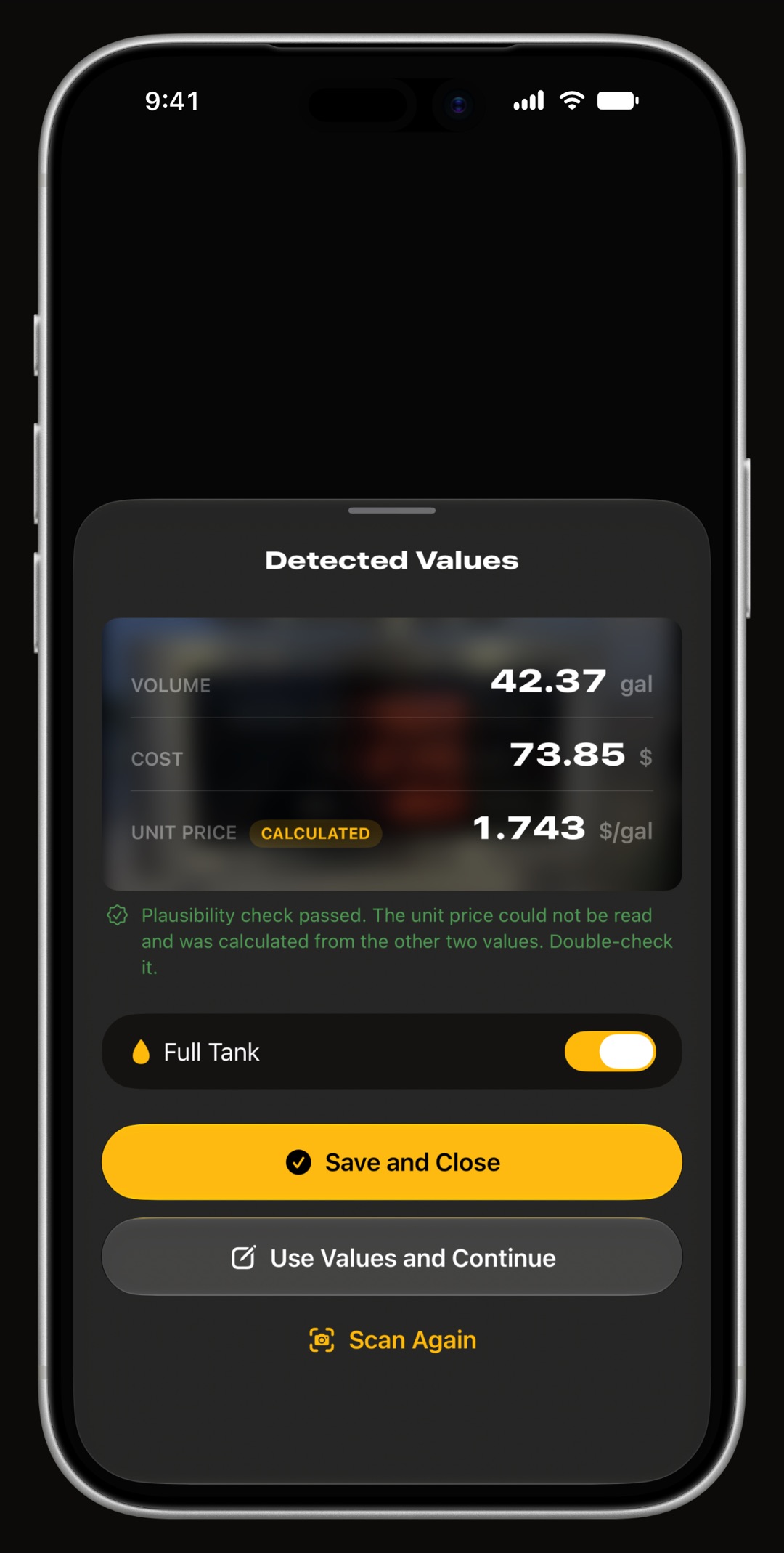
Yes. Take a photo of the pump's display or the receipt and WrenchTime reads the volume, the cost and the price per unit on the device itself, then fills in the entry for you to check. The odometer comes from the trips it already recorded, so most fill-ups are a photo and one tap.
What shows on the Lock Screen while I drive?
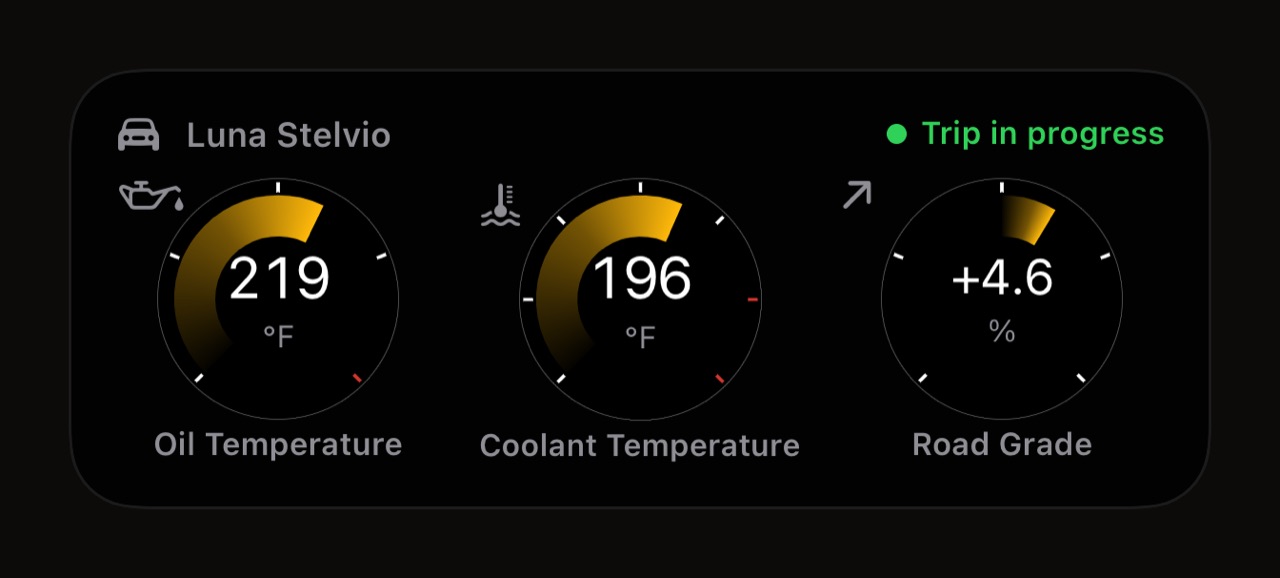
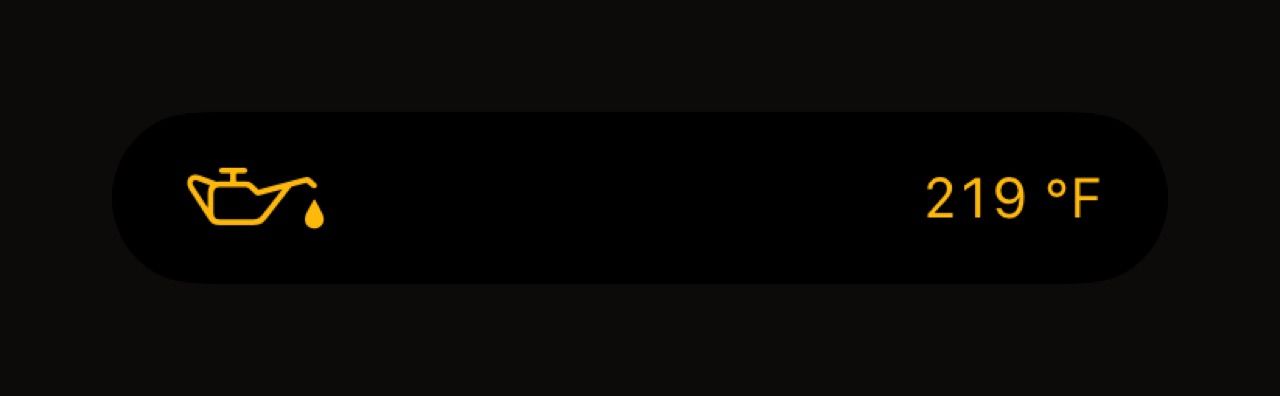
A Live Activity: a row of cards on the Lock Screen and in the Dynamic Island for as long as the trip runs, with the distance, speed, time and any reading you choose, OBD-II gauges included. It updates every couple of seconds, even standing at a light, and each vehicle keeps its own row. The full story is on the Live Activity page.
Which widgets does it have?
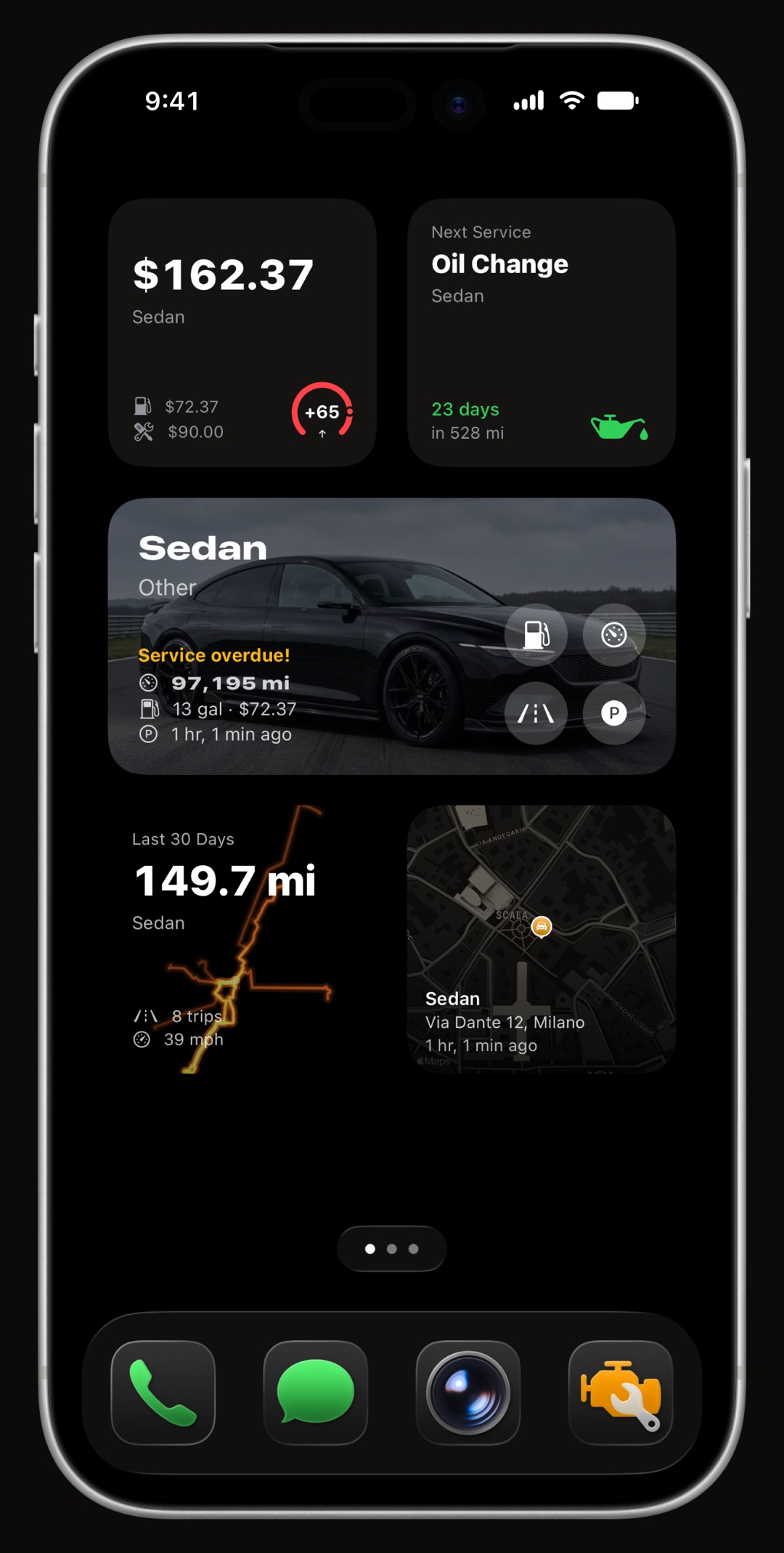
9 of them, for the Home Screen and the Lock Screen: the vehicle with its photo and odometer, the month's spending, the next maintenance with the days or miles left, fill-up and charging stats with an economy trend, the last trip and the parking spot with a map. Each widget can follow a vehicle of your choice.
Does it work with CarPlay?
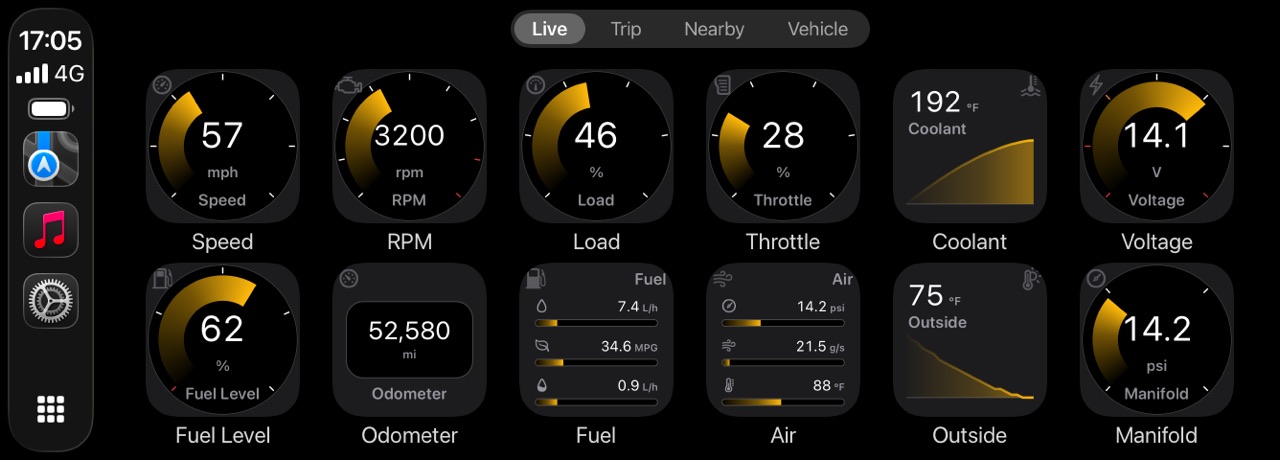
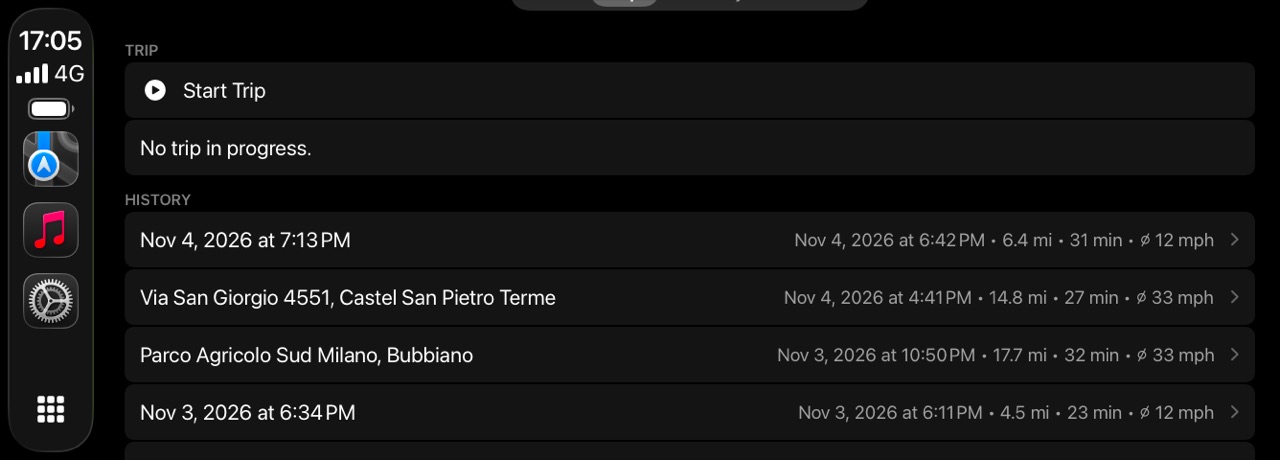
Yes. WrenchTime has a CarPlay app of its own, with four tabs: a grid of OBD-II gauges, the current trip with start and stop, nearby fuel prices or chargers, and the vehicle's odometer and upcoming maintenance. CarPlay is part of WrenchTime Pro, and its gauges need a Bluetooth OBD-II adapter; the rest is on the CarPlay OBD-II app page.
Can my iPhone be a car dashboard?
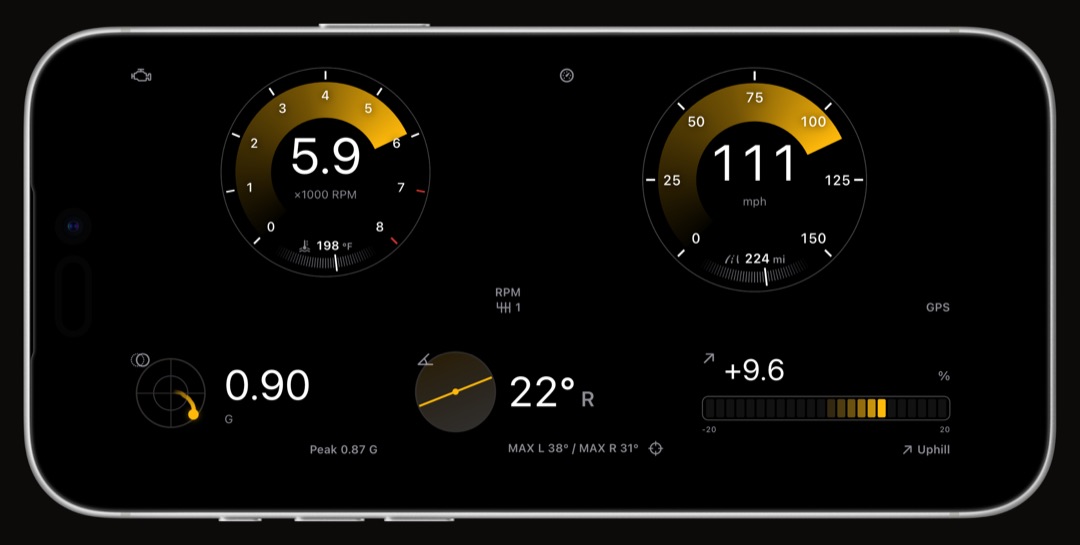
Yes. WrenchTime Live turns the iPhone into a full-screen board of gauges you build yourself from 18 instrument types: speed from GPS, G-force, lean angle on a motorcycle, altitude, a map, the weather and, with an adapter, any OBD-II reading. Turn the phone on its side and a landscape page lays out twelve units to a row. More on the car dashboard app page.
Does it work with Siri and Shortcuts?
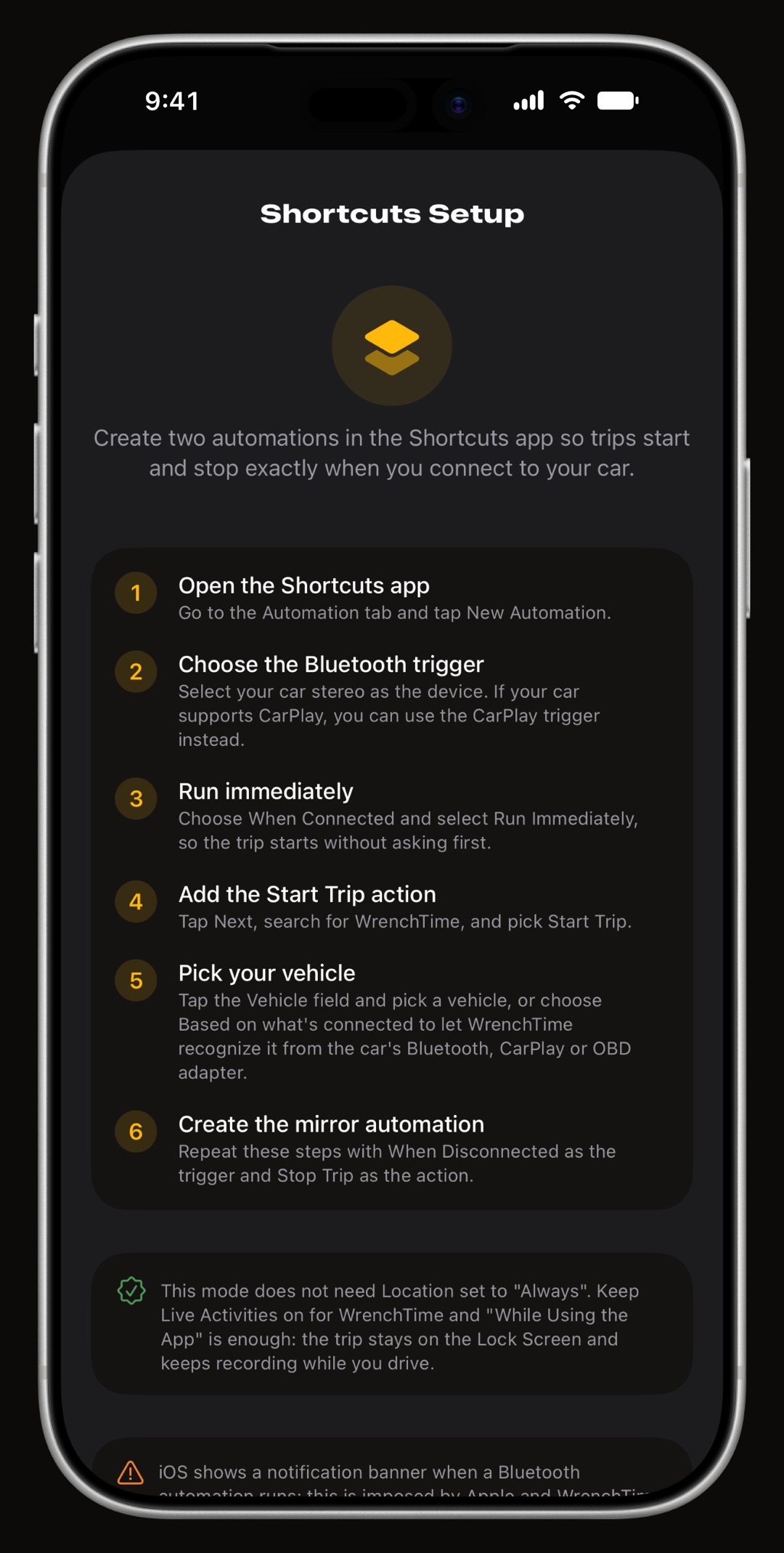
Yes. "Start a trip in WrenchTime", "Stop the trip in WrenchTime" and "Open WrenchTime Live" work from Siri, the Shortcuts app, Spotlight and CarPlay, so an automation can start recording when you connect to the car. Long-press the app icon and you can add a fill-up, a charge or a maintenance entry in one step.
Is there an Apple Watch app?
Yes, with WrenchTime Pro. The watch shows your vehicles, the next maintenance and the current trip, logs a fill-up from the wrist, and offers 5 complications for the watch face. During a trip it can also record your heart rate, which the trip keeps with its route.
What is free?
The app, with 1 vehicle, 3 fill-ups a month, 10 trips a week, the widgets, the Live Activity, parking and Siri. WrenchTime Pro, by subscription or once for life, removes the limits and adds CarPlay, the Apple Watch app, vehicle sharing and more, and it covers your iPad and iPhone Duo too.
Frequently asked questions
Is WrenchTime free on iPhone?
Yes, for one vehicle with monthly and weekly limits. WrenchTime Pro removes them and adds CarPlay, the Apple Watch app and vehicle sharing.
Can WrenchTime find my parked car?
Yes. It saves where the car stopped at the end of every trip and shows it on the vehicle's card, in a widget and with walking directions.
Does WrenchTime record trips automatically?
Yes. Pair the car's Bluetooth with the vehicle and trips start and stop on their own, with nothing to tap.
Does WrenchTime work with CarPlay?
Yes, with WrenchTime Pro: OBD-II gauges, the current trip, nearby fuel prices and upcoming maintenance on the car's screen.
Does it work with an Apple Watch?
Yes. The Apple Watch app, part of WrenchTime Pro, shows your vehicles and the current trip, logs fill-ups and adds complications.
Made for people who would rather know than guess.
Free to download. One vehicle, real features, no ads. Your garage will thank you.
Download WrenchTime on the App Store