OBD-II adapters · Veepeak · iPhone
Do Veepeak OBDCheck adapters work with an iPhone?
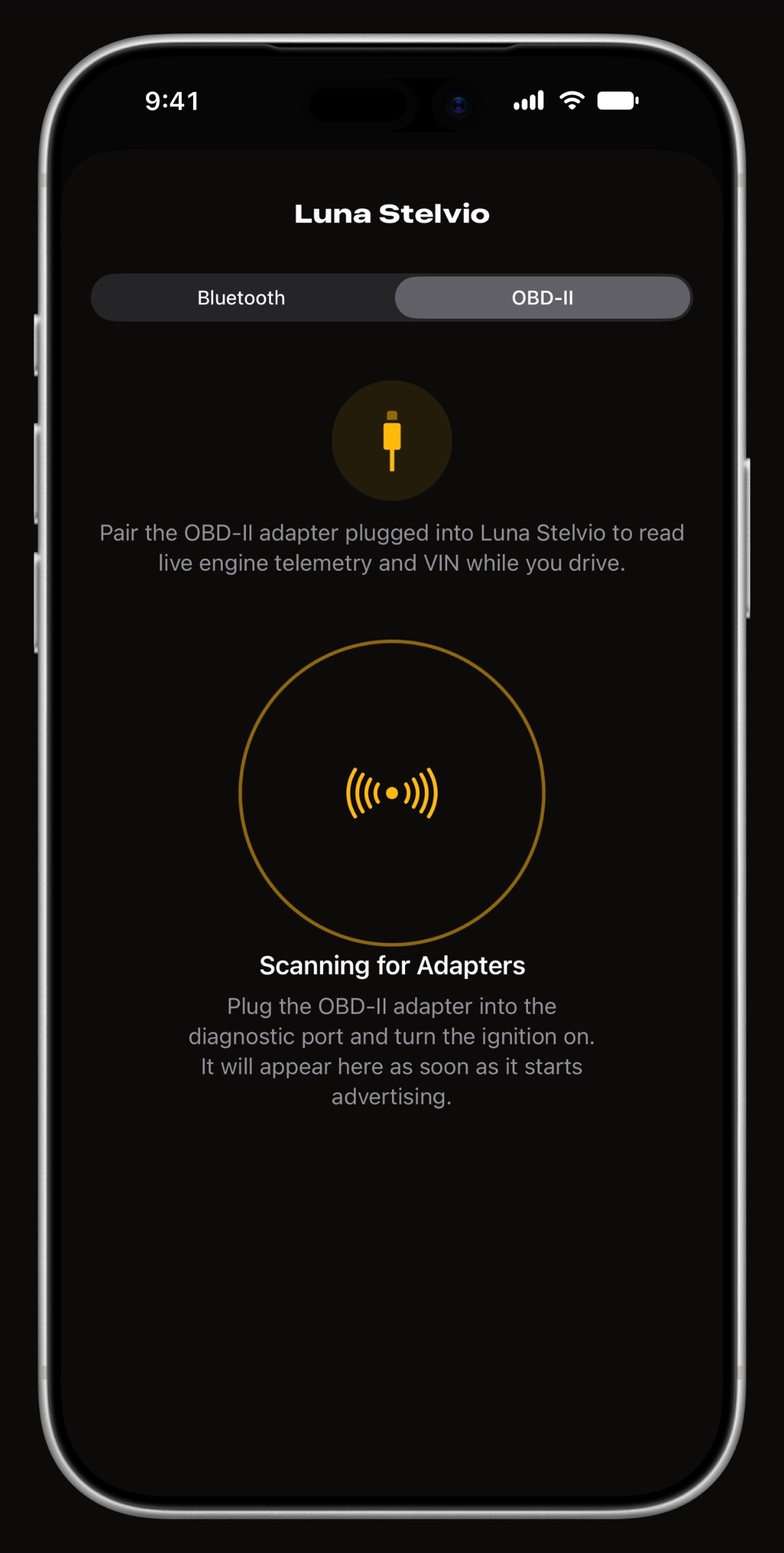
Yes. The Veepeak OBDCheck BLE+ and the earlier OBDCheck BLE both talk to an iPhone over Bluetooth Low Energy, so WrenchTime finds them with its own scan, where they show up as VEEPEAK, and links them to a vehicle with a tap. Neither is paired in iPhone Settings, which Veepeak's own pages say too. Users report both working with the app and rank them among the best adapters they have tried with it. Two things are not on record yet: which model each report was about, and whether a Veepeak wakes by itself when the app connects.
Which Veepeak adapters work with WrenchTime?
The OBDCheck BLE+ and the OBDCheck BLE, both reported working by users. Each has Bluetooth Low Energy for the iPhone and classic Bluetooth for Android, with no Apple MFi mode and no Wi-Fi, so on an iPhone it is the Bluetooth Low Energy side that WrenchTime uses. The reports did not record which model each user had, so both rows rest on the same evidence.
The status says what the app did with each adapter, not whether the adapter suits your car: protocol coverage, sleep and wake behavior and a given make's quirks are on the maker's compatibility list, and worth a look before buying. On the app side, any adapter that speaks ELM327 over Bluetooth Low Energy 4.0 or later is expected to work, as is the Apple-certified OBDLink MX+; the ones below are the ones on record.
| Adapter | Status | Notes |
|---|---|---|
| Veepeak OBDCheck BLE+ | Works | Bluetooth Low Energy for the iPhone, so it is not paired in iPhone Settings: the scan finds it as VEEPEAK and a tap links it. Users report it among the best adapters they have tried with the app. Whether it wakes by itself is not yet on record. |
| Veepeak OBDCheck BLE | Works | The earlier OBDCheck, found by the scan the same way as the BLE+ and reported working by users. It talks to one app at a time, so close any other OBD app before a drive. |
Statuses are copied from WrenchTime's own adapter log as read on : what each device did on a real vehicle, not a maker's claim. A listed adapter is not a recommendation, and no adapter maker sponsors this page.
How do I connect a Veepeak OBDCheck to an iPhone?
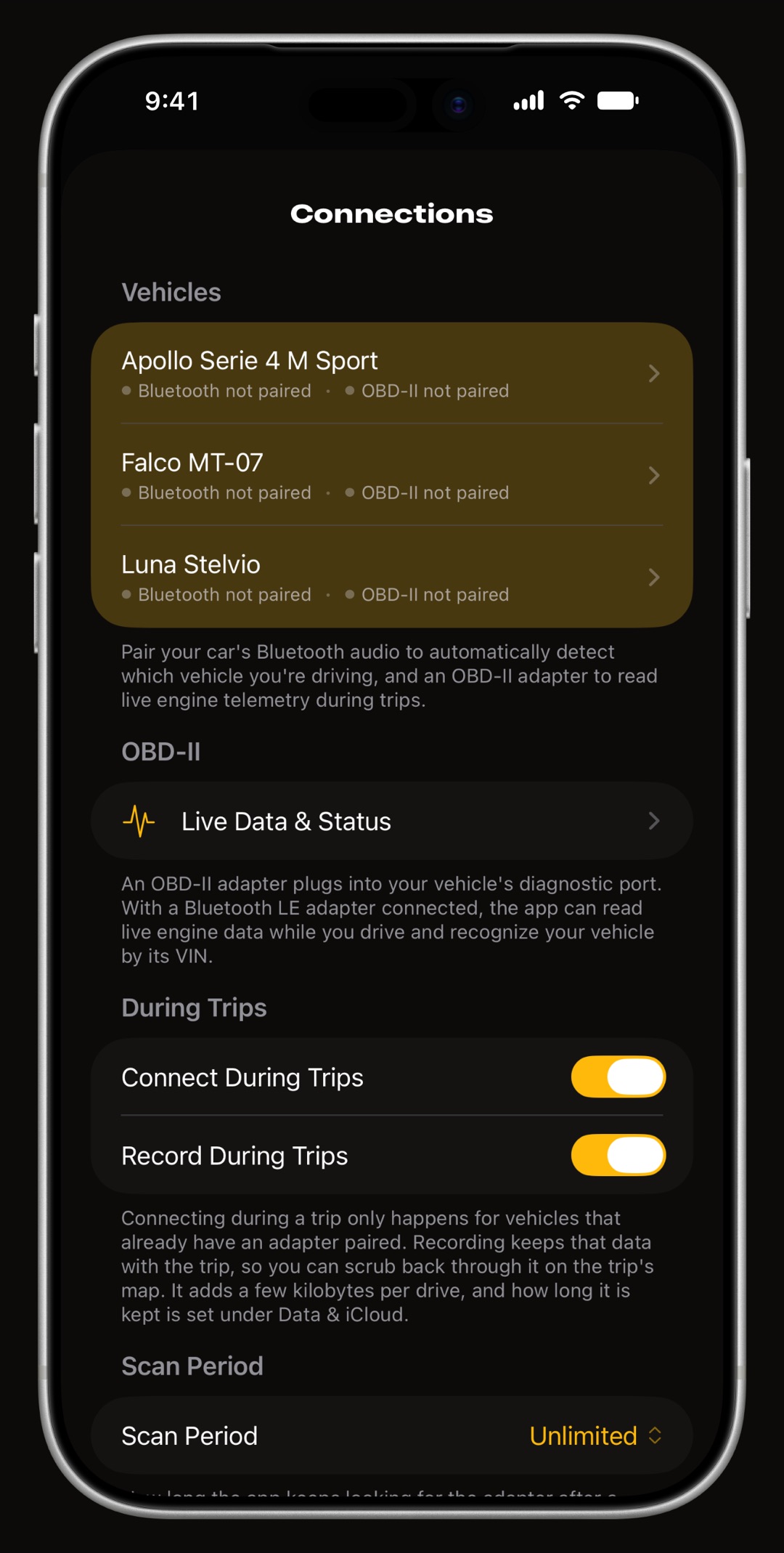
From inside WrenchTime, never from iPhone Settings. Plug the adapter into the OBD-II port, turn the ignition on and open Settings > Connections. Pick the vehicle, switch to its OBD-II tab and let the scan run: the adapter appears as VEEPEAK, and a tap links it to that vehicle. A first Connection Check then watches speed and revs for a few seconds. The whole flow is in the tutorial on connecting an OBD-II adapter.
OBDCheck BLE or BLE+: which one should I buy?
For WrenchTime on an iPhone, either: both use the same radio and are found the same way. One difference is on Veepeak's own page for the OBDCheck BLE: it connects to one app at a time, so another OBD app left open keeps it from WrenchTime. For protocol coverage and anything else, Veepeak's product pages, linked from the table, are the place to compare.
Why does the scan not find my Veepeak adapter?
Almost always for one of three reasons, all on the iPhone's side rather than the car's.
- It is paired in iPhone Settings a Bluetooth Low Energy adapter paired in Settings > Bluetooth is held by iOS. Forget it there and scan again from the app.
- Another OBD app has it the OBDCheck BLE talks to one app at a time. Close any other OBD app, including one still running in the background.
- The car is off turn the ignition on before scanning, so the adapter is awake and the car answers.
Does a Veepeak adapter wake up by itself?
That is not on record yet. Veepeak's pages do not say, and the app's adapter log has no session from a Veepeak that would show it. It matters because a trip that starts while the adapter is asleep records no engine data. If yours wakes by itself, or does not, tell us and it goes in the log.
Frequently asked questions
Does the Veepeak OBDCheck BLE+ work with an iPhone?
Yes. It uses Bluetooth Low Energy on the iPhone, so WrenchTime finds it with its own scan, where it appears as VEEPEAK. Users report it working with the app.
Should I pair my Veepeak in iPhone Settings > Bluetooth?
No. Link it from Settings > Connections inside WrenchTime. Pairing it in iPhone Settings is the most common reason the app's scan cannot find it.
Can I use my Veepeak with WrenchTime and another OBD app?
Not at the same time. The OBDCheck BLE connects to one app at a time, so close the other OBD app before a drive you want WrenchTime to record.
Made for people who would rather know than guess.
Free to download. One vehicle, real features, no ads. Your garage will thank you.
Download WrenchTime on the App Store