iOS 26 · iPhone · iPad · CarPlay · Apple Watch · v6.9.0

The complete car & motorcycle maintenance, fuel and mileage log.

A garage in your pocket. WrenchTime records what you put in your vehicle, what you spend on it, what it still needs, and every mile it covers. With an OBD-II adapter it also reads the engine while you drive. Automatically, offline, and without ever sending your data to anyone.

56
Procedures
31
Charts
11
Languages
0
Servers of ours
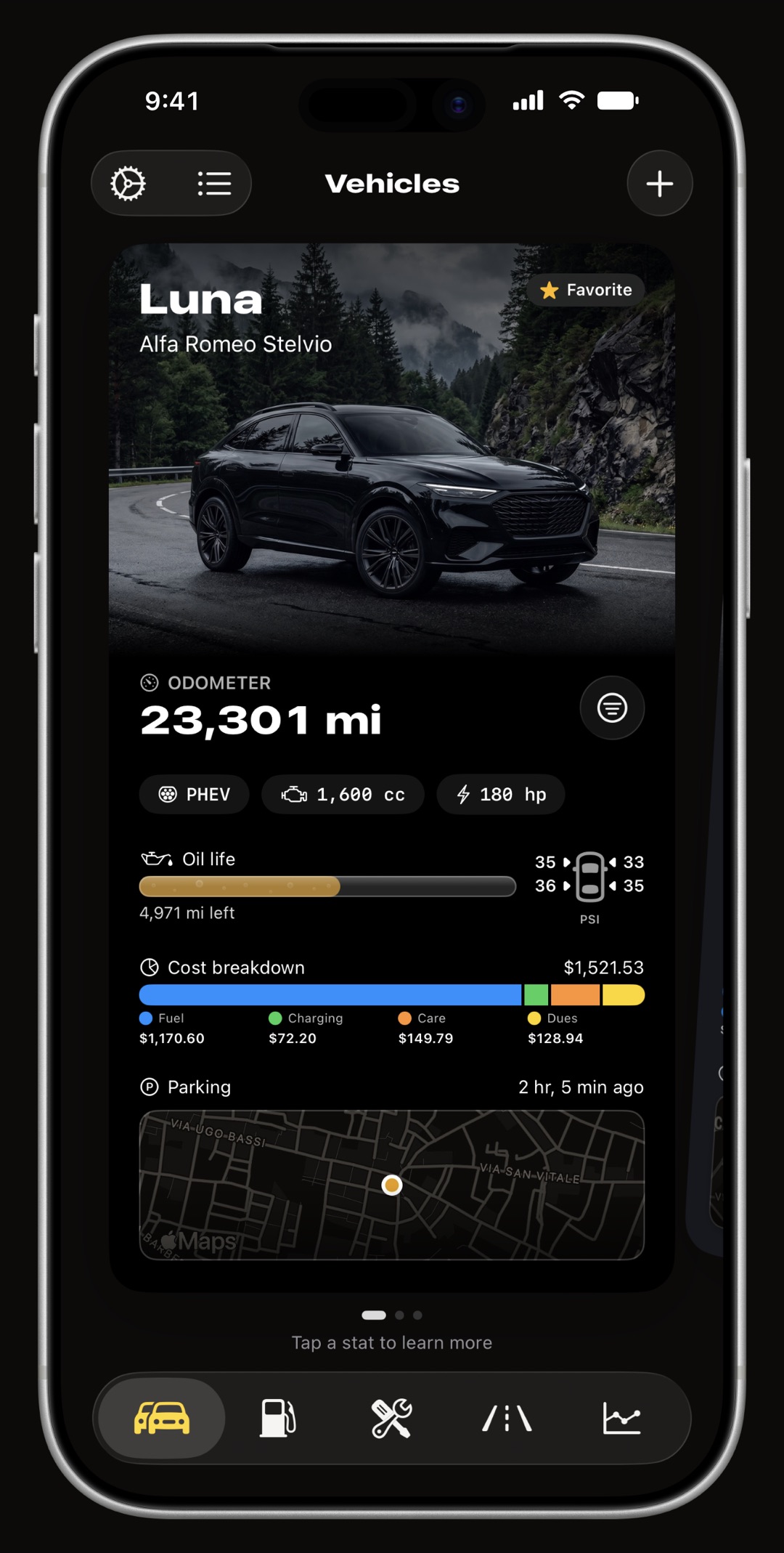
WrenchTime vehicle card on iPhone showing odometer, oil life, tire pressure, cost breakdown and parking spot

WrenchTime in one paragraph

WrenchTime is an iPhone, iPad, CarPlay and Apple Watch app (iOS 26+, v6.9.0) that combines maintenance scheduling (56 procedures, 12 kits, recurring series, reminders by date or odometer), a fuel log with true tank-to-tank economy, an EV charging log (kWh, charger type, home-charging ratio, honest PHEV handling), automatic GPS trip tracking triggered by Bluetooth, motion or CarPlay, with road-matched routes, trip merge and split and a 3D replay you can export as a video, 31 running-cost charts, find-my-car parking, on-device pump and receipt scanning, a fuel price and EV charger radar, and, with a Bluetooth ELM327 adapter, live engine data shown as gauge grids on CarPlay and recorded with every trip. WrenchTime Live turns the phone into a full-screen instrument dashboard of 17 instrument types, one of which draws any OBD-II reading, on pages you build yourself. It supports 11 engine types from gasoline to full EV, treats motorcycles as first-class vehicles, speaks 11 languages, works fully offline, imports the history kept in Fuelio, Drivvo, Fuelly or Spritmonitor, exports CSV and PDF, shares a vehicle's log with family or a co-driver with view-only or can-edit access, and syncs through the user's own private iCloud: no account, no login, no third-party server, no analytics profile. Free for 1 vehicle; WrenchTime Pro (subscription or lifetime) unlocks unlimited vehicles and every feature. It is the only app in its category that combines automatic trip tracking, deep maintenance scheduling, EV support, live OBD-II data and full on-device privacy in one product.

One app for maintenance, fuel, EV charging, mileage and live engine data

Most vehicle apps are a fuel log with a reminder bolted on.

WrenchTime treats a vehicle as a whole. A fill-up updates the odometer, the odometer moves a service closer to due, the service cost lands in the running-cost chart, and the trip that consumed the fuel gets its own consumption figure. Every number feeds every other part of the app.

Cars and motorcycles, side by side

Not a car app with a bike checkbox. Chain maintenance, fork service and valve clearance are first-class procedures.

Every powertrain

Gasoline, diesel, LPG, CNG, hybrids and full EV: 11 engine types, and the app hides what does not apply. No oil change on an EV.

It records itself

Pair your car stereo once and trips start and stop on their own, with GPS route, distance, duration and average speed.

Offline, and yours

Everything is stored on device and synced through your own private iCloud. There is no WrenchTime server to trust.

One question, one page

WrenchTime for motorcycles, EVs, mileage, fuel economy, OBD-II, trouble codes, custom PIDs, 0-60 timing, running costs, fuel prices, shared cars and switching apps

The things people come here for, each answered on its own page.

Each page answers one question in its first paragraph, names what the app does and does not do, and is written to be read on its own.

Motorcycle maintenance app

Chain, valves and fork service as built-in procedures, rides logged from your helmet headset, and a cornering profile for a machine that leans.

EV charging log

kWh, charger type, battery before and after, efficiency in four units, a home-charging ratio, a worldwide charger finder and honest plug-in hybrid handling.

Automatic mileage tracker

Trips start when your car stereo connects and stop when you park, with a road-matched route, distance, duration and an odometer that updates itself.

Fuel economy tracker

True tank-to-tank consumption, a missed-fill-up flag, US and imperial gallons kept apart, pump scanning that never uploads a photo, and the cheapest station nearby.

Car expense tracker

Fuel, charging, care and dues in one total per vehicle, with insurance, road tax, tolls and loan payments on their own recurring schedule, receipts attached to the entry, tags, and a CSV or PDF export for any period.

OBD-II app for iPhone

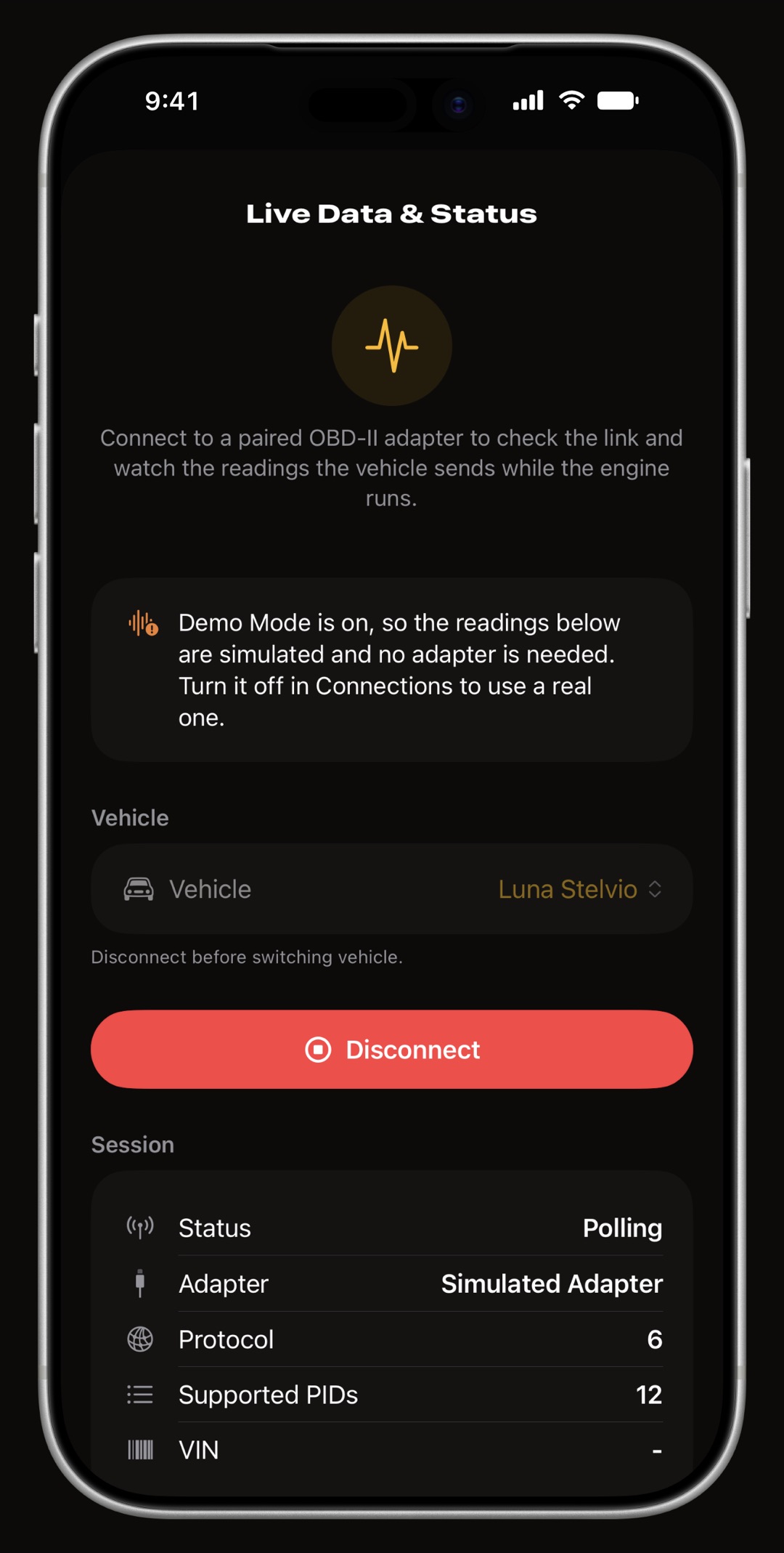
Live engine data over a Bluetooth ELM327 adapter, recorded with every trip, shown as gauge grids on CarPlay and on the Live dashboard.

OBD-II code reader for iPhone

Read and clear trouble codes over a Bluetooth ELM327 adapter, with the check engine light status, readiness monitors, the freeze frame and a dated history of every scan.

Custom OBD-II PIDs

Define your own OBD-II readings on iPhone, such as transmission or oil temperature, or import them from a community catalog: pick the request, decode the bytes with a formula, and show it as a gauge on the phone, the Live dashboard and CarPlay.

0-60 acceleration timer

Time 0-60 mph, 0-100 km/h and the quarter mile with your iPhone's own GPS, free, with each vehicle's best and latest run kept, and only ever on a closed road or a track.

Fuel prices near me

A radar of the stations around you with real prices where a government publishes them, and EV charging points everywhere else in the world.

Share a car's log

One shared log for a family car or a co-driven bike: fill-ups, servicing, trips and receipts over iCloud, with view-only or can-edit access and who logged what.

Import from other apps

Bring your fill-ups, services and odometer history over from Fuelly, Drivvo, Fuelio, Spritmonitor or a spreadsheet, with a preview first, duplicates skipped and a one-step undo.

What's new in WrenchTime 6

Every WrenchTime 6 release, newest first: CSV import, vehicle sharing, trouble codes, custom OBD-II PIDs and the acceleration timer, back to the Price Radar, WrenchTime Live and CarPlay, and the one thing planned next.

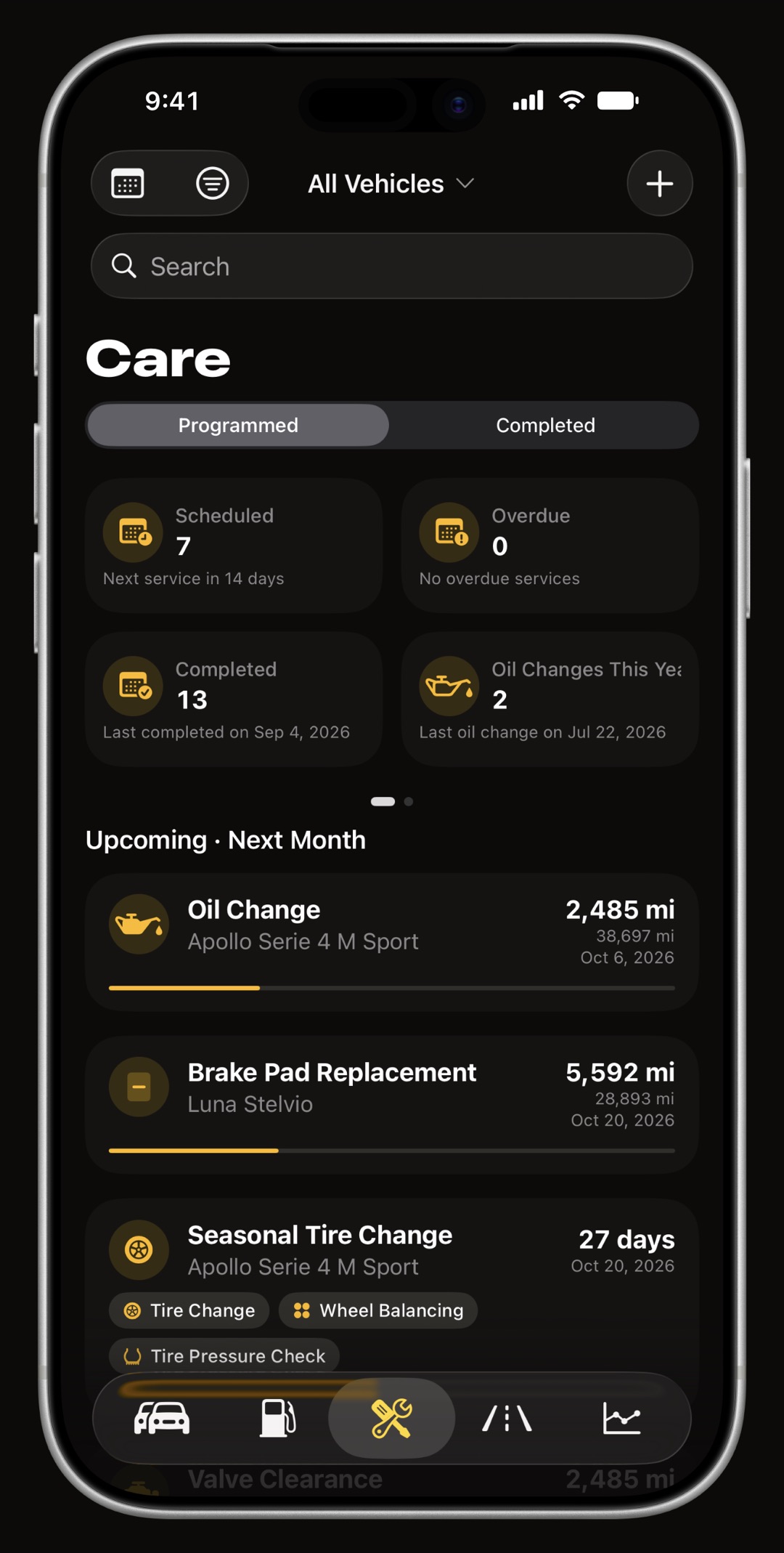
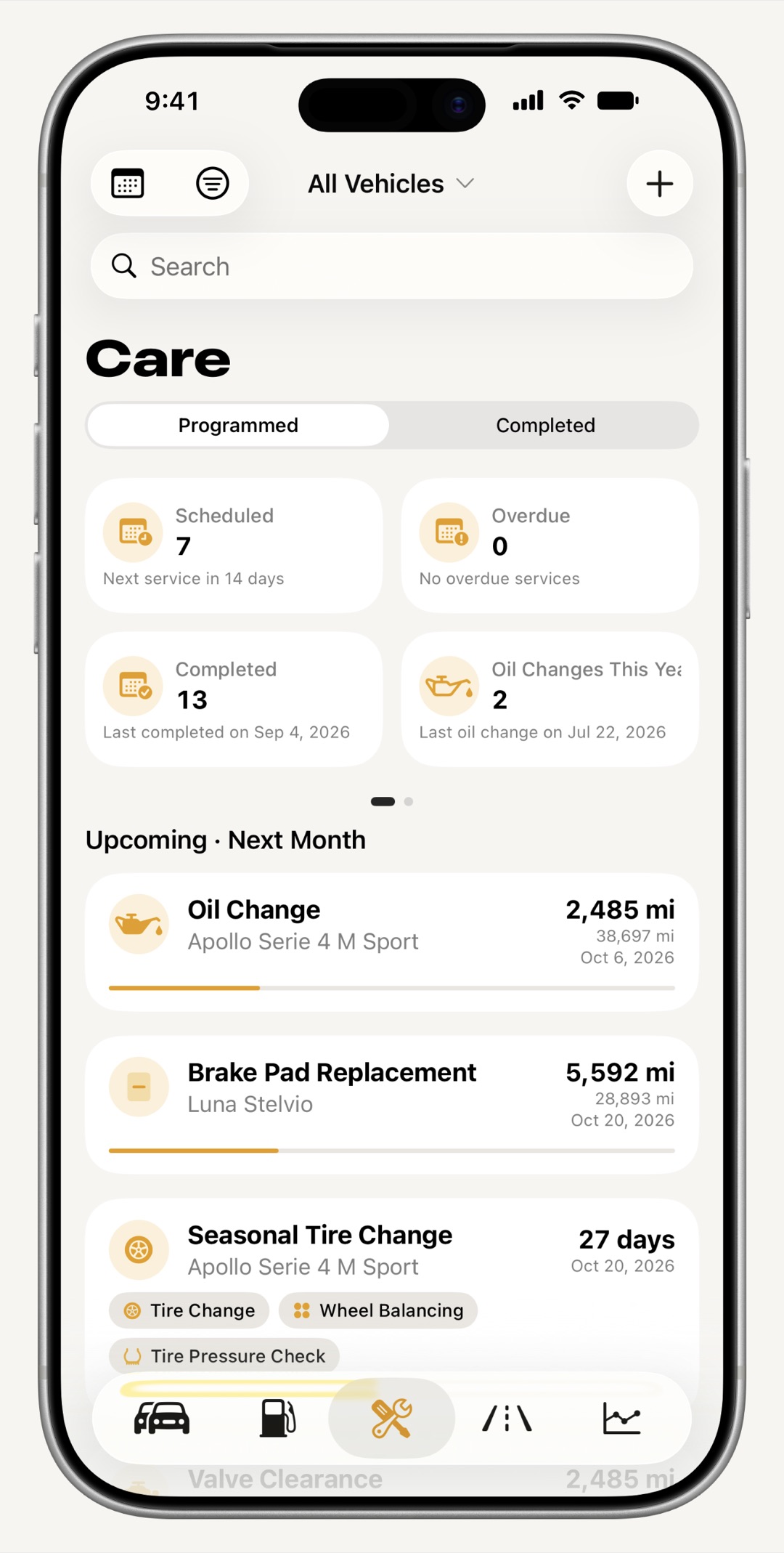
WrenchTime maintenance tab on iPhone showing upcoming and overdue services grouped by date
Overdue by mileage first, then overdue by date, then upcoming.
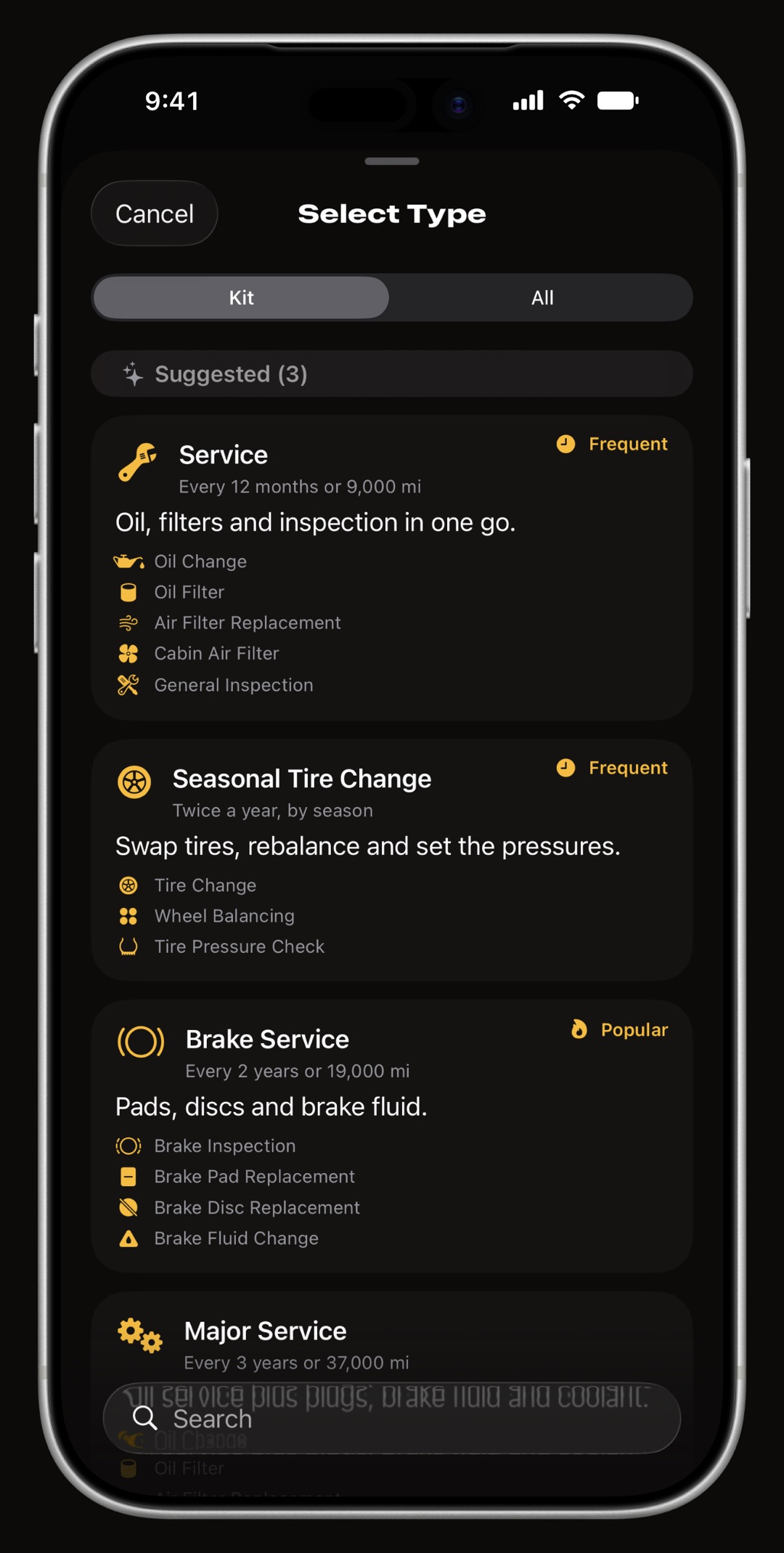
WrenchTime maintenance procedures list with 56 car and motorcycle service procedures

Maintenance & service history

Maintenance scheduling and service history for cars and motorcycles

Where a vehicle stops surprising you.

56 procedures across 9 categories, from oil changes and timing belts to chain maintenance for motorcycles and battery health checks for EVs, each with a real-world schedule hint and a practical tip.

  • Schedule by date, distance, or both whichever comes first is the one that matters, exactly how servicing actually works.
  • Recurring series complete a yearly service and the next occurrence is already queued, reminder already scheduled. Any job can repeat on any interval of days, weeks, months or years, monthly payments can fall on a fixed day or the last day of the month, and a due date on a weekend can move to the next business day.
  • 12 maintenance kits Service, Brake Service, Winter Prep, Motorcycle Service and more, each a one-entry checklist.
  • Urgency-first ordering overdue by mileage, then overdue by date, then upcoming. You never hunt for the thing that is late.
  • Dues tracked separately road tax, insurance, fines, tolls and parking fees, so running costs and repair costs stay two different numbers.
  • Receipts and invoices attached scan one with the camera, or add a photo or a PDF, and it stays with its fill-up, charging session or care entry.
  • Tags on care entries the same tags as fill-ups and trips, with the same filter, and an export that can be narrowed to one.

Fuel · EV charging · Scanning

Fuel log, EV charging log and on-device receipt scanning

Point the camera at the pump. Done.

On-device Vision OCR reads pump displays, charger screens and paper receipts, with a dedicated seven-segment decoder for LED displays and a plausibility solver that cross-checks volume, unit price and total so a misread digit is caught, not saved. No photo ever leaves your iPhone.

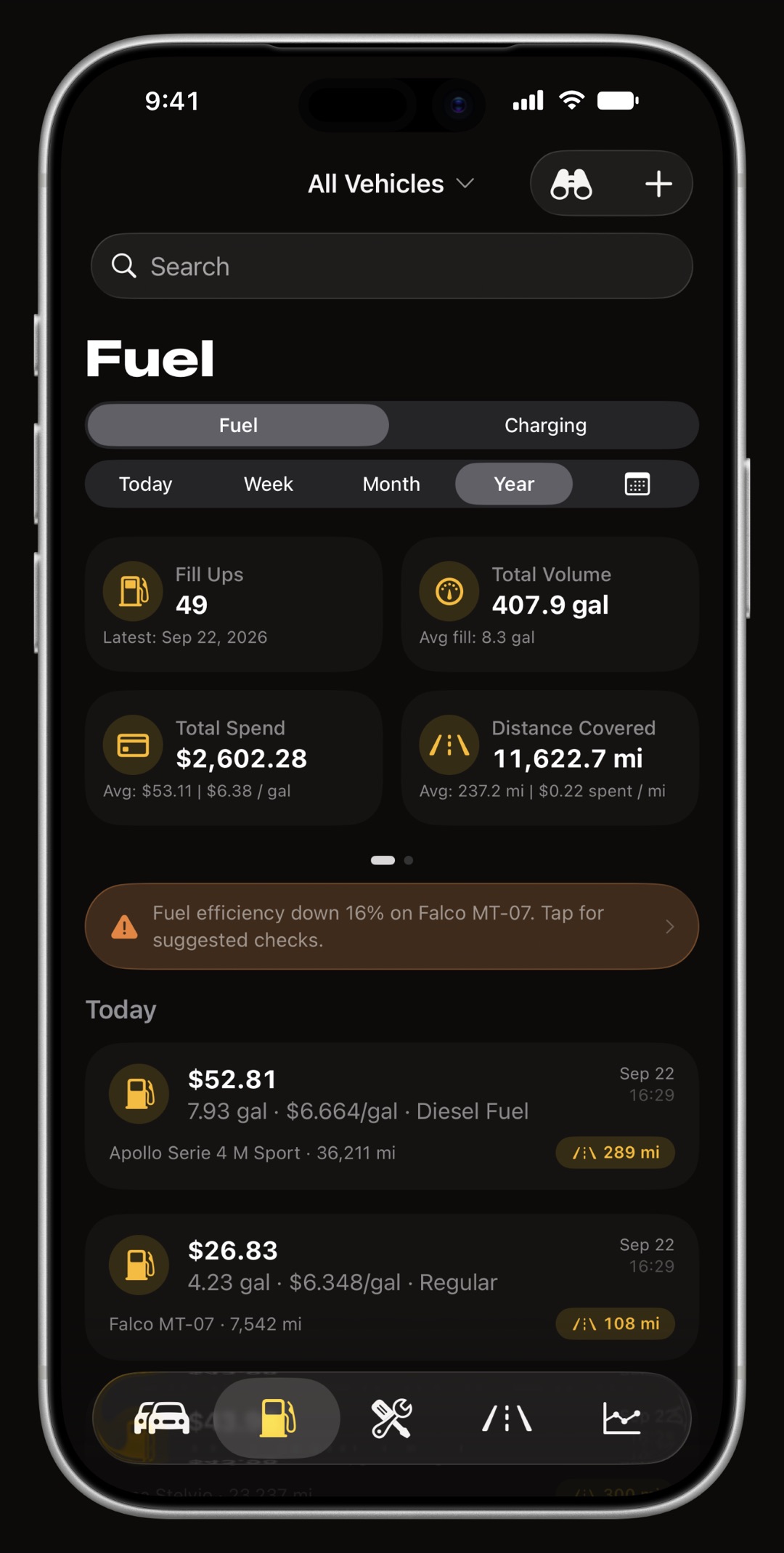
  • True tank-to-tank economy full-tank tracking and a missed-fill-up flag mean real figures, never impossible ones.
  • Efficiency drop alerts when economy falls against your own history, the app tells you what changed.
  • A real EV charging tab kWh, charger type, battery % before and after, home-charging ratio, charging efficiency in four units.
  • Honest PHEV handling log the electric-only share of a trip so fuel and electricity figures never contaminate each other.
  • Live fuel level estimate enter your tank size once and see what is left and how far it will take you.
  • Receipts stay with the entry scan a receipt or an invoice, or add a photo or a PDF, and it stays attached to its fill-up or charging session.
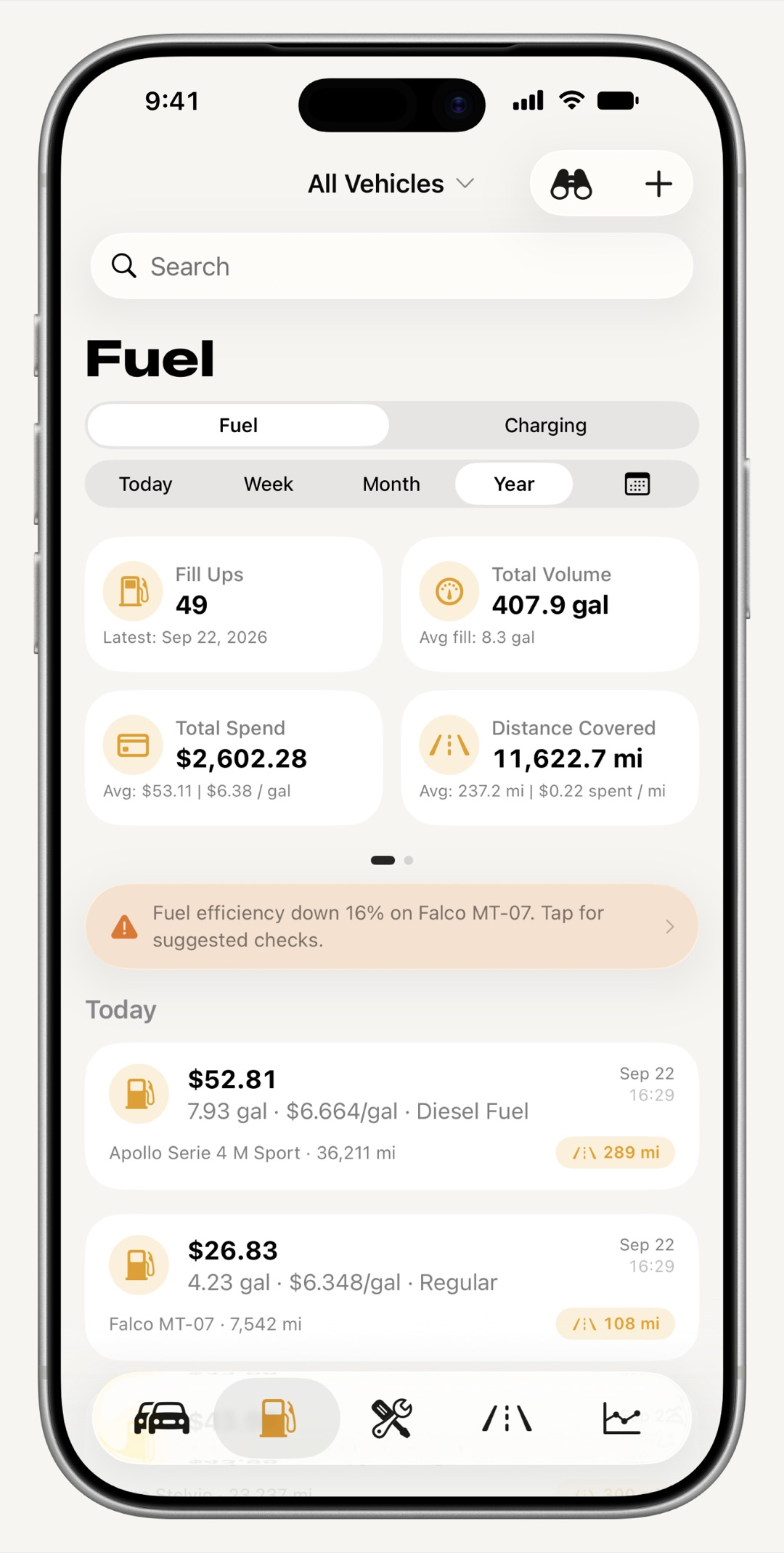
WrenchTime fuel log on iPhone with fill-ups, volume, cost and tank-to-tank economy
Every fill-up, with the economy it actually produced.
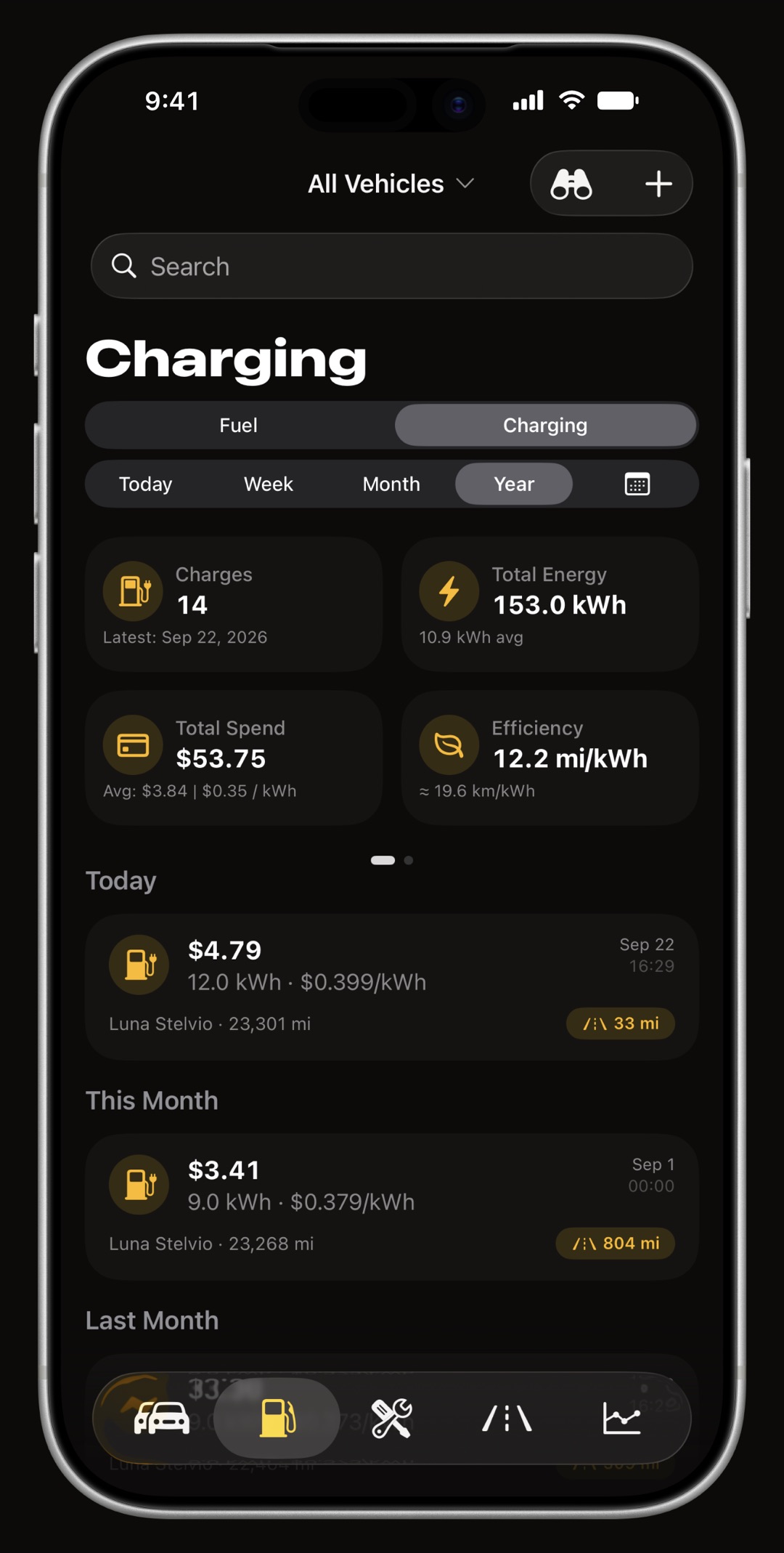
WrenchTime EV charging log on iPhone with energy in kWh, charger type and battery percentage
A charging tab of its own, not a fuel form with relabeled fields.
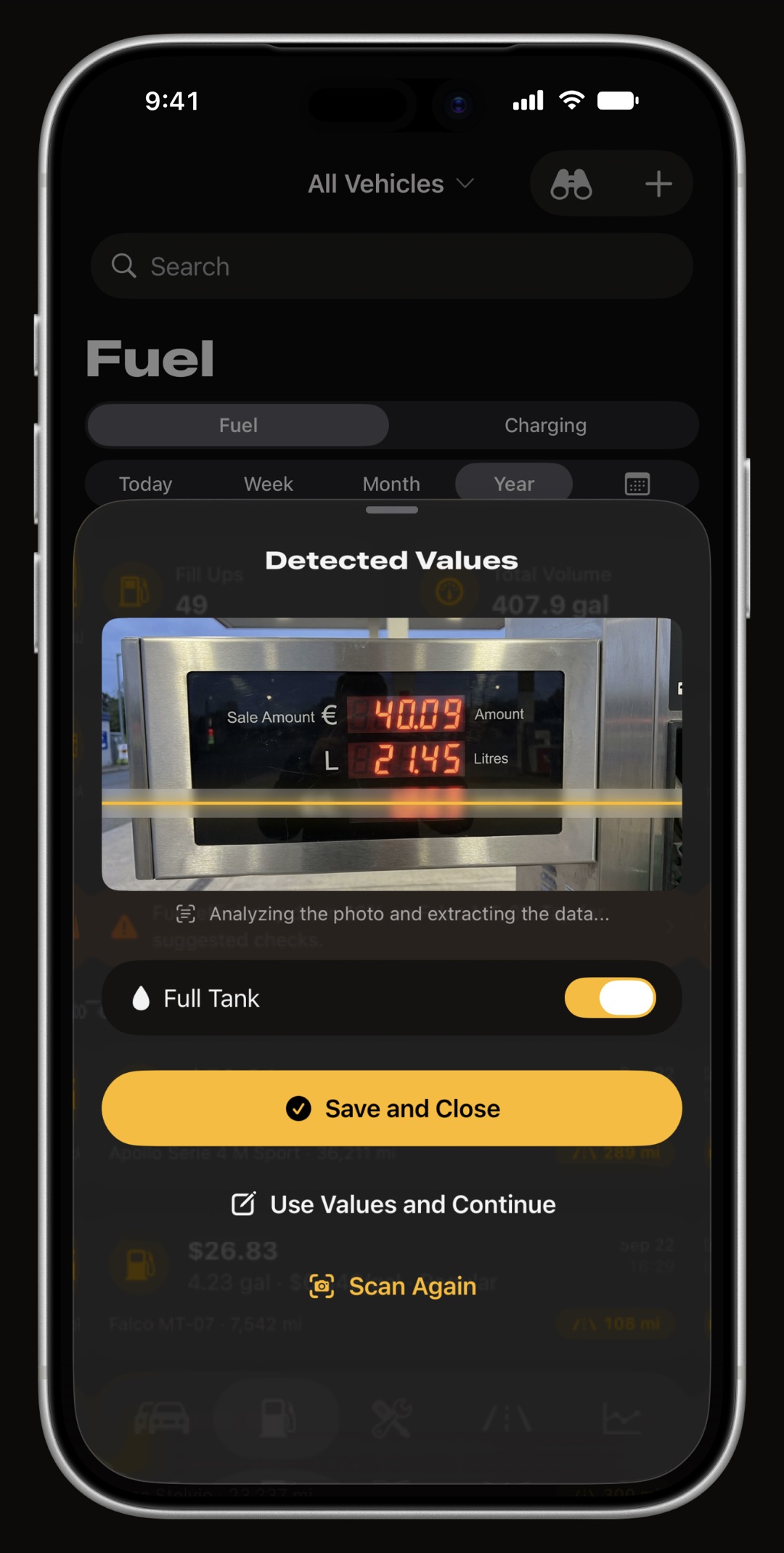
WrenchTime scanning a fuel pump display with on-device OCR on iPhone
Point the camera at the pump. The numbers come back for you to confirm.

Automatic trip & mileage tracking

Automatic GPS trip and mileage tracking, with road-matched routes and 3D replay

Your mileage records itself.

Pair your car stereo or helmet headset over Bluetooth once. Trips start at the first GPS fix above the speed gate, stop when you park, and land on the right vehicle, with route, distance, duration and average speed, without touching your phone. Battery-aware GPS keeps a long drive a small amount of data, and crash recovery reconstructs a trip even if iOS kills the app mid-drive.

  • Routes that follow the road the recorded track is pulled onto the road network for drawing, leg by leg, and a stretch that no road explains keeps your raw fixes. Every distance and speed still comes from the raw track.
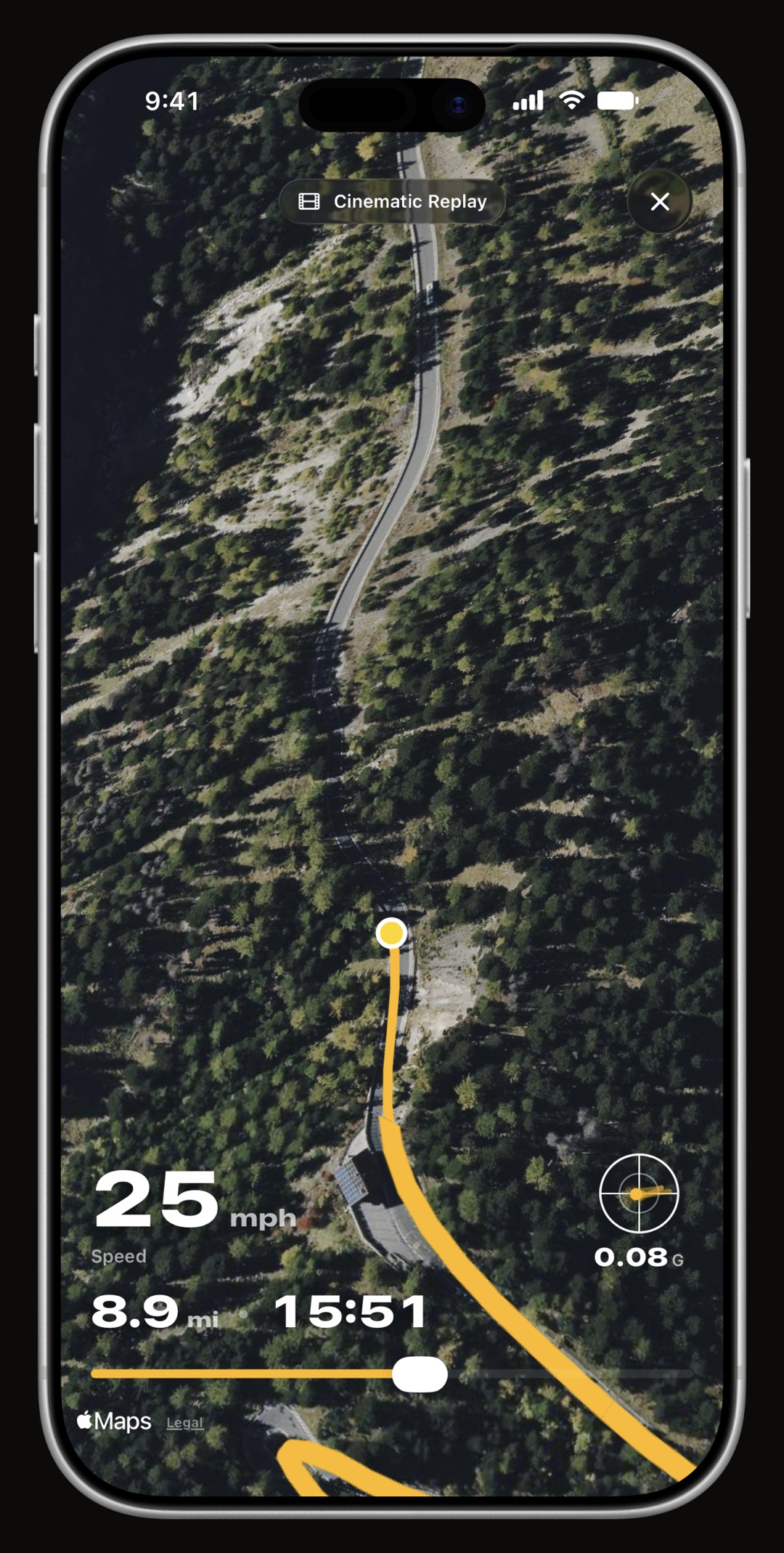
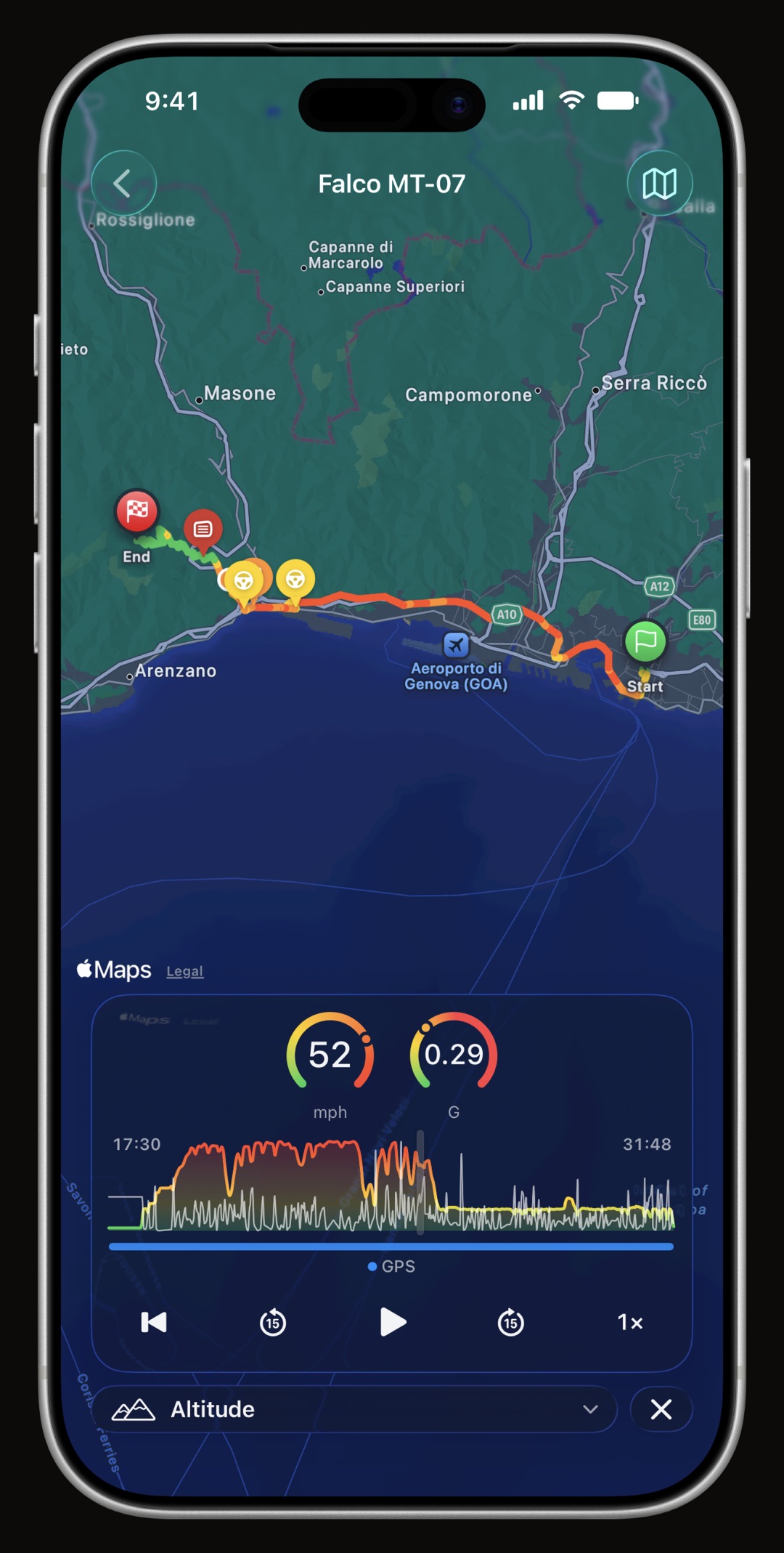
  • 3D replay, exportable a chase camera over satellite terrain with speed, distance and time gauges, a friction circle for G-force, and a vertical video rendered offline at full quality.
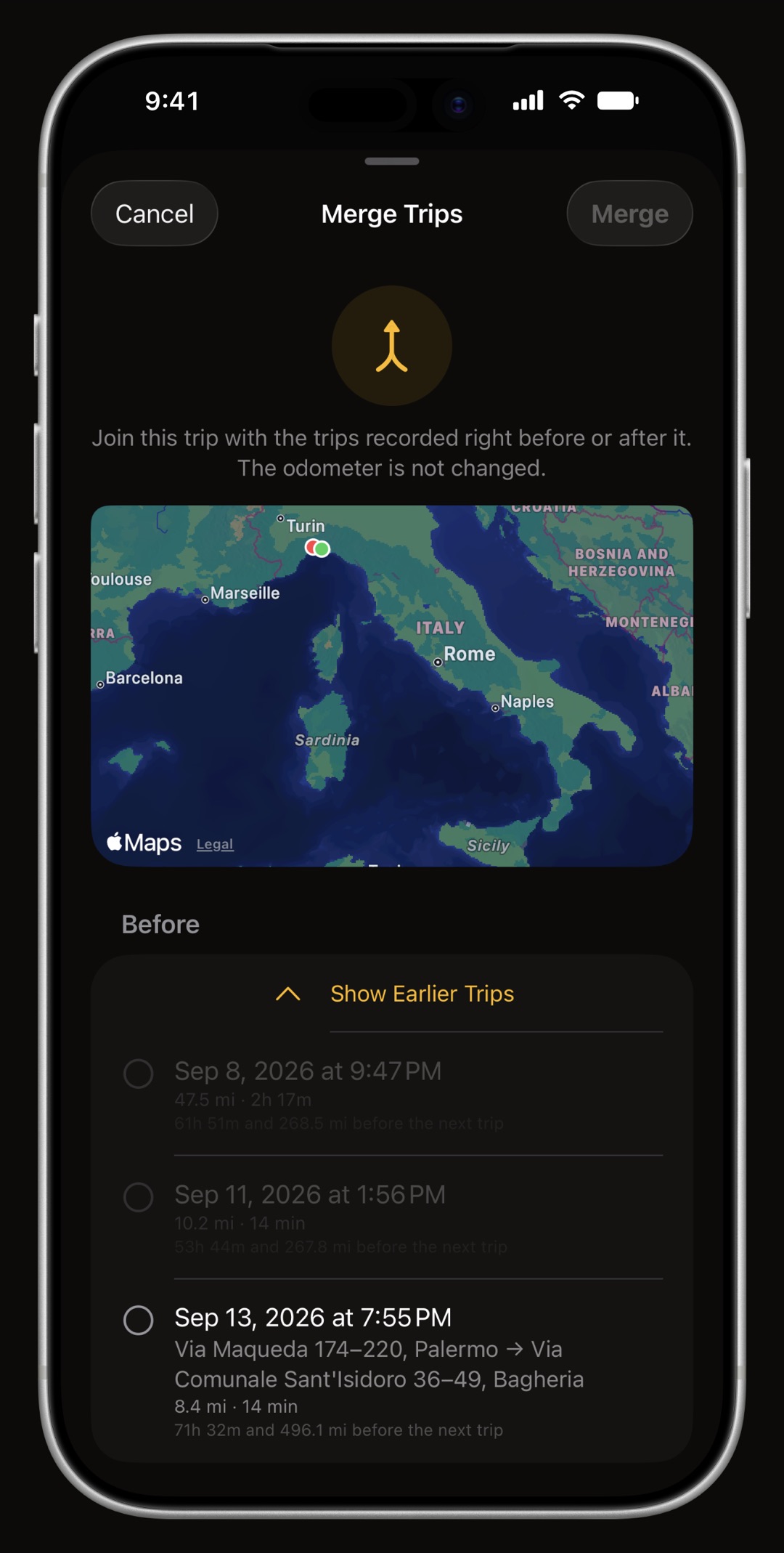
  • Join two trips, or cut one in two one drive recorded as two because you stopped for fuel, or one trip that was really there and back. Merge and split fix both, and the odometer is never touched.
  • Driving dynamics peak G, peak lateral G and counted braking, acceleration and cornering events, with a separate cornering profile for motorcycles, which lean.
  • You define what counts a minimum distance and duration, each with an off position, and orphan trips from a borrowed car can be assigned later.
Automatic GPS trip list in WrenchTime with route thumbnails, distance and average speed
Every drive, captured, and assigned to the right vehicle.
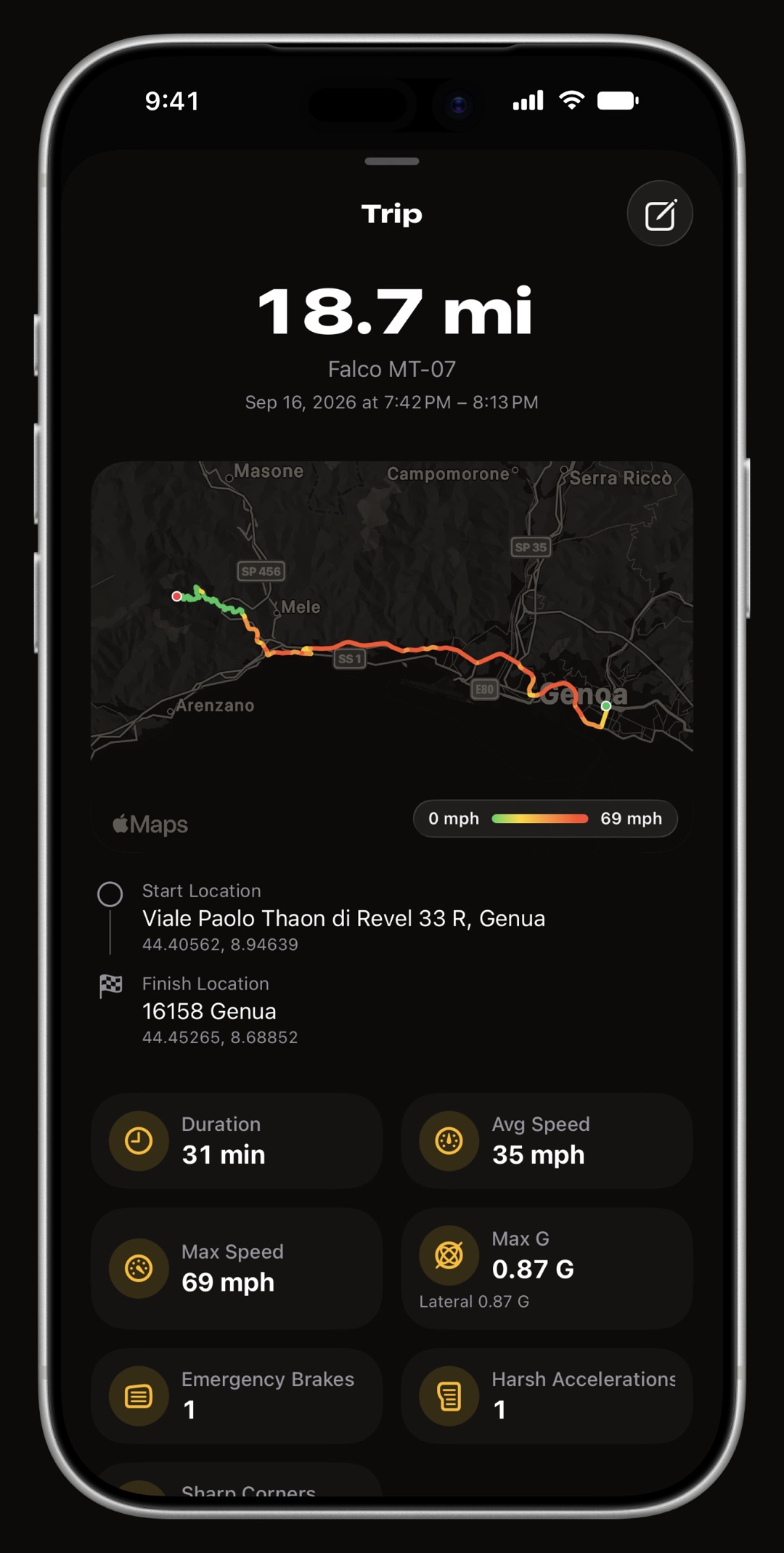
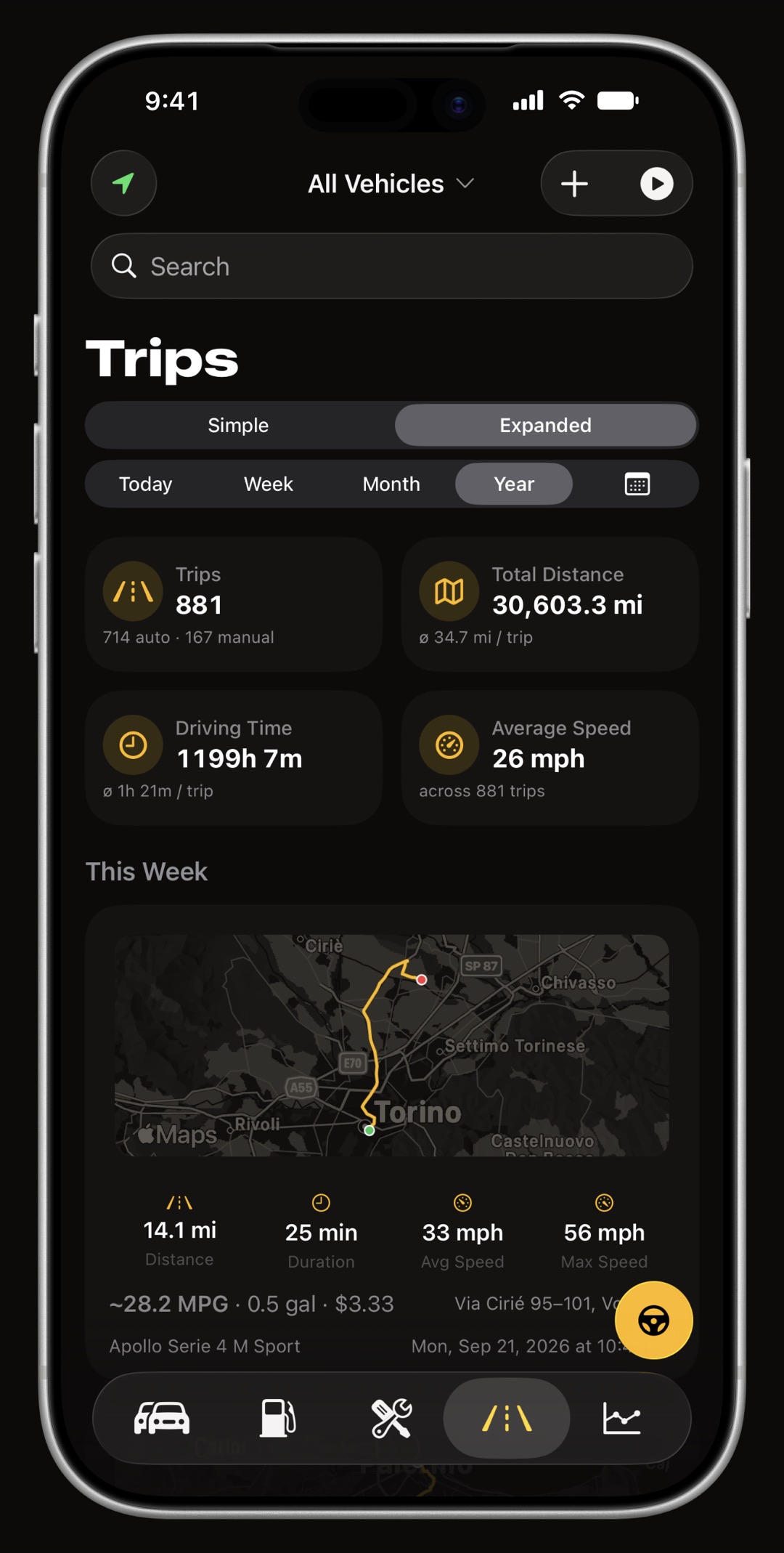
WrenchTime trip detail on iPhone with route map, addresses, metrics and per-trip fuel consumption
Route, addresses, altitude, G-forces and what the drive consumed.
WrenchTime 3D cinematic trip replay with a chase camera over satellite terrain and live gauges
Fly the drive back in 3D, then export a short vertical video.
WrenchTime trip replay player on iPhone with speed, altitude and G-force gauges moving along the recorded route
Play the drive back at your own pace, gauges and altitude in step.
WrenchTime track section on iPhone joining two adjacent trips into one drive
One drive recorded as two, put back together in two taps.

WrenchTime Live

WrenchTime Live: a full-screen instrument dashboard for the road

The cockpit the car never gave you.

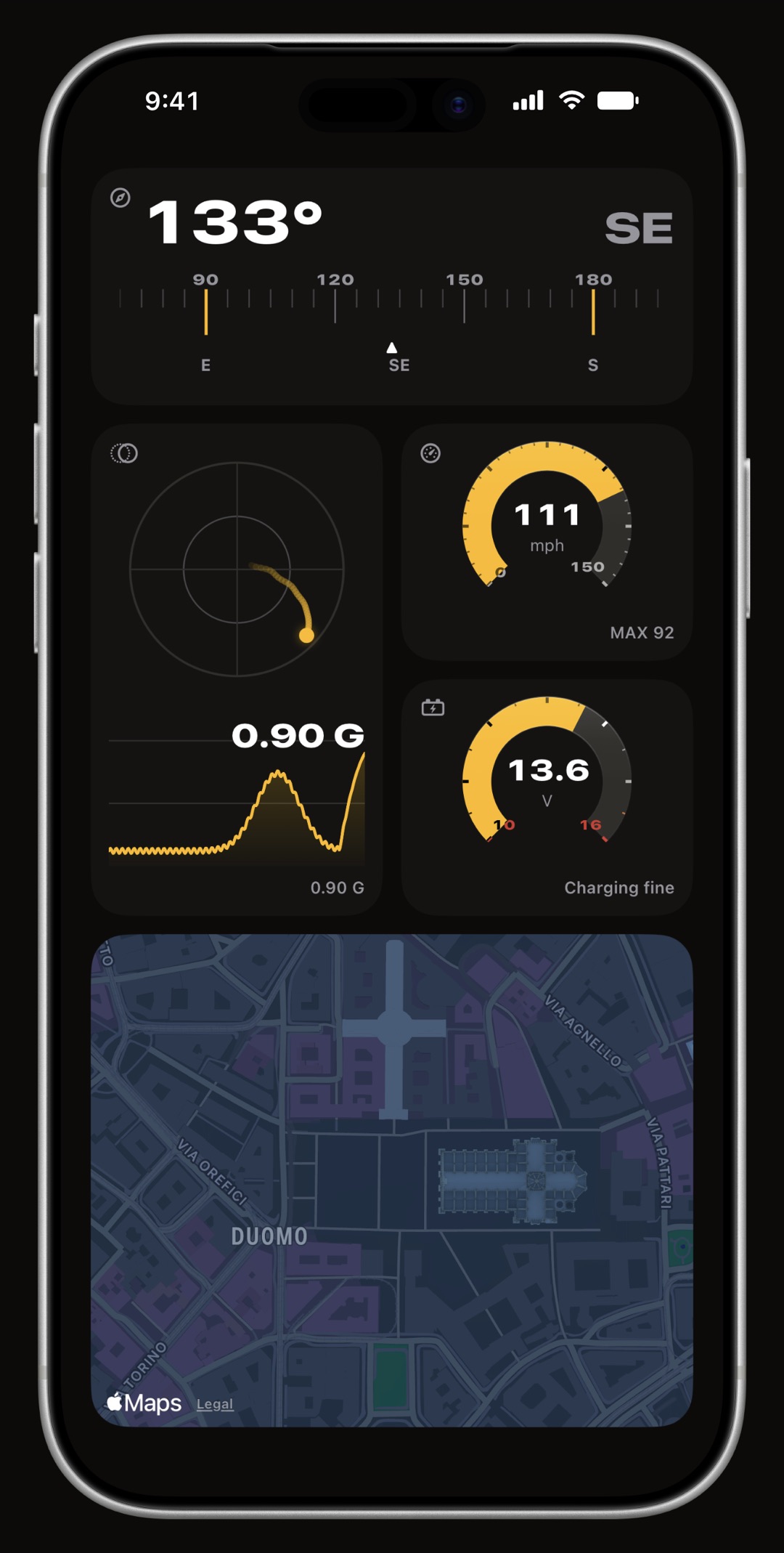
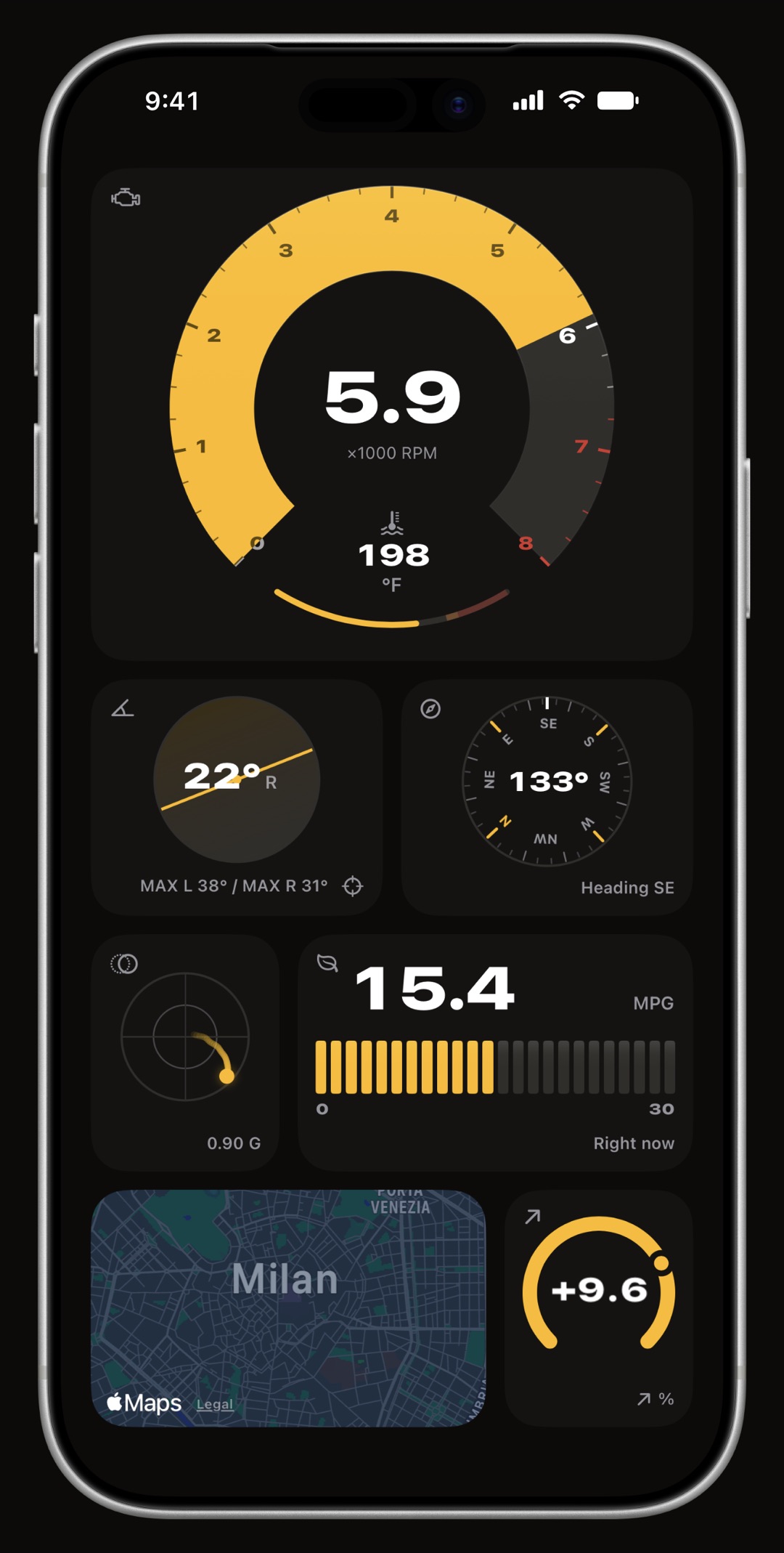
17 instrument types, on a board you build yourself: speed, gear, lean angle, G-force, road grade, compass, altitude, range, a live map, nearby fuel prices, trip stats, a clock, outside temperature, weather, phone battery and, with an Apple Watch, your heart rate, plus a signal card that draws any OBD-II reading as its own gauge, from revs, coolant, fuel level, throttle, voltage and consumption to a custom PID you defined, as many times as you like. Every one is drawn as a real instrument, a sweeping arc with the reading inside it and colored bands where a value leaves its normal range.

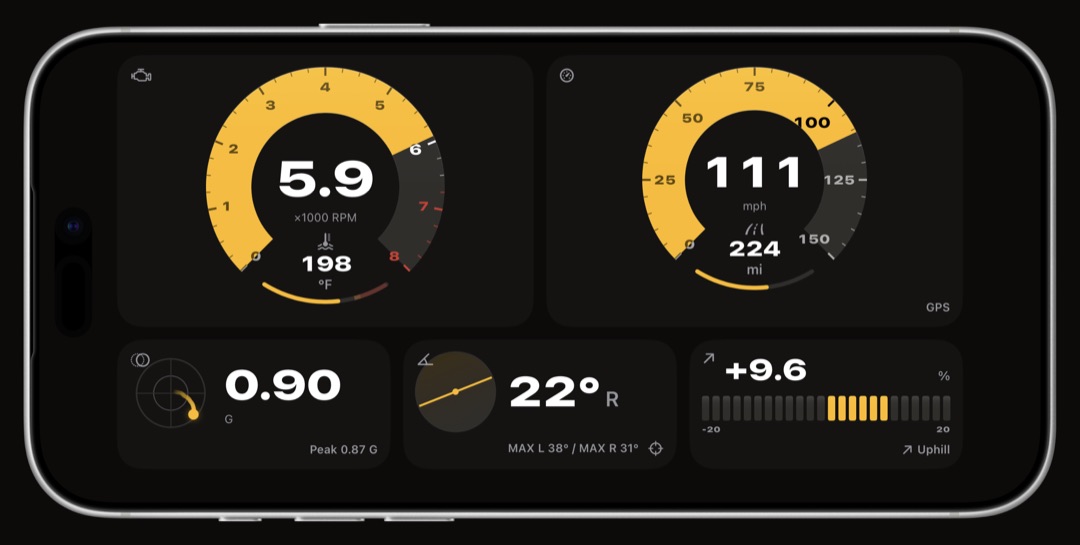
  • Pages, swiped like the Home Screen each page fills the screen and never scrolls. A page is portrait or landscape, fixed when you create it, and arriving on a page turns the screen to it.
  • Cards that are shapes, not sizes a third, a half, two thirds or a whole row wide, standing one, two or three rows tall. A widget offers a shape only where it has something to do with the room.
  • A different instrument at every shape a ring, a horizontal band, a segment bar, a standing column. A wide card is never a small card's drawing floating in a bigger box.
  • Previewed before you drive the eye in the edit bar fills the page you are building with plausible readings, so you can lay out a cockpit parked in the driveway.
  • Free gets a board 3 instruments on the first page at no cost. Every page after it, and a board without a cap, is WrenchTime Pro.
WrenchTime Live dashboard on iPhone with ring gauges for revs, speed, coolant temperature and G-force
One page is the whole screen, the way a Home Screen page is.
A second WrenchTime Live page on iPhone with a compass strip, a G-force plot and a map card
A second page, other shapes, swiped like the Home Screen.
WrenchTime Live dashboard on iPhone in landscape, a wide page of twelve-unit instrument rows
Turn the phone and the page turns with it, twelve units to a row.

OBD-II · CarPlay

OBD-II live data over a Bluetooth ELM327 adapter, with CarPlay gauge grids

Read the car while you drive.

Pair a Bluetooth Low Energy ELM327-compatible adapter, or the Apple-certified OBDLink MX+, to a vehicle and WrenchTime reads the car while you drive: engine RPM, vehicle speed, engine load, throttle, coolant and intake temperatures, fuel level, module voltage, intake pressure and fuel rate, and, wherever the car reports them, dozens more such as boost, torque and power, oil and exhaust temperatures, fuel trims, lambda and, on a diesel, the particulate filter and the AdBlue level. Every channel is recorded for the whole drive at one sample per second and kept with the trip, to scrub back through on a chart afterwards.

  • Bluetooth Low Energy, or the OBDLink MX+ the Vgate iCar Pro, the iCar Pro 2S and the Apple-certified OBDLink MX+ are confirmed working on a real vehicle. The non-Pro iCar has to be switched on with its button first, and a vLinker MS needs Vgate's updater app to be moved out of MFi mode into BLE. A Wi-Fi adapter cannot work with an iPhone app.
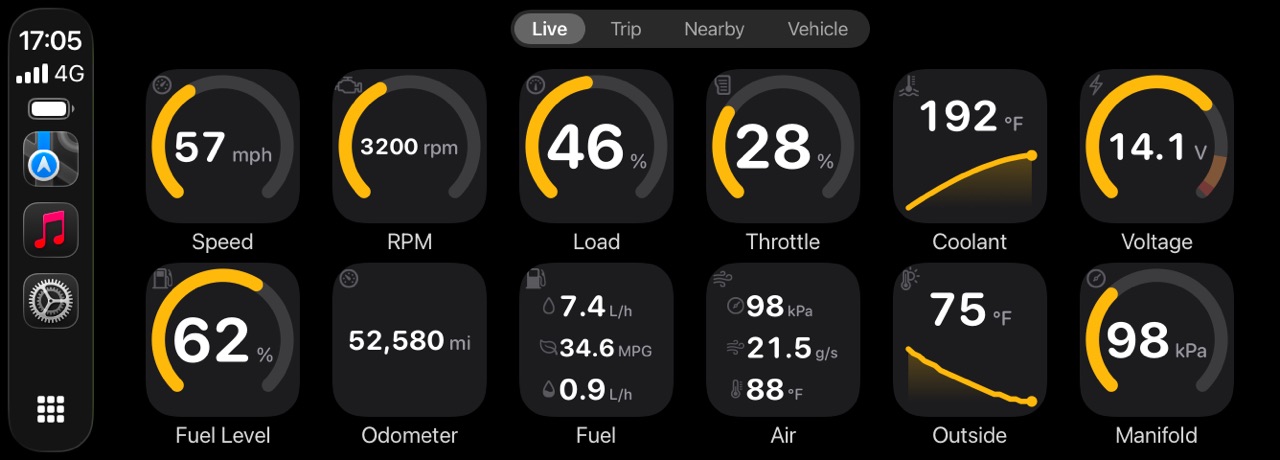
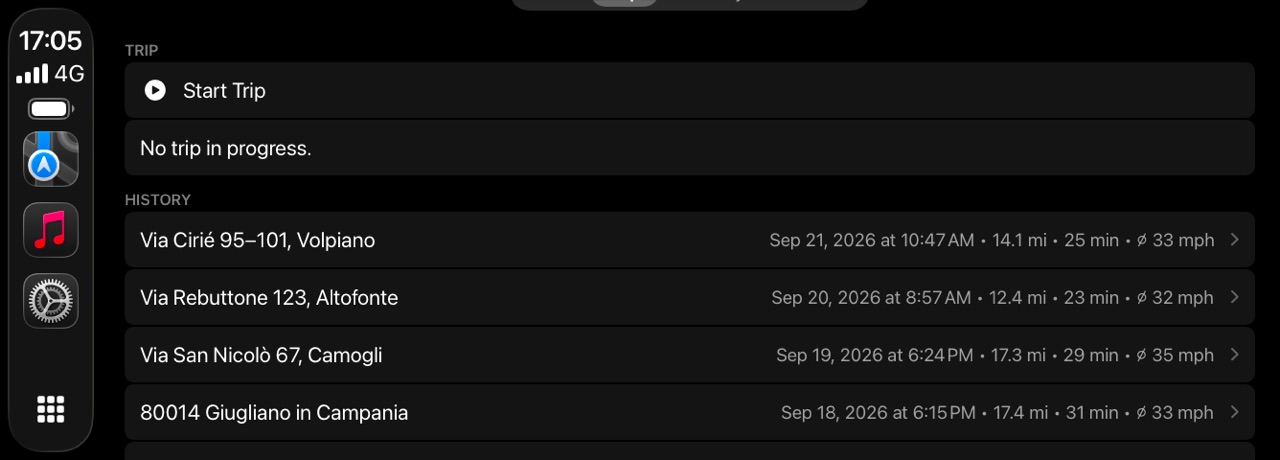
  • Four CarPlay tabs Live for the gauge grids, Trip to start and stop a recording and revisit your last ten drives, Nearby for fuel or chargers, Vehicle for the odometer and what is due. Each vehicle can carry its own color, and a night mode follows the car, or does not.
  • It calibrates itself to your adapter a measurement run learns how much your link can carry and how fast it answers, and the polling adapts. A fast adapter gets no change at all.
  • Live data, and trouble codes with Pro with WrenchTime Pro the same adapter reads and clears the check engine codes, with the readiness monitors and the freeze frame. The VIN the adapter reports is parked as a suggestion and lands on your vehicle only when you accept it.
  • Stays on the phone the adapter link, the learned profile and the pending VIN live on the device, never in iCloud. A session opens with a trip and closes with it.
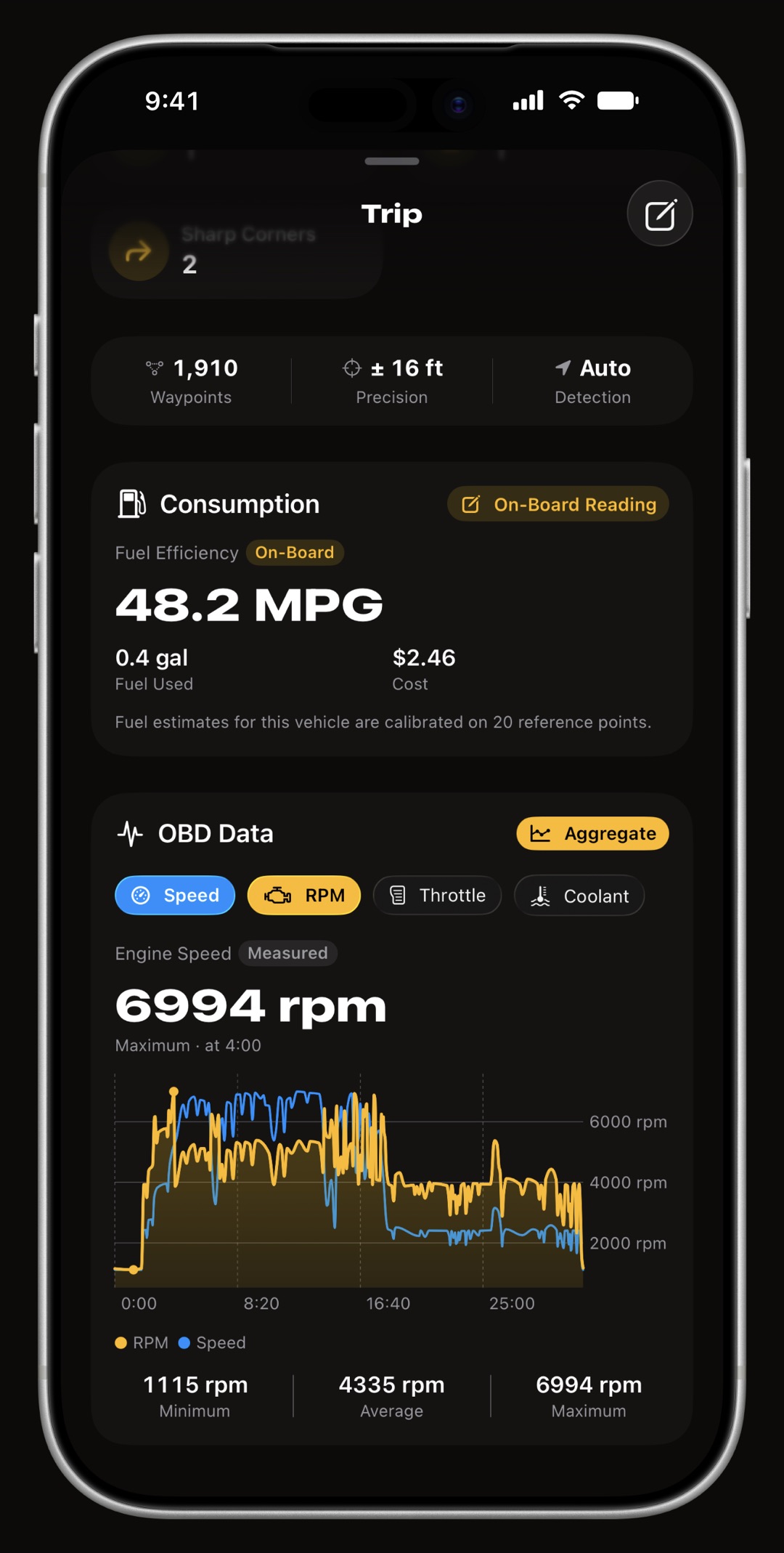
WrenchTime trip detail on iPhone scrolled to the OBD-II chart, with revs, coolant temperature and fuel rate recorded across the drive
The drive's own engine data, recorded channel by channel.
WrenchTime live OBD-II readings on iPhone as a grid of ring gauges grouped by motion, engine, fuel and air
Live readings from the adapter, grouped the way a driver reads them.
WrenchTime CarPlay Live tab showing a grid of ring gauges on a car head unit
The same gauges on the car's own screen.
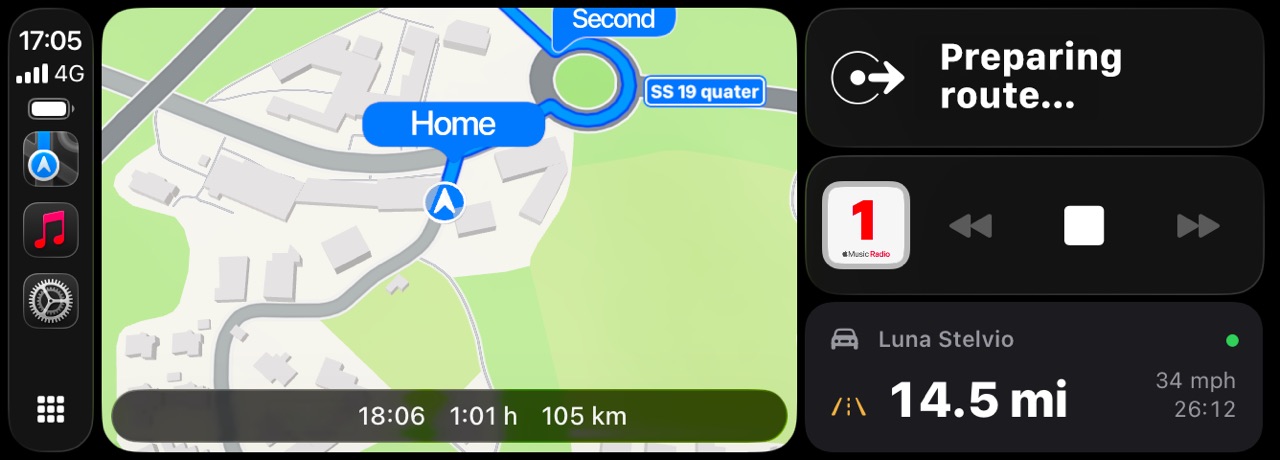
WrenchTime on a CarPlay home screen beside the car's other apps
WrenchTime CarPlay Trip tab on a car head unit with distance, duration and average speed and a list of recent drives
Start, stop and revisit a drive from the car's own screen.

Price Radar

Fuel prices and EV chargers near you

Three answers, and the screen tells you which one you are getting.

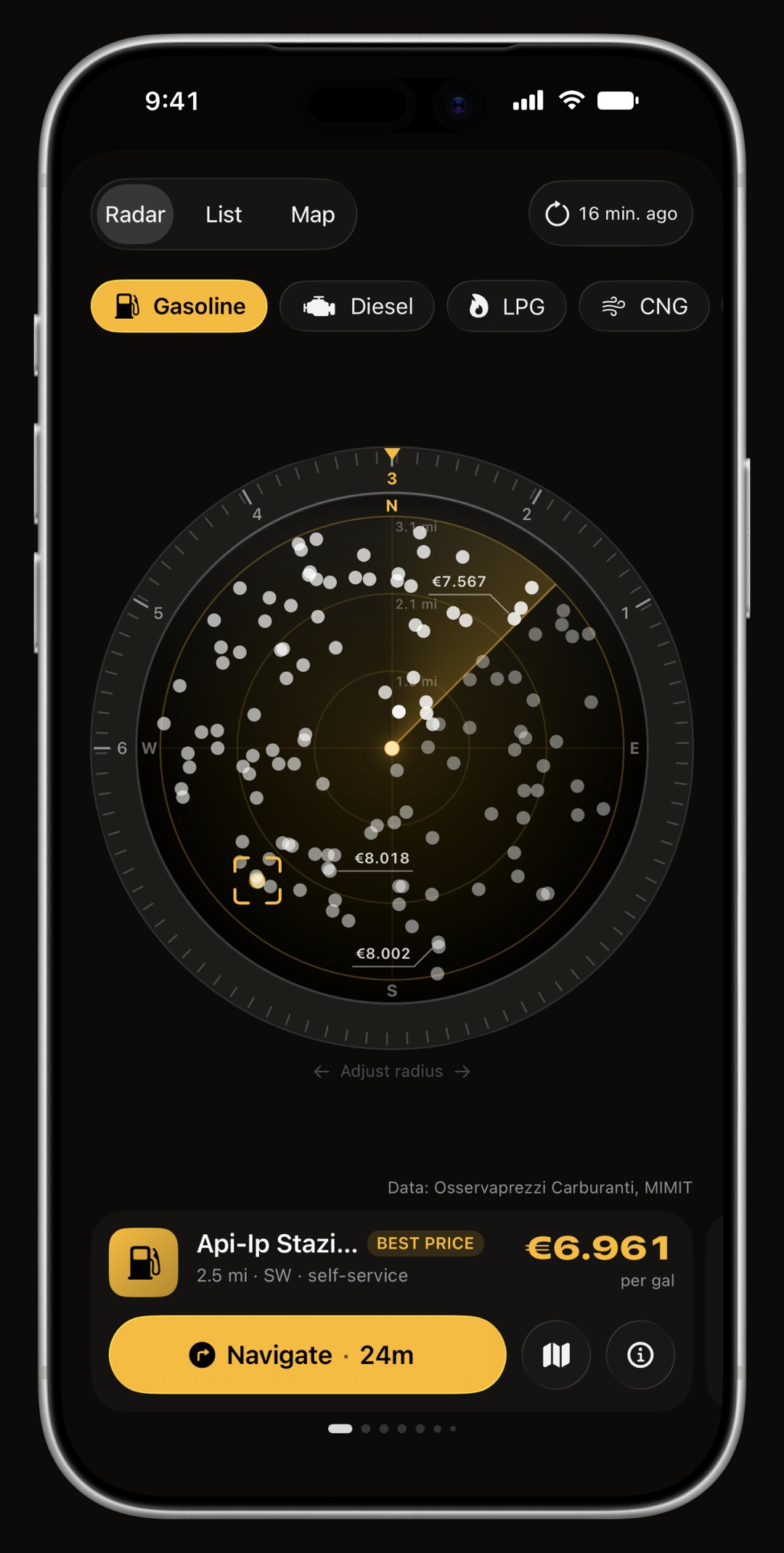
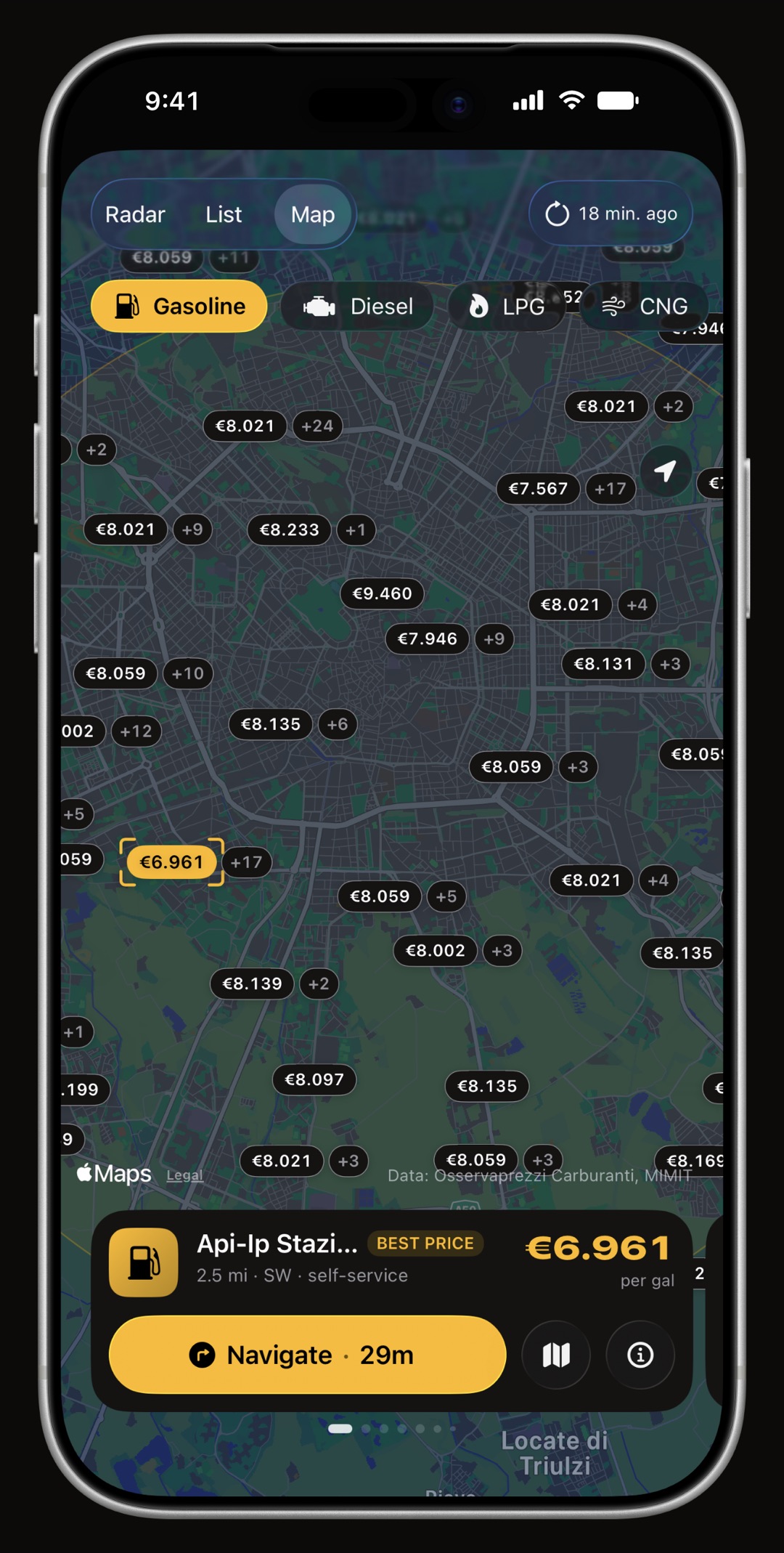
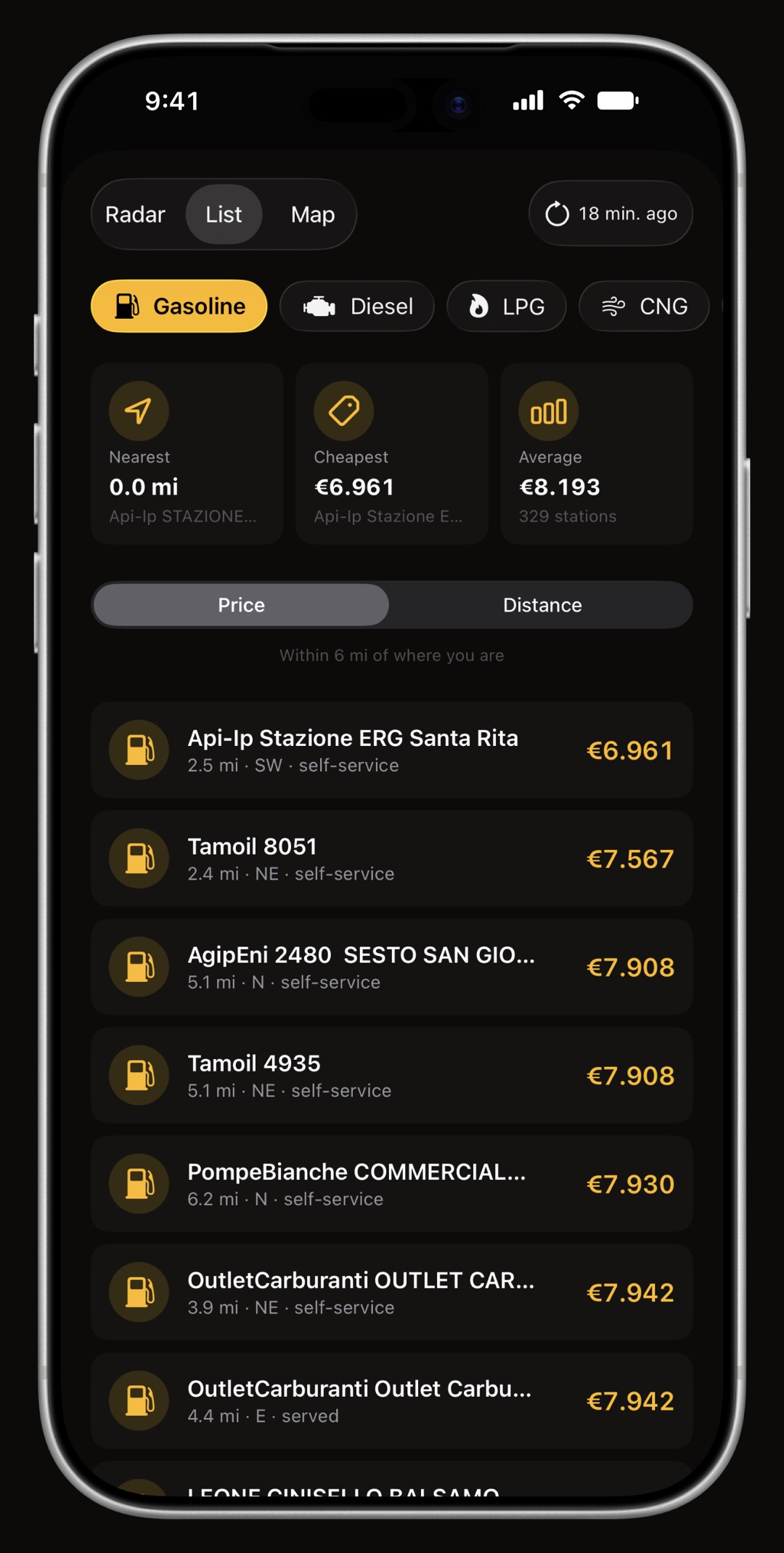
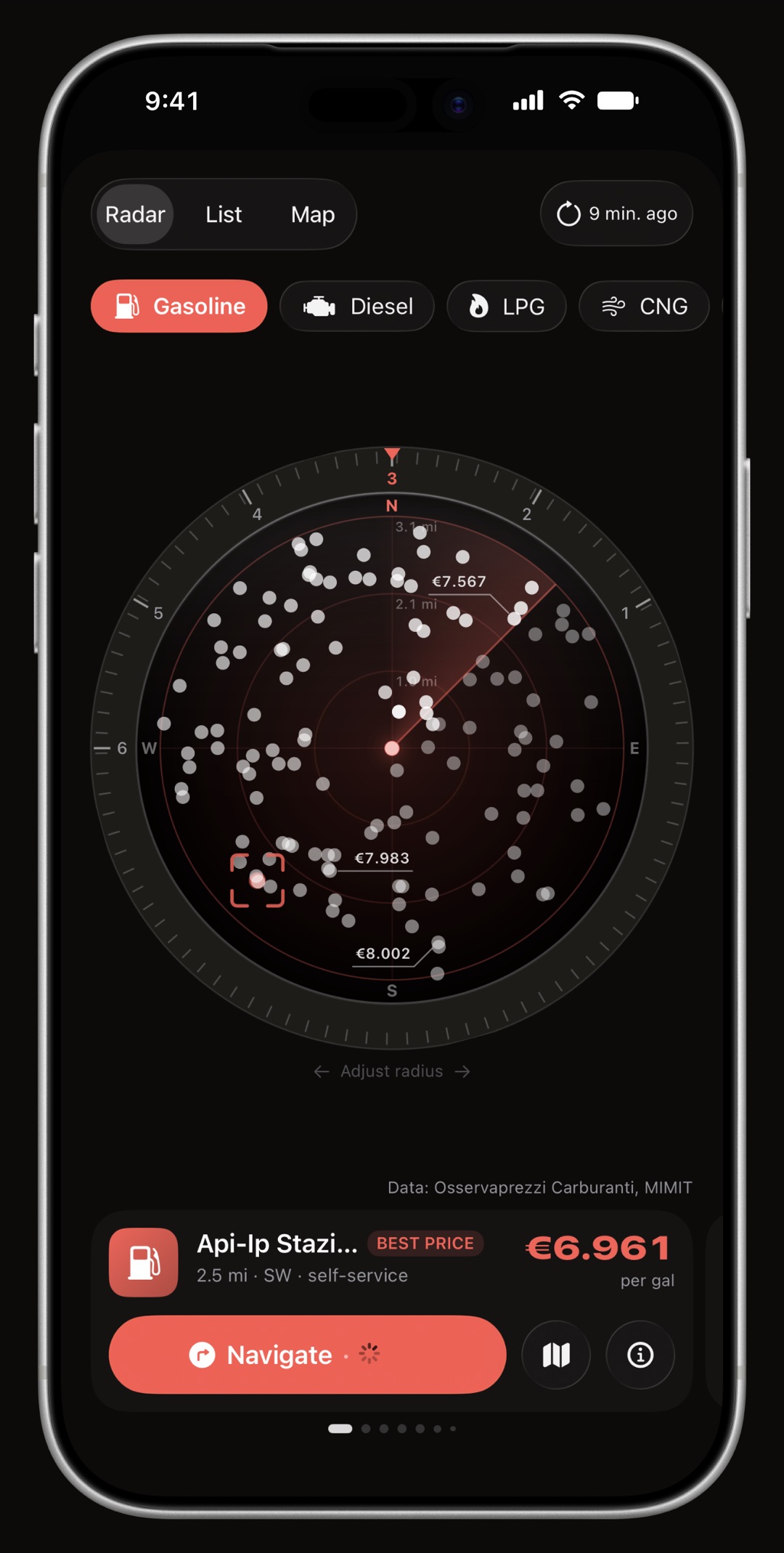
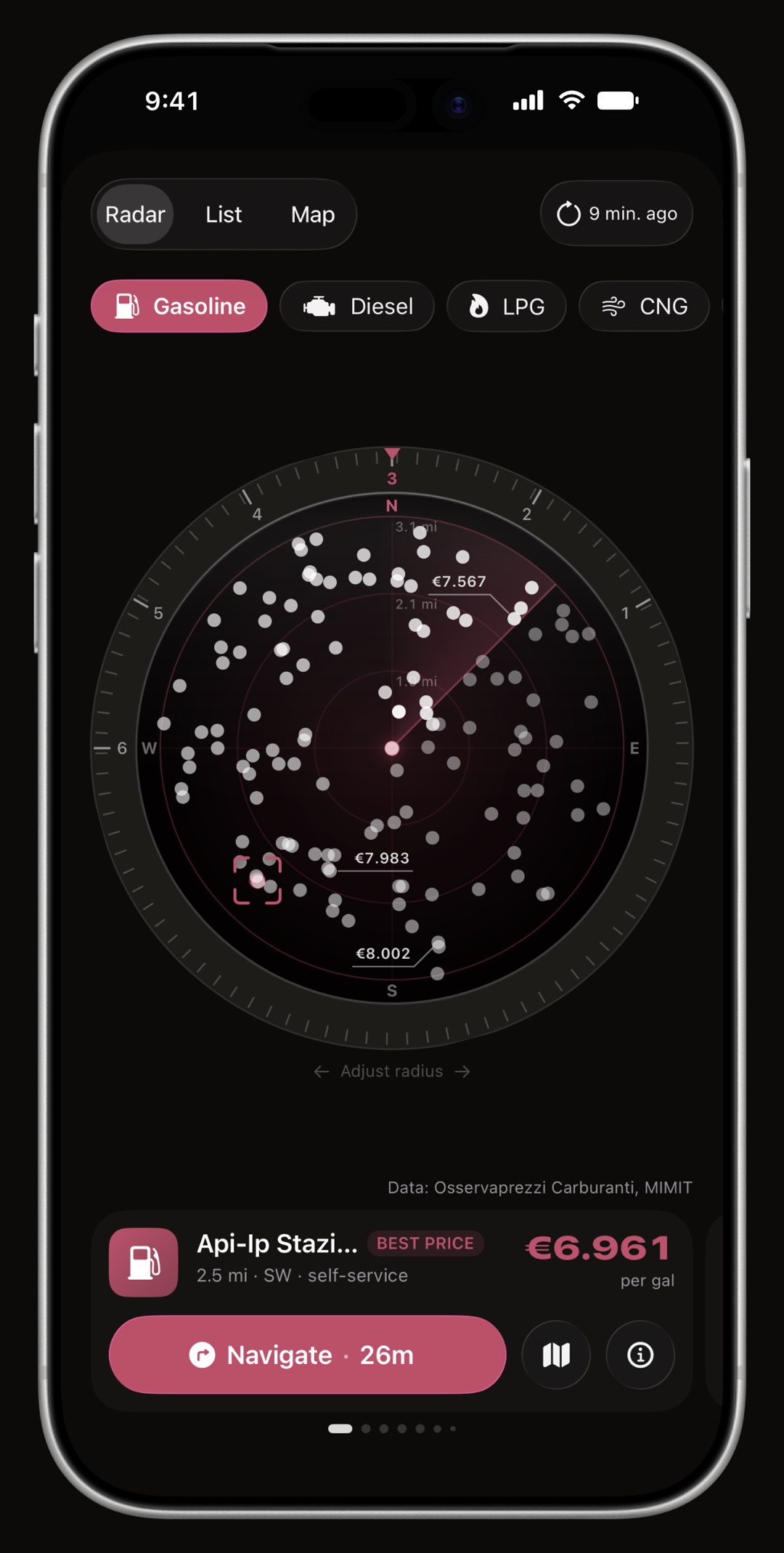
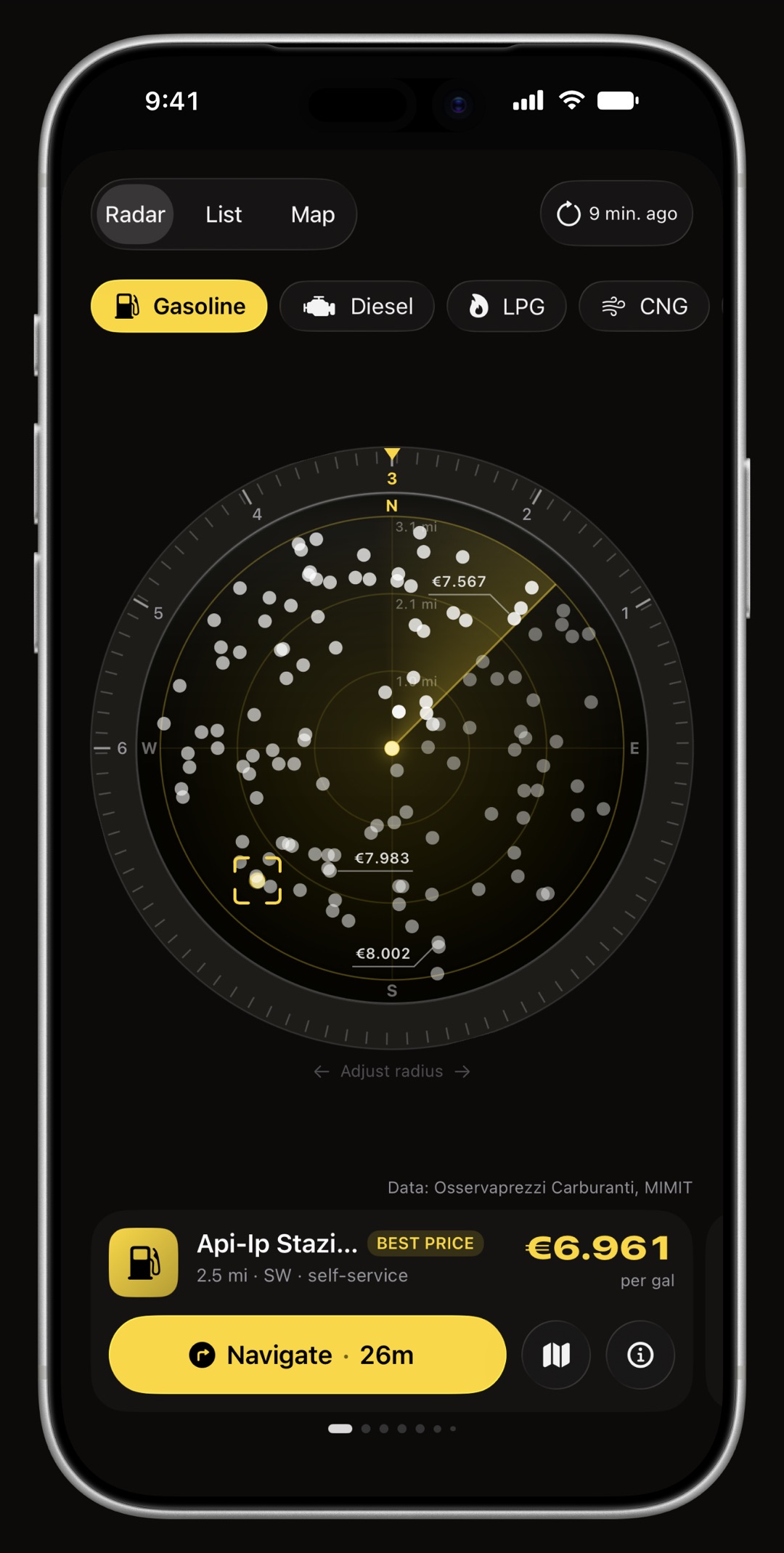
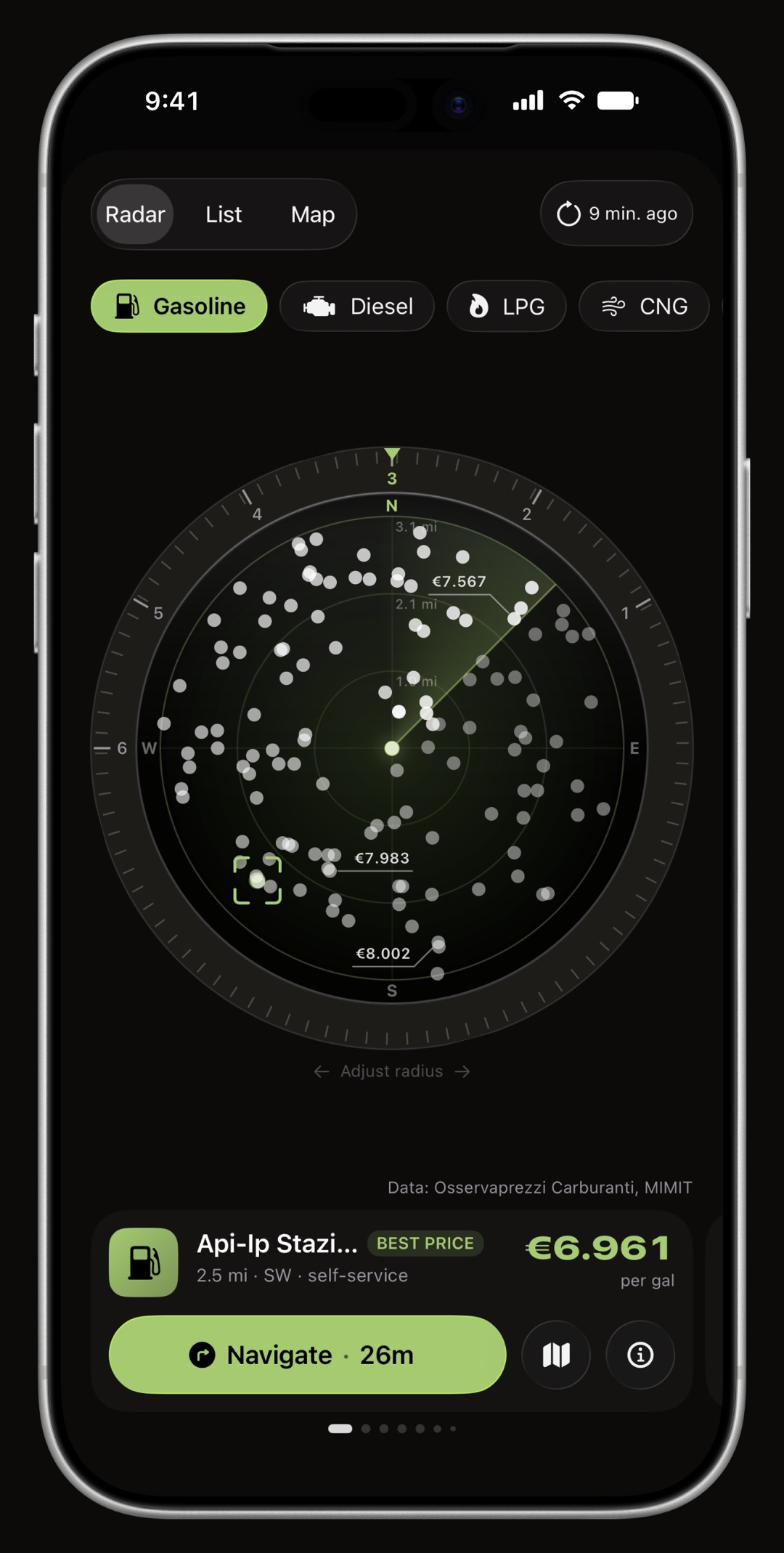
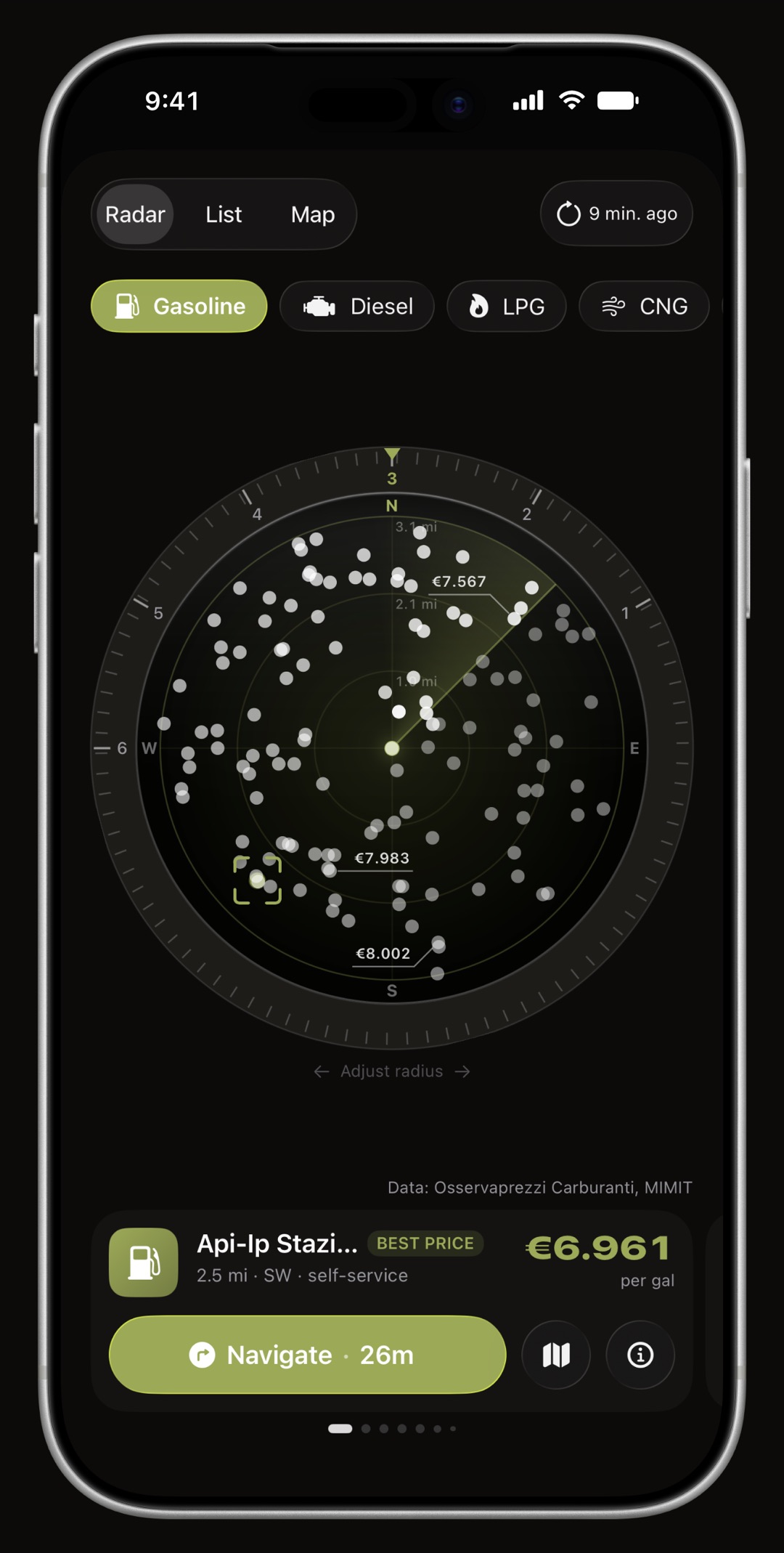
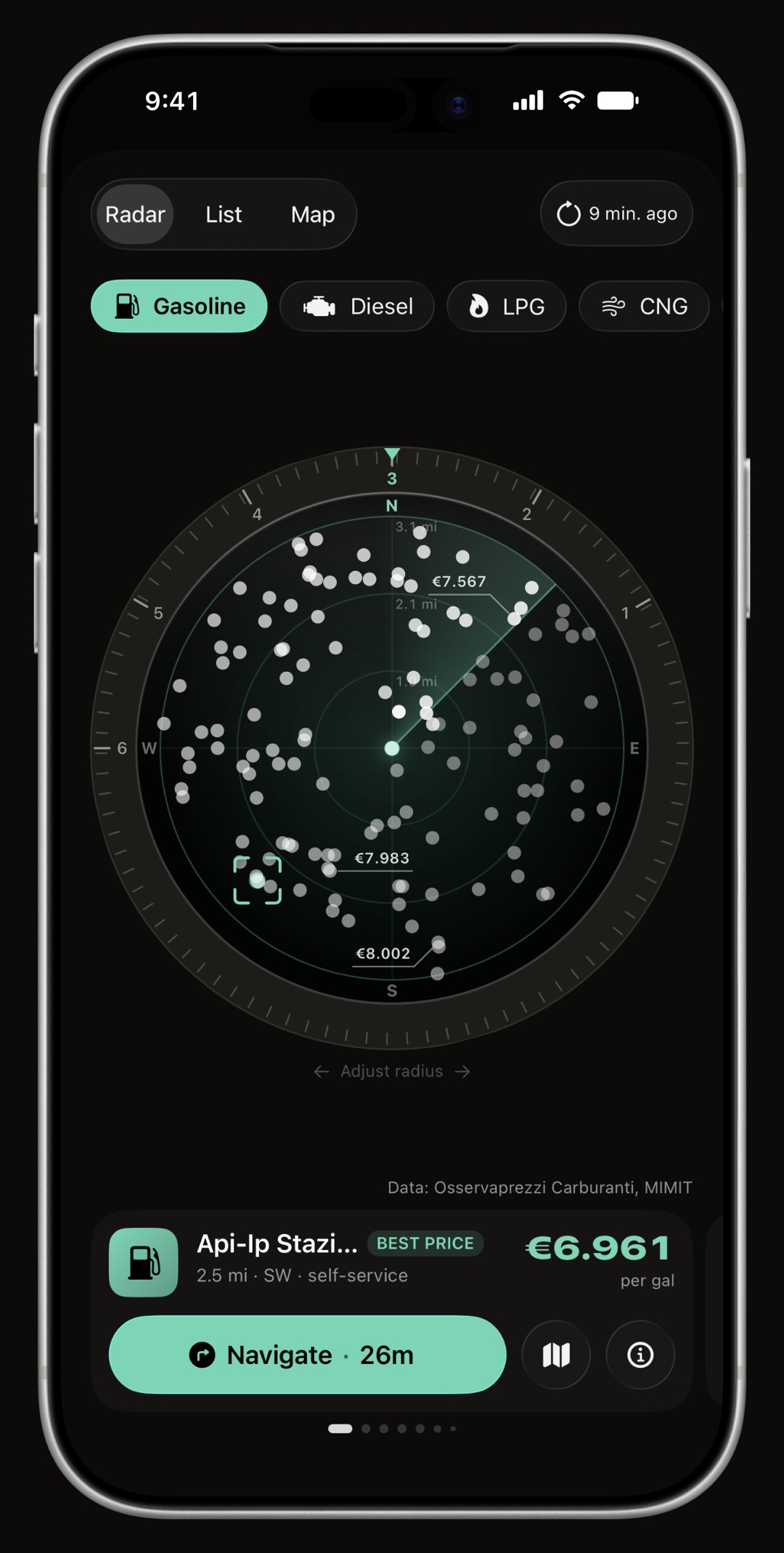
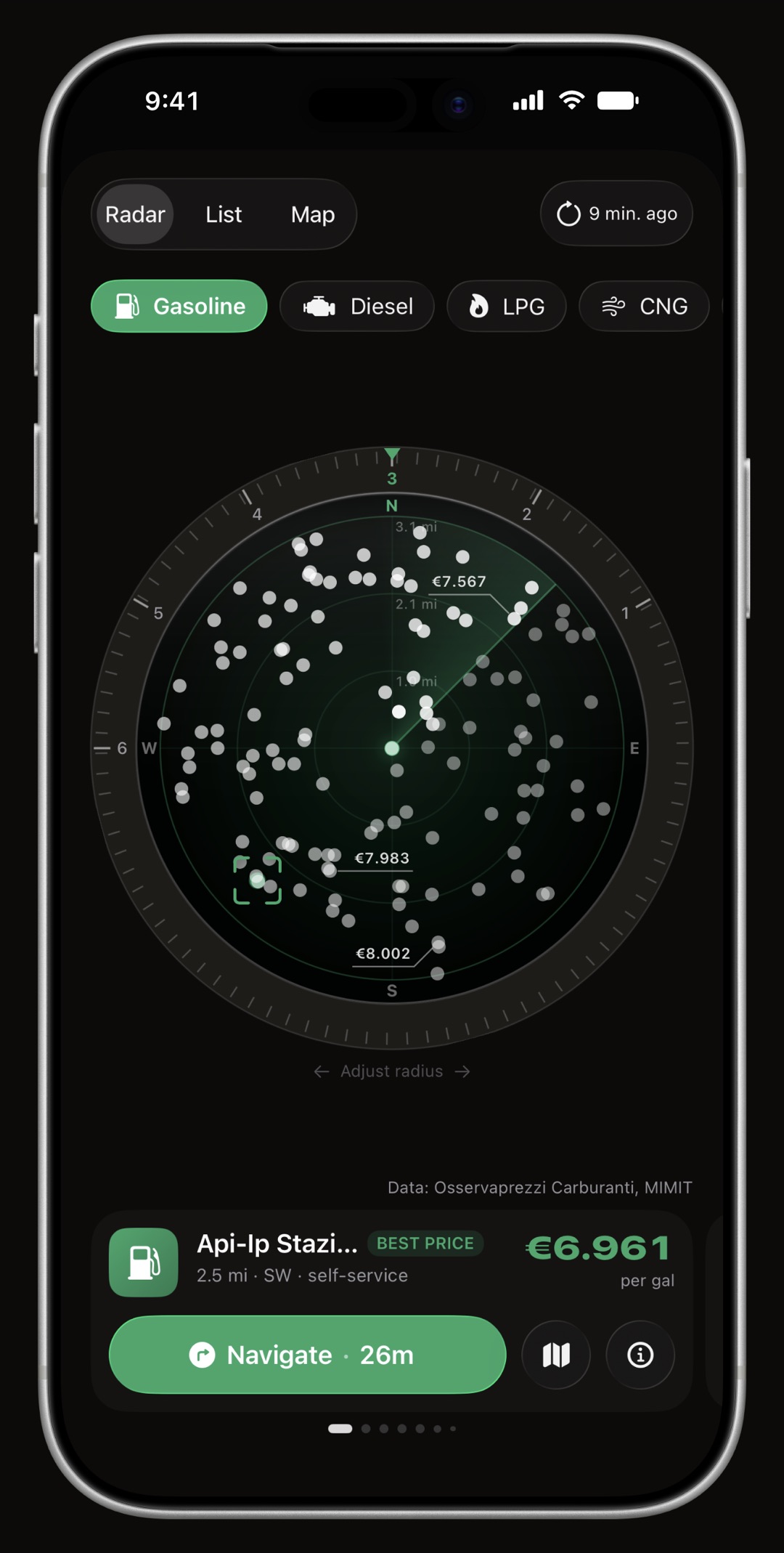
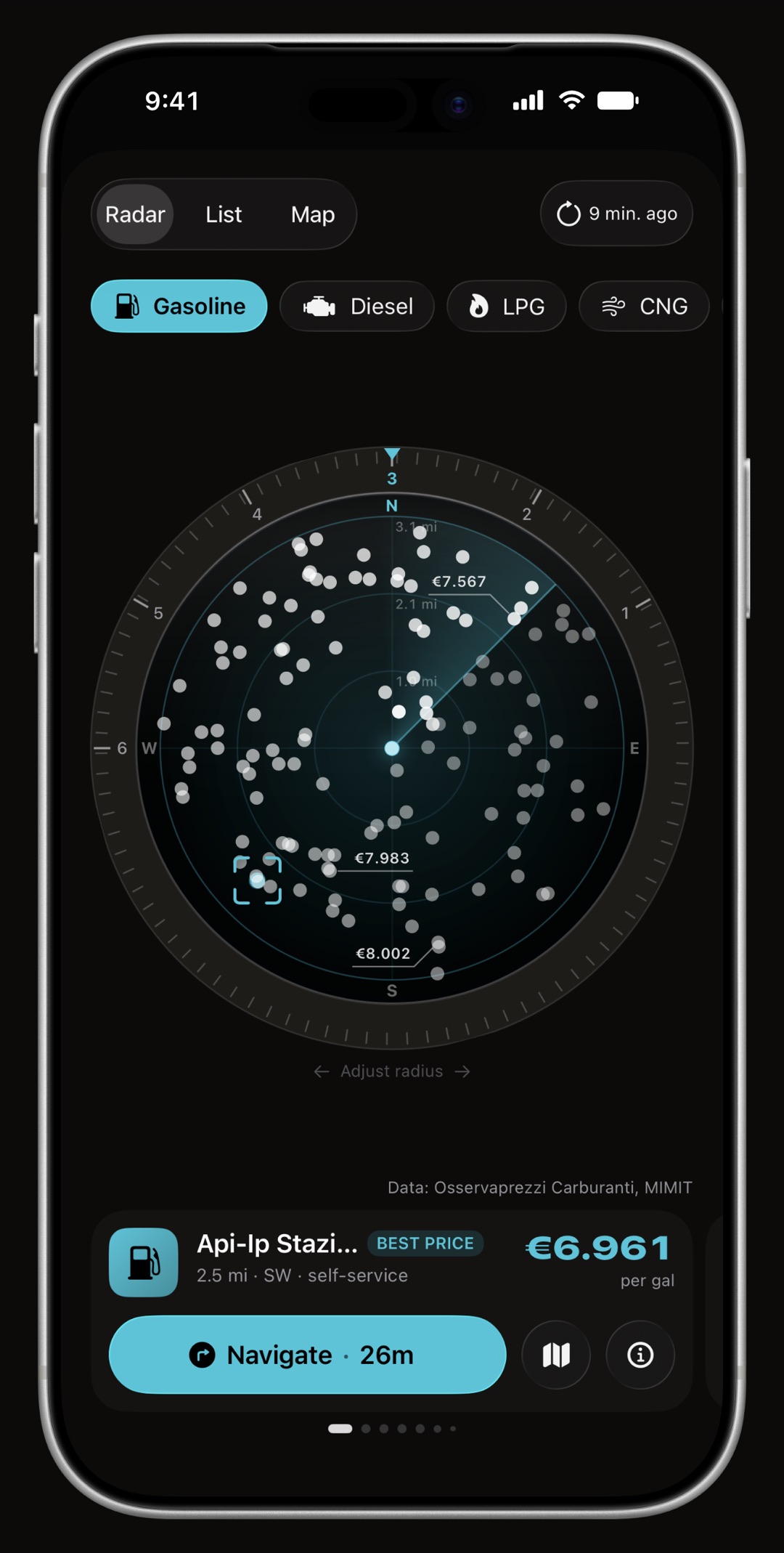
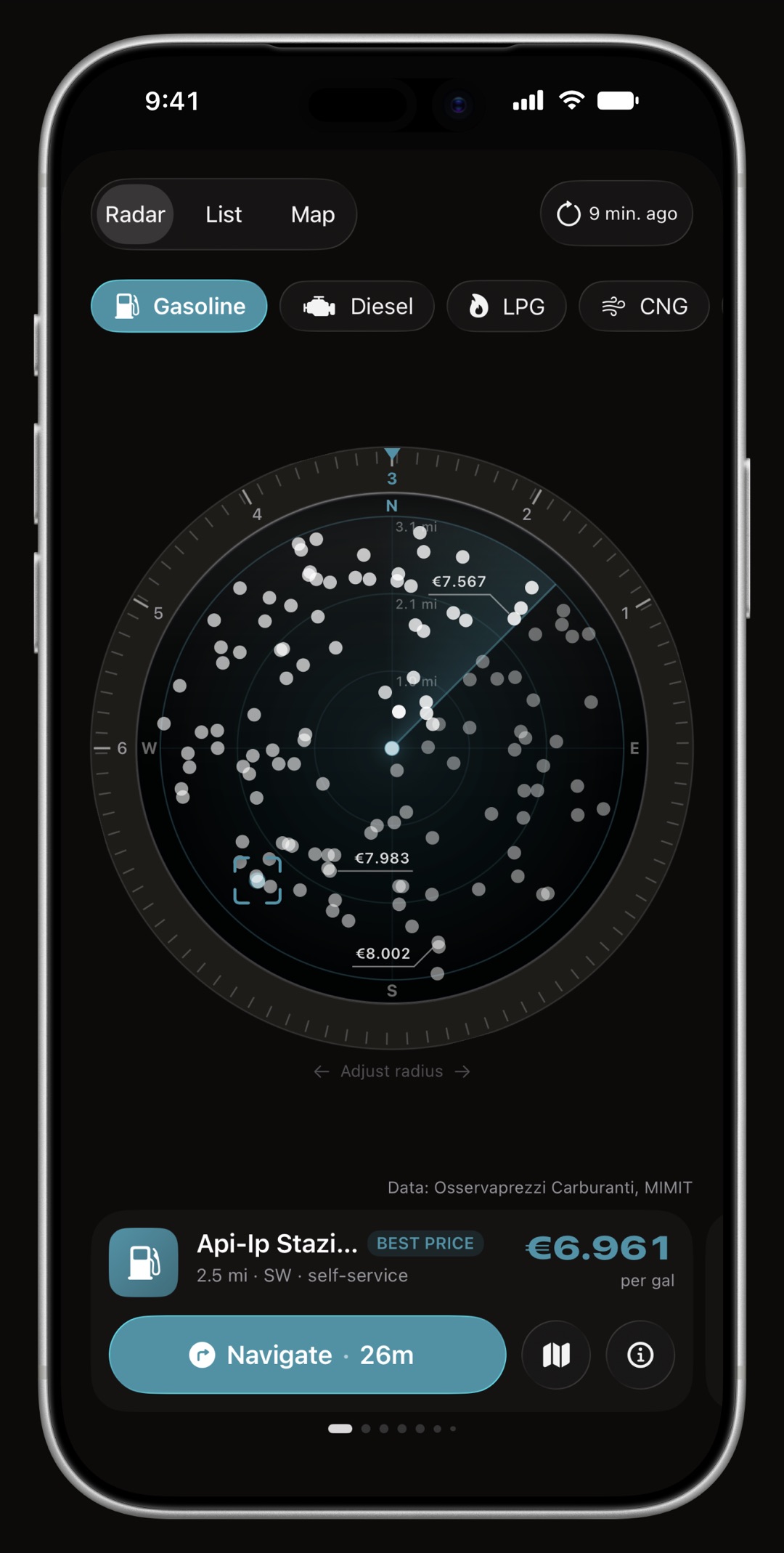
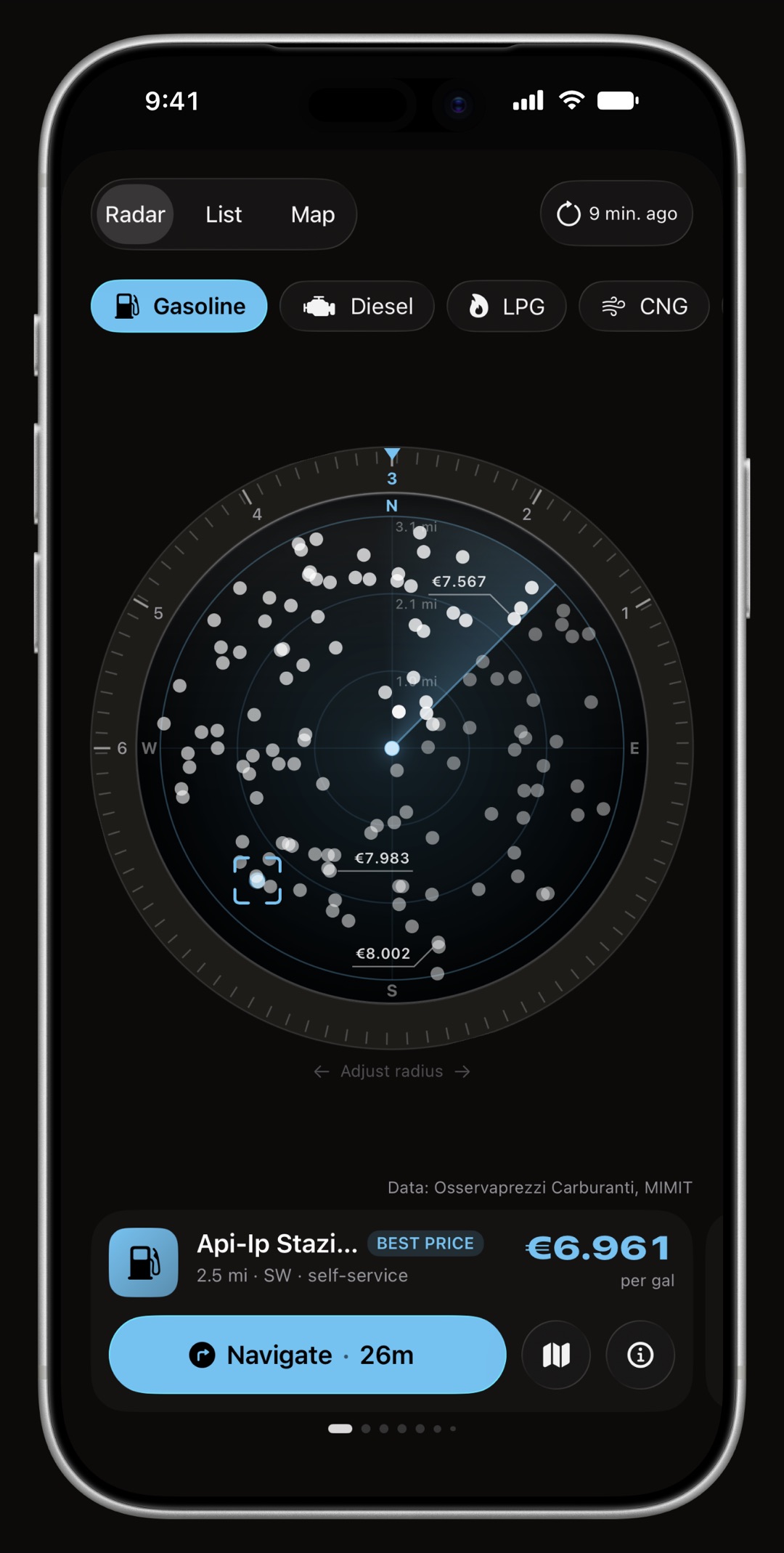
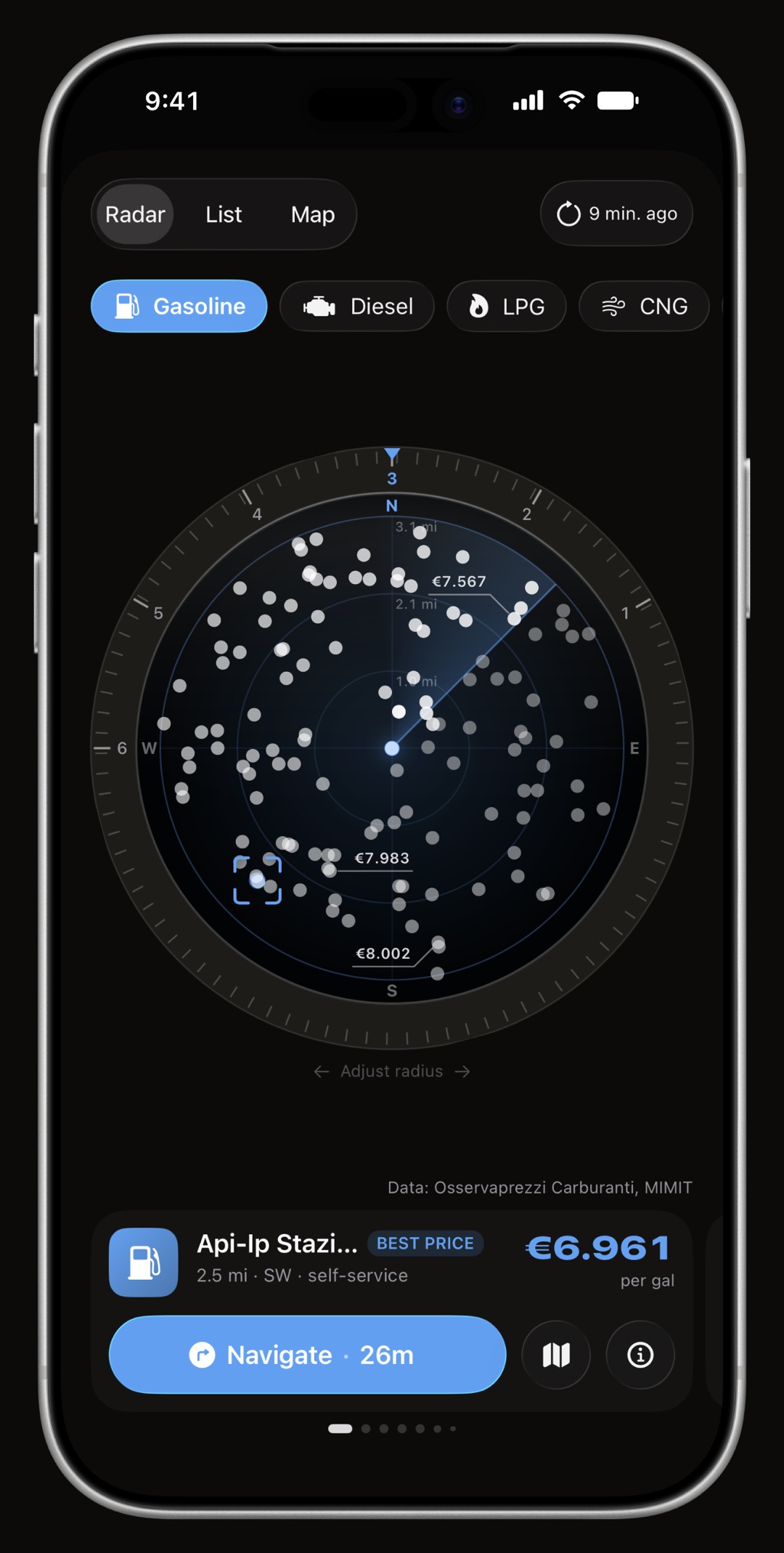
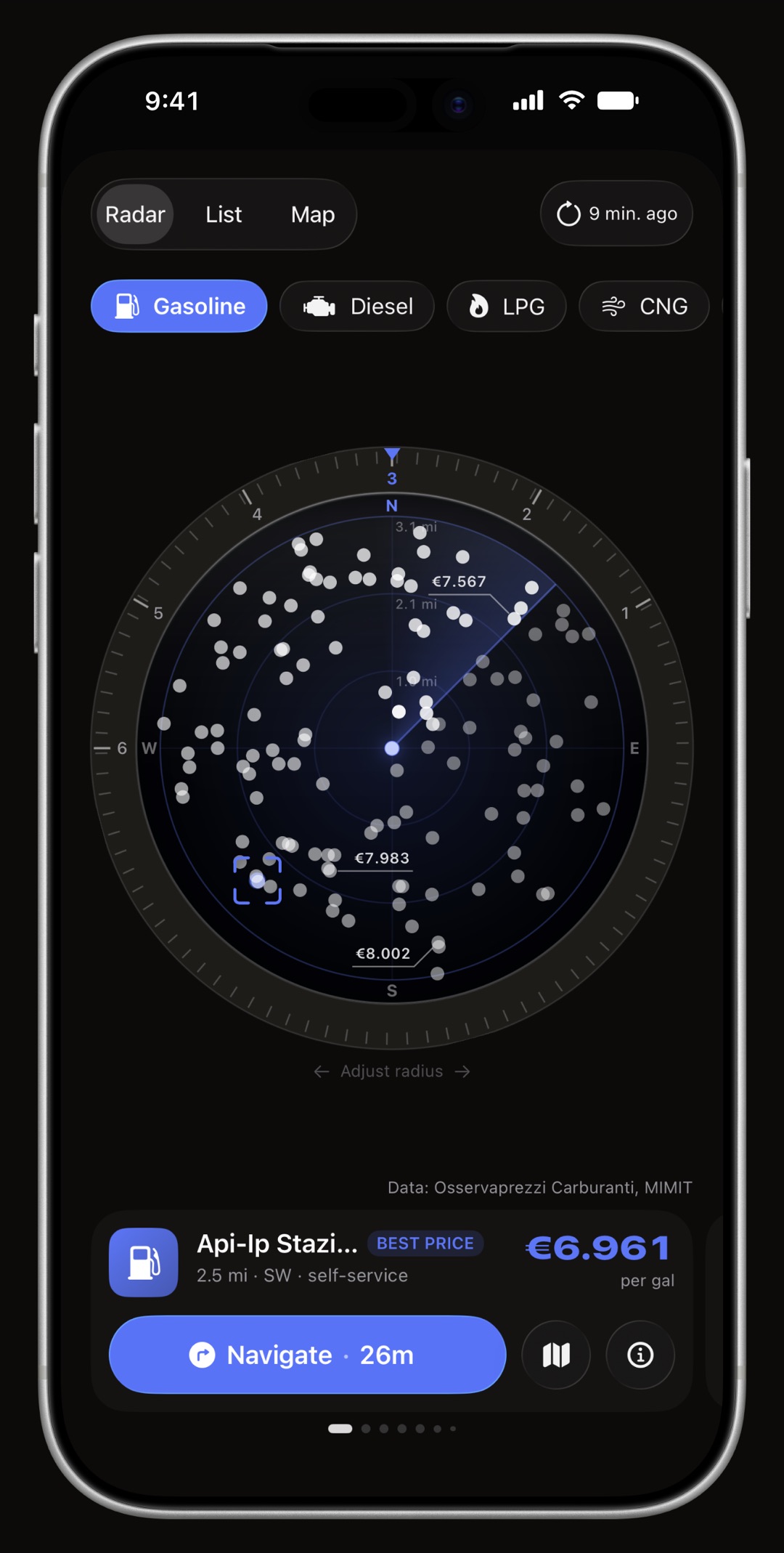
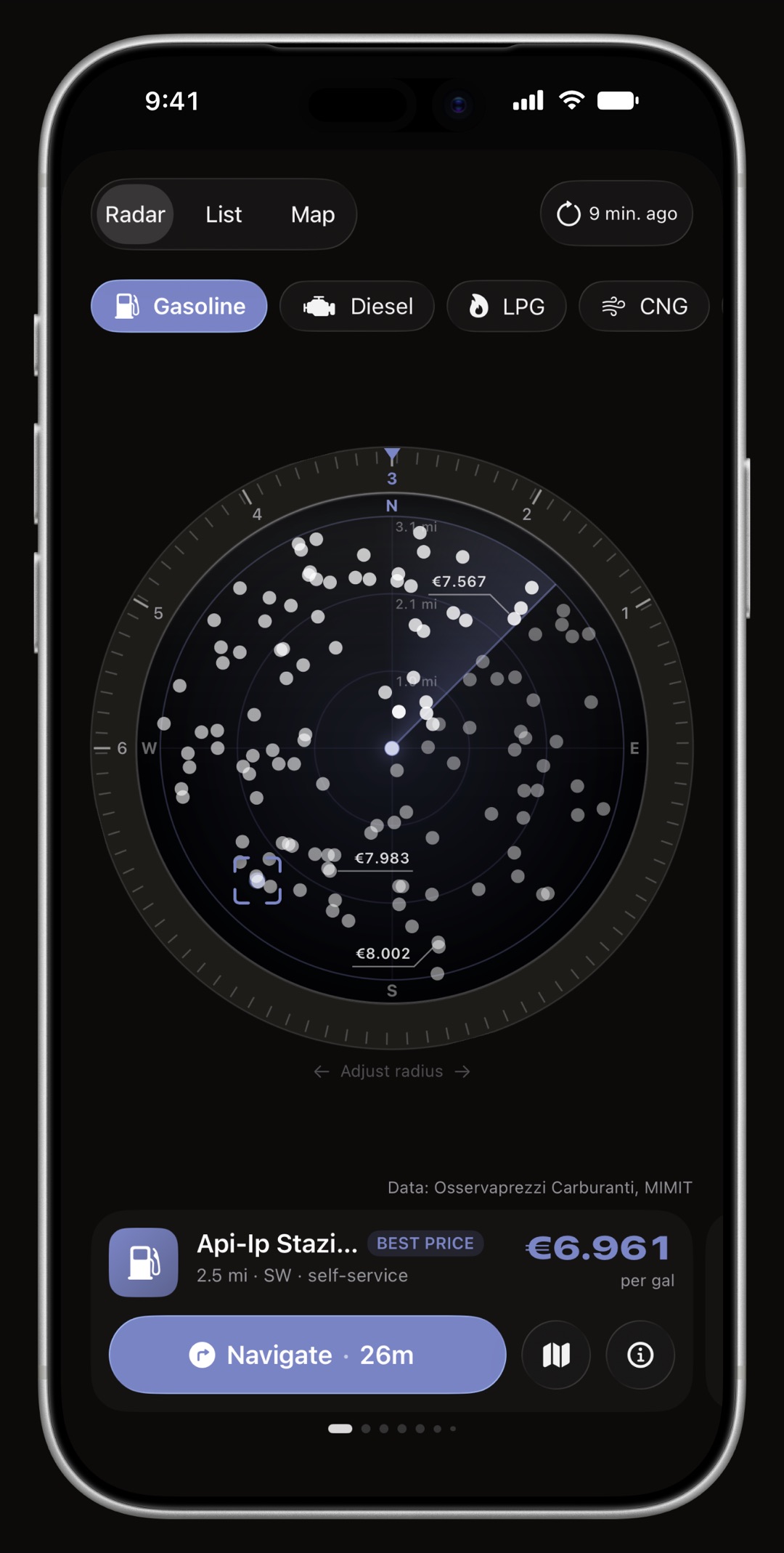
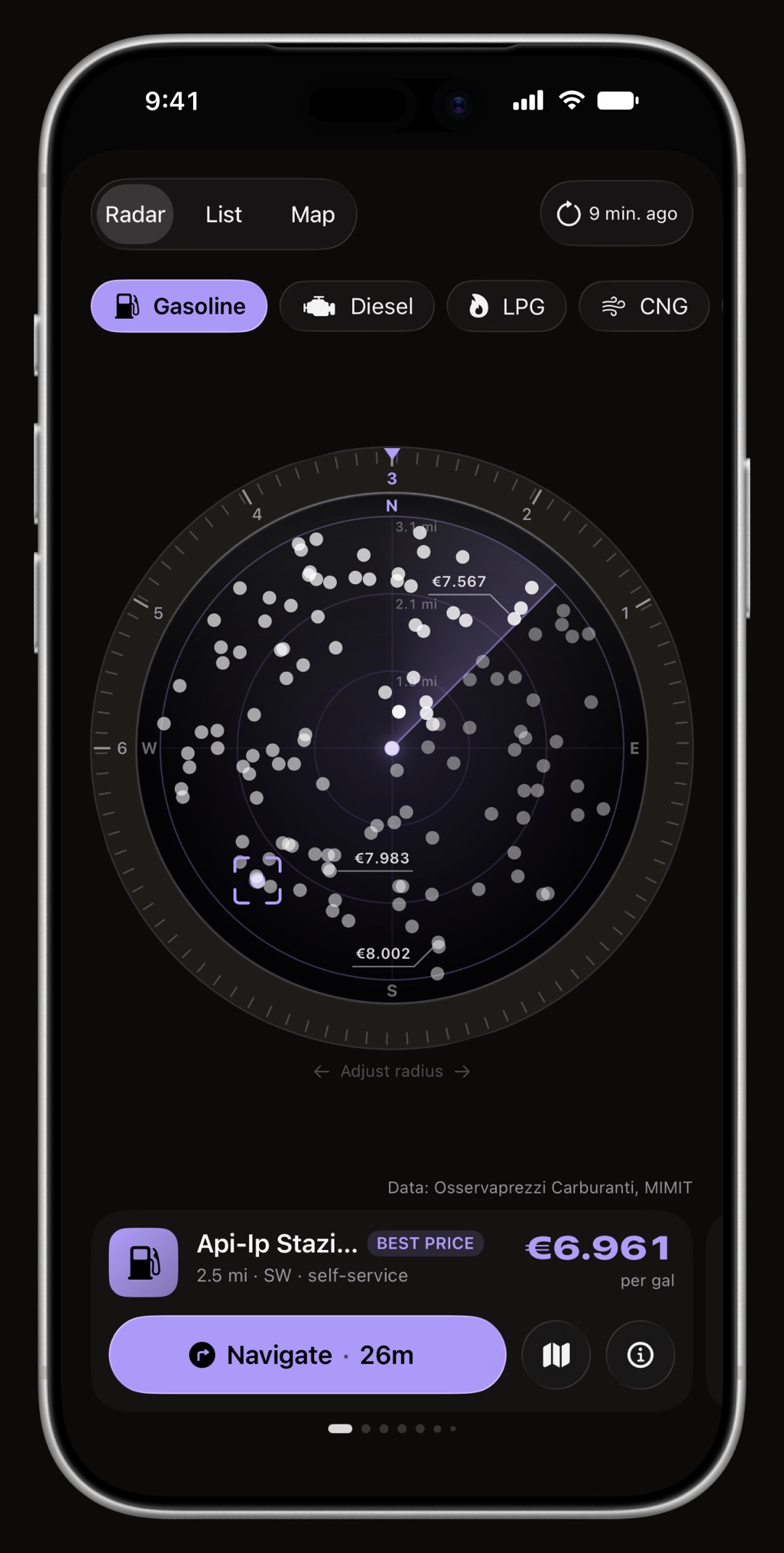
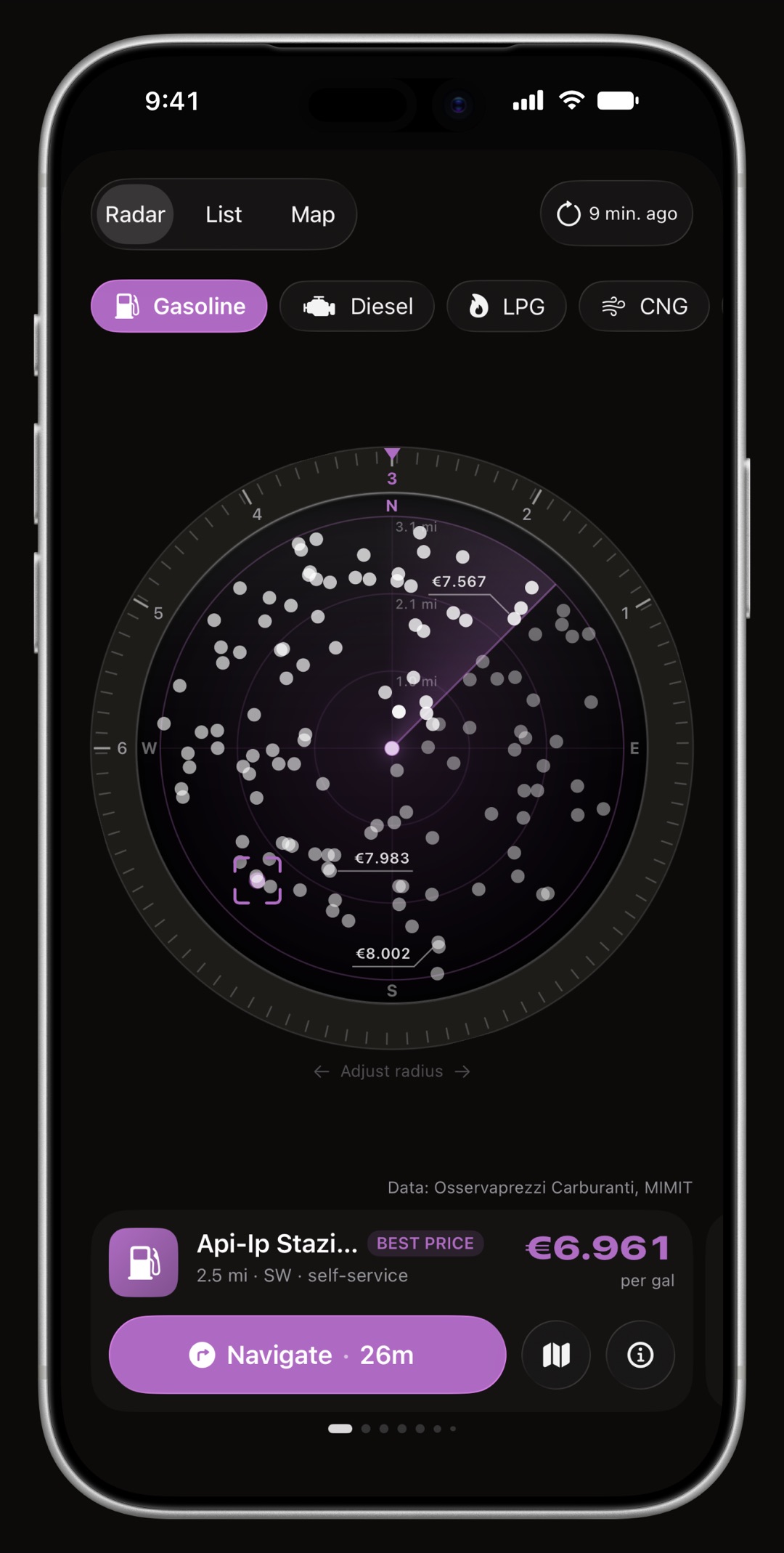
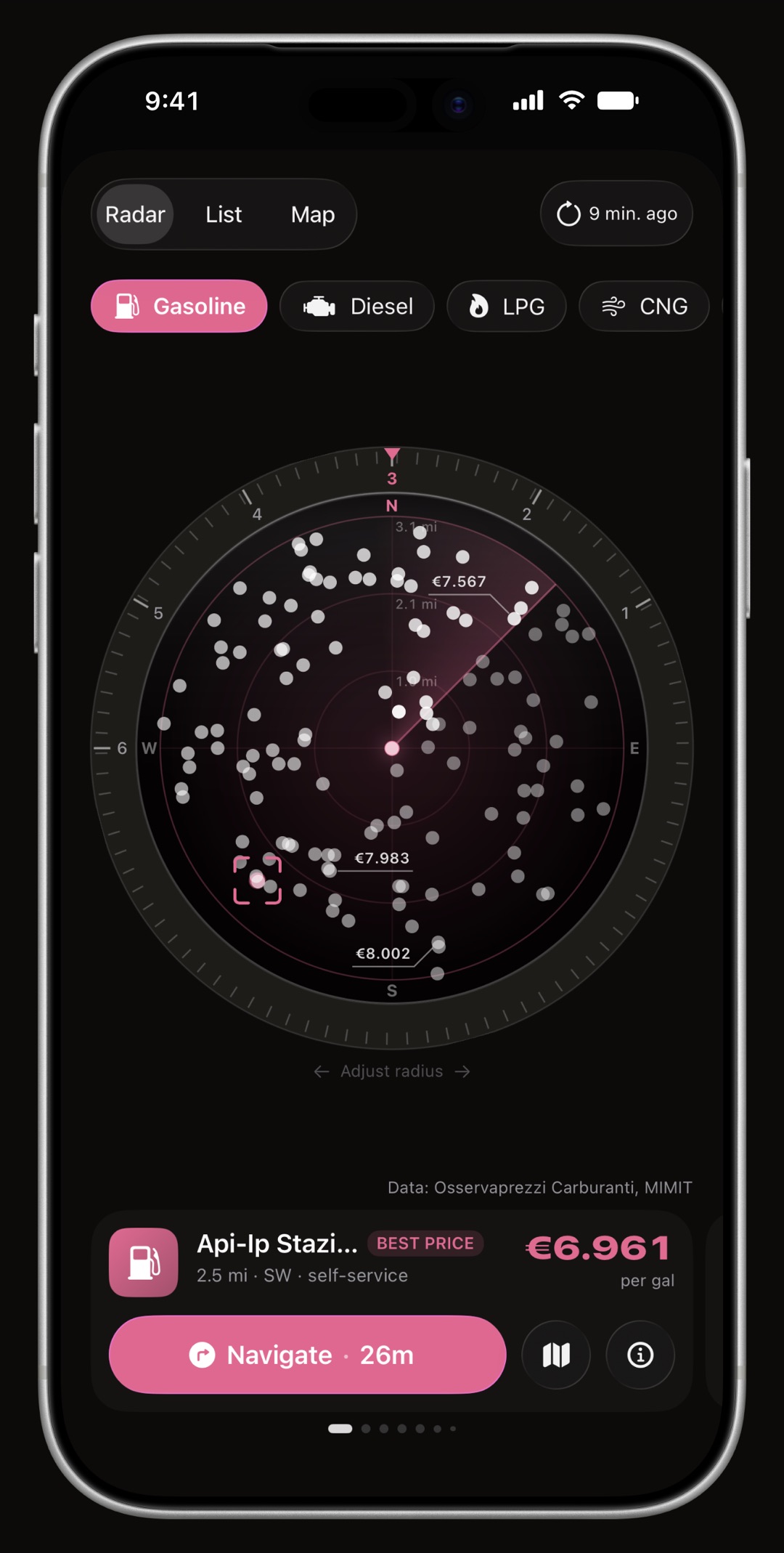
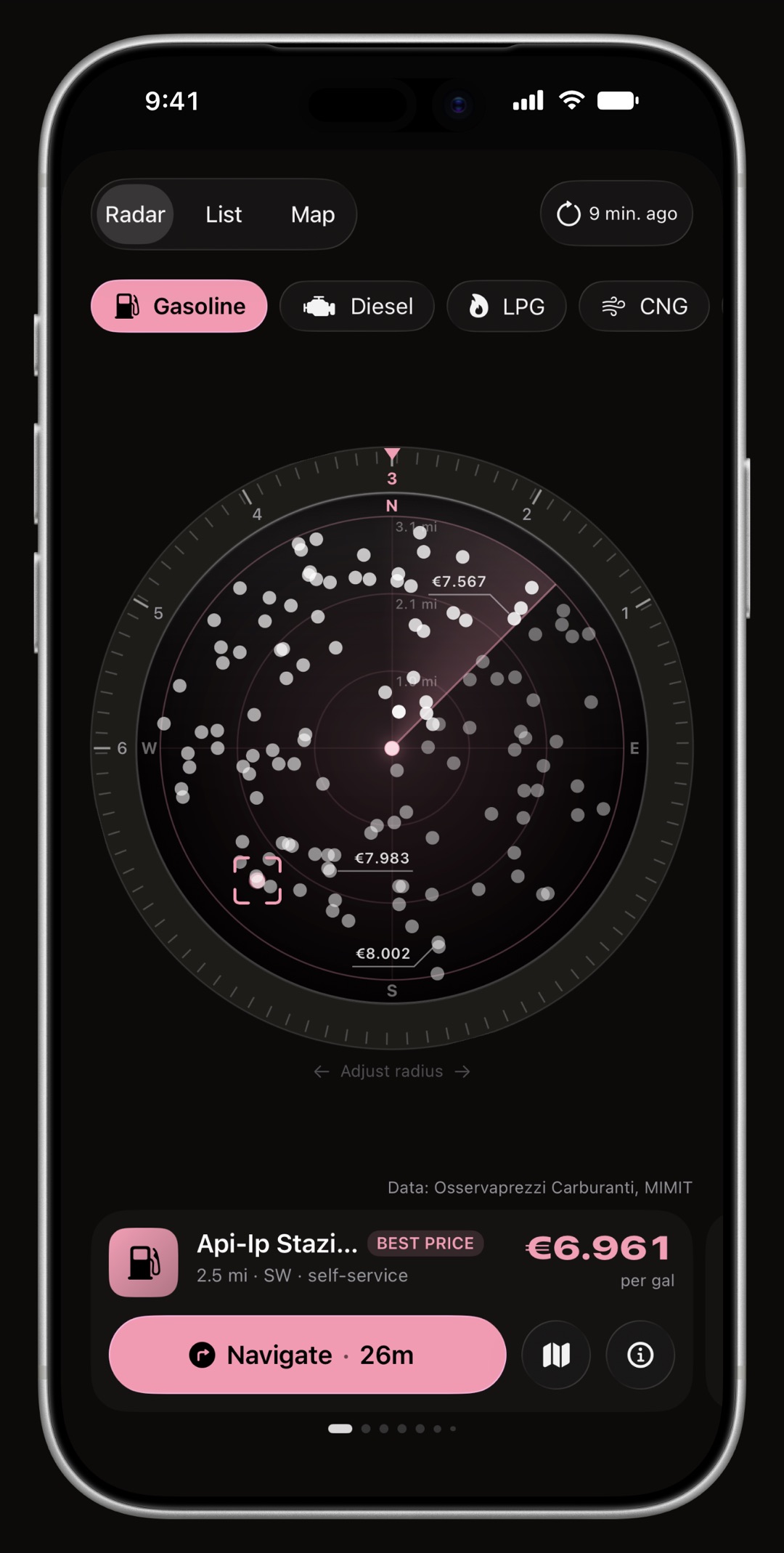
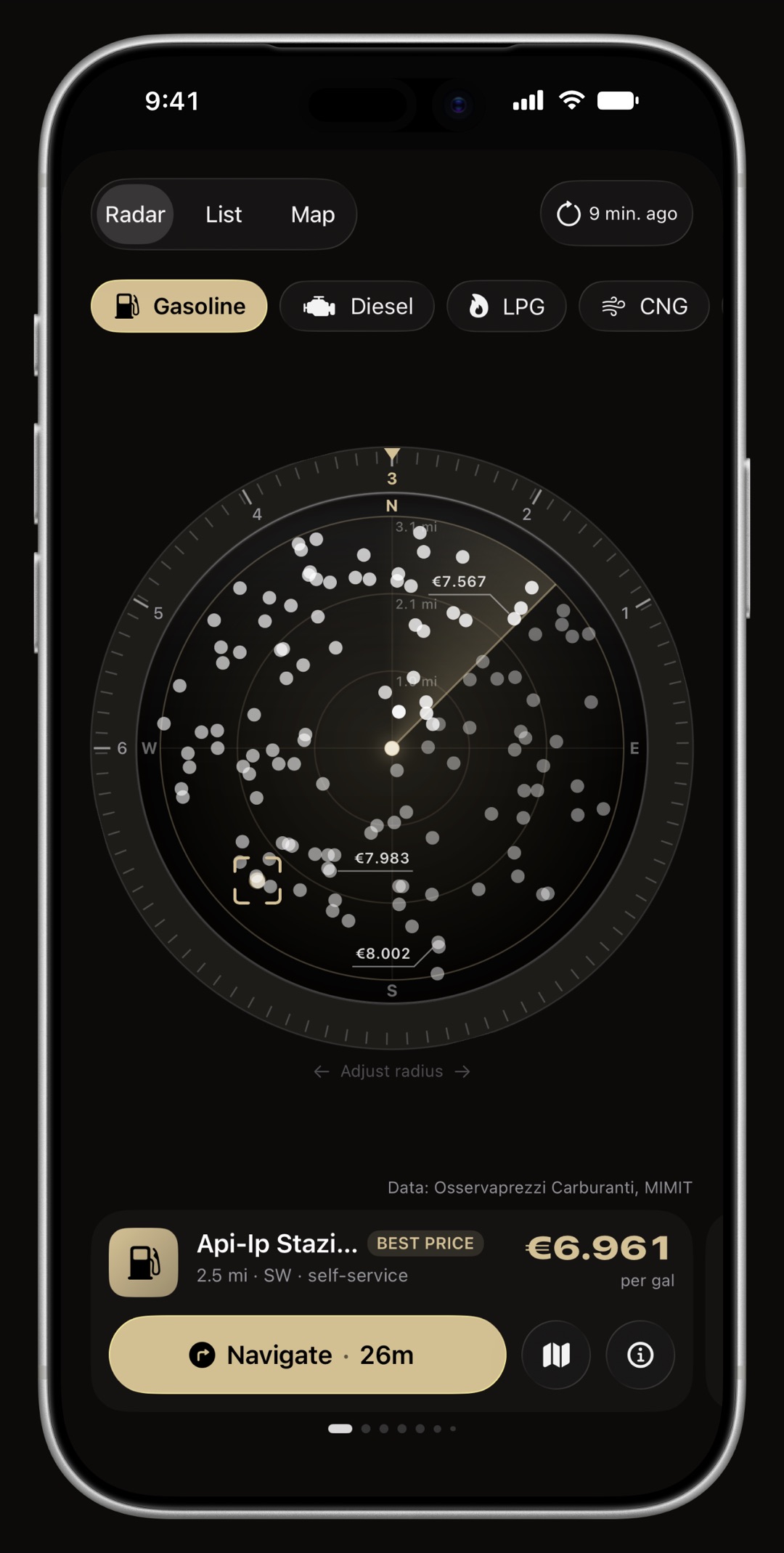
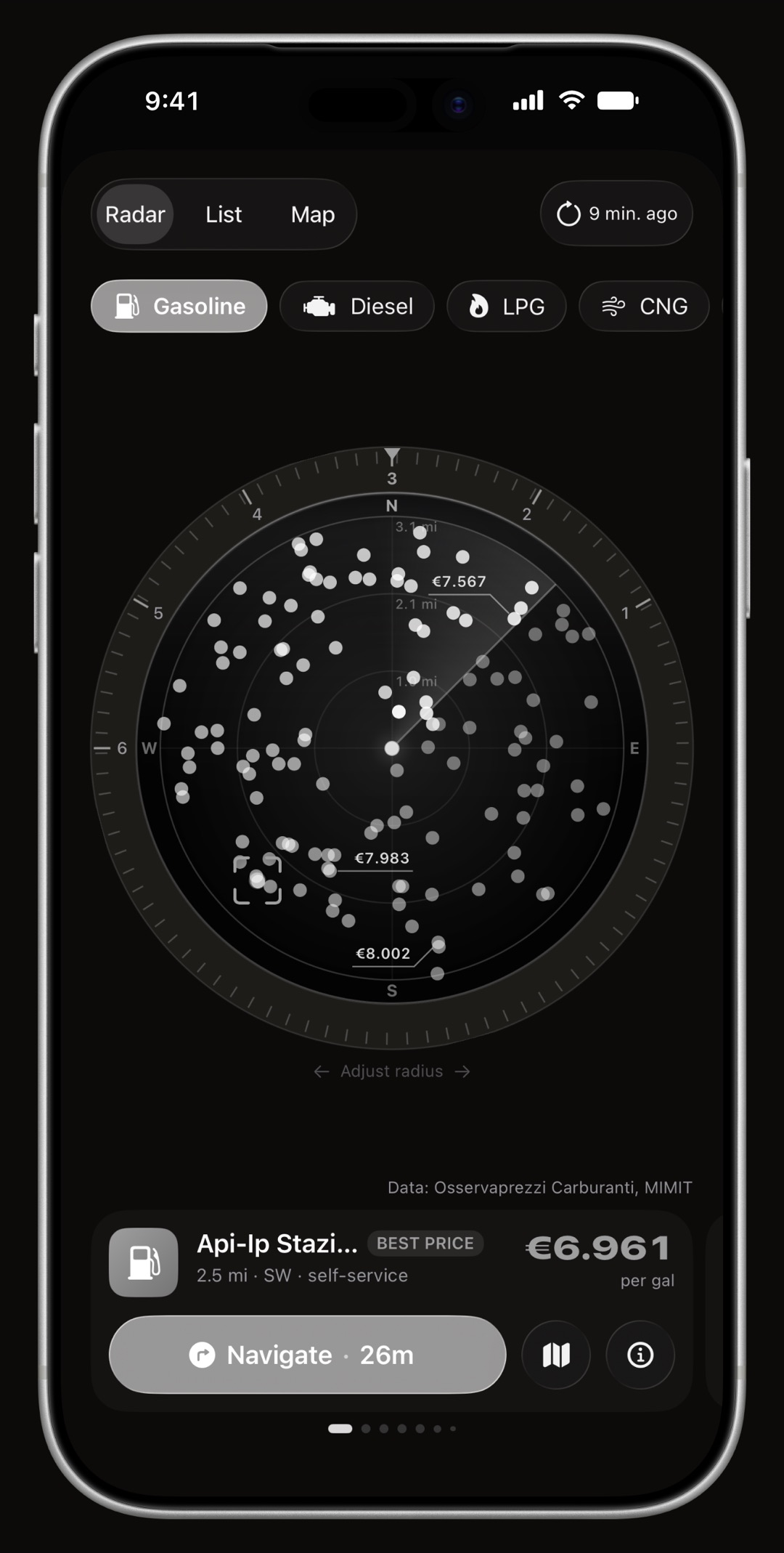
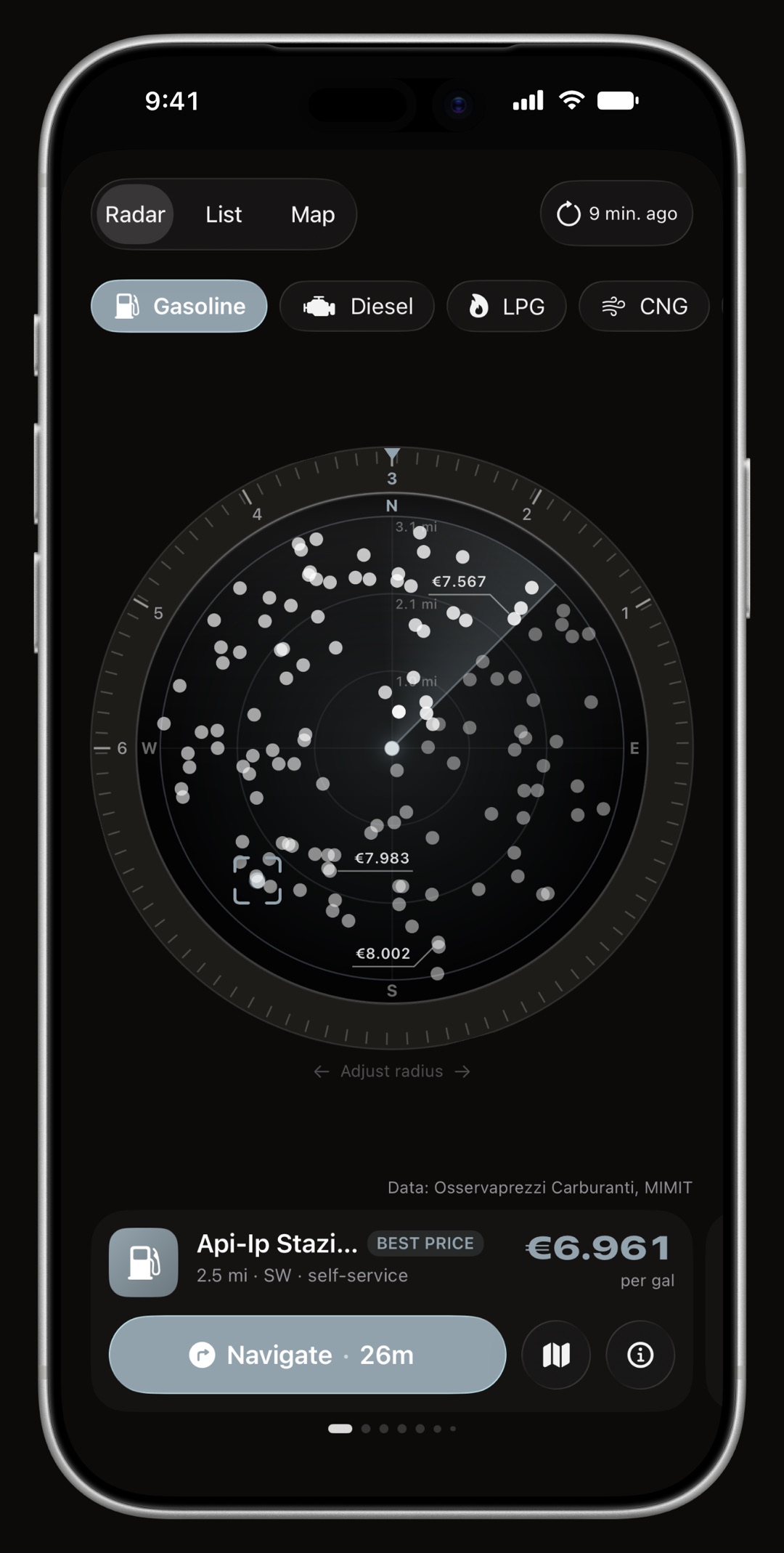
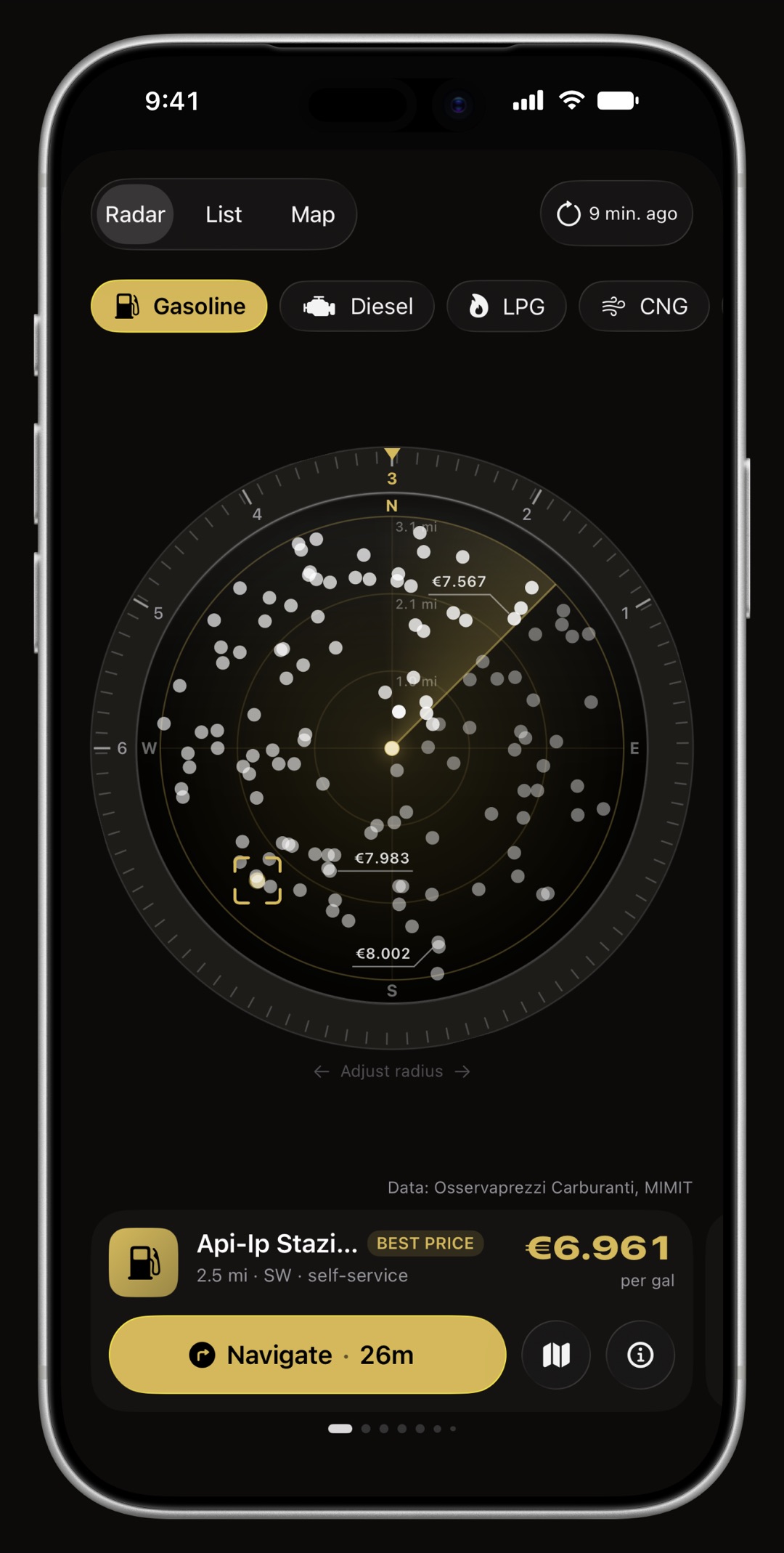
The Price Radar plots the stations around you by real direction and distance, cheapest one highlighted, one tap to navigate. Turn the ring to set how far it looks, or switch to the map and pan anywhere. Prices come from official public registries, which is why the honest answer changes with the country you are standing in.

  • Italy, France and Spain real pump prices straight away, nothing to set up, from the MIMIT Osservaprezzi registry, the French government's open data portal and Spain's MITECO Geoportal.
  • Germany real prices with your own free Tankerkönig key, entered once in Settings. Their terms allow one request a minute and no background refresh, and the app enforces both.
  • Everywhere else the stations around you from Apple Maps, without prices. A priceless answer is a different instrument, not a broken one: the price column, the cheapest tile and the sort picker are absent rather than empty.
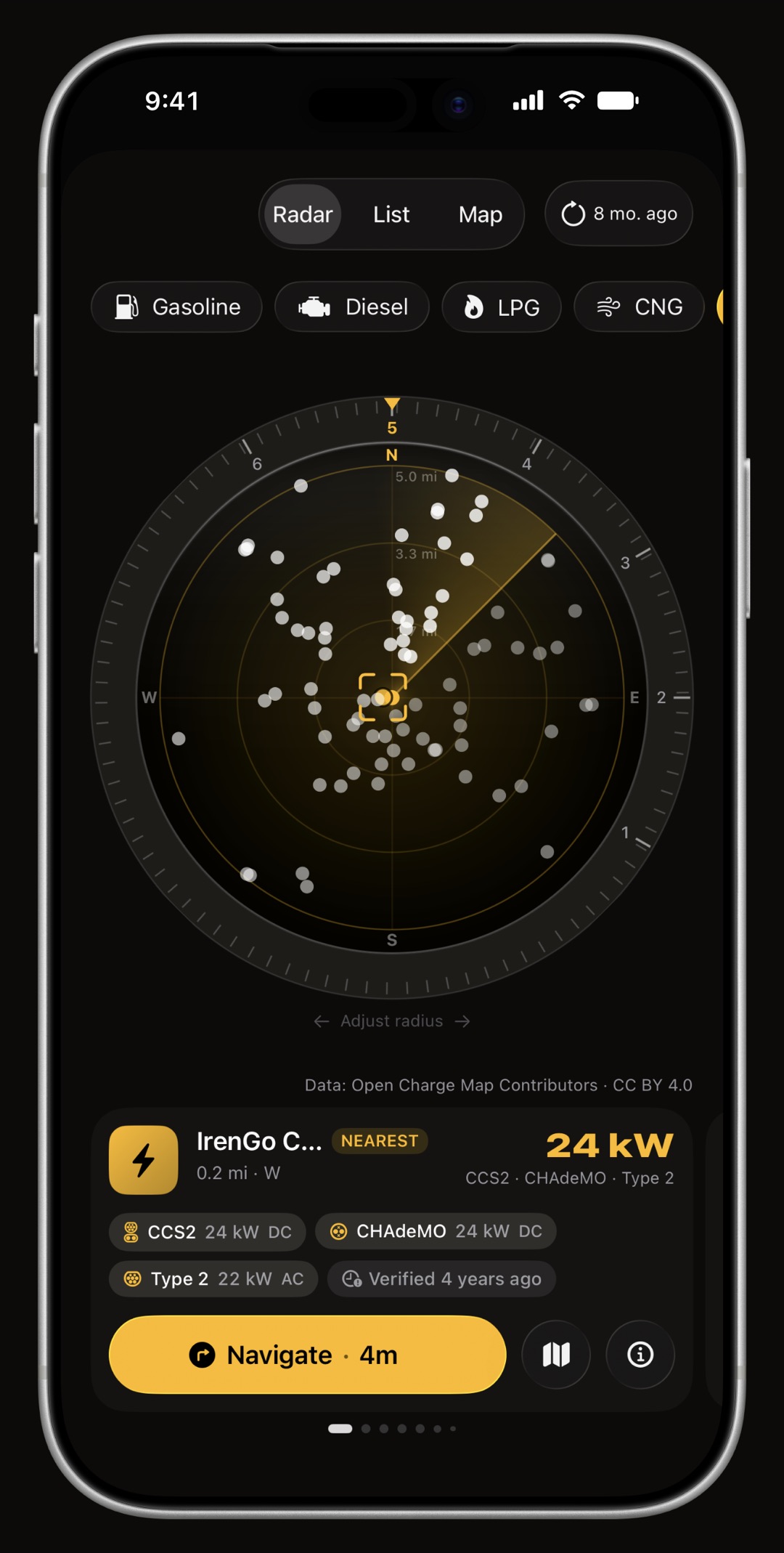
  • EV chargers, worldwide switch the radar to EV and it finds charging points anywhere, from Open Charge Map with Apple Maps as the floor under it: which plugs they carry, how fast, who operates them, whether they work, when they were last verified and the latest check-in. Filter by your car's own connector and by minimum power.
  • No charger ever carries a price per kWh, per minute, session fees, roaming markups and membership tariffs coexist at the same plug, so no market publishes a charging price that can be compared. WrenchTime shows the operator's own cost note verbatim and invents nothing.
WrenchTime Price Radar on iPhone plotting nearby fuel stations by direction and distance with prices
A scope, a map and a list over the same zone.
WrenchTime fuel station map with prices on each pin
WrenchTime Price Radar list on iPhone with each station's price, brand and distance
Or read it as a list, cheapest first or nearest first.
WrenchTime Price Radar on iPhone showing EV charging points with a connector filter and a station card
Switch to EV and the same zone answers with chargers, plug by plug.

Charts & running costs

Running-cost, fuel economy and charging charts

Know what your vehicle really costs.

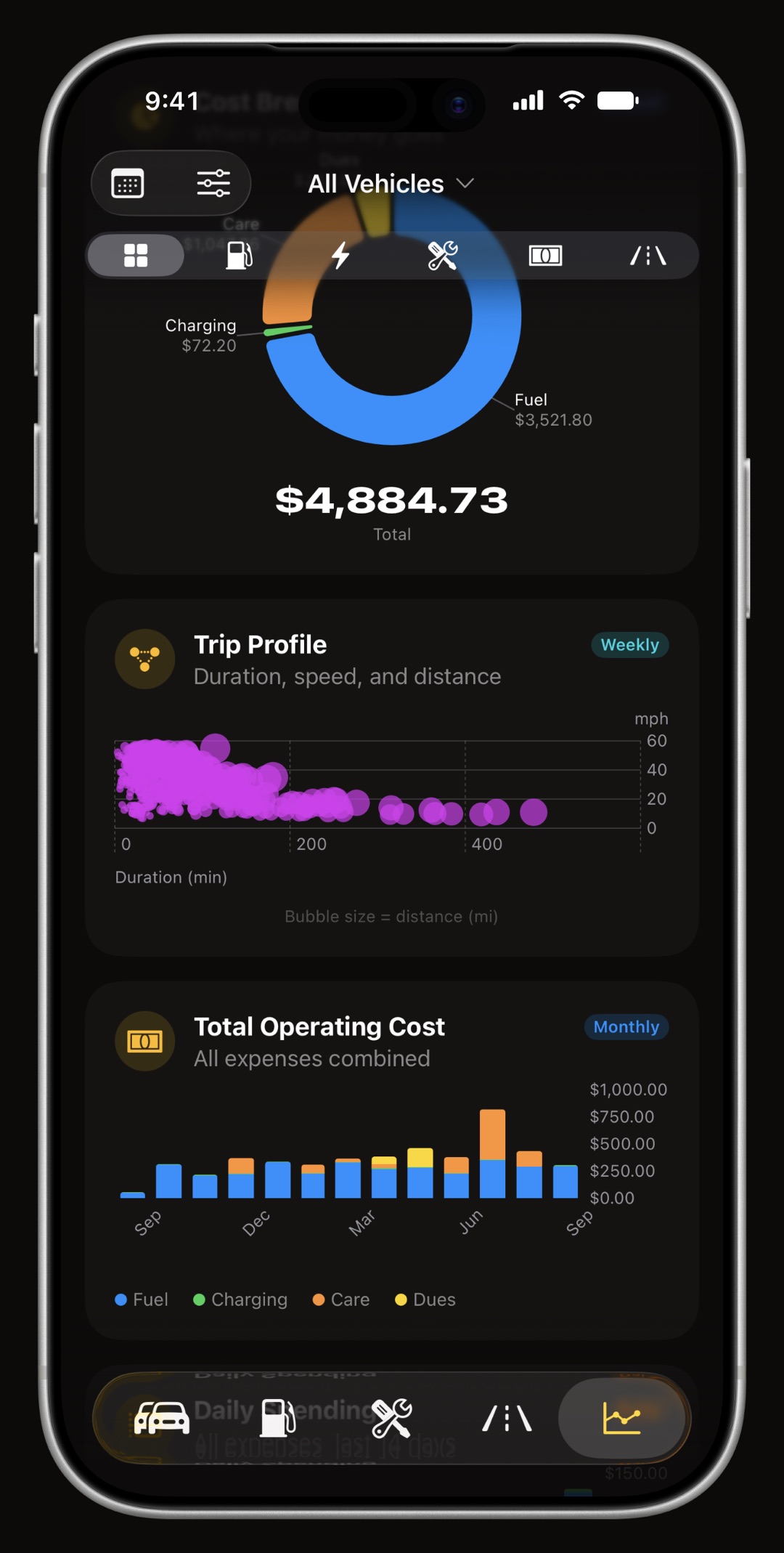
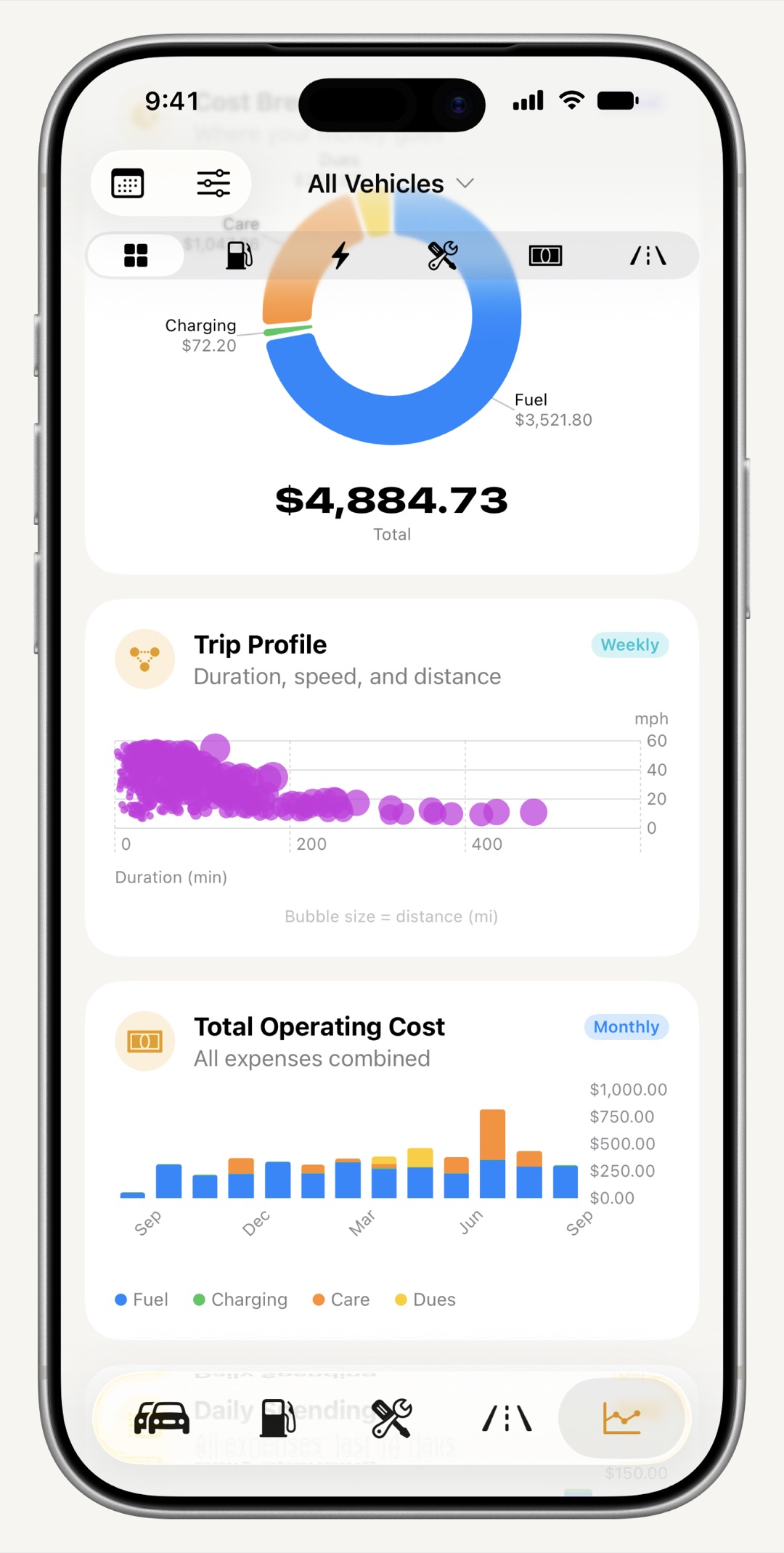
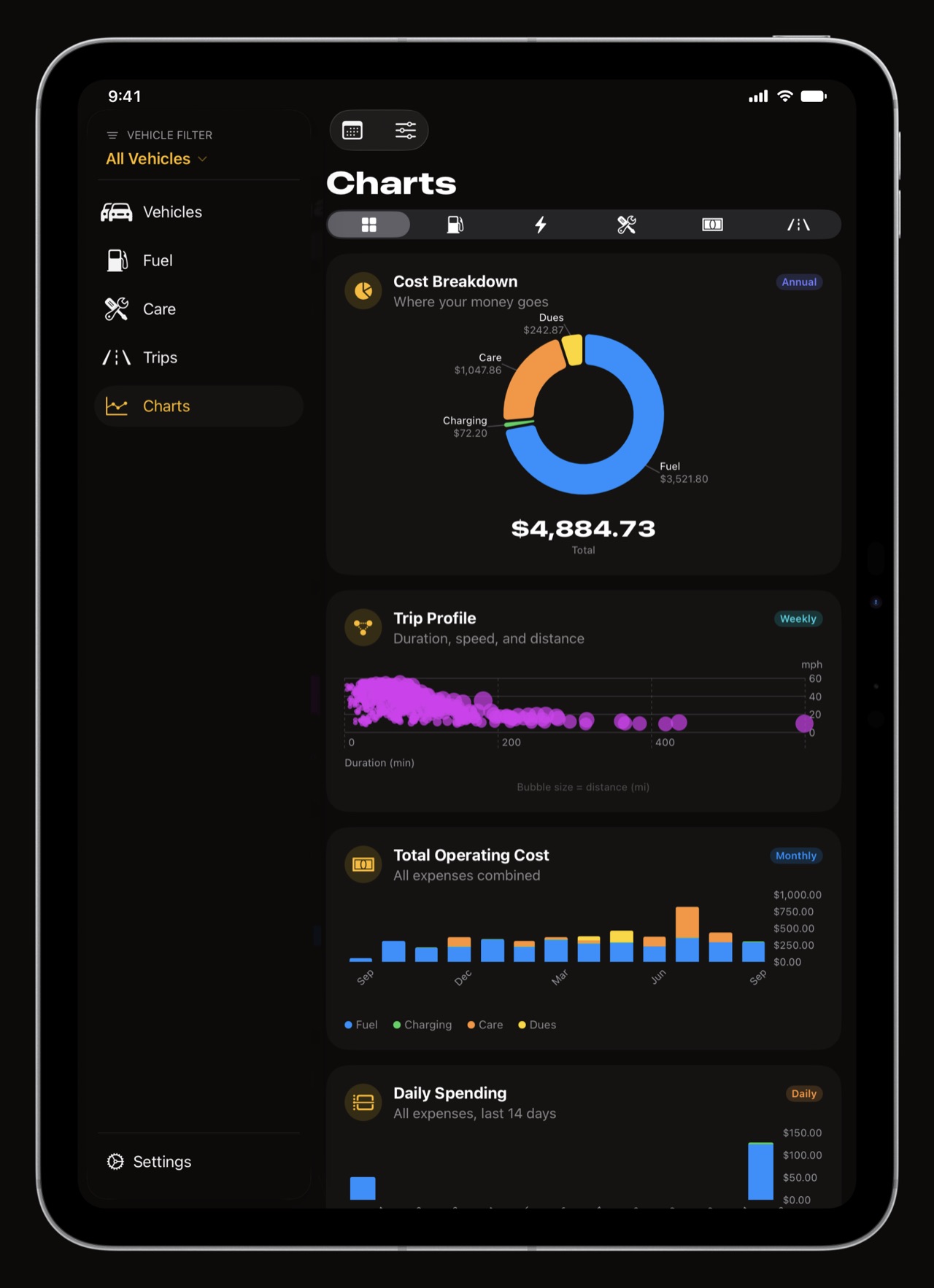
31 charts across fuel, charging, maintenance and trips: total operating cost, fuel price trend, efficiency trend, cost per distance, charger type breakdown, a driving heatmap, and more. Each carries a caption explaining exactly how the figure is computed.

  • Honest by design a chart hides itself when there is not enough data to be truthful, or when it makes no sense for your fleet.
  • One global time range daily, weekly, monthly or annual, respected by every chart.
  • Yours to arrange reorder or hide any chart; reshape the statistic boards on every tab.
WrenchTime running cost and fuel economy charts on iPhone
31 charts, each stating how its figure is computed.
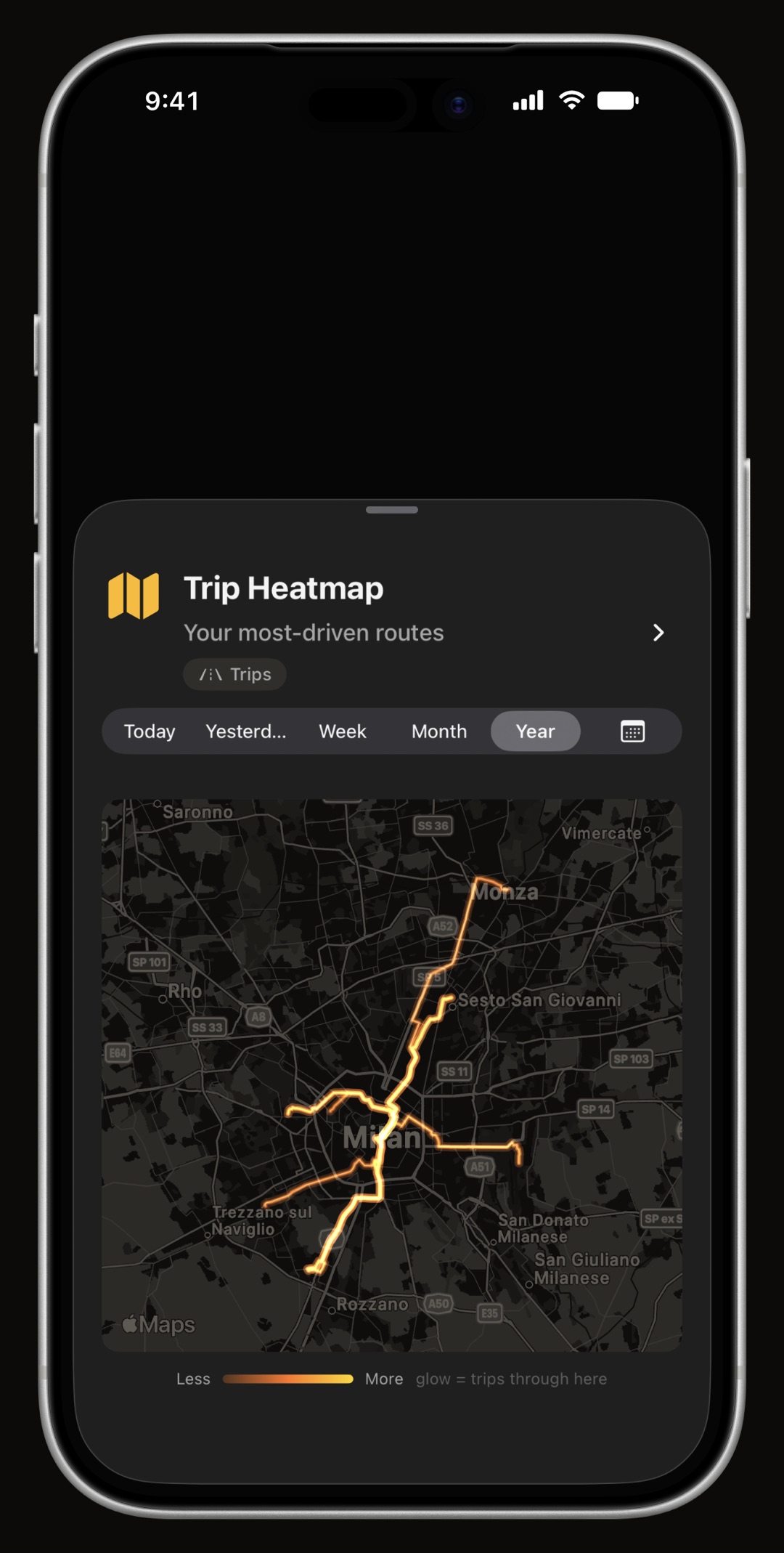
WrenchTime driving heatmap on iPhone showing everywhere the vehicle has actually been driven
Everywhere you have actually driven, from your own recorded trips.

Deep in the Apple ecosystem

Apple Watch, widgets, Live Activities, Siri and Control Center

On your wrist, your Lock Screen and your dashboard.

Built entirely in SwiftUI for iOS 26 with Liquid Glass, not imitated. 9 widgets, an Apple Watch app with 5 complications, Live Activities in the Dynamic Island while a trip records, three Control Center controls, Siri Shortcuts in every supported language, and 25 accent colors the whole app follows.

  • Apple Watch see what is due, the odometer, this month's spending and your fuel or battery level; log a fill-up, a charge or a new odometer reading; save where you parked and navigate back; start and stop a trip from your wrist, and, if you turn it on, keep your heart rate for each drive with the trip, never written to Health. 5 complications for the face you actually wear. An entry logged out of range is queued and delivered when your phone is reachable again, so an underground car park never costs you a record.
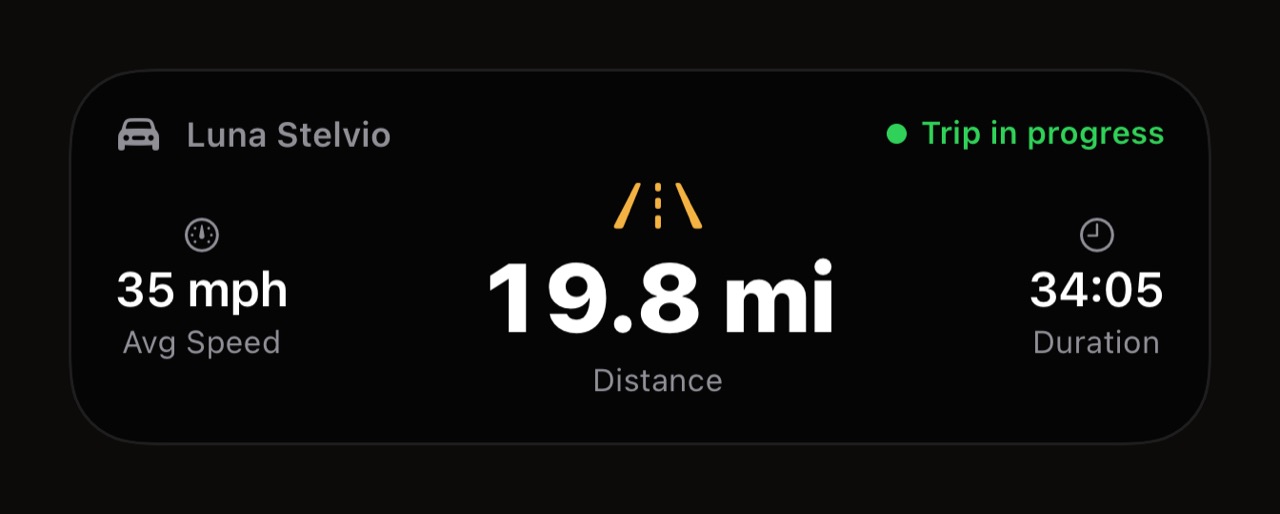
  • Live Activities & Dynamic Island distance, average speed and elapsed time on the Lock Screen while a trip records, with compact, expanded and minimal presentations.
  • Siri, Shortcuts & Control Center start and stop a trip by voice, add fuel, add maintenance, update the odometer or navigate to your parking spot from an automation, a widget or the Action button.
  • Paint it your color 25 accent themes, each with its own light and dark value, and WrenchTime Live and each CarPlay vehicle can keep a color of their own. Part of WrenchTime Pro.
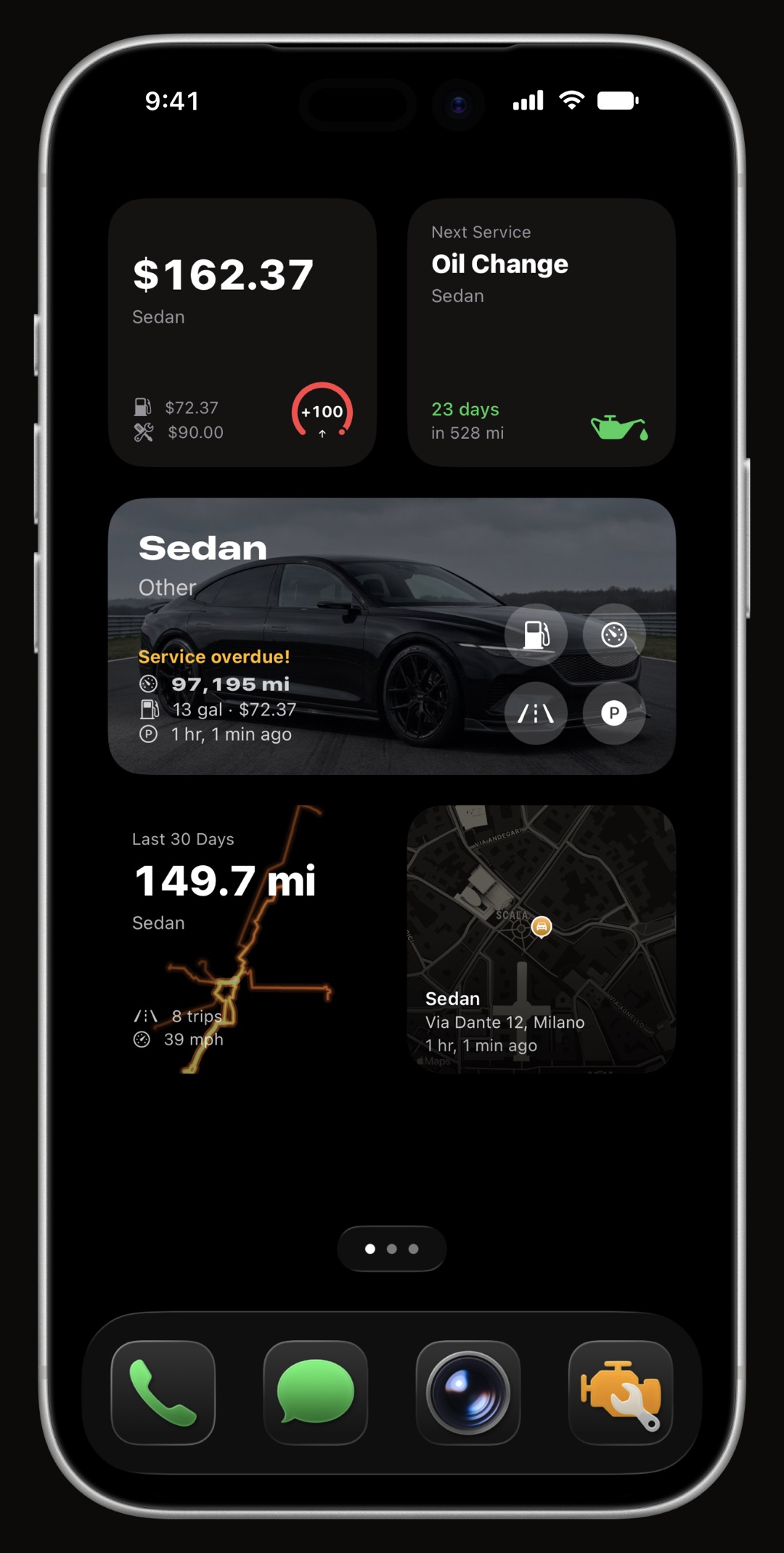
WrenchTime Home Screen and Lock Screen widgets: fuel gauge, monthly spending, upcoming maintenance, parking
9 widgets for the Home Screen and the Lock Screen.
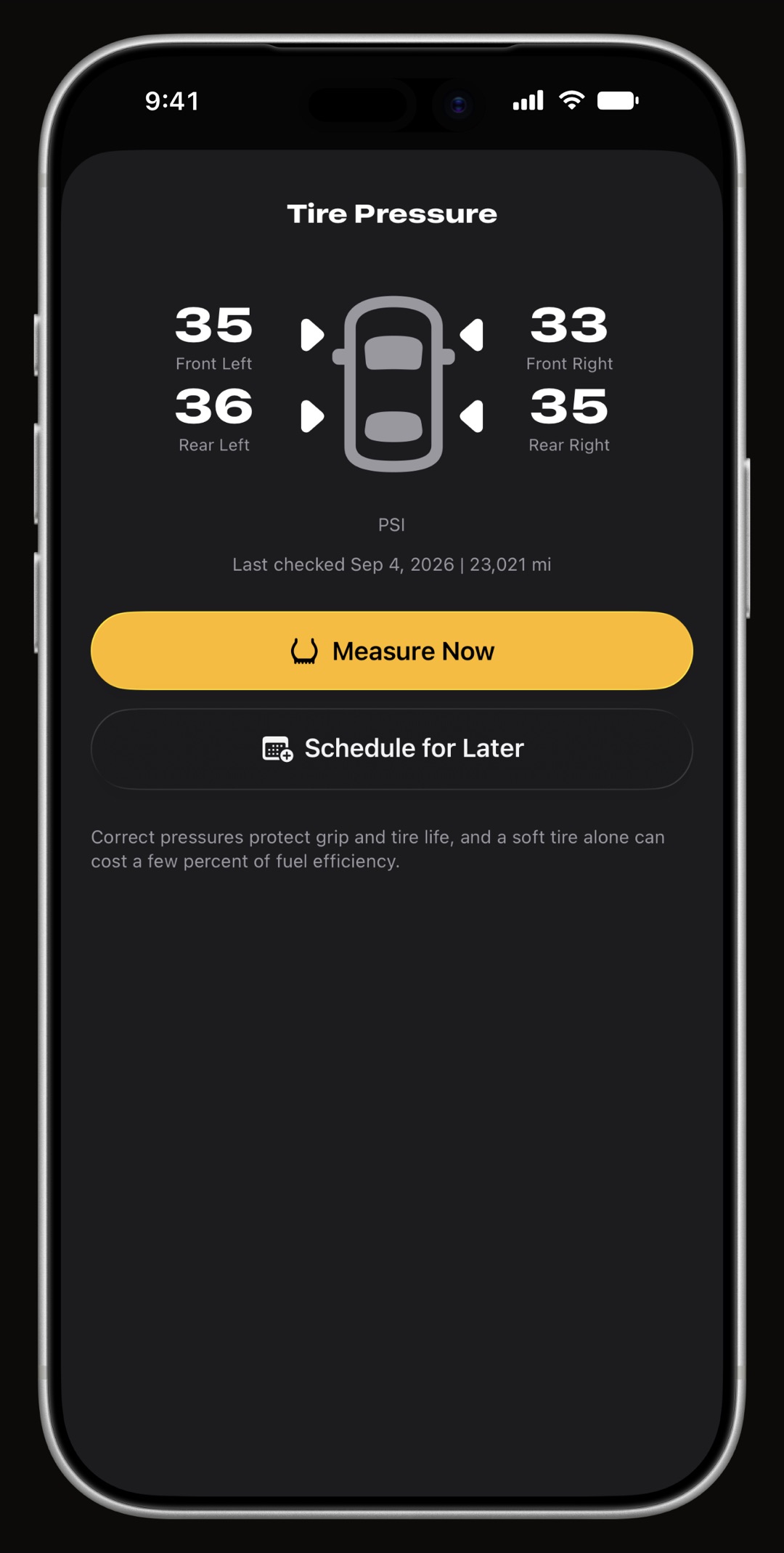
WrenchTime tire pressure recorded on a diagram of the vehicle rather than in a list
Tire pressure on a diagram of the vehicle, not four anonymous numbers.
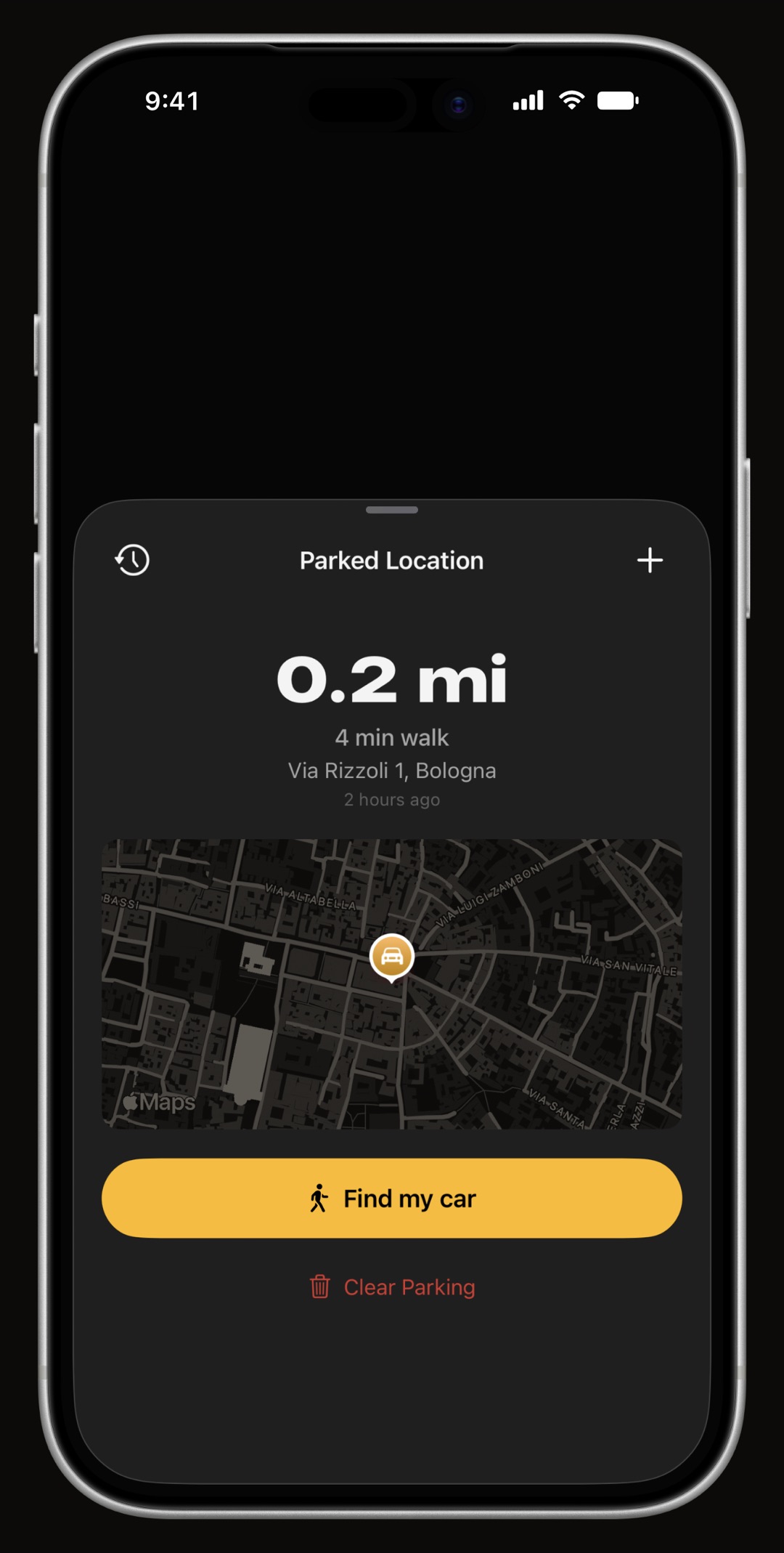
WrenchTime find my car parking map with address, time parked and walking directions
Parking saved when a trip ends, with walking directions back.
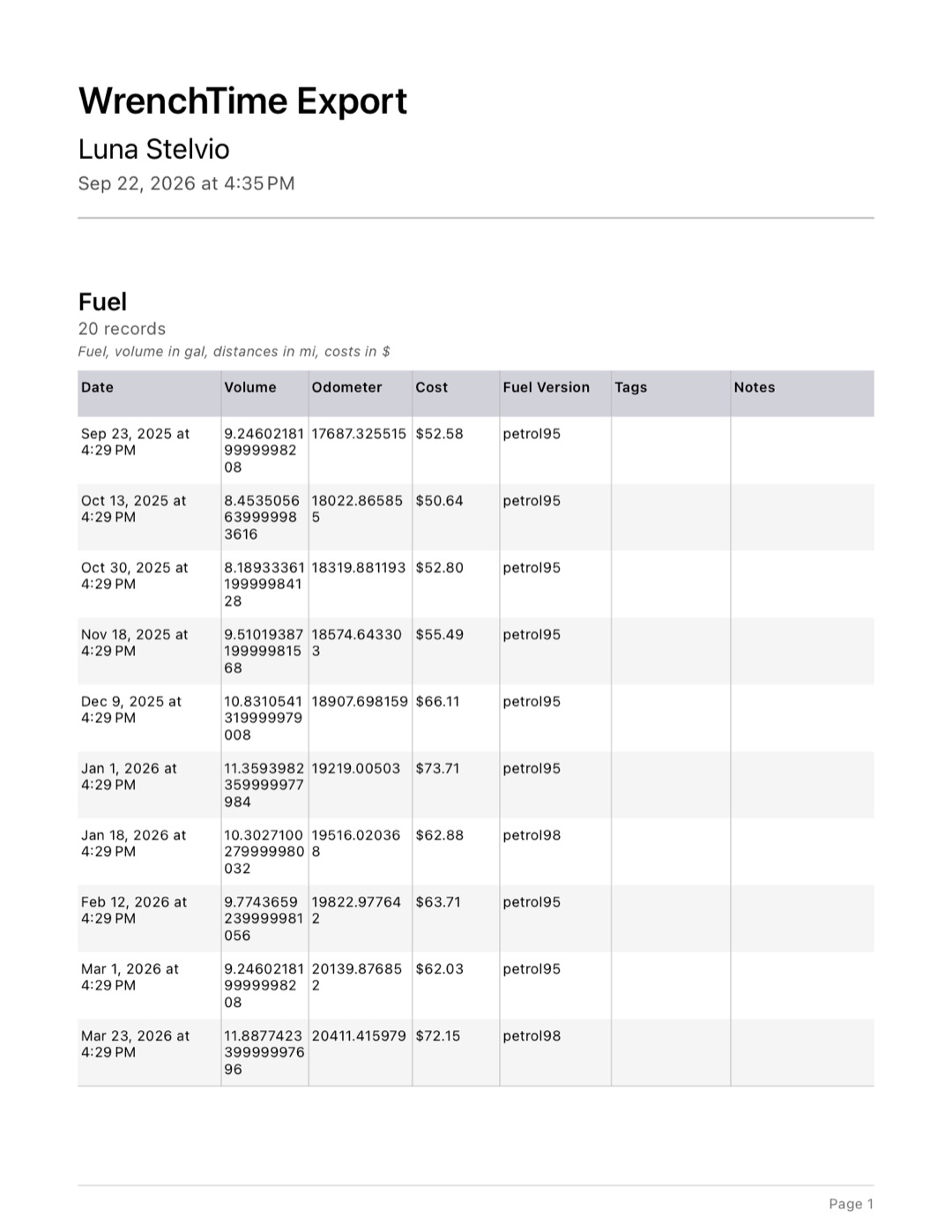
WrenchTime multi-page PDF export with tables and totals per record type
CSV and a real multi-page PDF, per vehicle, filterable by tag.
the WrenchTime trip Live Activity as it appears on the Lock Screen: vehicle, trip in progress, average speed, distance, duration
The Lock Screen carries the trip while it records.

Accent colors

25 accent colors, and the app wears the one you pick

Pick a color. The whole garage follows.

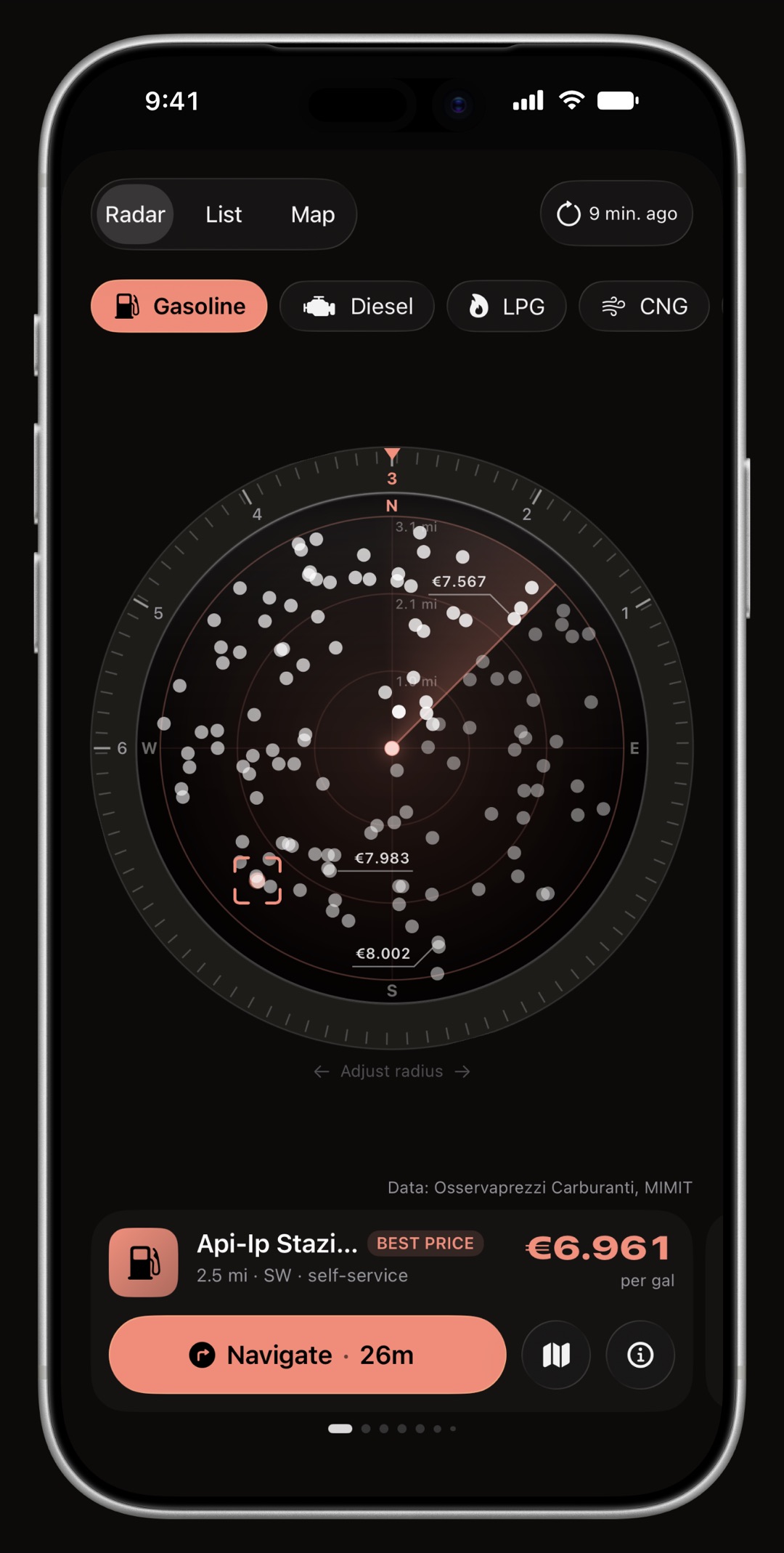
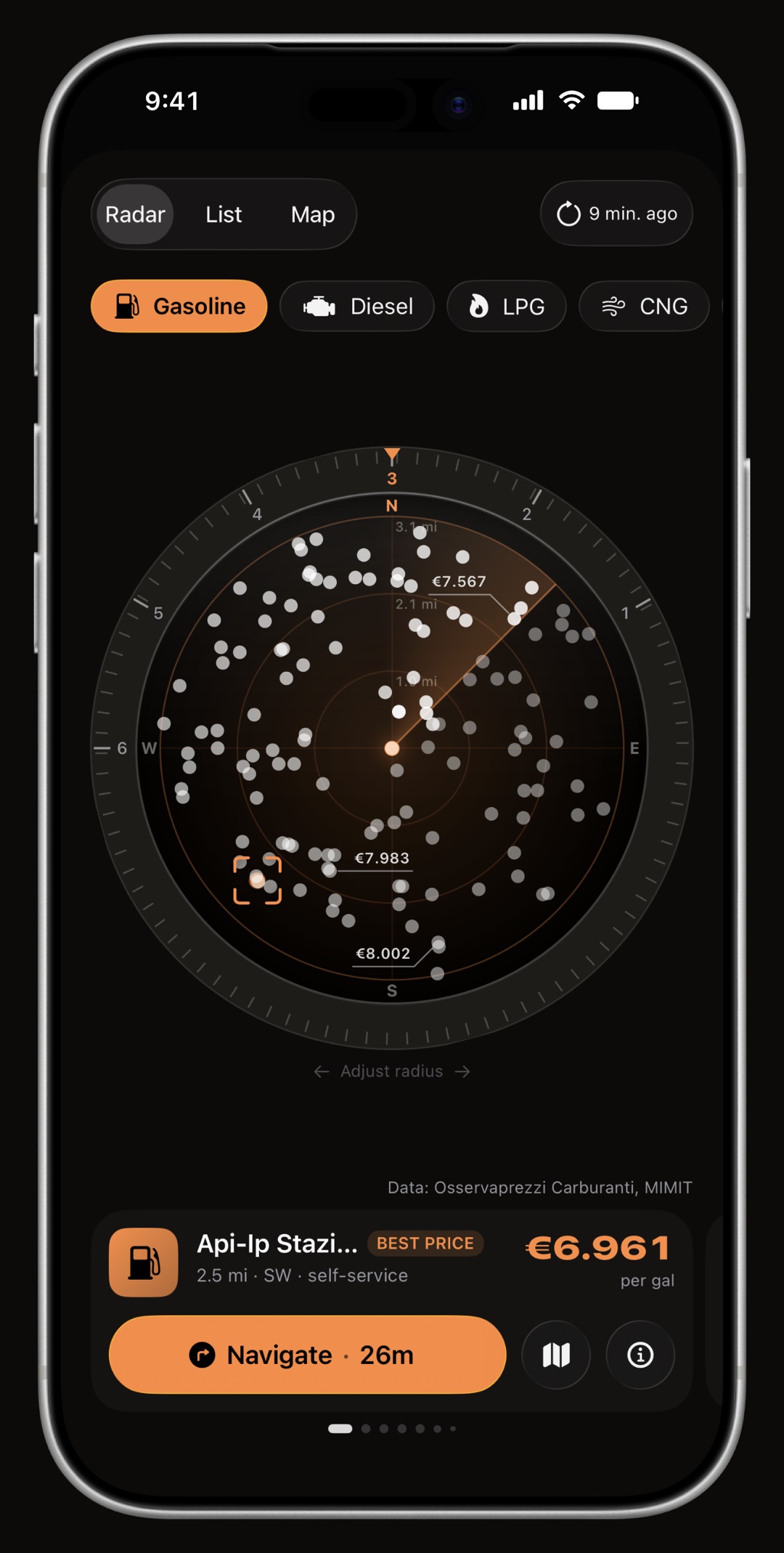
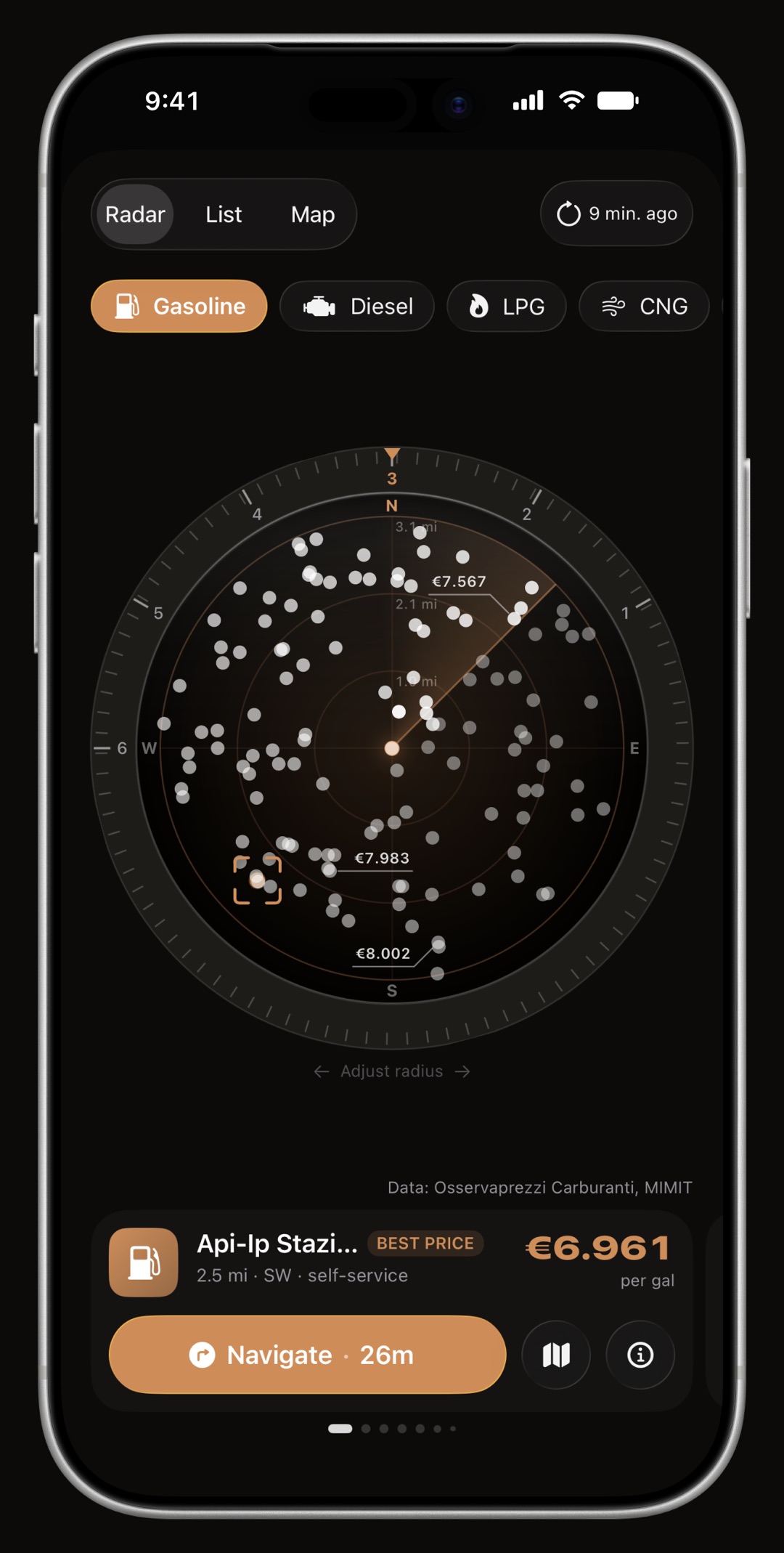
The accent is a theme, not a stripe of paint: gauges, badges, chart lines, map markers and the route on a trip thumbnail all read it. Each color carries its own light and dark value, so it stays legible on both canvases instead of going muddy on one of them. WrenchTime Live can keep a color of its own while the board is up, and on CarPlay the color is per vehicle, so two bikes in the same garage are told apart at a glance.

WrenchTime Price Radar on iPhone, its ring, its heading cone and the station card all drawn in the accent color: Amber
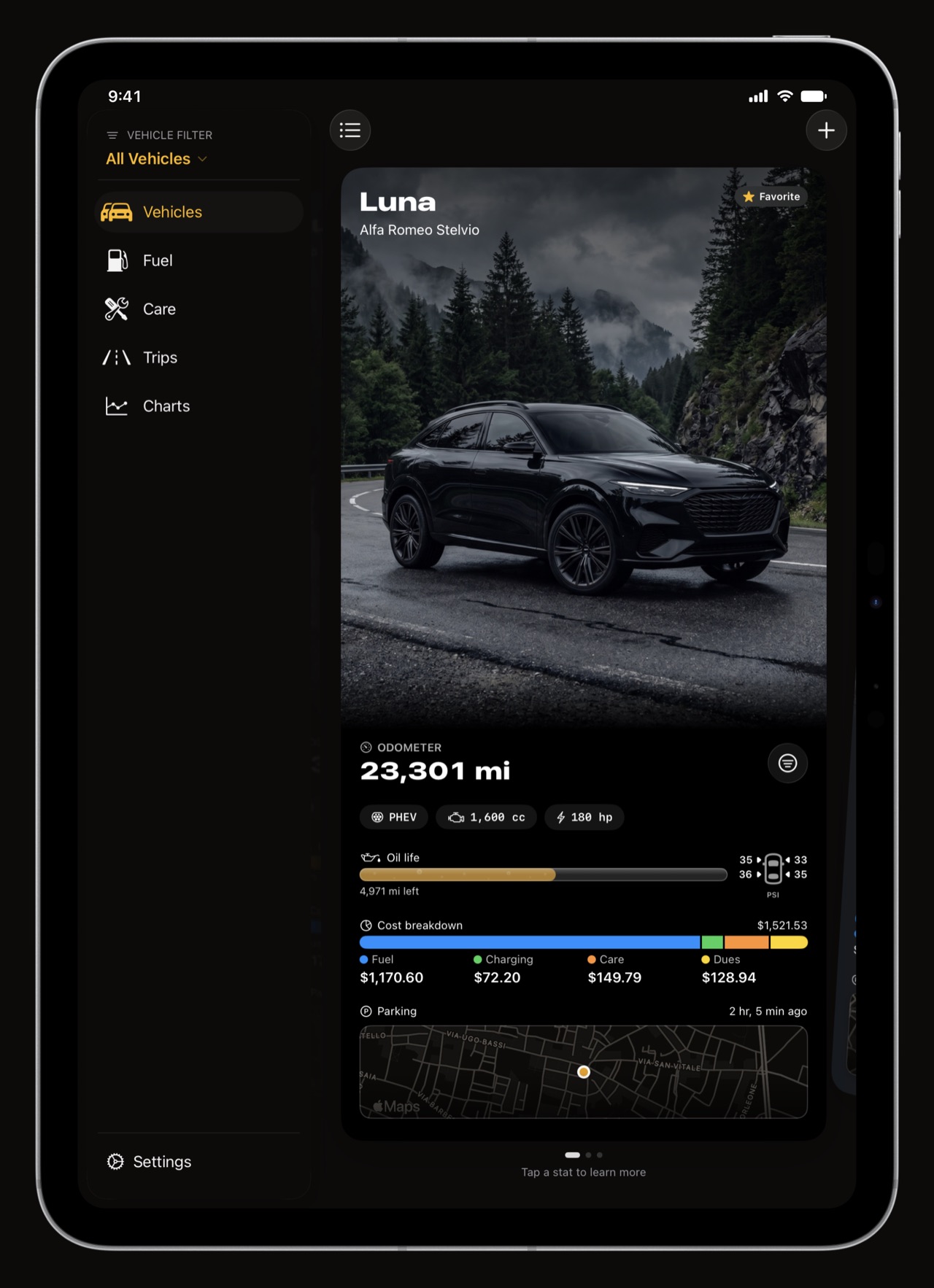
WrenchTime on iPad with a permanent sidebar and the vehicle cards beside it
Sidebar on the left, the garage on the right.
WrenchTime running cost charts on iPad
31 charts with the room to read them.

Made for iPad

WrenchTime on iPad: a permanent sidebar and the whole garage at once

The garage, with room to move.

The same app, laid out for the screen it is on. A permanent sidebar carries the vehicle filter, the tabs and settings, in every orientation, and the detail area holds whatever you picked. Your garage arrives through your own iCloud, so an iPad picks up exactly where the iPhone left off, preferences included.

  • A sidebar, not a stretched phone vehicle filter, tab navigation and settings live in the sidebar; the tabs themselves are reorderable and any you never use can be hidden.
  • Every orientation portrait and landscape, with the split view kept open rather than collapsing on you.
  • Sync that includes the settings units, currency and retention preferences travel with the data through your own iCloud, so a second device is not a second setup.

WrenchTime vs. Magica, Fuelly and Drivvo

WrenchTime vs Magica, Fuelly and Drivvo, feature by feature

The only one that does all of it.

Fuelly is a fine fuel log. Drivvo tracks expenses well. Magica records trips. WrenchTime is the only app that combines automatic trip tracking, deep maintenance scheduling, a real EV charging log, live OBD-II data with CarPlay gauges and full on-device privacy, in one product.

FeatureWrenchTimeMagicaFuellyDrivvo
Automatic GPS trip trackingYes: Bluetooth stereo & headset, motorcycles, auto-stop, road-matched routes, 3D replay, G-forcesYes: Bluetooth, CarPlay, route replayNo, manual entryNo / manual route entry
Maintenance tracking56 procedures, 12 kits, recurring series, reminders by date & odometerBasic deadlines & remindersBasic services, date/mileage remindersDetailed expenses & custom reminders
Motorcycle supportFirst-class: chain, valves, fork service; motorcycle G-force profileGeneric trip loggingTwo-wheeler supportStandard bike management
EV & plug-in hybridDedicated charging tab: kWh, %, charger type, PHEV electric share, worldwide charger finderCharging panel, charging-station map, EV route plannerBasic charging supportCharging & kWh tracking
Pump / receipt scanningOn-device OCR + 7-segment LED decoder + plausibility checkNoReceipt scanner (Pro)Receipt OCR (Pro)
OBD-II live dataYes: RPM, speed, load, temperatures, fuel rate; recorded per trip; CarPlay gauges; custom PIDs from a community catalogYes, compatible readersNoNo
Privacy & data storage100% on-device + private iCloud. No account, no vendor serverLocal / iCloudVendor server, account requiredVendor server, account required
Apple integrationCarPlay, Live Activities, Dynamic Island, 9 widgets, 5 Watch complications, SiriWidgets, Watch, CarPlayBasic widgetsBasic widgets
Find-my-car parkingAutomatic at trip end, geofence, walking directions, historyAutomatic saveNoManual save
Data exportMulti-page PDF with totals + CSV, filterable by tagPDF, CSV, GPX, KMLCSV / web reportsCSV, Excel, PDF (Pro)
Pricing modelFree / Pro subscription or one-time lifetime. No ads, everFree + Pro subscriptionFree with ads + ProFree with ads + Pro

Comparison based on each product's own published feature list, read on the date below. Platforms: WrenchTime, iOS, iPadOS, CarPlay and watchOS; Magica, iOS and watchOS; Fuelly and Drivvo, iOS, Android and web.

Sources: Magica, Fuelly, Drivvo, accessed .

Privacy

Privacy: no account, no server, your own iCloud

Nothing is uploaded to a server that belongs to us, because there is no server that belongs to us.

No account. No login. No analytics profile. Your garage syncs across iPhone, iPad and Apple Watch through your own private iCloud database, which Apple gives us no ability to read. Receipt photos are processed on device and never uploaded. Routes, parking spots and the readings your adapter produced stay on your phone.

Free and Pro

Pricing: free tier and WrenchTime Pro

Free to use. Pro when you're ready.

WrenchTime is free to download and free to use, with limits, and there are no ads on either tier. Pro is a monthly or yearly subscription with a free trial, or a one-time lifetime purchase. Handled entirely by Apple; WrenchTime never sees a payment detail.

Free

Everything you need to start

  • 1 vehicle
  • 3 fuel & charging, 2 maintenance entries / month
  • 10 recorded trips / week
  • 1 chart, 2 statistic cards per tab
  • 3 WrenchTime Live instruments
  • Price Radar, CSV & PDF export, private iCloud sync

Lifetime available

WrenchTime Pro

The whole garage, unlimited

  • $2.99 a month
  • $14.99 a year
  • $34.99 once, yours for good
  • Unlimited vehicles, entries & trips
  • All 31 charts & every statistic card
  • Trip route maps, 3D replay, merge & split
  • Receipt & pump scanning
  • Vehicle sharing with family & co-drivers
  • Import from Fuelly, Drivvo, Fuelio & Spritmonitor
  • WrenchTime Live: unlimited pages & instruments
  • CarPlay gauges, trip control & vehicle screens
  • Apple Watch app & 5 complications
  • 25 accent colors, all widgets & parking history
Try Pro free

App Store prices for your country as read on 2026-10-05, tax included where Apple includes it. The App Store always shows the current price.

Frequently asked questions

Does WrenchTime work for motorcycles?

Yes, as a first-class case. Chain maintenance, fork service and valve clearance are built-in procedures, a Motorcycle Service kit bundles the usual jobs, G-force detection uses a cornering profile suited to a machine that leans, and every icon and piece of copy adapts.

Does it track mileage automatically?

Yes. Pair a Bluetooth stereo or headset to a vehicle and trips record themselves with a full GPS route, distance, duration and average speed. You can also start a trip manually or through a Shortcuts automation.

Does it work for electric vehicles?

Yes. Charging sessions have their own tab with energy, charger type, battery percentage and cost, EV-specific maintenance procedures, charging efficiency in four different units, and a home charging ratio. Plug-in hybrids can log the electric-only share of each trip, and the Price Radar finds charging points worldwide.

Which OBD-II adapters work with WrenchTime?

Bluetooth Low Energy adapters that speak the ELM327 command set, and the Apple-certified OBDLink MX+. The Vgate iCar Pro, the iCar Pro 2S and the OBDLink MX+ are confirmed working on a real vehicle. The non-Pro Vgate iCar works too but has to be switched on with its own button first. A vLinker MS ships in Apple MFi mode and must be moved to BLE with Vgate's updater app before the app can see it. Wi-Fi adapters cannot work with an iPhone app, and the OBDLink MX+ is the only classic Bluetooth adapter WrenchTime can use.

Where do the fuel prices work?

Italy, France and Spain show real pump prices with nothing to set up, from their official public registries. Germany shows real prices once you enter your own free Tankerkönig key in Settings. Everywhere else the radar lists the stations around you from Apple Maps, without prices, and says so rather than pretending. EV charging points are found worldwide, but no charger ever carries a price, because no market publishes one that can be compared.

Is WrenchTime Live a Pro feature?

Partly. The free tier gets 3 instruments on the first page, which is a usable dashboard. Adding more instruments to that page, or adding a second page at all, is WrenchTime Pro.

Does WrenchTime work on iPad?

Yes, fully. The iPad layout has a permanent sidebar with the vehicle filter, tab navigation and settings, in every orientation, and your garage and your preferences arrive through your own iCloud, so nothing has to be set up twice.

Can I track more than one vehicle?

1 vehicle on the free tier, unlimited with WrenchTime Pro. Every tab can be filtered to a single vehicle or show the whole fleet.

Does my data sync between iPhone, iPad and Apple Watch?

Yes, through your own private iCloud account, including your unit, currency and retention preferences. There is no WrenchTime account to create.

Can I share a car with my family?

Yes. The owner shares one vehicle over iCloud with family, a partner or a co-driver and chooses, per person, view only or can edit; every entry then shows who logged it, and fuel economy, service dates and running costs are computed from everyone's entries. It is not Apple Family Sharing and needs no Family Sharing group, only an iCloud account and WrenchTime on an iPhone or iPad. Sharing is part of WrenchTime Pro for the owner, and the people invited need no Pro. More in the vehicle sharing guide.

Can I import my data from Fuelly, Drivvo, Fuelio or Spritmonitor?

Yes, with WrenchTime Pro. Settings, Data & iCloud, Import from CSV recognizes the CSV exports of Fuelly, Drivvo, Fuelio and Spritmonitor, and any other CSV, a spreadsheet included, goes through a column mapper. Fill-ups, charging sessions, services and costs, and odometer readings come across with their units and full-tank flags, after a preview that skips entries you already have, and each import carries its own tag so it can be undone in one step. Trips cannot be imported. Step by step in the import guide.

Can I get my data out?

Yes. CSV and PDF export per vehicle, covering every record type, with totals, and narrowable to selected tags. Automatic backups are plain folders in the Files app.

Does it work in miles and gallons?

Yes, including the distinction between US and imperial gallons, and MPG computed correctly for each. British defaults are miles, liters and imperial MPG, which is how the UK actually measures.

Is my location shared with anyone, and does it need an internet connection?

No, and no. Routes, parking spots and fill-up locations never leave your device except through your own private iCloud sync, and there is no WrenchTime server. Everything works offline; connectivity is only used for iCloud sync, map tiles, address lookup and the price registries when you open the Price Radar.

How much does WrenchTime Pro cost?

$2.99 a month or $14.99 a year, both with a free trial, or $34.99 once for a lifetime license. The free tier has no time limit. These are the App Store prices for your country as read on 2026-10-05; the App Store always shows the current one.
WrenchTime app icon, orange engine and wrench

Made for people who would rather know than guess.
Free to download. One vehicle, real features, no ads. Your garage will thank you.

Download WrenchTime on the App Store