Automatic mileage tracker · iPhone · iOS 26+
A mileage tracker you never have to start
WrenchTime is an automatic mileage tracker for iPhone. Pair your car stereo or helmet headset once and link it to a vehicle: when it connects, trip detection arms, the trip starts at the first GPS fix above the speed gate, and it stops on its own when you park. Each trip lands on the right vehicle with its route, distance, duration and average speed, and its distance is added to that vehicle's odometer with a full audit trail. The drawn route is pulled onto the road network while every statistic still reads the raw GPS track. A CarPlay or Shortcuts automation can start trips with no pairing at all, and if iOS kills the app mid-drive the trip is reconstructed from Core Motion history. Routes never leave your device except through your own iCloud.
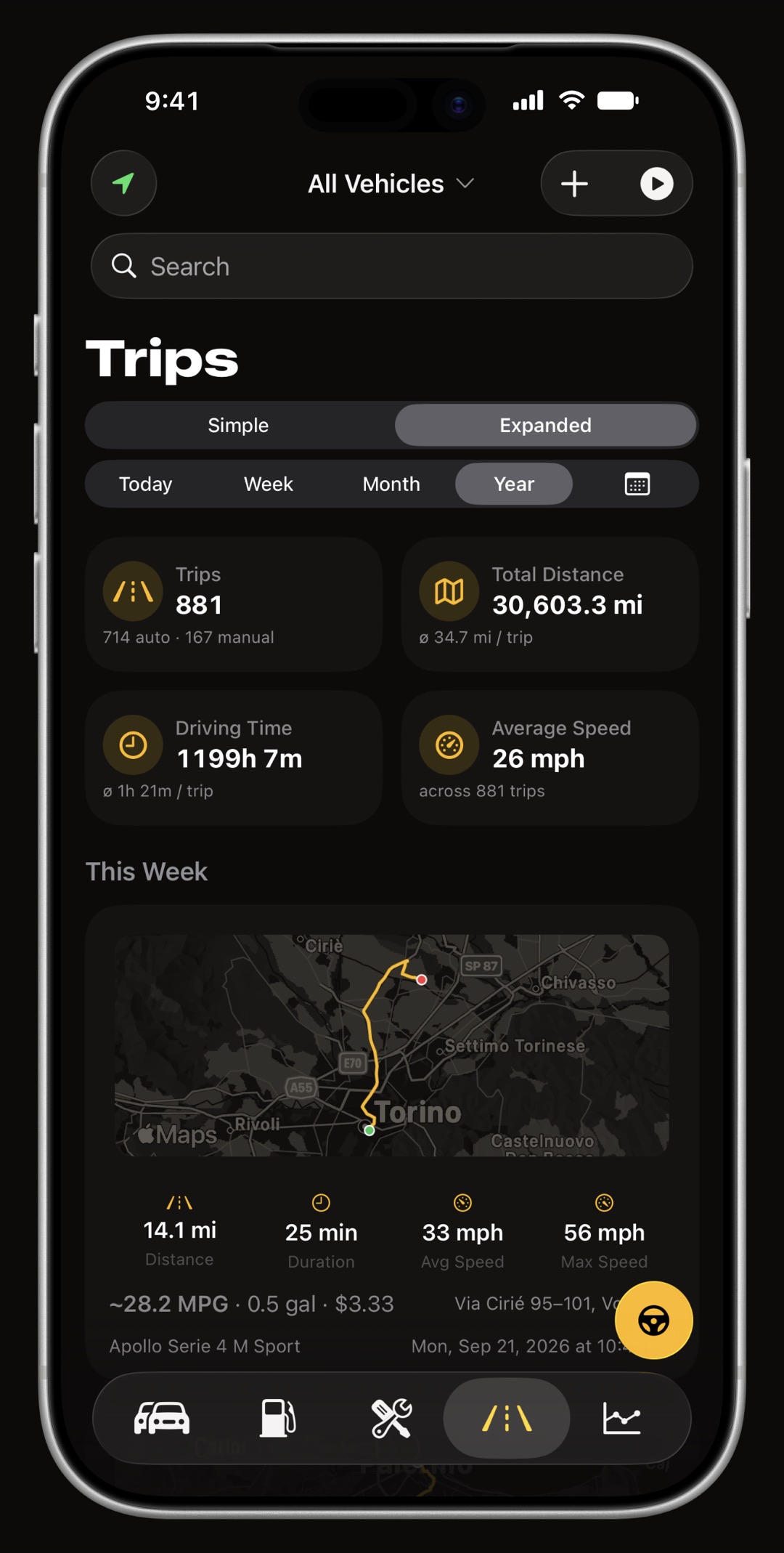
How does WrenchTime detect a trip without you touching anything?
Four signals arm detection: a paired Bluetooth device connecting, a departure from the geofence around where you parked, a significant location change reported by iOS, or automotive motion from the phone's sensors. Arming is not recording. The trip itself starts only at the first GPS fix above the speed gate, so sitting in a stationary car with the stereo on does not create a phantom trip, and a Bluetooth-armed wait that sees no movement gives up after a few minutes.
- Bluetooth a car stereo or a helmet headset, paired once and linked to a vehicle, assigns every trip to the right one.
- CarPlay a guided Shortcuts automation starts and stops trips on CarPlay connect and disconnect, with no Bluetooth pairing at all.
- Motion and location the fallback when nothing is paired: iOS wakes the app on departure and the speed gate does the rest.
How does it decide that a trip is over?
A trip ends after five minutes without movement, measured from the last time the vehicle was above the speed gate. When the paired stereo disconnects the wait shortens, and if the phone then detects walking the trip closes within seconds, because the car is parked and you have left it. A manual trip follows an auto-stop setting you can turn off, so a long stop at a viewpoint does not end a drive you deliberately chose to record.
What counts as a trip?
You decide. A minimum distance and a minimum duration are settings, each with an off position, and a trip must clear both to be saved. A drive that does not qualify is discarded, but its distance can still be added to the odometer, so moving the car across the street does not silently cost you a few hundred meters of mileage a month. There are three ways a trip starts and each is labeled on the record: automatic detection, the manual start button, or a Shortcuts automation. Only a manual trip skips the minimums, because there you explicitly chose to record that drive.
Why does the route look like the road instead of a GPS zigzag?
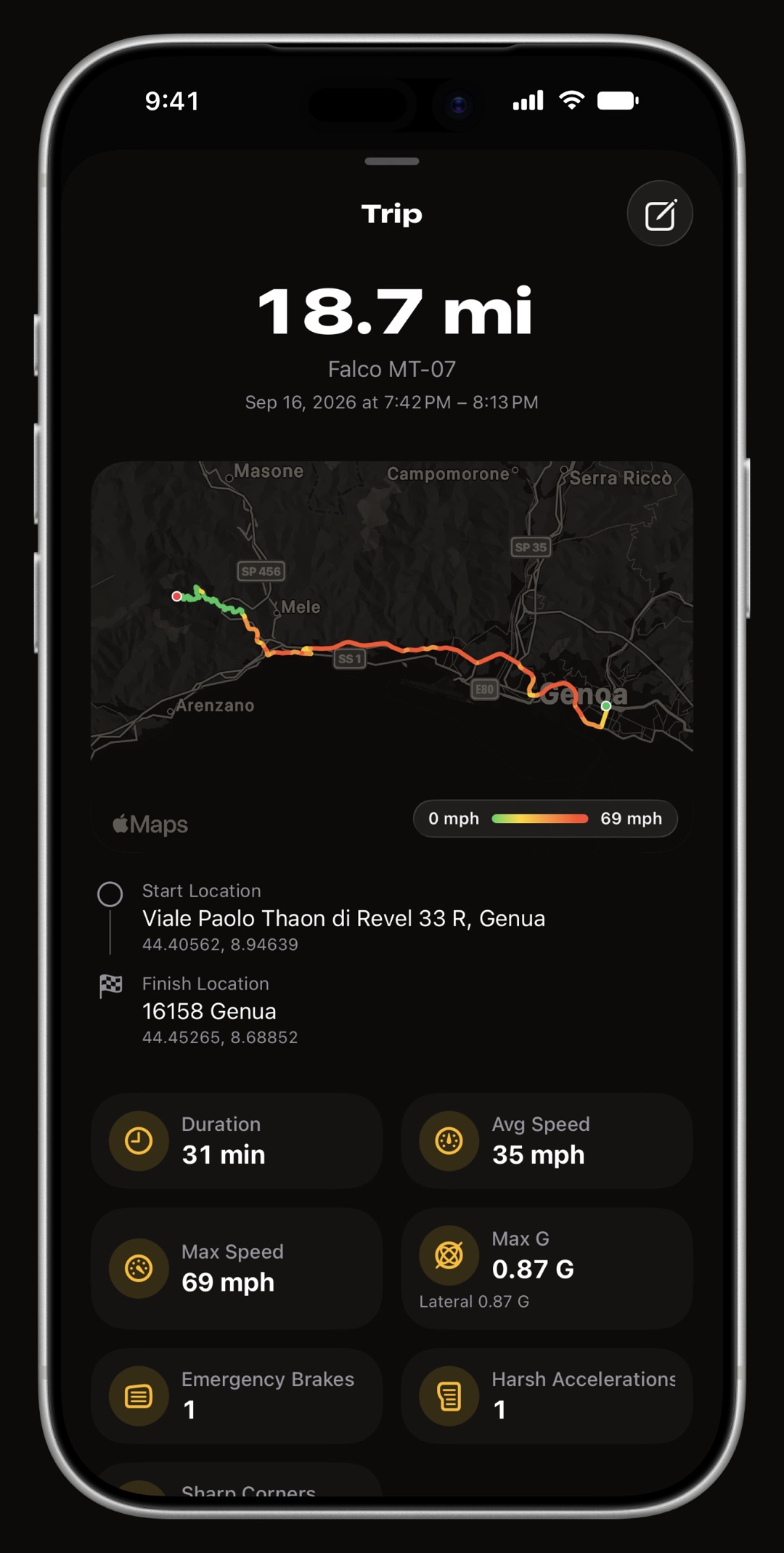
Because it is matched to it. The recorded track is split into legs and each leg is asked of the road network, then checked before it is trusted: a leg whose length or shape disagrees with your fixes is rejected and the raw points are drawn instead, and a stretch with no road under it keeps your fixes too. So a drawn route is a mix of matched and raw runs and never an invention. Every statistic, the odometer and the whole G-force pipeline still read the raw track, and Settings, Appearance, Raw GPS Trip Lines turns the matching off entirely.
Can I fix a trip that was recorded wrong?
Yes, in both directions. One drive that got recorded as two, because you stopped for fuel long enough for the trip to close, can be merged: the app lists the trips immediately before and after, shows where each went and the gap between them, draws the whole block on a map with the joins dashed, and lets you choose whether a gap is bridged in a straight line or along the roads. One trip that was really the way there and the way back can be split, with the route drawn in two tints and a slider that snaps to the stops it detected. Your odometer is never touched either way: the halves add back up to the distance the vehicle already counted. Both are part of WrenchTime Pro.
How does the odometer stay right?
Every change to the odometer is recorded with its old value, its new value, the delta and where it came from: typed by hand, added by a recorded trip, or shifted when a trip was reassigned to another vehicle. Sub-kilometer distance is carried forward rather than rounded away, so hundreds of short trips do not drift the total. A trip recorded without a paired device, in a borrowed car for instance, is an orphan you assign afterwards, and the odometer of the vehicle you assign it to is corrected in the same step.
What does a recorded trip contain?
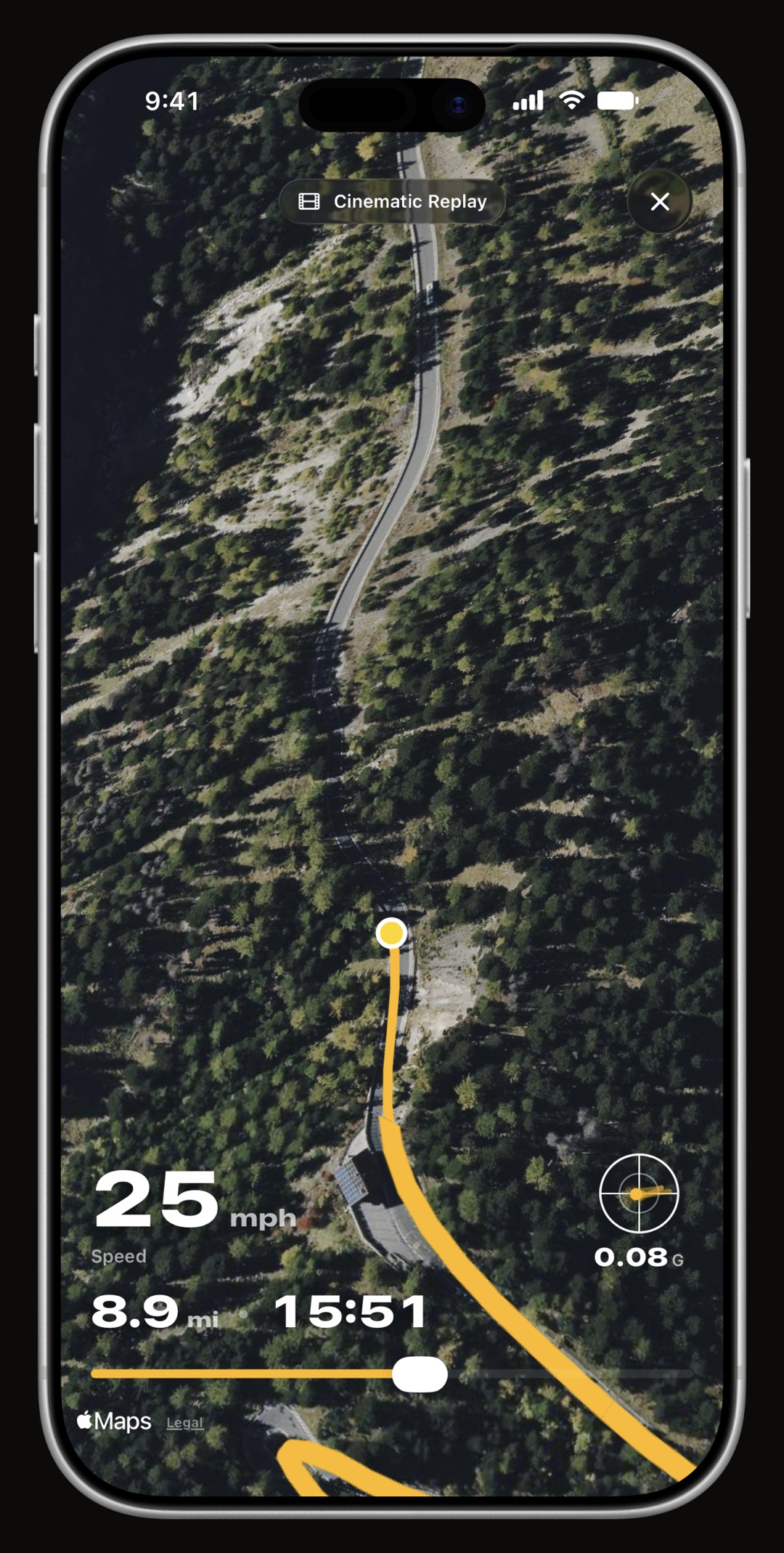
The road-matched route on a map; start and end addresses; distance, duration, average and top speed, with your choice of average over the whole drive or over moving time only; an altitude profile; a replay with a scrubbable timeline and gauges, and a 3D cinematic version that flies a chase camera over satellite terrain and exports a short vertical video; peak G, peak lateral G and counted braking, acceleration and cornering events; an estimate of the fuel the trip consumed, taken from the fill-ups on either side of it; and, if an OBD-II adapter was paired, the engine channels recorded across the whole drive, along with any custom PID you set to record during trips, each one selectable on the full-screen route timeline. With Heart Rate from Apple Watch turned on, the trip also carries your pulse for the drive. Tags in eight colors and notes make trips filterable, and a heatmap shows everywhere you have actually driven.
What does it cost in battery?
Little, by design. While waiting for a trip the app uses low-power location monitoring, not full GPS. While recording it batches waypoints, compresses the route, and lowers GPS accuracy when the battery is low. A long drive is a small amount of data, and a day of not driving costs nothing. While a trip records, its distance, average speed and elapsed time show on the Lock Screen and in the Dynamic Island as a Live Activity, and the Apple Watch app can start and stop a trip from your wrist.
Is it a mileage log for tax or reimbursement?
It is a mileage log for the owner of the vehicle, built around servicing and running costs rather than around expense claims. There is no work-versus-personal classifier and no reimbursement rate. What there is: tags in eight colors to mark trips any way you like, a CSV export per vehicle that can be narrowed to a tag, and a PDF export with totals. If you need a mileage-reimbursement app, Magica is built for that; if you need to know what your car costs and when it needs a service, this one is.
Frequently asked questions
Does WrenchTime track mileage automatically?
Yes. Pair a Bluetooth stereo or headset to a vehicle and trips record themselves with a full GPS route, distance, duration and average speed. You can also start a trip manually or through a Shortcuts automation.
Does it need Bluetooth?
No. Bluetooth is the most reliable trigger and the one that assigns the vehicle, but a CarPlay automation, motion detection and the parking geofence also start trips. Without any of them you can start a trip by hand.
Does it drain the battery?
No. Between trips the app uses low-power location monitoring, not GPS. During a trip it batches and compresses the route and lowers accuracy when the battery is low.
Can I merge two trips, or split one?
Yes, both, from the Track section of a trip's edit sheet. Merging offers the trips immediately before and after this one; splitting lands on the stops it detected. The odometer is never touched either way. Both are part of WrenchTime Pro.
What happens if iOS kills the app mid-drive?
The trip is reconstructed from Core Motion history on the next launch rather than lost. A trip recovered this way keeps its distance and timing; only the live OBD-II readings, if an adapter session was running, are missing, because that buffer lived in memory.
Is my route shared with anyone?
No. Routes, parking spots and fill-up locations never leave your device except through your own private iCloud sync. There is no WrenchTime server.
Can WrenchTime record my heart rate during a drive?
Yes, as an opt-in: turn on Heart Rate from Apple Watch in Settings, Trip Tracking. It needs WrenchTime on your Apple Watch and WrenchTime Pro, and it is off by default because measuring for a whole drive uses more Watch battery. Each drive starts a session on the Watch and the readings are stored with the trip. The session is discarded when the drive ends, so nothing is written to Health and no workout appears there.

Made for people who would rather know than guess.
Free to download. One vehicle, real features, no ads. Your garage will thank you.
Download WrenchTime on the App Store