App comparison
Wheelz app vs WrenchTime
What the Wheelz social drive tracker does, what data it collects and what it costs, and how it differs from WrenchTime's private car log.
App comparison
Fuelio is a fuel log and car cost app by Sygic for Android and iPhone: you enter each fill-up and its odometer reading, it works out your fuel economy, and it shows crowdsourced gas prices nearby, also on CarPlay. The fuel log is free; on iPhone, Fuelio Pro, listed at $4.99 a month or $17.99 a year on the US App Store on October 19, 2026, adds expense tracking, maintenance reminders and receipt scanning. For most iPhone owners WrenchTime is the stronger pick: fuel, charging, 59 maintenance procedures and automatic trips in one log, OBD-II live data, and a native iOS 26 design. Fuelio fits a light fuel log on any phone.
I build WrenchTime, so read this comparison knowing that. I did not test, rate or score Fuelio: every claim about it on this page comes from its App Store listing and version history, its Google Play listing or its website, checked on October 19, 2026. Every claim about WrenchTime comes from its own feature documentation.
Fuelio is a product of Sygic a. s. Fuelio is a trademark of its owner. This comparison is independent: WrenchTime is not affiliated with, sponsored by or endorsed by Sygic.
The Fuelio app is a fuel and car cost tracker published by Sygic a. s., the company behind the Sygic navigation apps. According to fuel.io, Fuelio was founded in 2011, joined Sygic in 2015 and is still developed by the same team. On iPhone it is listed as "Fuelio: MPG & Mileage Tracker", with the subtitle "Gas Prices & Car Costs"; on Android as "Fuelio: gas log & gas prices".
On the US App Store on October 19, 2026, Fuelio was at version 2.9.1, required iOS 17.6 or later, was also offered for Macs with an Apple M1 chip or later as an iPhone app not verified for macOS, was available in English and 52 more languages, and was rated 4.5 from 166 ratings. On the US Google Play store it showed more than five million downloads, an Editors' Choice badge and a 4.2 rating from 136K reviews.
Fuelio works by the full-tank method: at each fill-up you enter the fuel bought and the odometer reading, and it calculates consumption between full tanks, with charts and statistics for one car or a small fleet. The iPhone listing adds nearby stations and fuel prices on CarPlay, a Home Screen widget, Seller's and Custom reports, CSV import and export, and support for gasoline, diesel, electric, LPG, CNG, ethanol and bi-fuel vehicles.
Since version 2.8.3 of September 15, 2026, Fuelio for iPhone also has a Trip Log: trips recorded automatically or added by hand, routes on a map, distance, time, speed and weekly summaries, categories and notes, working with CarPlay, Live Activities and iCloud backup, according to its version history. The Android listing describes a GPS trip log with export to GPX files.
Fuelio is free to download on both stores, and its iPhone listing says it has no ads and needs no account. The fuel log itself is free. On the US App Store on October 19, 2026, the in-app purchases were listed as Fuelio Pro 1-Month at $4.99 and Fuelio Pro 1-Year at $17.99. Prices vary by country and change over time, so check the purchase screen in the app before subscribing.
On iPhone, the App Store description says Fuelio Premium adds expense tracking for maintenance, insurance, repairs, parking, tolls and car washes, maintenance reminders, receipt scanning from the camera that runs on the device even offline, weather logging on fill-ups, and Annual Summary, Fuel Efficiency and Maintenance reports. Google Play shows that the Android app also offers in-app purchases.
WrenchTime is an iOS app for vehicle maintenance, fuel and EV charging logs, trips and costs, for cars and motorcycles across 11 engine types. It runs on iPhone with iOS 26 or later, on iPad, and on Apple Watch with WrenchTime Pro. It has no account and no ads: data is stored on the device and synced through the owner's private iCloud.
WrenchTime is built in SwiftUI for iOS 26 and uses Liquid Glass, the Dynamic Island and symbol effects natively rather than imitating them. A recording trip shows as a Live Activity on the Lock Screen and in the Dynamic Island, 9 widgets, some with WrenchTime Pro, sit on the Home Screen and Lock Screen, and the same garage reaches CarPlay and an Apple Watch app with complications, both with WrenchTime Pro.
The dark theme is calibrated for OLED rather than inverted from the light one, and 30 accent themes, part of WrenchTime Pro, recolor the whole app. On iPad it keeps a permanent sidebar. There are no ads on either tier and no account: data stays on the device and in your private iCloud.
Fuelio and WrenchTime both log fill-ups and fuel economy, both record trips on iPhone, both run on CarPlay and both import and export CSV files. Fuelio runs on Android as well and shows crowdsourced fuel prices. WrenchTime adds a maintenance schedule, OBD-II data, an Apple Watch app and vehicle sharing. In the table, "Not listed" means the app's public sources do not mention the feature, not that the app is confirmed to lack it.
| Feature | Fuelio | WrenchTime |
|---|---|---|
| Price model | Free; Fuelio Pro monthly or yearly | Free; WrenchTime Pro monthly, yearly with a free trial, or lifetime |
| Free tier | Fuel log; on iPhone, Pro adds expenses, reminders, receipt scanning (iPhone listing) | 1 vehicle, 3 fill-ups and 2 care entries a month, 10 trips a week |
| Ads | None (iPhone listing) | None on either tier |
| Platforms | Android, iPhone; Mac with Apple silicon (iPhone app) | iPhone, iPad, Apple Watch (Watch needs Pro) |
| Design and iPhone integration | See its App Store listing | Native SwiftUI app for iOS 26: Liquid Glass, Dynamic Island, Live Activities, 9 widgets, some with Pro; CarPlay and Apple Watch (Pro) |
| Minimum iOS | iOS 17.6 | iOS 26 |
| Account | Not required (iPhone listing) | None |
| Where data lives | On the device; iCloud Drive backup on iPhone, Dropbox or Google Drive on Android | On the device and in your private iCloud, synced across devices |
| Fuel economy | Full-tank method, partial fill-ups, bi-fuel with two tanks | Full-tank tracking, missed fill-up flag, fuel grade, efficiency drop alerts |
| EV charging | Electric listed among fuel types | Separate charging log with kWh, charger type and battery percentage |
| Maintenance | Costs and reminders listed on Android; with Pro on iPhone | 59 procedures by date or distance, with reminders |
| Receipt scanning | With Pro, on device | With Pro, on device: pump display, charger screen or receipt |
| Trips | Trip Log, automatic or manual | Automatic, armed by the car's Bluetooth or motion; manual; Shortcuts |
| Fuel prices | Crowdsourced and third-party sources | Official registries in Italy, France, Spain, Germany; stations without prices elsewhere |
| CarPlay | Nearby stations and prices; Trip Log | Live gauges, trips, nearby stations, vehicle status (Pro) |
| Widgets and Live Activities | Home Screen widget; Live Activities for trips | Home Screen and Lock Screen widgets, some with Pro; trip Live Activity |
| Apple Watch | Not listed | App and complications (Pro) |
| OBD-II live data | Not listed | Free with a Bluetooth LE ELM327 adapter or OBDLink MX+; trouble codes with Pro |
| Shared vehicle | Not listed | Shared over iCloud (Pro) |
| Import and export | CSV import and export | CSV import from Fuelio and three other apps (Pro); CSV and PDF export, free |
| Languages | English and 52 more | 13 languages |
Sources: Fuelio's App Store listing, Google Play listing and fuel.io, checked October 19, 2026; WrenchTime's own documentation.
Fuelio and WrenchTime calculate fuel economy the same way, by the full-tank method: the fuel needed to fill the tank again equals the fuel burned since the last full tank, so miles driven divided by that amount gives the economy for the interval. In the full-tank method, a partial fill-up is carried over to the next full tank instead of producing a figure of its own. The worked method is in how to calculate gas mileage.
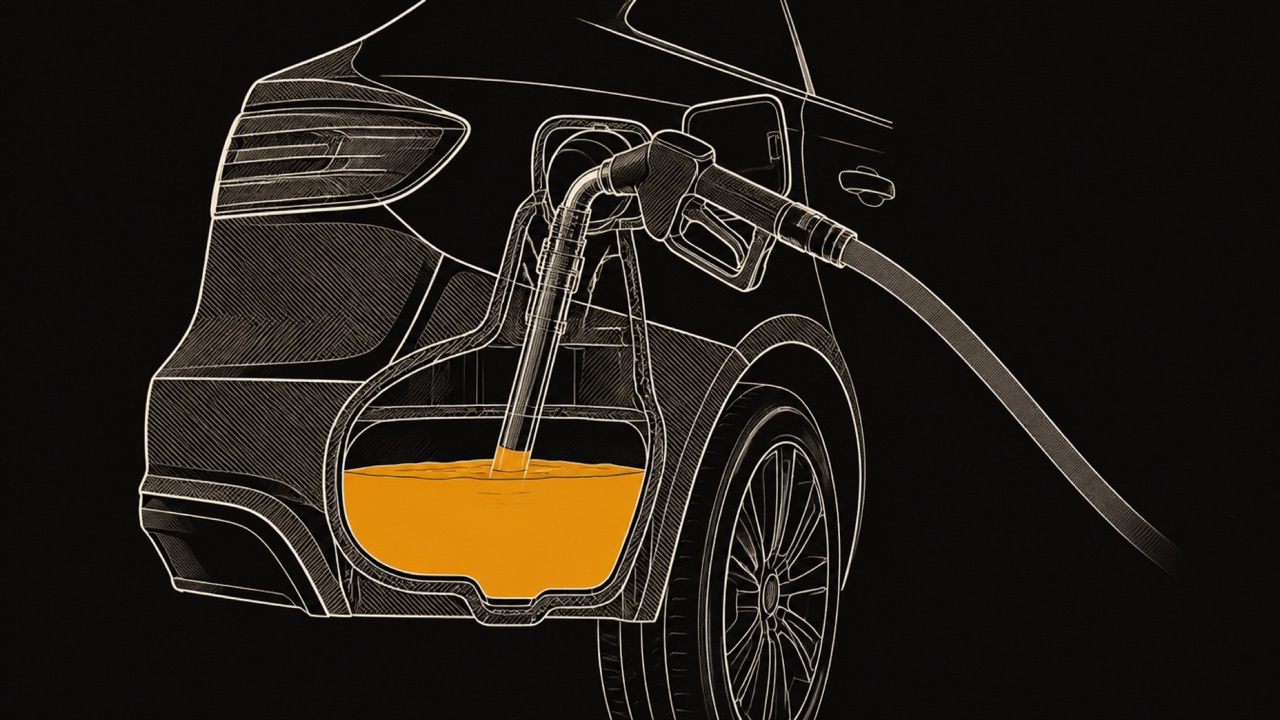
The Fuelio Android listing describes a "full tank algorithm", partial fill-ups, bi-fuel vehicles with two tanks such as gasoline and LPG, and distance in kilometers or miles with volume in liters, US gallons or imperial gallons. WrenchTime marks a fill-up as a full tank, lets you flag a missed fill-up so the gap is excluded rather than turned into an impossible number, tracks the fuel grade and warns when economy falls against your own history.
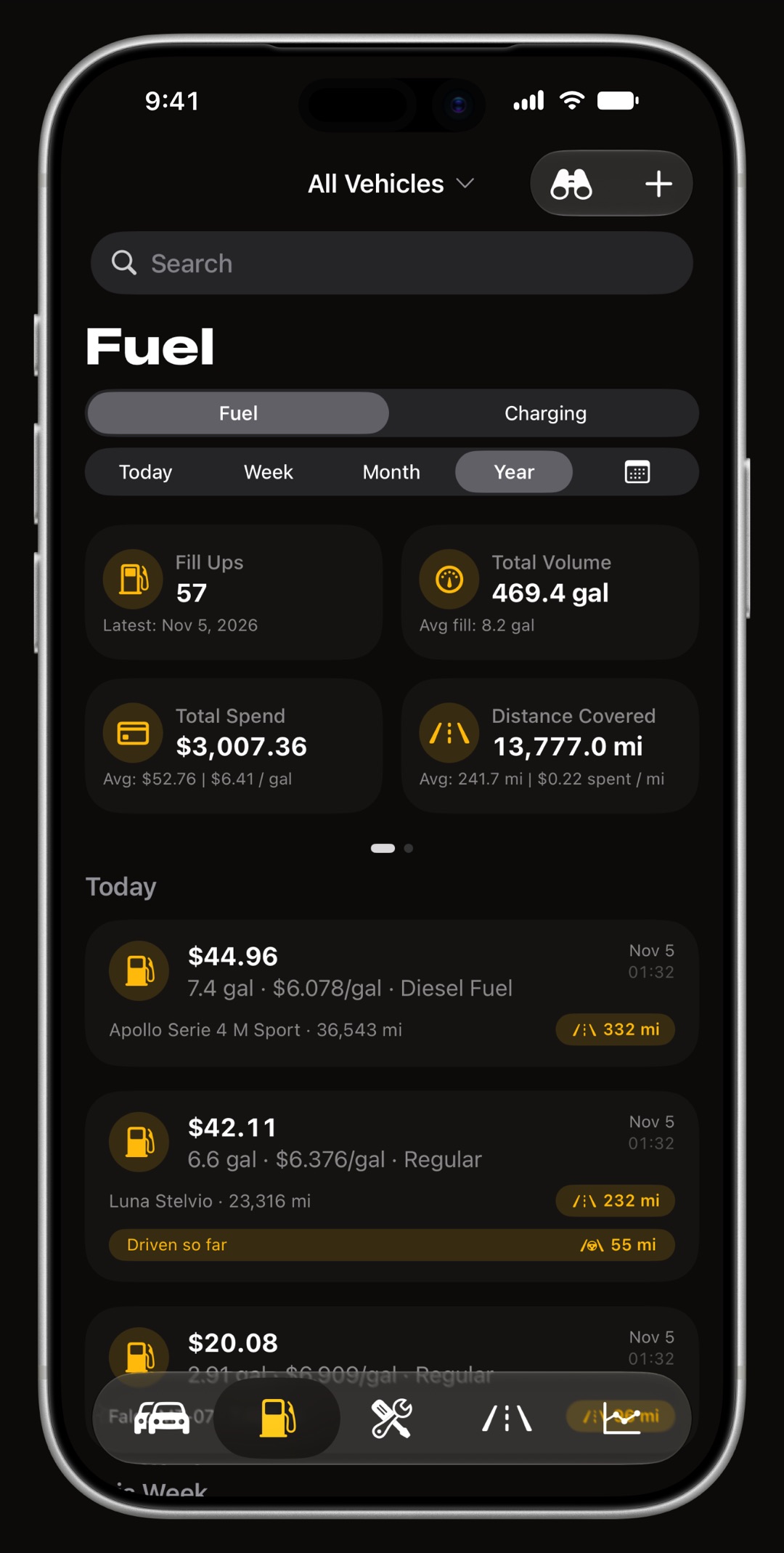
A fill-up can be logged from the camera: point it at the pump display, a charger screen or the receipt and WrenchTime reads the volume or energy, the total cost and the price per unit, with on-device Vision text recognition, a seven-segment decoder for LED pump displays and, on devices that support it, Apple Intelligence.
A plausibility check makes the three values agree, and a confirmation sheet shows what was read before anything is saved. It runs entirely on the iPhone, so there is no per-scan fee or extra service, and it is part of WrenchTime Pro.
Fuelio shows nearby stations with crowdsourced fuel prices, meaning prices provided by users and third-party sources, or by official government providers in some countries, according to its App Store listing. On iPhone the same stations and prices are available on CarPlay.
WrenchTime's Price Radar shows pump prices only where a public registry publishes them: Italy, France and Spain from government data, and Germany through Tankerkönig with a free key the user enters once. Everywhere else, the United States included, it lists the stations around you from Apple Maps without prices. For an electric vehicle it finds charging points worldwide from Open Charge Map, without prices. Fuelio's US App Store listing describes gas prices at nearby pumps; WrenchTime shows no pump prices in the US.
Both apps now record trips on iPhone. Fuelio's Trip Log records trips automatically or by hand, shows routes, distance, time and speed, and works with CarPlay and Live Activities. WrenchTime's automatic trip tracking arms when the phone connects to a paired car stereo, detects driving or leaves the parking spot, starts the trip above a speed threshold, assigns it to the right vehicle and adds the distance to the odometer.
On CarPlay, Fuelio's listing describes nearby stations, prices and its Trip Log. WrenchTime on CarPlay is part of WrenchTime Pro and has four tabs: live engine gauges from an OBD-II adapter, the current trip, nearby fuel stations or charging points, and the vehicle's odometer and upcoming maintenance.
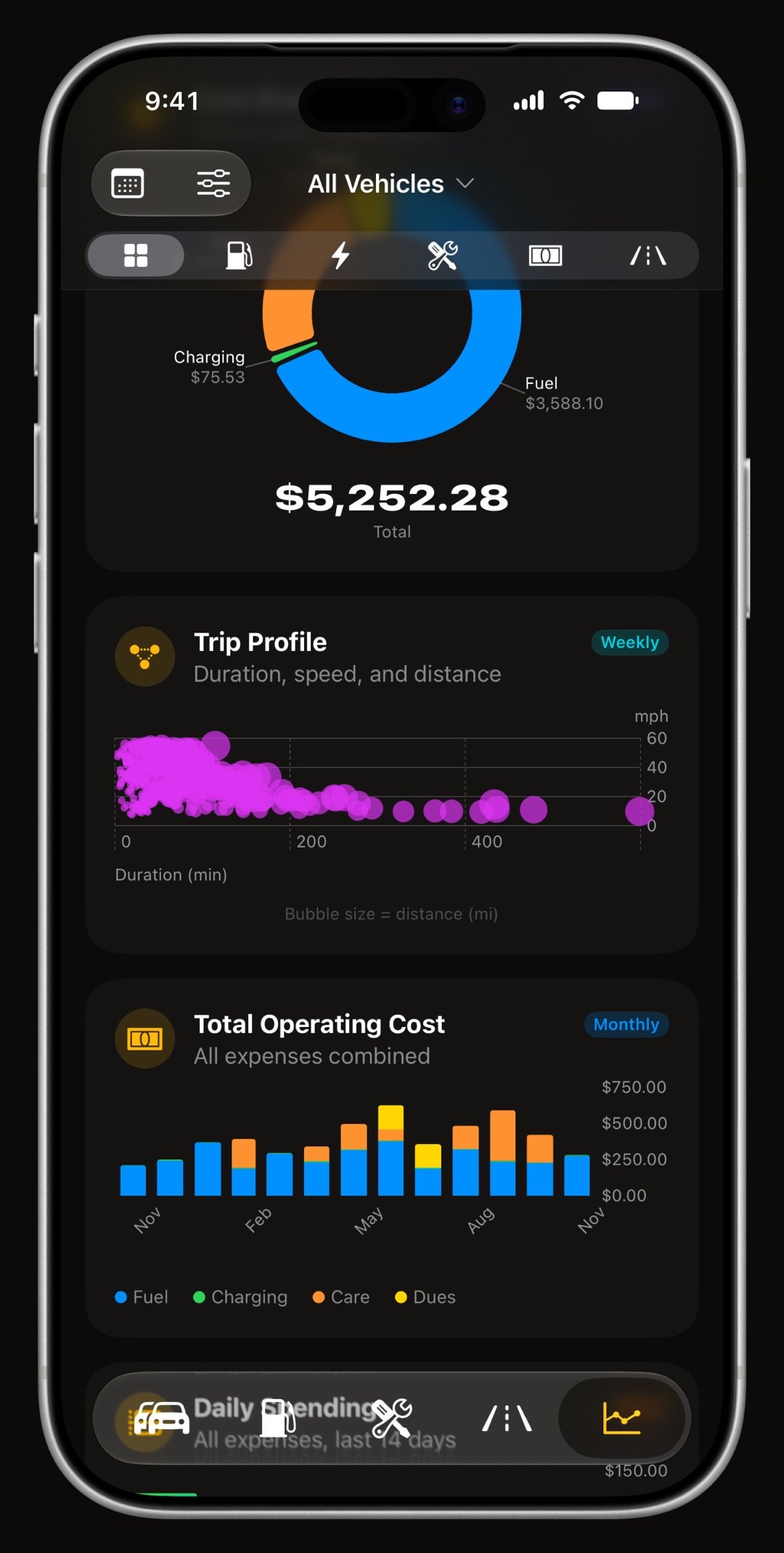
WrenchTime also reads the car itself. With a Bluetooth LE ELM327 adapter or an OBDLink MX+, it shows OBD-II live data on iPhone for free and keeps the readings with each trip, and WrenchTime Pro reads and clears trouble codes. It has an Apple Watch app and lets you share a vehicle's log with family over iCloud, both with Pro. Fuelio's public sources do not list OBD-II, an Apple Watch app or shared vehicles.
For most iPhone owners WrenchTime is the stronger pick: fuel, charging, maintenance and trips sit in one log, fill-ups can be scanned from the pump display with WrenchTime Pro, the engine can be read over OBD-II, and the app is built natively for iOS 26, from the Lock Screen to CarPlay and Apple Watch. Fuelio is the better fit for the needs below, and some drivers keep both: Fuelio for prices at the pump, WrenchTime for the service and trip history.
Fuelio's public sources, checked October 26, 2026, list no OBD-II support; WrenchTime reads live engine data for free with a Bluetooth LE ELM327 adapter or an OBDLink MX+ and keeps it with each trip.
Fuelio exports its log as a CSV file on both iPhone and Android. WrenchTime recognizes Fuelio's export by its own column headers, brings in one vehicle per file, and moves fill-ups, charging sessions, services and other costs, and odometer readings with the units the file records. Nothing is saved before you check a preview, entries you already have are flagged as duplicates, and every import carries a tag so it can be removed in one step.
GPS trips do not come across, because a CSV row has no route. Import is part of WrenchTime Pro and deletes nothing in Fuelio. The steps are in the guide to import a Fuelio CSV into WrenchTime. Coming from Spritmonitor instead, the Spritmonitor vs WrenchTime comparison covers what changes.
What to remember about Fuelio and WrenchTime, checked on October 19, 2026.
If you already keep a Fuelio log on iPhone, you can try WrenchTime's free tier on 1 vehicle with 3 fill-ups and 2 care entries a month, and see whether a maintenance schedule and self-recording trips are worth having next to the fuel log. With WrenchTime Pro, the whole Fuelio history comes across from its CSV export. How the fuel log works is on the fuel economy tracker page.
Yes. The Fuelio fuel log is free to download and use on iPhone and Android, with no ads on iPhone. On the US App Store on October 19, 2026, Fuelio Pro was listed at $4.99 a month or $17.99 a year, adding on iPhone expense tracking, maintenance reminders, receipt scanning and extra reports. Check the purchase screen for your country's price.
Yes. Fuelio: MPG & Mileage Tracker is on the App Store from Sygic, requires iOS 17.6 or later, and works with CarPlay for nearby stations, fuel prices and its Trip Log. On October 19, 2026 it was rated 4.5 from 166 ratings in the US store.
Fuelio uses the full-tank method: you log the fuel bought and the odometer reading at each fill-up, and it calculates consumption between full tanks, with charts and statistics. It also shows crowdsourced fuel prices at nearby stations and records trips with GPS on both iPhone and Android.
Sygic a. s., the company behind the Sygic navigation apps, publishes Fuelio on the App Store and Google Play. According to fuel.io, Fuelio was founded in 2011, joined Sygic in 2015 and is still developed by the same team.
Yes. Fuelio exports its log as CSV, and WrenchTime recognizes that export by its column headers, shows a preview that flags duplicates and tags the import so it can be undone. Fill-ups, costs and odometer readings come across; GPS trips do not. Import is part of WrenchTime Pro.
For most iPhone owners, WrenchTime: its free tier covers 1 vehicle and 3 fill-ups a month in a native iOS 26 app, and adds maintenance, automatic trips and OBD-II live data. Fuelio's free fuel log runs on Android and iPhone and shows crowdsourced fuel prices, so it fits a household with Android phones.
More from the blog
App comparison
What the Wheelz social drive tracker does, what data it collects and what it costs, and how it differs from WrenchTime's private car log.
Mileage
MileIQ, Everlance, TripLog, Driversnote, Stride and WrenchTime compared on free limits, prices, how a trip starts on its own, and what each one is for.
Fuel economy
Divide the miles between two full tanks by the gallons it took to refill, then average over at least three tanks by totals, never by per-tank figures.
Free to download. One vehicle, real features, no ads. Your garage will thank you.
Download WrenchTime on the App Store