Diagnostics
How to use an OBD2 scanner
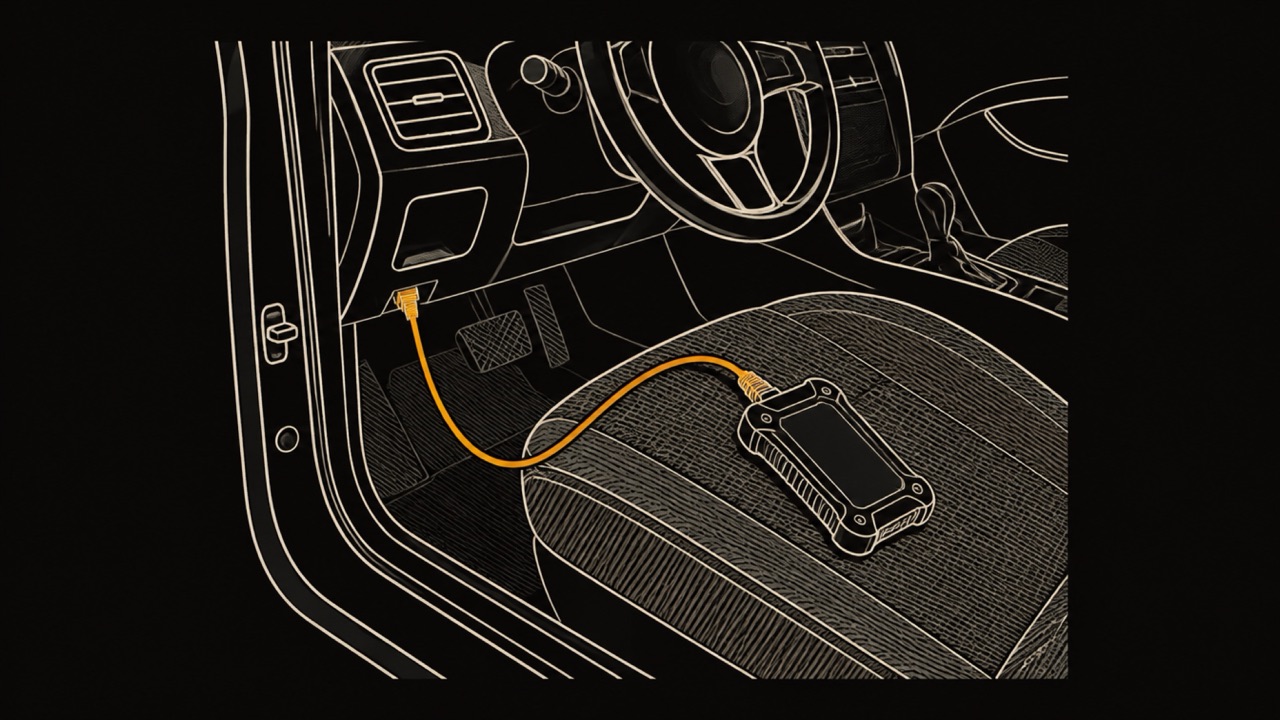
Plug in with the ignition off, switch to on without starting the engine, read and write down every code, and look each one up before clearing anything.
Trouble codes
A 7E8 engine code is not a fault code. 7E8 is the address the engine computer typically answers on when an OBD2 scanner asks the car for data, and a code reader lists it as a menu entry such as "#7E8: Engine" or "$7E8" when more than one control module replies. Select 7E8 and the scanner shows the real trouble codes stored in the engine computer. A real code always starts with a letter, P, B, C or U, followed by four characters, such as P0300.
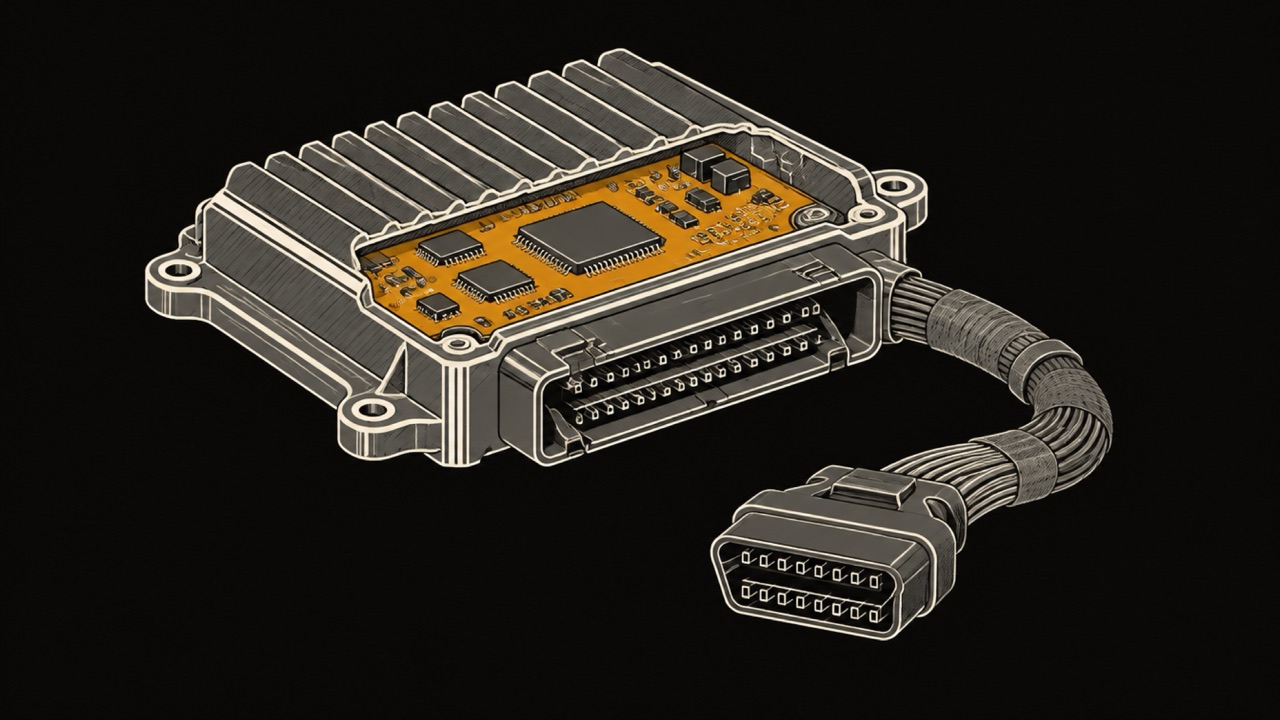
The 7E8 engine code is not a trouble code. 7E8 is an identifier: the address the engine computer answers on when a scanner asks the car for data. According to Wikipedia's OBD-II PIDs page, the engine or main ECU typically responds at 7E8. A control module, or ECU, is a computer that runs one system of the car, such as the engine or the transmission.
A scan tool lists 7E8 as a menu line when more than one control module answers, and asks you to pick one. The Autel AL510 manual prints the line as "#7E8: Engine" and tells the user: "Select #7E8: Engine for OBD II Testing." Drivers also report the same line written with a dollar sign, as "$7E8". Either way, 7E8 is an entry to select, not a result.
The dollar or hash sign in front of 7E8 is how the tool writes the identifier. OBD documents write service numbers the same way: Wikipedia's On-board diagnostics page lists Mode $03 for stored codes, and the California Bureau of Automotive Repair writes Mode $01. The sign does not turn $7E8 into a trouble code.
Answers that tie 7E8 to one part, such as a throttle position sensor or an EVAP leak, still circulate online. 7E8 names no part. When a part is at fault, the trouble code stored behind the 7E8 line names it, and that code is what to look up.
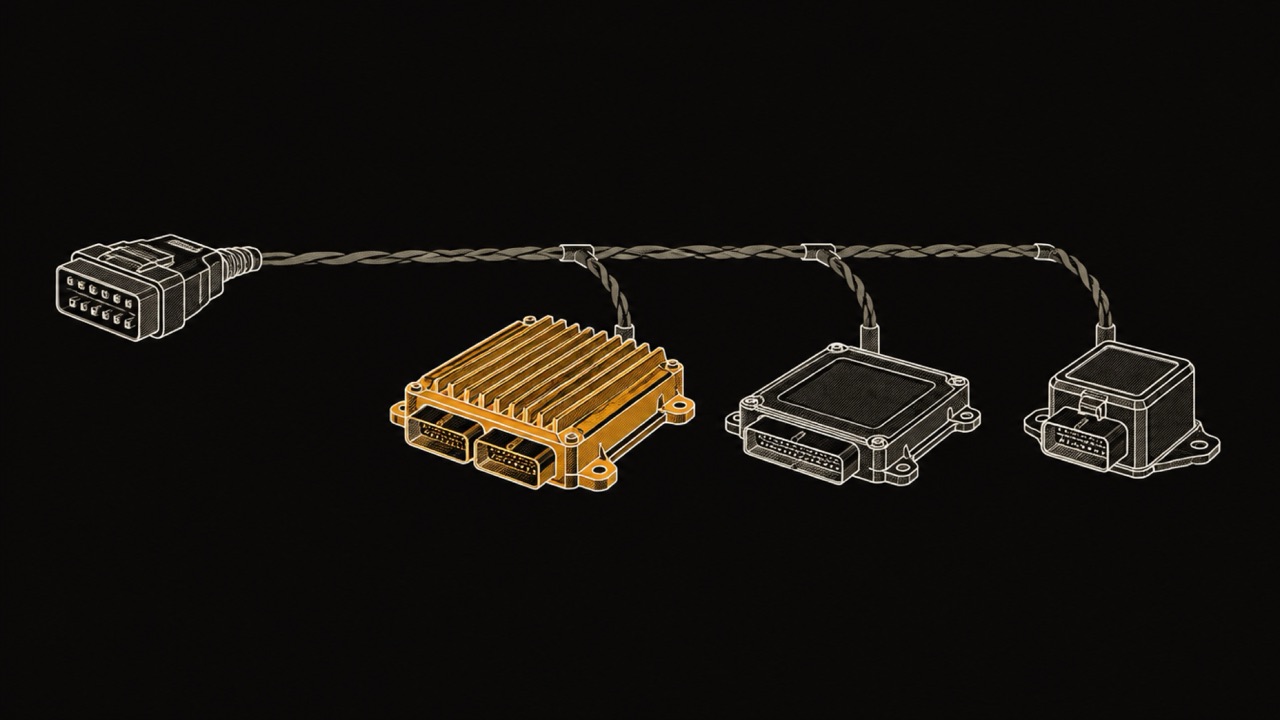
7E8 and 7E9 together mean that two control modules answered the scanner. 7E9 is not a trouble code either: it is a second module replying to the same request. The Autel AL510 manual labels the two lines "#7E8: Engine" and "#7E9: A/T", automatic transmission, and adds: "#7E9 is for Transmission."
Higher identifiers, 7EA, 7EB and up, are further modules that answered the same request. Wikipedia's OBD-II PIDs page gives the hybrid controller or battery controller of a hybrid car as an example. Which module sits on which identifier above 7E8 is the vehicle's choice, and this article names only what its sources name: the engine on 7E8 and, on the Autel menu, the transmission on 7E9.
A code reader screen after a scan can show three kinds of line: a module that answered, a real trouble code, or P07E8, a trouble code that only looks like the identifier. Each kind calls for a different next step.
| What you see | What it is | What to do |
|---|---|---|
| "#7E8: Engine", also reported as "$7E8" | The engine computer's answer to the scanner | Select it, then read the codes |
| "#7E9: A/T", also reported as "$7E9" | A second module, the transmission on the Autel menu | Select it too, especially if the first line shows no codes |
| 7EA, 7EB and higher | Further modules that answered | Open each one |
| P0300, P0420 and similar | A real trouble code | Look the code up |
| P07E8 | A real trouble code, unrelated to the 7E8 identifier | Look it up as a transmission code |
Sources: Autel AL510 manual, Wikipedia, OBD-II PIDs, Wikipedia, On-board diagnostics, Kelley Blue Book.
A scanner shows 7E8 before any trouble code because several computers can answer the same question. To ask for data, the reader sends one request on identifier 7DF, which CSS Electronics describes as "asking all OBD2 compatible ECUs". Each computer then replies under its own identifier, in the range 7E8 to 7EF.
Each computer also listens for requests meant only for it, on one identifier from 7E0 to 7E7, and replies eight higher, according to Wikipedia's OBD-II PIDs page. By that rule, a computer that answers on 7E8 listens on 7E0.
When two or more computers reply, the tool has to ask which one you want. The Autel AL510 manual shows its module menu only when more than one control module is available, so with that tool a car where a single module answers has no menu to show.
The identifiers come from CAN, the controller area network that the car's computers and the scanner share. Since 2008, CAN has been the mandatory lower-layer protocol for OBD2 in all cars sold in the US, under ISO 15765, according to CSS Electronics. OBD-II itself has been required on all 1996 and newer model year petrol and alternative fuel passenger cars and trucks, per the California Air Resources Board.
Some vehicles use 29-bit CAN identifiers instead of 11-bit ones, and there the numbers look different. CSS Electronics gives the 29-bit request as 18DB33F1 and the replies as 18DAF100 to 18DAF1FF, typically 18DAF110 and 18DAF11E.
| Identifier | Sent by | What it is |
|---|---|---|
| 7DF | The scanner, on 11-bit CAN | One request to every OBD2 computer at once |
| 7E0 to 7E7 | The scanner, on 11-bit CAN | A request to one specific computer |
| 7E8 | The engine or main computer, typically | Its reply, eight higher than 7E0 |
| 7E9 to 7EF | Other computers | Their replies, each eight higher than the identifier it listens on |
| 18DB33F1 | The scanner, on 29-bit CAN | One request to every OBD2 computer at once |
| 18DAF100 to 18DAF1FF | Computers, on 29-bit CAN | Their replies, typically 18DAF110 and 18DAF11E |
Sources: CSS Electronics, OBD2 Explained (updated January 2025), Wikipedia, OBD-II PIDs.
Reading the real codes behind 7E8 means opening each module line, then each list of codes inside it. A trouble code, or DTC (diagnostic trouble code), is the five-character code a computer stores when it detects a fault. Wikipedia's On-board diagnostics page lists the OBD services behind each list, written with a dollar sign: Mode $03, Mode $07, Mode $0A and Mode $02.
Scan tools name the steps differently, but the idea is the same. On the Innova 5410, the Innova help center describes a Module Selection list; after you choose a module, Continuous Memory DTCs shows its stored codes. The Autel AL510 asks you to select #7E8: Engine first. The full routine is in how to use an OBD2 scanner step by step.
Readiness monitors are part of the same scan. The California Bureau of Automotive Repair describes them as self-tests of the emission controls, reported through Mode $01 PID $01 together with the check engine light status and the trouble codes. What each one means before an inspection is covered in OBD2 readiness monitors.
A real trouble code has five characters: a letter for the system and four more. According to Wikipedia's On-board diagnostics page, the letter is P for powertrain, B for body, C for chassis or U for network, and the second character says who defined the code: 0 for "a generic (SAE defined) code", 1 for "a manufacturer-specific (OEM) code", while 2 and 3 depend on the system letter.
The standardised codes come from SAE J2012, the SAE International document that defines the diagnostic trouble codes OBD systems are required to report. It was issued in March 1992 and revised in September 2025. P0300 and P0420 are generic codes in that format: a letter, then a 0, then three more characters.
Read against that format, 7E8 cannot be a trouble code: it has three characters and no system letter in front. 7E8 is the identifier a module answered on, and the trouble code, if the module stored one, sits behind it.
P07E8 is a different thing: a real trouble code. Kelley Blue Book lists P07E8 as "Transmission Range Control A Circuit/Open", and its second character, 0, marks it as a generic code. If the scanner shows P07E8 with the letter in front, that is a code to look up; if it shows 7E8 on a menu line next to the word Engine, it is not.
No. The 7E8 engine code means the same thing on a Chevy, a Ford or a Jeep, because the identifiers belong to the OBD2 standard on CAN, not to a make. CSS Electronics notes that most cars use 11-bit CAN identifiers, with 7DF as the request to all computers and 7E8 to 7EF as the replies, and that CAN has been mandatory for OBD2 on cars sold in the US since 2008.
What can differ from one vehicle to the next is the trouble code stored behind the line and how many modules answer, which decides whether a menu appears at all. A vehicle on 29-bit CAN uses longer identifiers: CSS Electronics lists its replies from 18DAF100 to 18DAF1FF.
There is nothing to fix or clear in 7E8 itself, because 7E8 is the engine computer's address on the scanner, not a fault. The repair belongs to the trouble code stored behind the 7E8 line: select the line, read the code, look it up, and repair what the code points at.
If every module line shows no stored code while the check engine light is on, look at the pending codes, listed under Mode $07 on Wikipedia's On-board diagnostics page. A pending code is a fault the computer has detected but not yet confirmed as a stored code.
Clearing the codes repairs nothing, and it does not remove permanent codes: the California Bureau of Automotive Repair states they cannot be cleared with a scan tool or by disconnecting the battery. Once the cause is fixed, how to reset the check engine light covers the next step.
With a Bluetooth OBD-II adapter, WrenchTime reads the stored, pending and permanent codes from every module that answers the standard OBD-II request, and shows whether the check engine light is on. Each generic code comes with a plain-language description in your language; a manufacturer-specific code is labelled as one, with a web search shortcut.
The same scan reads the readiness monitors and the freeze frame the car saved at the first fault. Every scan is kept in a history with its date and odometer reading. Codes can be cleared only after a read, only with the engine off and after two confirmations.
Trouble Codes is part of WrenchTime Pro; the free version covers 1 vehicle with 2 maintenance entries a month. The OBD-II code reader for iPhone guide shows how it works.
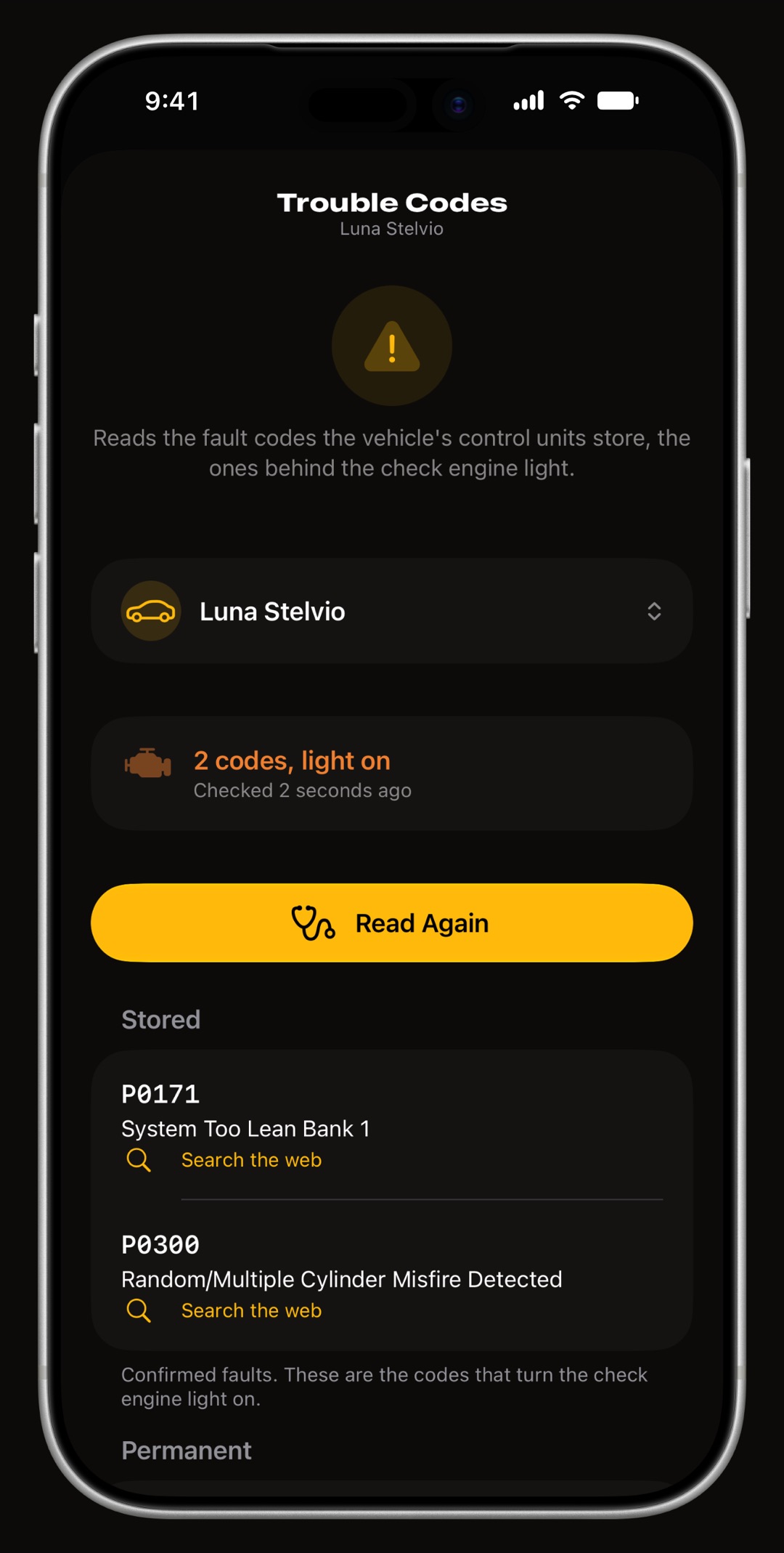
7E9 is not a trouble code either. It is a second control module answering the scanner, listed next to 7E8. The Autel AL510 manual labels it "A/T", the transmission. Select the 7E9 line to read the codes stored in that module, which start with a letter such as P.
7E8 is not a fault, so it is neither serious nor harmless. It only tells you the engine computer answered the scanner. How serious the problem is depends on the real code stored behind the 7E8 line, which starts with a letter such as P, B, C or U.
You cannot clear 7E8, because it is the engine computer's address and not a stored code. The scanner shows it every time that module answers. What can be cleared are the trouble codes behind it, and permanent codes can be cleared only by the car's own OBD-II system, according to the California Bureau of Automotive Repair.
$7E8 is the same thing as 7E8: the identifier the engine computer typically answers on. Some code readers put a dollar sign or a hash sign in front of it, the way OBD documents write Mode $01. It is a menu line to select, not a result, and the real codes are behind it.
No. P07E8 is a real trouble code, listed by Kelley Blue Book as Transmission Range Control A Circuit/Open. 7E8 with no letter in front, on a menu line with the word Engine, is the engine computer's address and carries no fault by itself.
The scanner is showing which modules answered and waiting for you to pick one. Select 7E8, then open the stored codes, and do the same for 7E9. If both show no stored codes while the check engine light is on, check the pending codes as well.
More from the blog
Diagnostics
Plug in with the ignition off, switch to on without starting the engine, read and write down every code, and look each one up before clearing anything.
Trouble codes
What the P0300 misfire code means, how it differs from P0301 to P0308, what usually causes it, what the repair costs and whether you can keep driving.
OBD-II
Where the OBD port sits in most cars, the EPA's map of possible locations, the spot on popular models, and what to do when the port is hidden behind a cover.
Free to download. One vehicle, real features, no ads. Your garage will thank you.
Download WrenchTime on the App Store