OBD-II adapters · Vgate · iPhone
Which Vgate OBD-II adapters work with an iPhone?
The Vgate iCar Pro, iCar Pro 2S, iCar Pro Mini and vLinker BM+ are confirmed working with WrenchTime on a real vehicle: they use Bluetooth Low Energy, so the scan inside the app finds them and nothing is paired in iPhone Settings. The iCar Pro and iCar Pro 2S also wake by themselves when the app connects, except on a BMW, which is what the vLinker BM+ is sold for. The non-Pro iCar works but has to be switched on with its button before each drive. The vLinker MS ships in Apple MFi mode, which this app cannot use, and has to be moved to BLE with Vgate's own updater app first. The vLinker MC+ should work out of the box but nobody has reported it yet. Every status below comes from WrenchTime's own adapter log, not from a box.
Which Vgate adapters work with WrenchTime?
WrenchTime finds Vgate adapters by name, so an iCar Pro that advertises as IOS-Vlink with no service in its advertisement still shows up in the scan. The table lists every Vgate model the app's adapter log has an entry for, with what it actually did on a car.
The status says what the app did with each adapter, not whether the adapter suits your car: protocol coverage, sleep and wake behaviour and a given make's quirks are on the maker's compatibility list, and worth a look before buying. On the app side, any adapter that speaks ELM327 over Bluetooth Low Energy 4.0 or later is expected to work, as is the Apple-certified OBDLink MX+; the ones below are the ones on record.
| Adapter | Status | Notes |
|---|---|---|
| Vgate iCar Pro 2S | Works | Found by the scan, connects and polls, wakes on its own when the app connects. Not on a BMW, where the iCar Pro line does not wake by itself: see the vLinker BM+. |
| Vgate iCar Pro (BLE 4.0) | Works | Same firmware family as the 2S and behaves the same: found, connects, wakes by itself, except on a BMW, where it does not. |
| Vgate iCar Pro Mini | Works | The smaller iCar Pro, sold under Vgate's vLinker brand. Found by the scan, connects and polls, confirmed by a user on a real vehicle. Its listing says it does not wake by itself on an electric or hybrid vehicle. |
| Vgate iCar (non-Pro) | Works with setup | Connects and polls like the Pro, but does not wake by itself: press its button before the drive or the scan comes up empty. |
| Vgate vLinker MS | Works with setup | Not recommended. It ships in Apple MFi mode, whose certification does not name this app, and works only after being switched to BLE with Vgate's own updater app and then forgotten in iOS Bluetooth settings. One user report so far, not yet confirmed after the switch. Pick an iCar Pro instead. |
| Vgate vLinker MC+ | Unverified | Bluetooth Low Energy out of the box, with no MFi mode, so it should need none of the vLinker MS's setup. Nobody has reported it yet, so it is listed without a verdict. |
| Vgate vLinker BM+ | Works | Vgate's BMW-specific adapter, confirmed working with the app. It exists because the iCar Pro line does not wake automatically on a BMW, so a drive that starts with the adapter asleep records nothing there; the BM+ is the one to pair with a BMW. |
Statuses are copied from WrenchTime's own adapter log as read on : what each device did on a real vehicle, not a maker's claim. A listed adapter is not a recommendation, and no adapter maker sponsors this page.
Should I buy the iCar Pro, the iCar Pro 2S or the iCar Pro Mini?
On the app's side there is nothing to choose between them. The iCar Pro and the iCar Pro 2S share a firmware family and behave the same: found by the scan, connect, poll, and wake by themselves when the app connects. The iCar Pro Mini is a smaller iCar Pro, sold under Vgate's vLinker brand, and a user has confirmed it on a real vehicle. Pick on what Vgate's own pages say about protocols and size, and on price.
- iCar Pro and iCar Pro 2S confirmed working, and they wake on their own, so a trip that starts with the adapter asleep still gets a session.
- iCar Pro Mini confirmed working by a user. Its Amazon listing warns that it does not wake by itself on an electric or hybrid vehicle and has to be unplugged and plugged back in; that has not been checked here.
Does a Vgate adapter wake up by itself?
The iCar Pro line does, and that is what matters most: a trip that starts while the adapter is asleep records no engine data. The iCar Pro and iCar Pro 2S come out of sleep when WrenchTime connects, so a drive that begins with the adapter asleep still gets its readings. The non-Pro iCar never does: press its button before the drive, or the scan comes up empty and the trip records nothing from the engine. And on a BMW the iCar Pro line does not wake by itself either.
Which Vgate adapter should I use on a BMW?
The vLinker BM+. The iCar Pro line does not wake automatically on a BMW, so a trip that starts with an iCar Pro asleep in a BMW records no engine data, and the vLinker BM+ is the adapter Vgate sells for that make. It is confirmed working with WrenchTime: the scan finds it, it connects and it polls.
How do I set up a vLinker MS for WrenchTime?
It has to leave Apple MFi mode first. The vLinker MS ships as a classic Bluetooth accessory certified by Apple, paired from iPhone Settings, and its certification does not name WrenchTime, so in that mode the scan never lists it whatever you do in Settings. Vgate's own guides for other Bluetooth Low Energy apps describe the same switch. One user report is on record so far, and it is not yet confirmed working after the switch, so if you are buying, an iCar Pro is the safer pick.
- Switch the mode install Vgate's VgateFwUpdater app, connect the adapter with it, change the connection type from Bluetooth MFi to BLE+BT and save.
- Forget it in iPhone Settings open Settings > Bluetooth, forget the vLinker MS and do not pair it there again.
- Scan from the app link it from Settings > Connections in WrenchTime like any other Bluetooth Low Energy adapter. The vLinker FS needs the same switch.
Will the vLinker MC+ work with an iPhone?
It should, and nobody has reported it yet, which is why it is listed without a verdict. The vLinker MC+ is Bluetooth Low Energy out of the box and has no MFi mode, so it should need none of the vLinker MS's setup. Do not confuse it with the plain vLinker MC: that one is classic Bluetooth for Android only, and an iPhone app cannot reach it. If you try an MC+, tell us what you saw and it goes in the log.
How do I connect a Vgate adapter to WrenchTime?
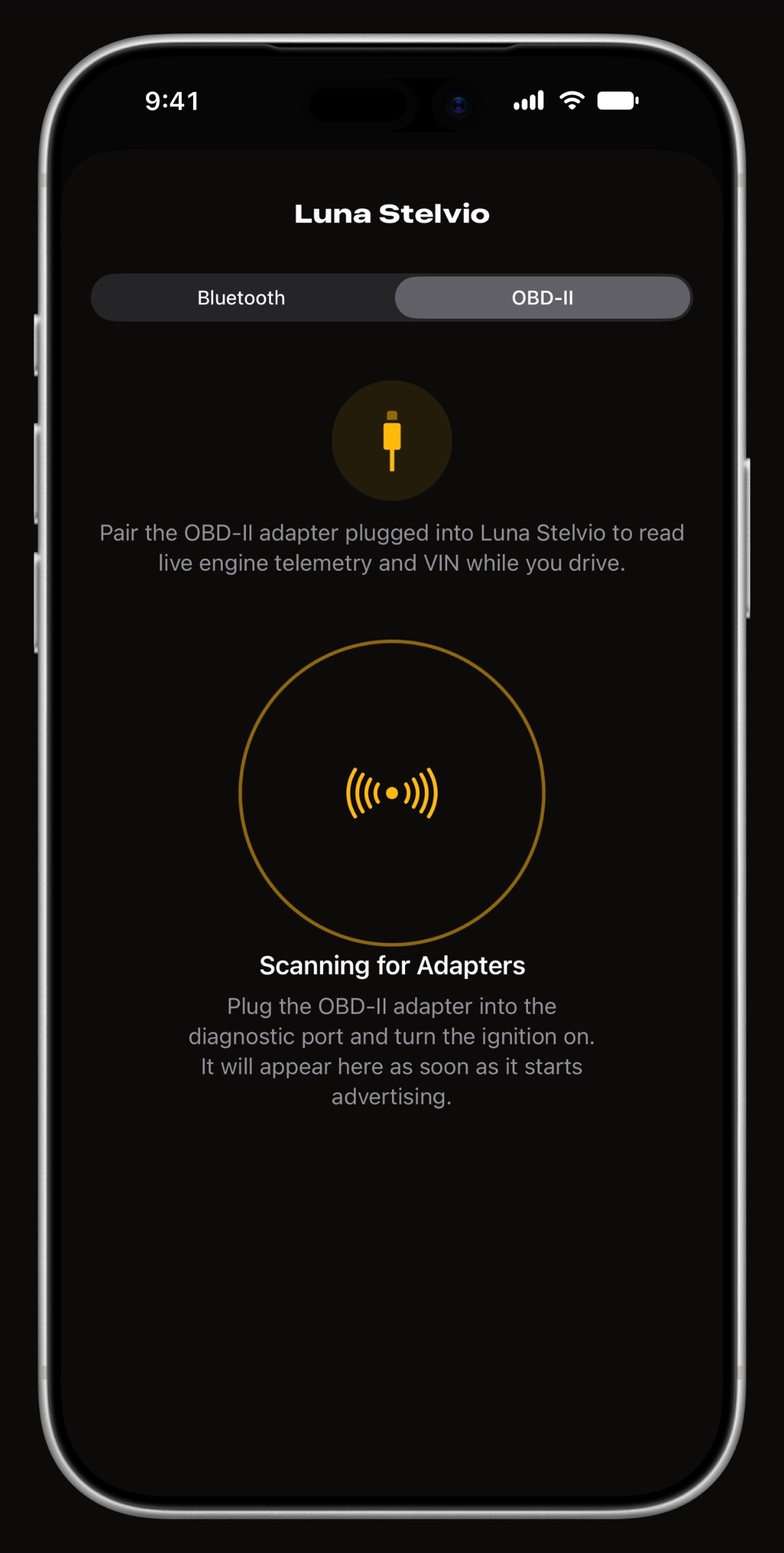
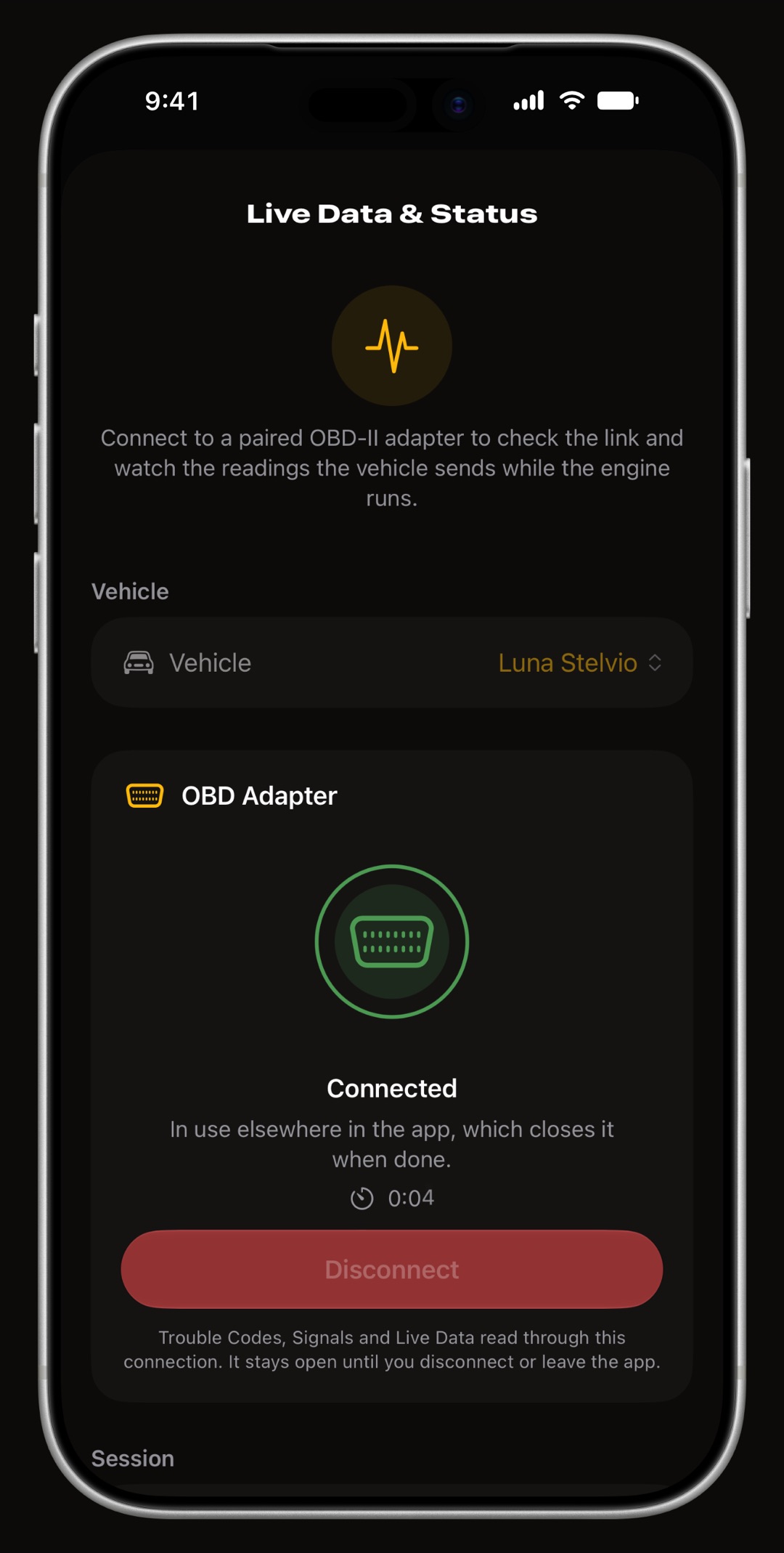
Plug it into the OBD-II port, turn the ignition on and open Settings > Connections in WrenchTime. Pick the vehicle, switch to its OBD-II tab and let the scan run: a Vgate adapter is listed by name, and a tap links it to that vehicle. Do not pair it in iPhone Settings > Bluetooth first, which is the most common reason the scan comes up empty. Every screen of it is in the tutorial on connecting an OBD-II adapter.
Frequently asked questions
Does the Vgate iCar Pro work with an iPhone?
Yes. The Vgate iCar Pro uses Bluetooth Low Energy, so WrenchTime finds it with its own scan, without pairing it in iPhone Settings. It is confirmed working on a real vehicle and wakes by itself when the app connects, except on a BMW.
What is the difference between the iCar Pro and the iCar Pro 2S in WrenchTime?
None that the app can see. They share a firmware family, both are confirmed working, and both wake by themselves when the app connects. Choose on Vgate's own specifications and price.
Why does my vLinker MS not show up in the scan?
Because it ships in Apple MFi mode, which WrenchTime cannot use. Switch it to BLE+BT with Vgate's VgateFwUpdater app, forget it in iPhone Settings > Bluetooth, then scan from Settings > Connections in the app.
Which Vgate adapter works best on a BMW?
The vLinker BM+. The iCar Pro line does not wake by itself on a BMW, so a trip that starts with it asleep records no engine data; the vLinker BM+ is confirmed working with WrenchTime.
Made for people who would rather know than guess.
Free to download. One vehicle, real features, no ads. Your garage will thank you.
Download WrenchTime on the App Store