OBD-II code reader · iPhone · WrenchTime Pro
An OBD-II code reader for iPhone that explains what the check engine light means
WrenchTime turns an iPhone and a Bluetooth Low Energy ELM327 adapter, or the Apple-certified OBDLink MX+, into an OBD-II code reader. The Trouble Codes tool, part of WrenchTime Pro, reads the stored, pending and permanent diagnostic trouble codes from every control unit that answers the standard OBD-II request, shows whether the check engine light is on, and describes each generic code in plain language. The same scan shows which readiness monitors are ready before an emissions inspection and the freeze frame the car saved when the fault appeared. Every scan is saved with its date and odometer reading, and codes can be cleared once the repair is done, only with the engine off and after two confirmations. It reads the standard emissions diagnostics, not manufacturer modules such as ABS or airbags.
How do I read the check engine light codes with an iPhone?
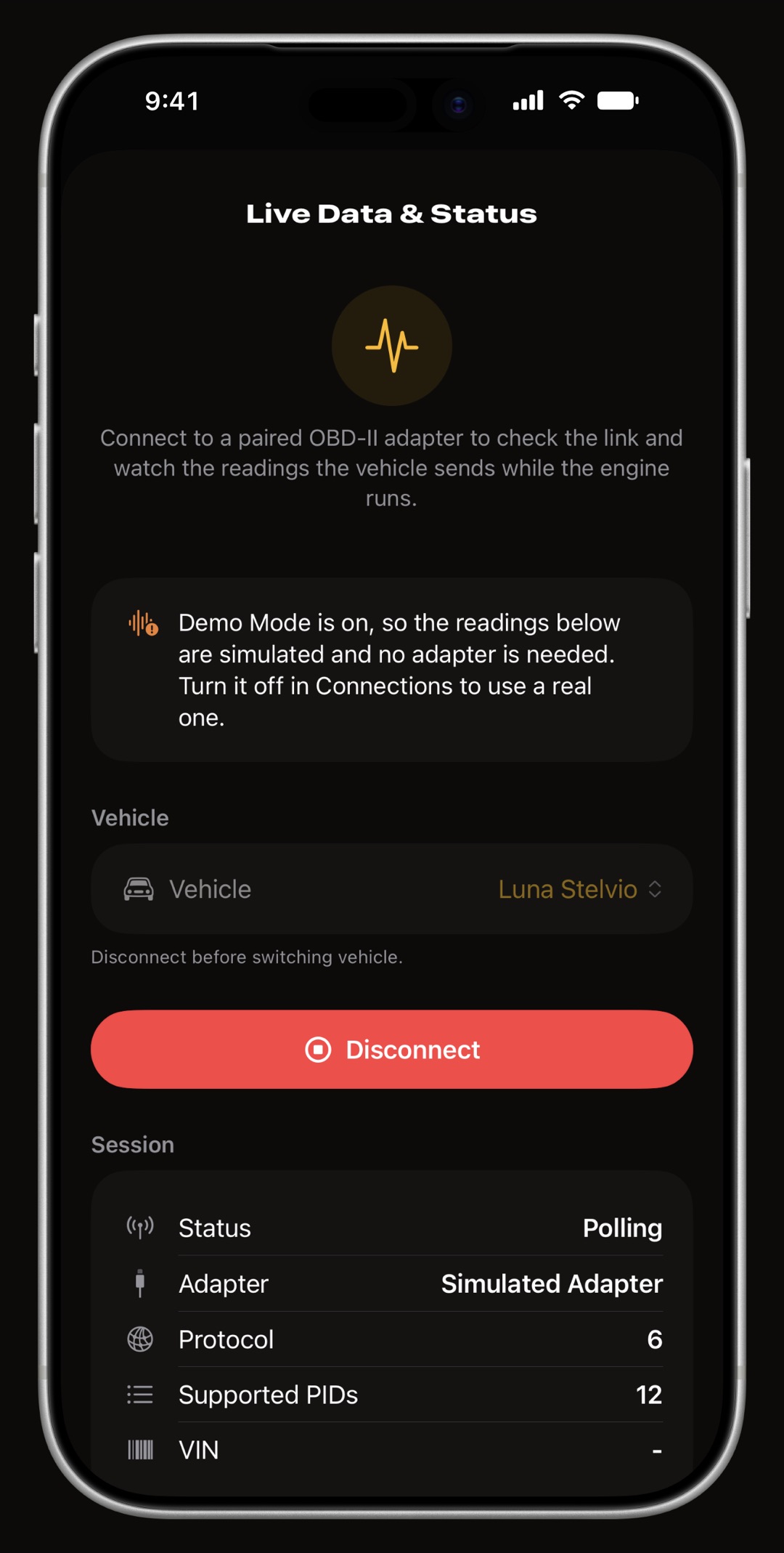
Plug a Bluetooth Low Energy ELM327 adapter or an OBDLink MX+ into the car's OBD-II port, pair it with the vehicle in Settings > Connections, then open the Vehicles tab, tap the heartbeat button to open the vehicle's toolbox and choose Trouble Codes. With the ignition on, Read Codes connects to the adapter, asks the car for its fault memory and saves the result. If the adapter is already running a session for that vehicle, during a trip for instance, the scan borrows it rather than reconnecting. Which adapters work, and which need setup first, is covered in the OBD-II app guide; for the general routine of plugging in and reading any scanner, see how to use an OBD2 scanner.
- Check engine light shown as On or Off, read from the car itself, with the number of confirmed codes behind it.
- Every answering module each control unit that answers the standard request is read on its own, and when more than one reports codes each code is labeled with the unit it came from, such as the transmission.
- Demo mode a simulated adapter in Settings runs a full scan with sample codes, readiness monitors and a freeze frame, so you can see the screen before buying an adapter.
What is the difference between stored, pending and permanent codes?
WrenchTime reads all three and groups them separately, because they mean different things. A code is a five-character label, such as P0300 for a random misfire, that names the fault a control unit detected.
- Stored confirmed faults. These are the codes that turn the check engine light on.
- Pending seen once and not yet confirmed. A pending code that returns on the next drive becomes stored; one that does not is dropped.
- Permanent kept by the car until the fault is repaired and its own checks pass again. Clearing does not remove them, from this app or any other scanner.
Does it explain what each code means?
Yes, for generic codes. Descriptions come from OBDex, an open catalogue of SAE generic codes bundled with the app, so a lookup needs no connection. English and German descriptions ship with the app. In the app's other languages the descriptions are translated on your iPhone with Apple's own Translation framework, once, and kept for next time; the language download can be managed from Settings > Connections. A code in a manufacturer-specific range has no generic meaning, so it is labeled Manufacturer code rather than given a guessed description, and every code carries a Search the web link that looks up the code together with your vehicle's make.
Can I check readiness monitors before an emissions test?
Yes. Readiness monitors are the self-tests a car runs on its own emissions systems while it is driven: the catalytic converter, the oxygen sensors, the fuel vapor system and others. Each scan lists the monitors your vehicle supports, whether it is a spark ignition or a diesel engine, and marks each one Ready or Not ready, with a count such as eleven of eleven ready. Not ready is not a fault, it means the test has not run yet. In the US an emissions inspection reads these same states, and a car with too many monitors not ready can fail even with no code stored, so reading them before you go tells you whether the car is ready to be tested.
- Petrol engines misfire, fuel system, comprehensive components, catalyst, heated catalyst, evaporative system, secondary air, A/C refrigerant, oxygen sensor, oxygen sensor heater, and EGR and VVT.
- Diesel engines misfire, fuel system, comprehensive components, NMHC catalyst, NOx aftertreatment, boost pressure, exhaust gas sensor, particulate filter, and EGR and VVT.
What is a freeze frame and why read it before clearing?
When a control unit confirms a fault it saves a snapshot of what the engine was doing at that instant: engine speed, vehicle speed, coolant temperature, load, fuel trims and similar readings. WrenchTime reads that freeze frame with the codes and shows it under the code that stored it, fuel trims first because they say most about a mixture fault. It tells you the conditions the fault appeared in: a misfire at idle on a cold engine points somewhere different from one at high revs on the motorway. The car keeps one frame, for the first fault it confirmed, and erases it when the codes are cleared, so read it before you clear.
How do I clear the check engine light safely?
Clear Codes appears only after a scan that found codes or a lit check engine light, and it is disabled while the adapter reads the engine turning: switch the engine off and leave the ignition on. The app then asks twice. The first confirmation spells out what clearing does: it does not repair the fault, it resets every readiness monitor to Not ready so an emissions test may fail until the car has completed enough driving, and it erases the freeze frame. The second confirms that stored and pending codes are erased while permanent codes stay until the car clears them itself. If the car refuses, which it does with the engine running, the app says so. An accepted clear marks the scan it acted on and reads the car again, so the history shows what was there before and after.
- Clear after the repair a fault that is still there sets its code again within a few drives, and the light comes back with it.
- Never on the way to an inspection the monitors need a few days of mixed driving, in town and on the motorway, to read Ready again.
Does it keep a history of past scans?
Yes. Every scan is saved on the vehicle with its date and odometer reading, the number of codes, the readiness count and whether a freeze frame was read, and a scan followed by a clear is marked as cleared. The history sits on the same vehicle as its service records, fuel log and trips, and syncs through your own private iCloud like the rest of the log; a scan you no longer need can be deleted with a swipe. Inside the tool, How to read this data opens a plain-words guide to every part of a scan: the light and the codes, what each readiness monitor tests, how to read a freeze frame and what clearing does.
What does the Trouble Codes tool not do?
It reads the standard OBD-II emissions diagnostics and nothing beyond them. Stated plainly, so you can decide whether it covers your job or whether you need a dedicated scanner as well; the best OBD2 apps for iPhone compares the alternatives.
- No manufacturer modules ABS, airbag, body and other modules that talk only through the maker's own diagnostic protocols are not read, and their faults cannot be cleared from here.
- No Mode 06 the detailed on-board monitor test results are not read; readiness shows whether each monitor has completed, not its measured values.
- No coding or service resets it does not reprogram modules, reset service indicators or run actuator tests.
- Not without an adapter the car's fault memory is only reachable through an OBD-II adapter plugged into the port. Wi-Fi adapters cannot work with an iPhone app, and the OBDLink MX+ is the only classic Bluetooth adapter WrenchTime can use.
Frequently asked questions
Is the OBD-II code reader free?
The Trouble Codes tool is part of WrenchTime Pro. Live OBD-II readings, the acceleration timer and the gauge scale editor do not need it.
Which adapter do I need to read codes on an iPhone?
A Bluetooth Low Energy adapter that speaks ELM327, or the Apple-certified OBDLink MX+. The Vgate iCar Pro, the iCar Pro 2S and the OBDLink MX+ are confirmed working on a real vehicle. Wi-Fi adapters cannot work with an iPhone app, and the OBDLink MX+ is the only classic Bluetooth adapter WrenchTime can use.
Can it turn off the check engine light?
Yes, by clearing the codes after a scan, with the engine off and the ignition on, and after two confirmations. Clearing repairs nothing: a fault that is still there turns the light back on, and every readiness monitor resets to Not ready.
Does it read ABS or airbag codes?
No. It reads the codes that control units report through the standard OBD-II request. ABS, airbag and body modules that use manufacturer-specific diagnostics are not read.
Will my car pass the emissions test?
WrenchTime cannot say that for your inspection station, but it shows what the test reads: whether the check engine light is on, which codes are stored, and which readiness monitors are ready or not ready.
Are code descriptions available in my language?
English and German descriptions ship with the app. For the app's other languages, descriptions are translated on your iPhone with Apple's Translation framework and kept, managed from Settings > Connections. Manufacturer-specific codes are labeled as such, with a web search link.

Made for people who would rather know than guess.
Free to download. One vehicle, real features, no ads. Your garage will thank you.
Download WrenchTime on the App Store