WrenchTime Live · iPhone · iOS 26+
A full-screen car dashboard on your iPhone, with or without an OBD-II adapter
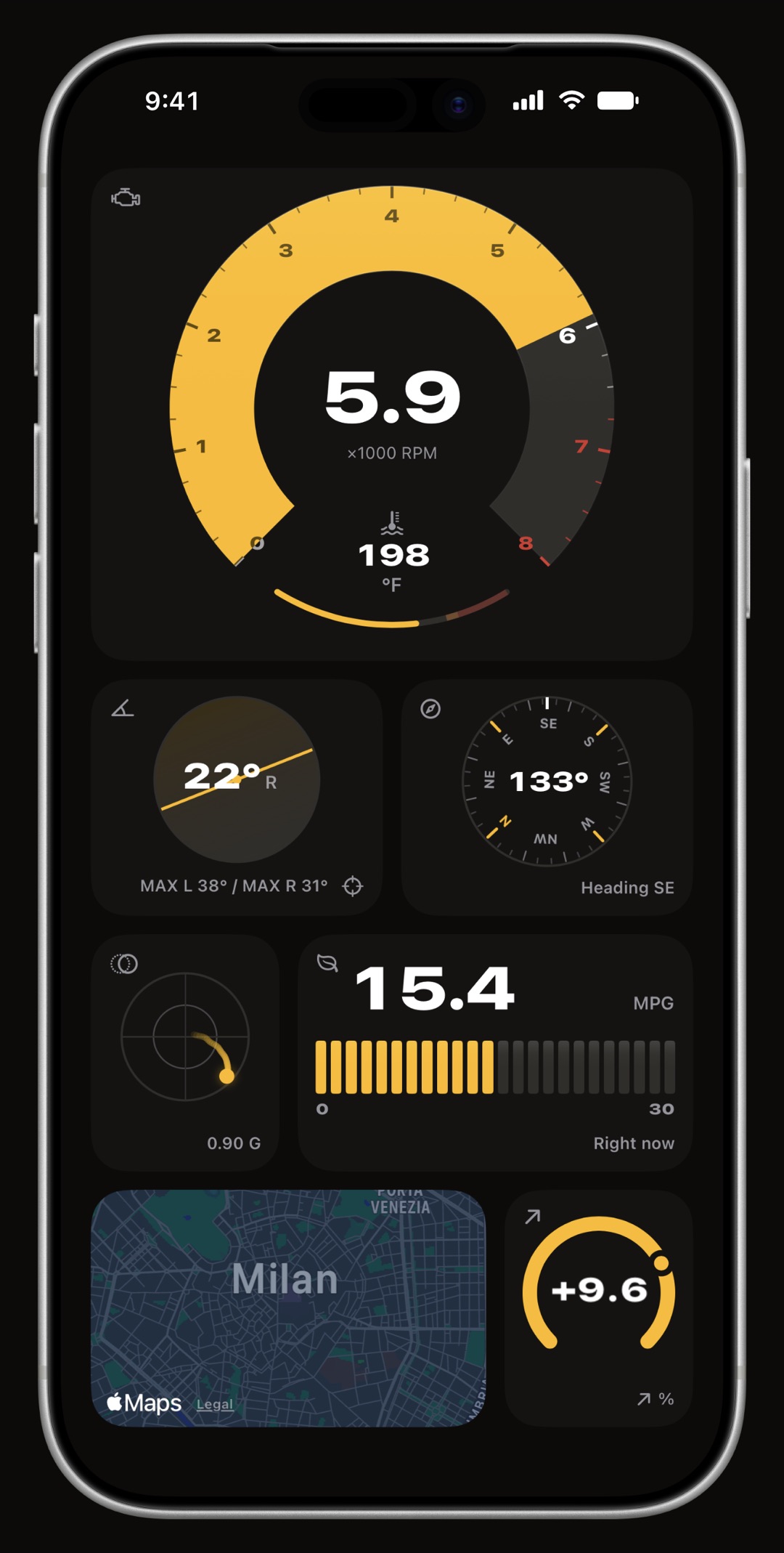
WrenchTime Live is the dashboard inside WrenchTime, a maintenance, fuel and trip log for iPhone: a full-screen board of instruments you build yourself from 17 types, laid out on pages you swipe like Home Screen pages. Most of them need nothing but the phone: speed from GPS, G-force, lean angle on a motorcycle or body roll in a car, road grade, compass, altitude, a live map, nearby fuel prices, trip stats, weather, the clock and the phone's battery, and, with an Apple Watch, your heart rate. Link a Bluetooth OBD-II adapter and a signal card draws any reading the car reports, from revs and coolant temperature to boost or a custom PID, as a gauge of its own. Each instrument is drawn for the shape you give its card, with colored bands where a reading leaves its normal range. The first page, with up to 3 instruments, is free; more pages are part of WrenchTime Pro.
What can the dashboard show?
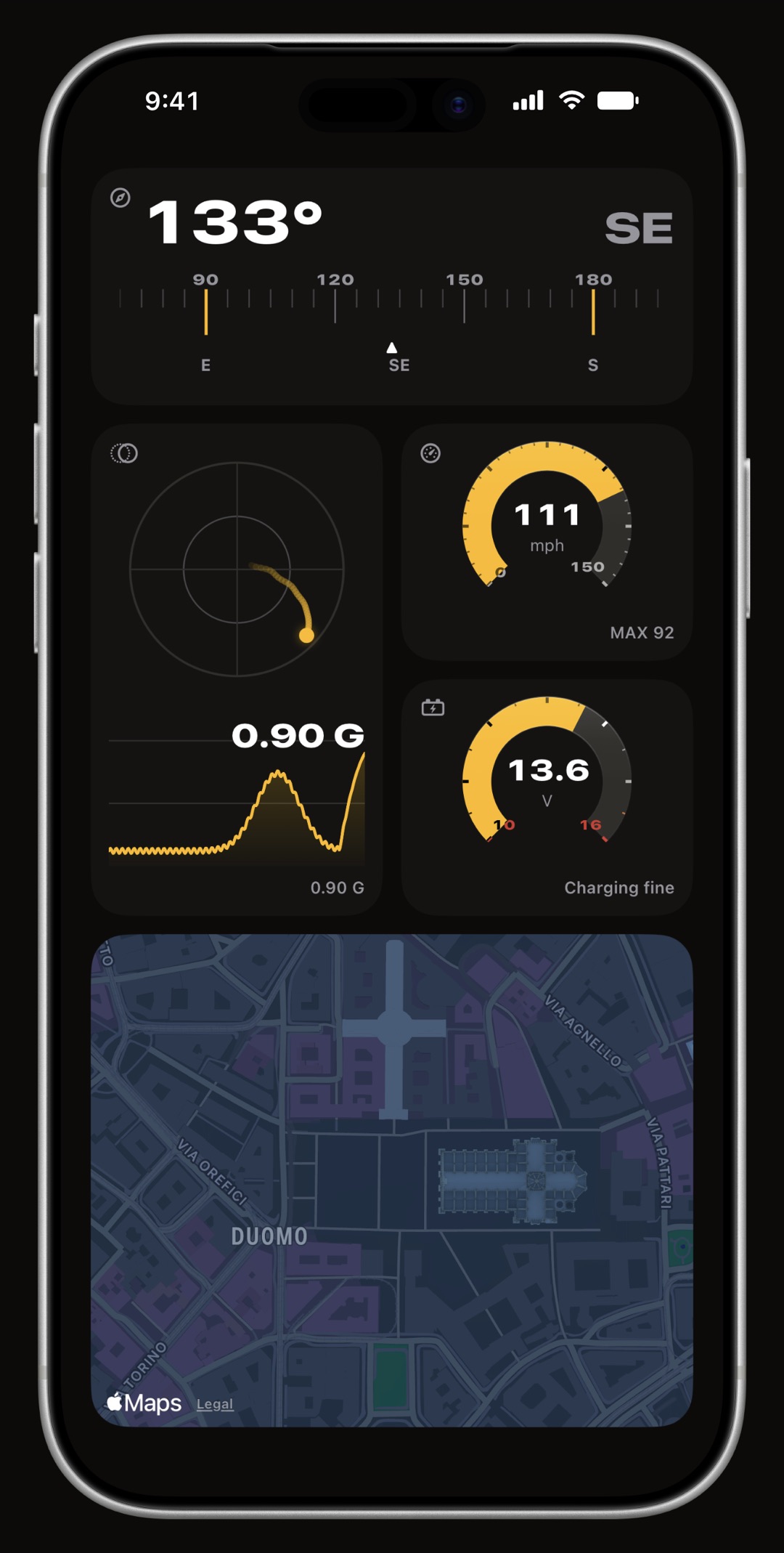
17 instrument types, on a board you build yourself: speed, gear, lean angle, G-force, road grade, compass, altitude, range, a live map, nearby fuel prices, trip stats, a clock, outside temperature, weather, phone battery and, with an Apple Watch, your heart rate, plus a signal card that draws any OBD-II reading as its own gauge, from revs, coolant, fuel level, throttle, voltage and consumption to a custom PID you defined, as many times as you like. Every one is drawn as a real instrument, a sweeping arc with the reading inside it and coloured bands where a value leaves its normal range.
Do I need an OBD-II adapter?
No. Speed comes from GPS, G-force and lean angle from the phone's motion sensors, altitude and road grade from its location, outside temperature from Apple Weather, and range from your own fill-up history, counting down from the last full tank. An adapter adds what only the car knows: a signal card for every reading it reports, the real fuel level behind the range card, and the car's own outside temperature sensor. The range card says which of its two sources it is showing.
How do pages and cards work?
A page is the whole screen and never scrolls. You add instruments to it in edit mode, give each card a shape, and start another page when the first one is full; a card that would not fit is refused with a reason rather than spilled somewhere you did not choose.
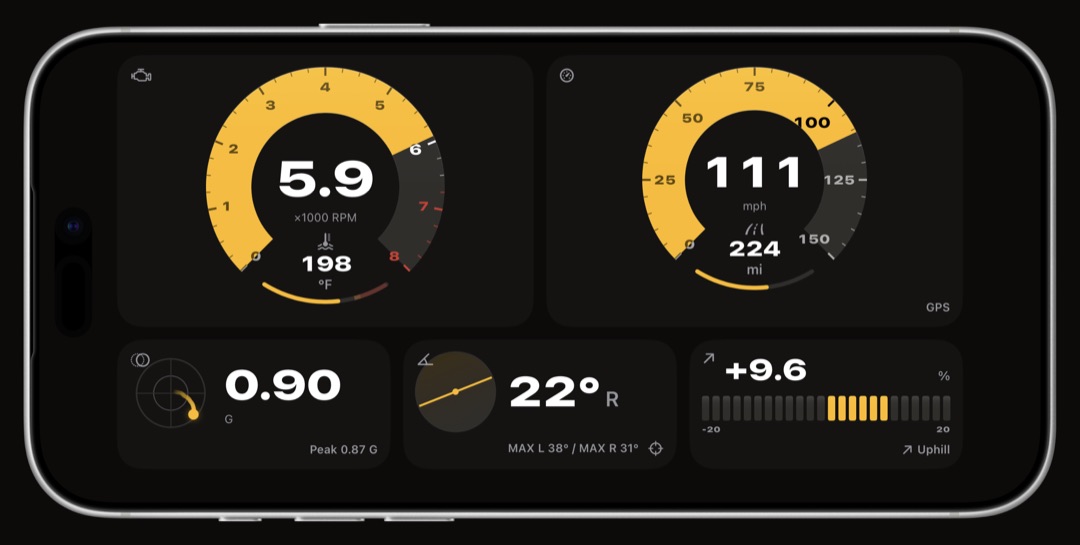
- Pages, swiped like the Home Screen each page fills the screen and never scrolls. A page is portrait or landscape, fixed when you create it, and arriving on a page turns the screen to it.
- Cards that are shapes, not sizes a third, a half, two thirds or a whole row wide, standing one, two or three rows tall. A widget offers a shape only where it has something to do with the room.
- A different instrument at every shape a ring, a horizontal band, a segment bar, a standing column. A wide card is never a small card's drawing floating in a bigger box.
- Previewed before you drive the eye in the edit bar fills the page you are building with plausible readings, so you can lay out a cockpit parked in the driveway.
Does it work on a motorcycle?
Yes. On a motorcycle the roll card reads lean angle from the phone's motion sensors, after a short calibration that sets its zero: mount the phone, hold the bike upright and still, and the app takes it from there. The gauges follow the bike's own scales rather than a car's. Pair your helmet headset as the vehicle's Bluetooth device and a ride starts recording by itself, with the dashboard one tap away on the Trips tab.
Can it open by itself when I drive?
Yes. Settings > WrenchTime Live has a switch that opens the dashboard by itself while a trip is being recorded. Otherwise it is the LIVE button on the Trips tab, at any time, with or without a trip running.
Can each page have its own look?
Yes. The board has a light or dark appearance of its own, separate from the app's, because a cockpit read at arm's length is not the screen the rest of the app is read on. With WrenchTime Pro each page can also wear its own accent colour and gauge style, so a night page and a track-day page can sit side by side.
What is free?
A board of your own: the first page holds up to 3 instruments at no cost, phone sensors and OBD-II readings alike.
- Free gets a board 3 instruments on the first page at no cost. Every page after it, and a board without a cap, is WrenchTime Pro.
Is the dashboard on CarPlay too?
CarPlay has a Live tab of its own rather than a copy of the phone's board: with WrenchTime Pro and an OBD-II adapter, a grid of gauges drawn for the car's screen, with a layout you set per vehicle in Settings > CarPlay. What it shows is on the OBD-II app for iPhone page.
Frequently asked questions
Does the WrenchTime dashboard need an OBD-II adapter?
No. Speed, G-force, lean angle, road grade, compass, altitude, the live map, fuel prices, trip stats and weather all come from the iPhone. An adapter adds a gauge for any reading the car reports.
Is the Live dashboard free?
The first page, with up to 3 instruments, is free. More pages, and a colour and gauge style per page, are part of WrenchTime Pro.
Can I use it in landscape?
Yes. Each page is portrait or landscape, chosen when you create it, and turning the phone moves to the pages drawn that way.
Does it show lean angle on a motorcycle?
Yes. On a motorcycle the roll card reads lean angle from the phone's motion sensors; in a car the same card reads body roll.
Can it show a custom OBD-II PID?
Yes. A custom signal you defined with WrenchTime Pro can sit on the board as a card of its own, like any standard OBD-II reading.

Made for people who would rather know than guess.
Free to download. One vehicle, real features, no ads. Your garage will thank you.
Download WrenchTime on the App Store