iPhone Duo · iPad · iOS 26+
A car maintenance app laid out for the open iPhone Duo
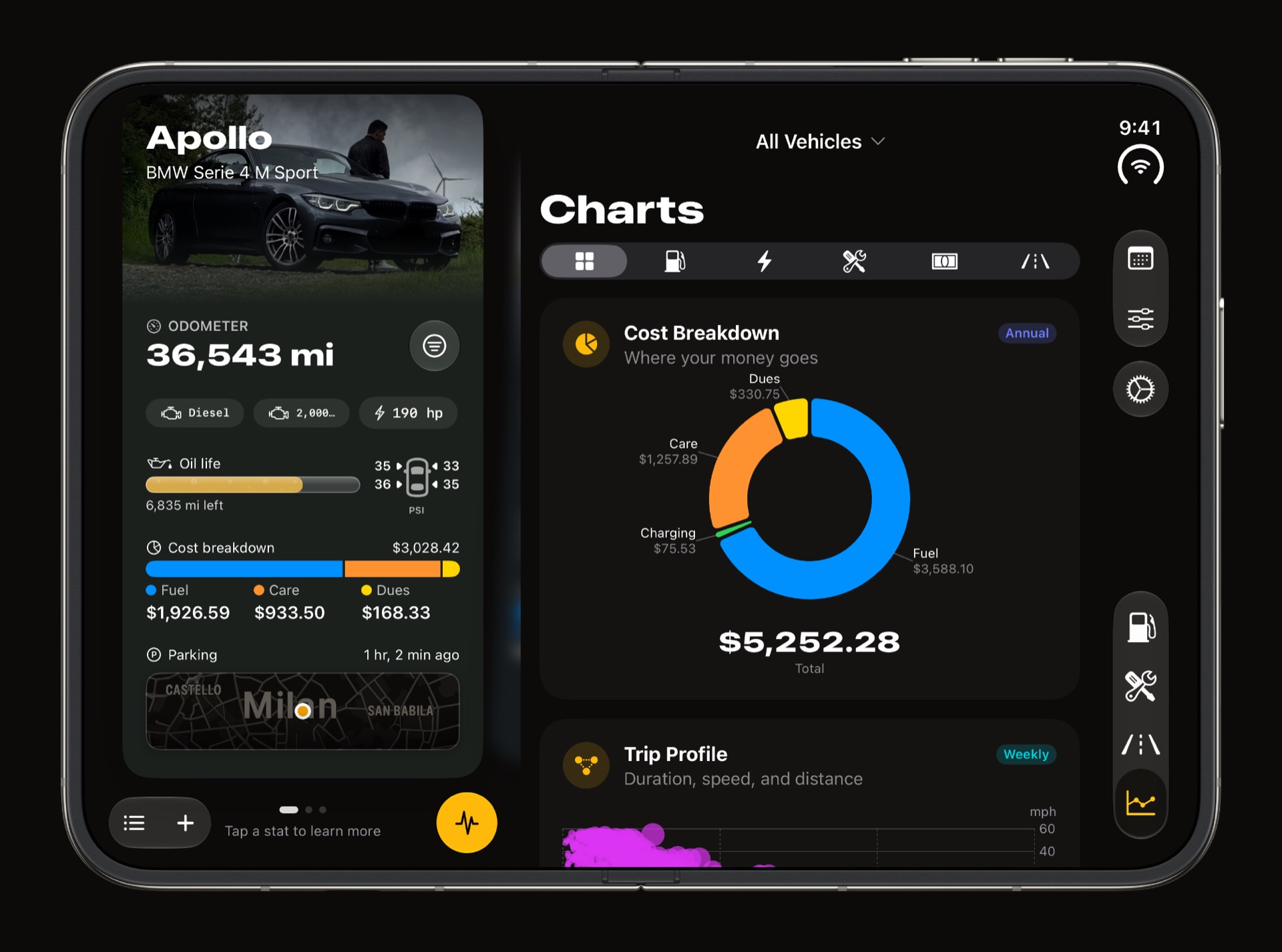
WrenchTime is a maintenance, fuel and trip log for iPhone, and on iPhone Duo it uses both displays. Closed, the cover display runs the whole app the way any iPhone does. Open it and turn it on its side, and the app splits into two panes: Vehicles on the left, with your car's photo, odometer, oil life, tyre pressures, running costs and parking spot, and Fuel, Care, Trips or Charts on the right. A trip opens with its route map down one side and its details on the other, the Charts tab sets two or three charts per row, and the Live dashboard draws a landscape page of gauges across the whole open display. The same layout runs on iPad in landscape, and all of it is part of the free app.
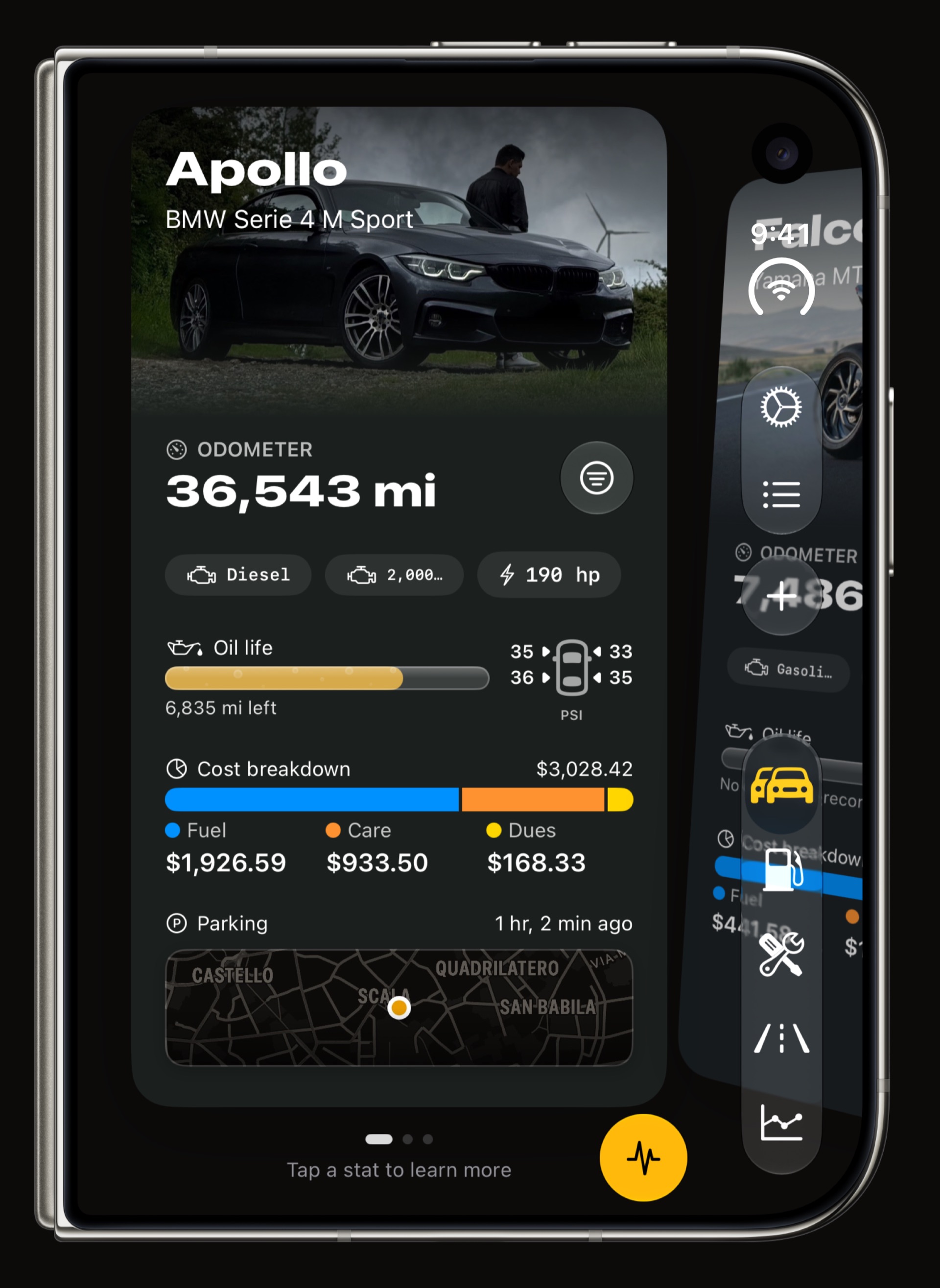
What does WrenchTime look like on the open iPhone Duo?
Two apps' worth of screen, used as two panes. With the open display on its side, Vehicles takes the left 43 percent and the other tabs share the right, so the car you are logging for never leaves the screen. The panes meet at 43 percent rather than on the fold, which gives the vehicle card a taller photo and room for the parking map under it.
- The vehicle card stays in view photo, odometer, oil life, tyre pressures, the cost breakdown and the parking spot, beside whichever tab you are in.
- Every tab keeps its own place Fuel, Care, Trips and Charts switch on the right while the left pane stays where you left it.
- Full-display pages cover both panes Settings, the Price Radar and Vehicle Tools open over the whole display and close back to the two panes without moving them.
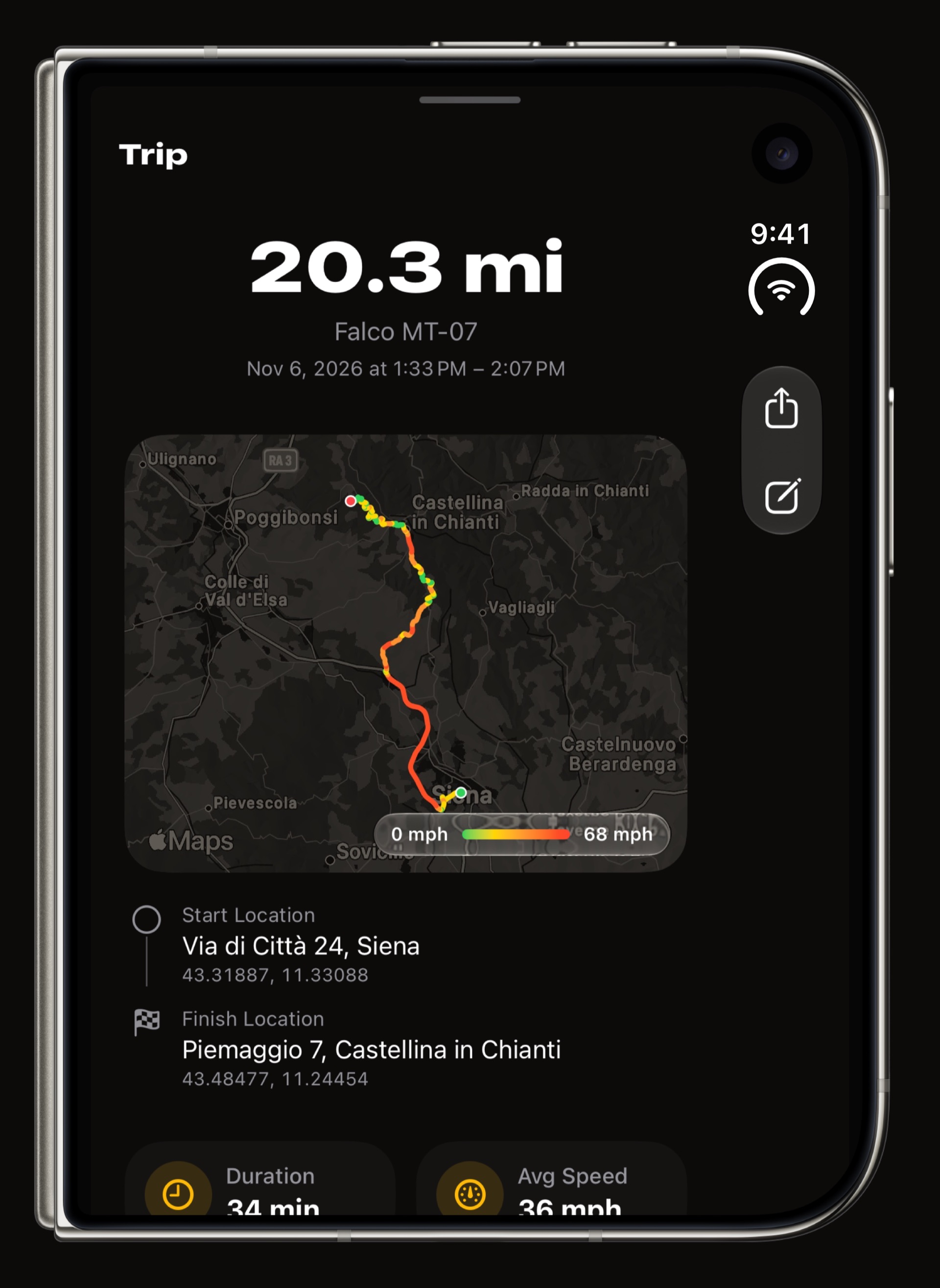
- Sheets use the width a fill-up or a trip opens in two columns on the wide sheet, the route map on one side and the details on the other.
Does it work with the iPhone Duo closed?
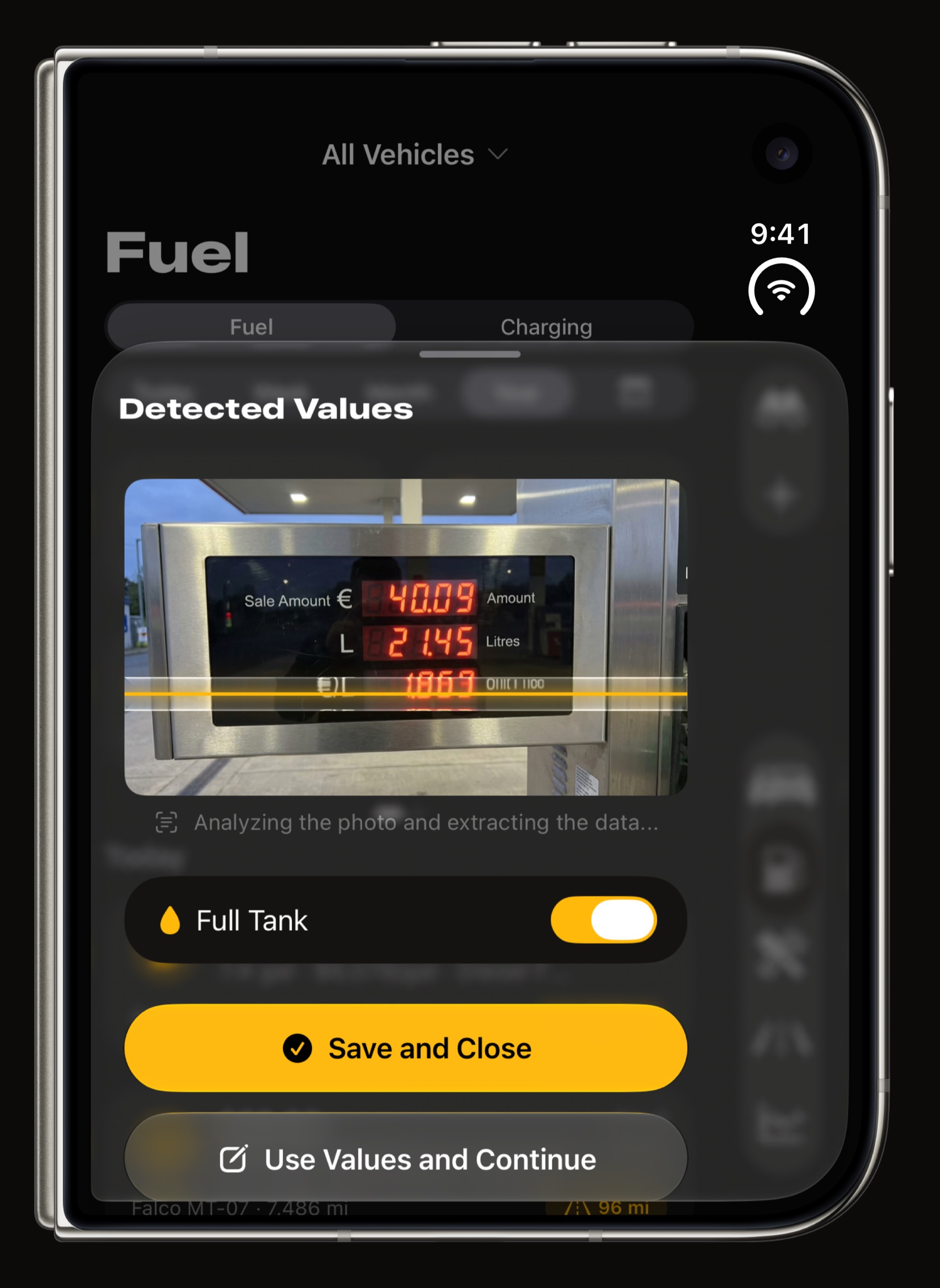
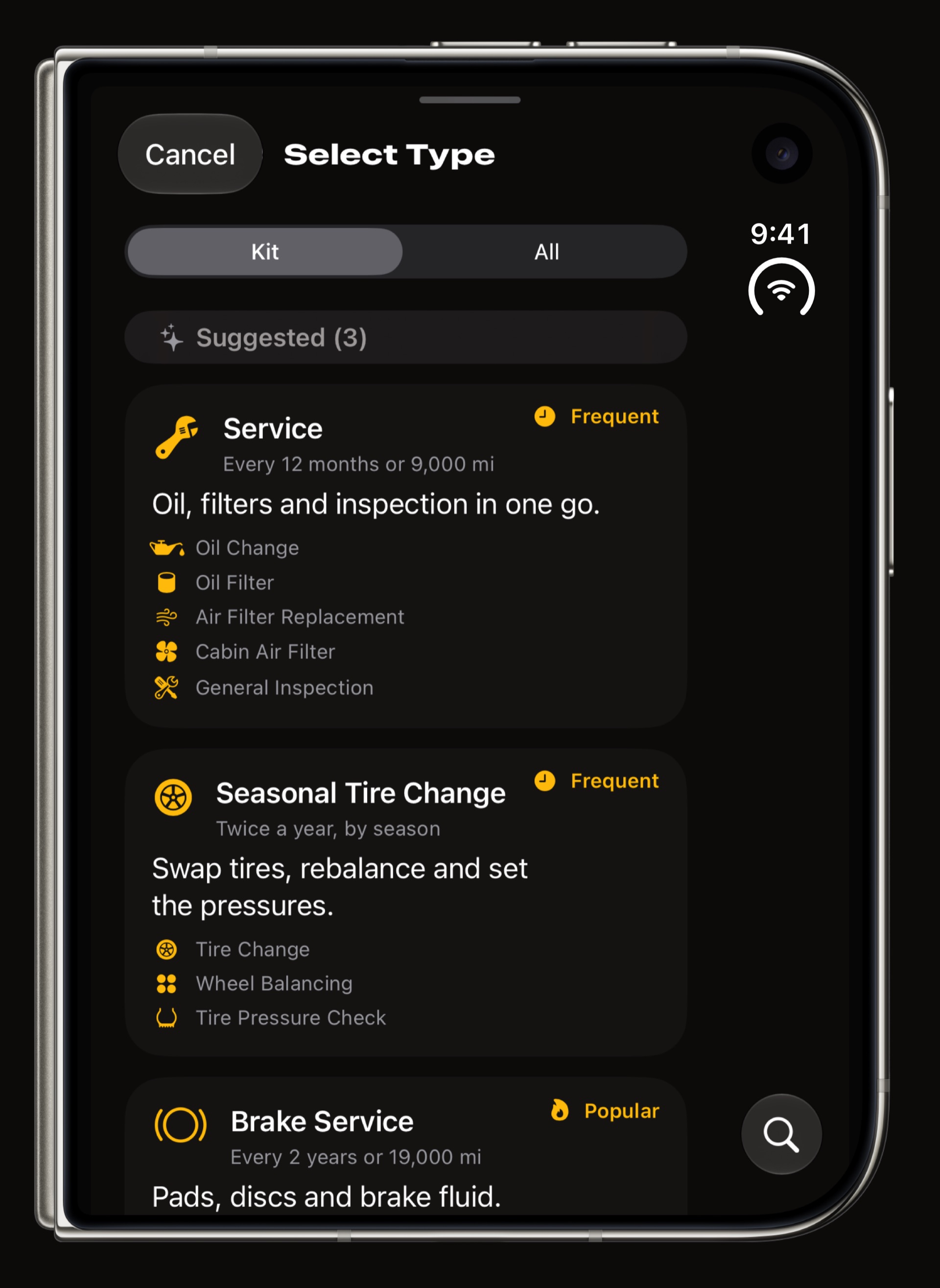
Yes. Closed, iPhone Duo is an iPhone, and WrenchTime runs on the cover display exactly as it does on any iPhone: the garage, scanning a pump display or a receipt, the maintenance procedures, trips and the Live dashboard, nothing held back for the open display. Open the phone and the app carries on where you were, laid out for the bigger screen.
Does the Live dashboard fill the wide display?
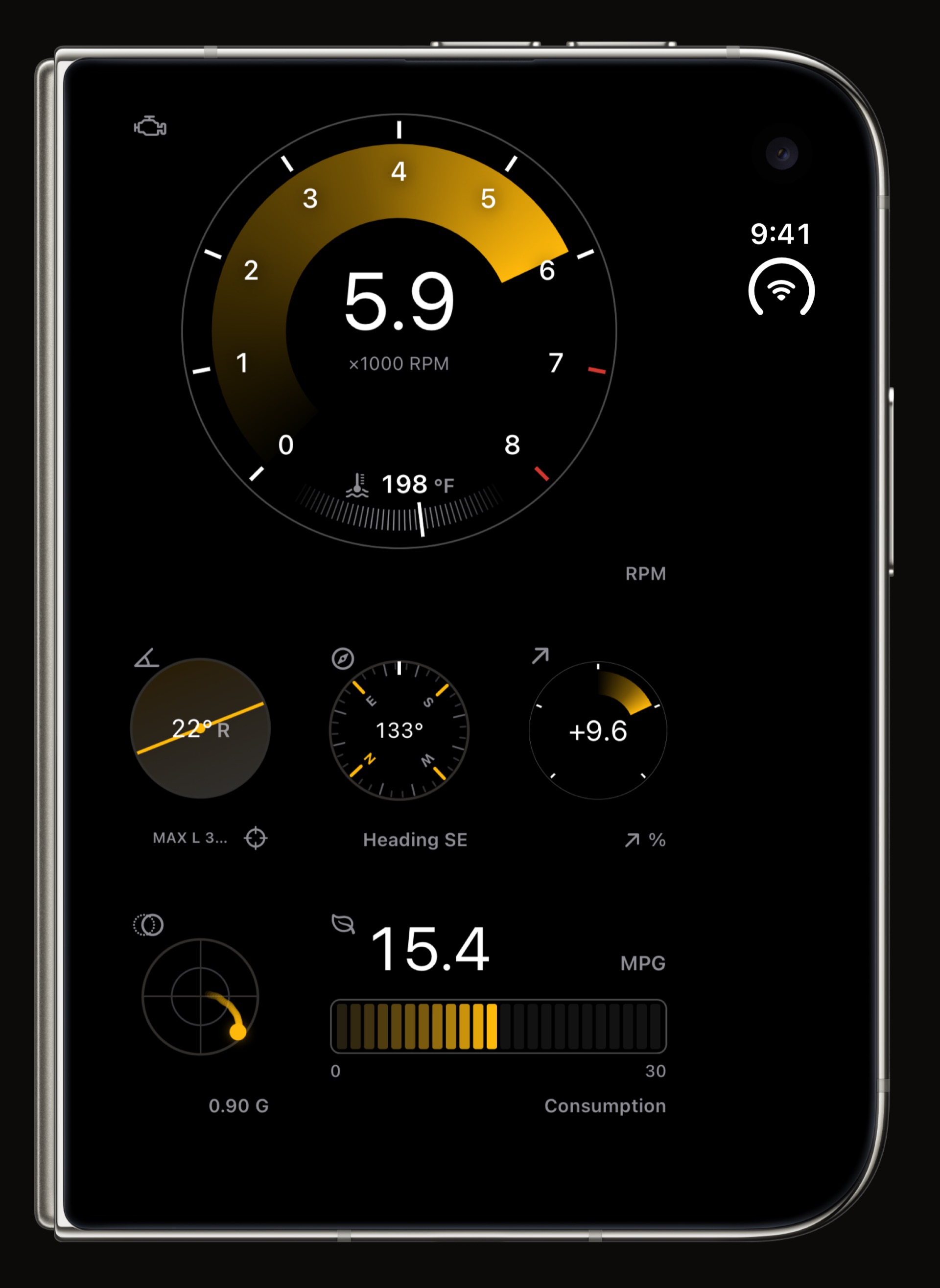
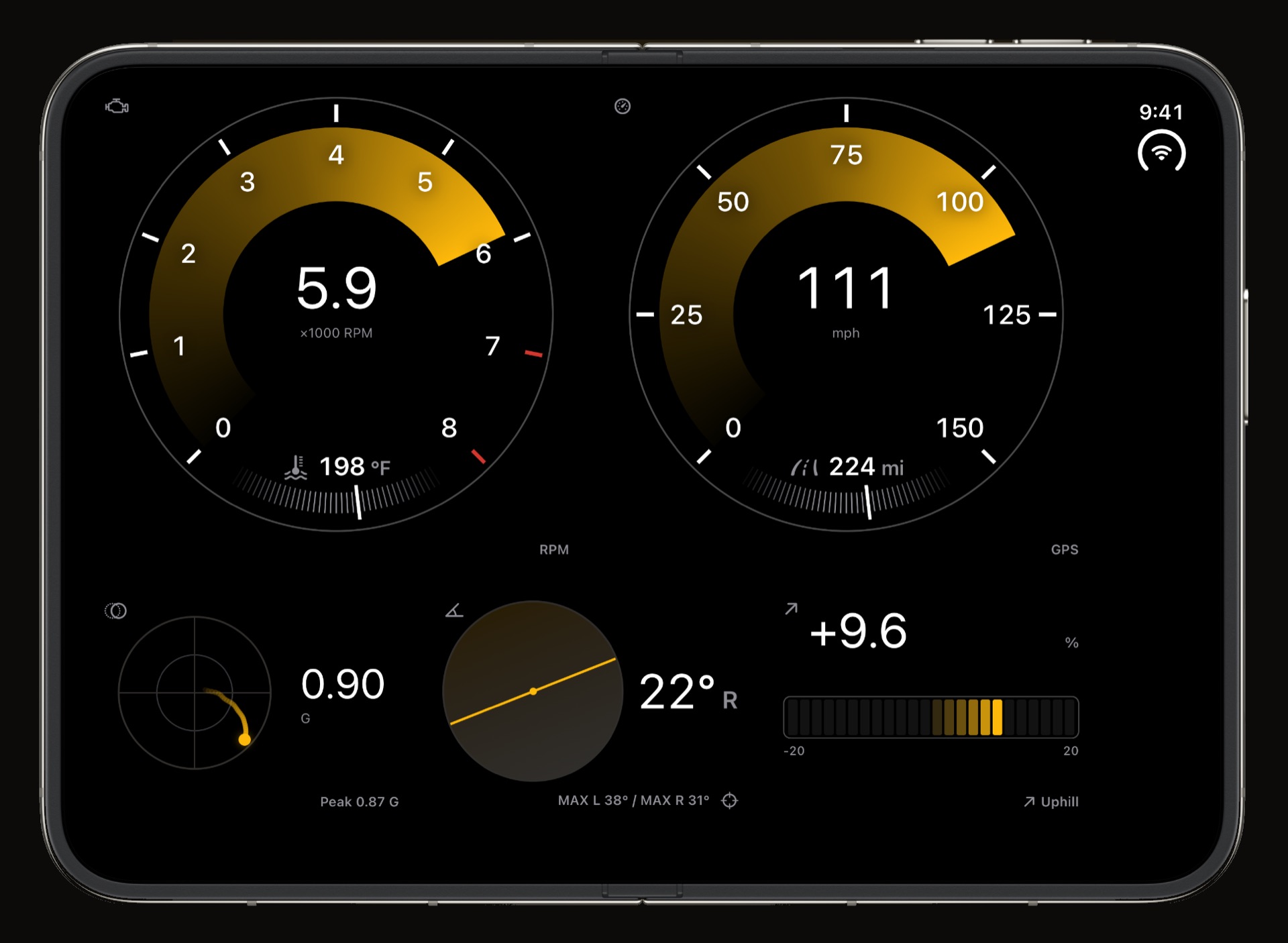
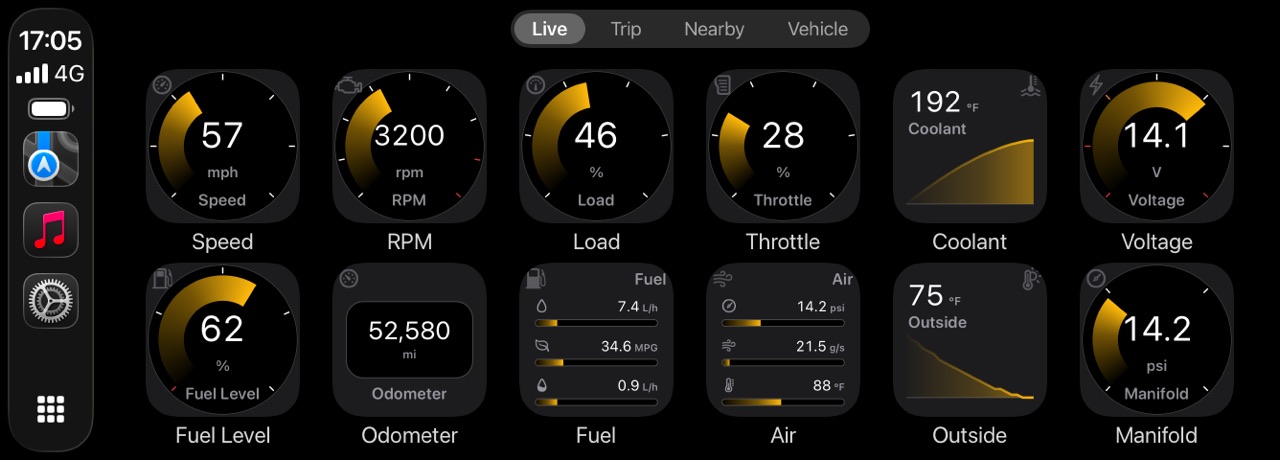
Yes. Every Live page is portrait or landscape, chosen when you make it, and a landscape page has twelve units to a row instead of six. On the open iPhone Duo on its side that row runs the full width of the display, so a tachometer and a speedometer sit side by side at full size with G-force, lean and grade under them. Arriving on a landscape page turns the screen to it. The board offers 18 instrument types; the first page, with up to 3 of them, is free, and the rest is on the car dashboard app page.
How do the charts use the extra room?
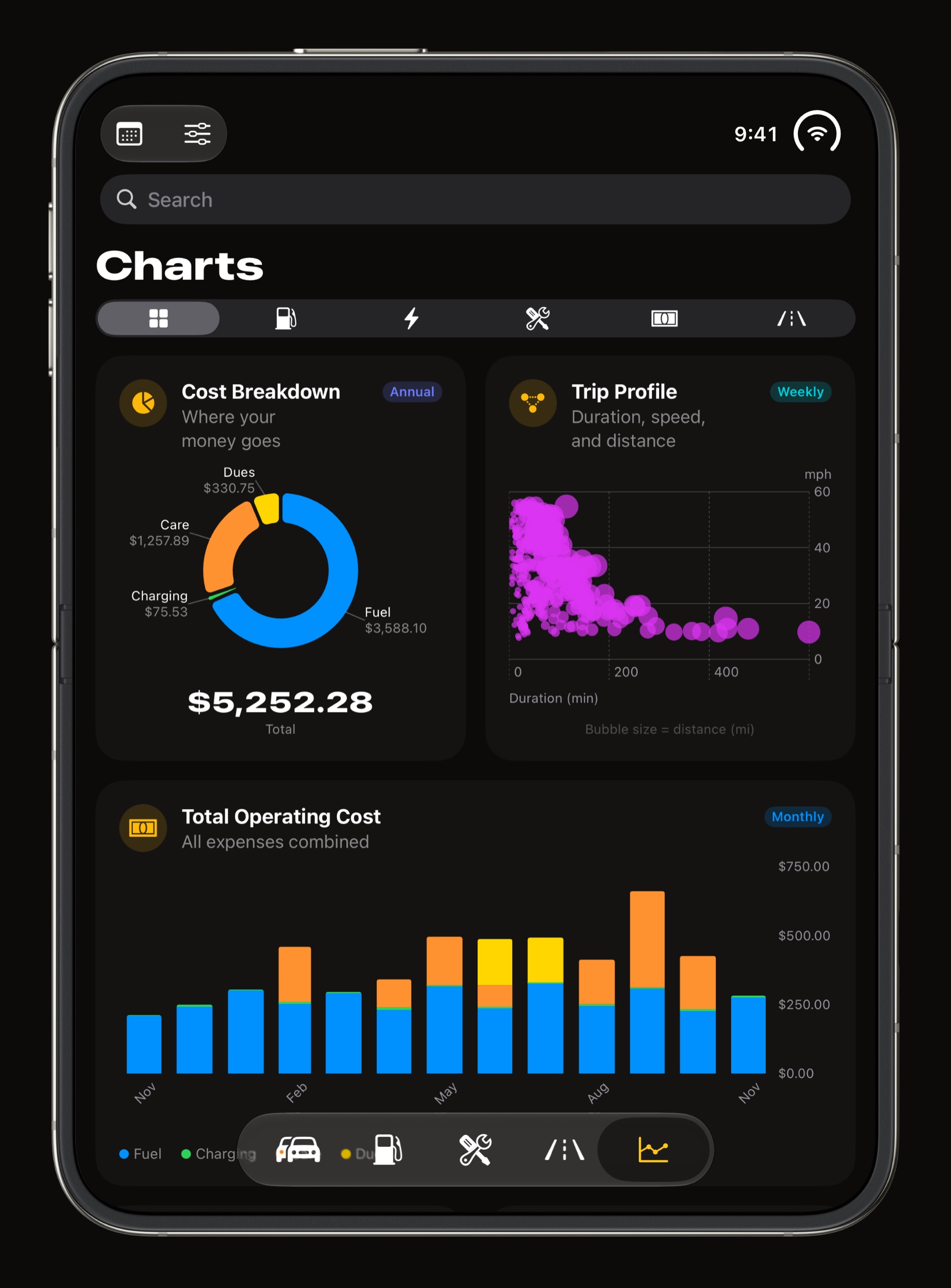
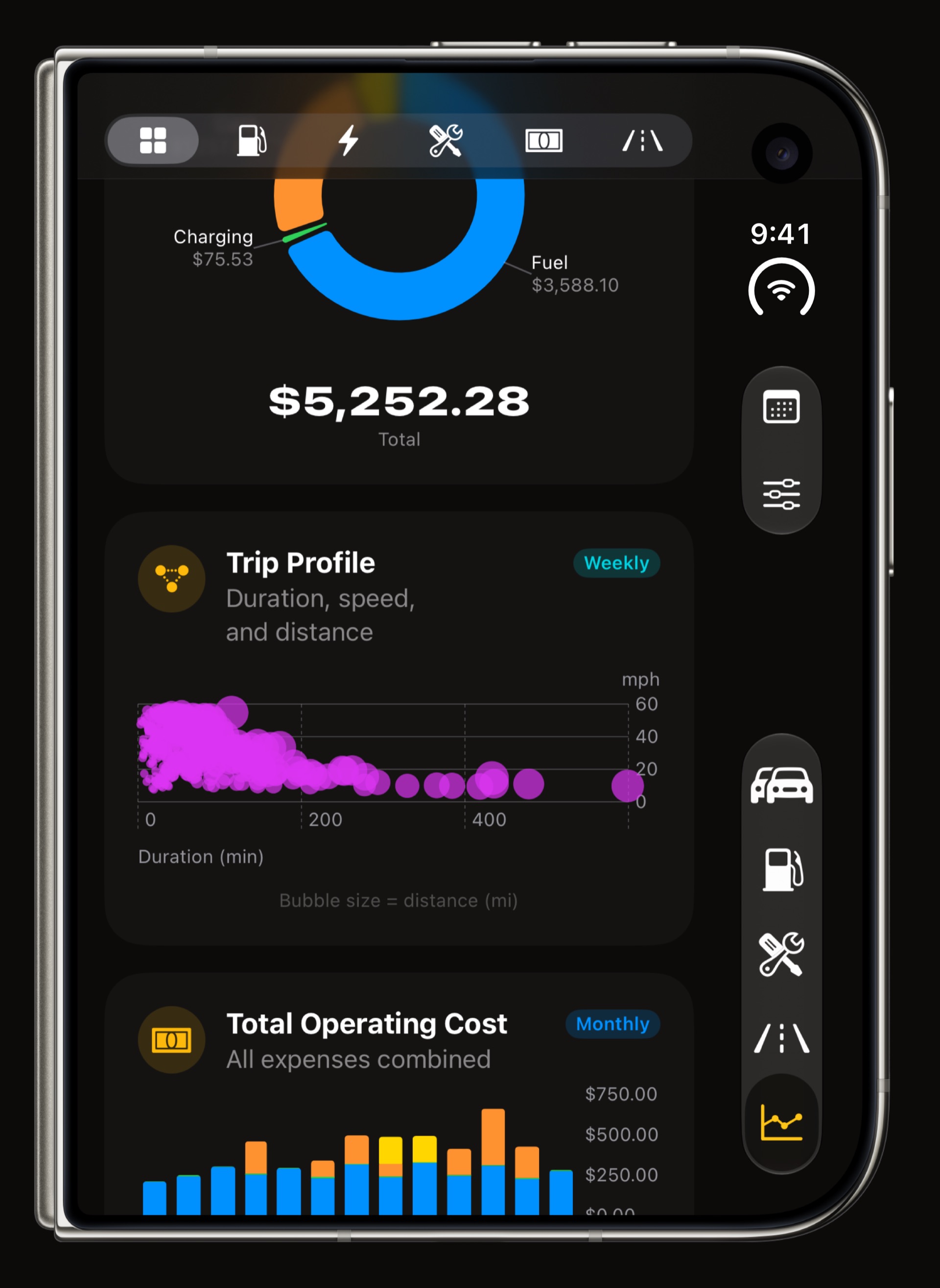
The Charts tab lays its 31 charts out as a grid when the screen is wide, about one column for every 360 points, up to three. Each chart has the tile shapes it supports, square, wide, tall or a whole row, and the grid packs them in your order, so the fill-up map, the odometer trend and the trip heatmap get a row to themselves while the smaller charts sit two or three abreast. Expand a chart on a sheet much wider than tall and its title, caption and range picker move to a side column, leaving the plot the whole height.
What do trips look like on the open display?
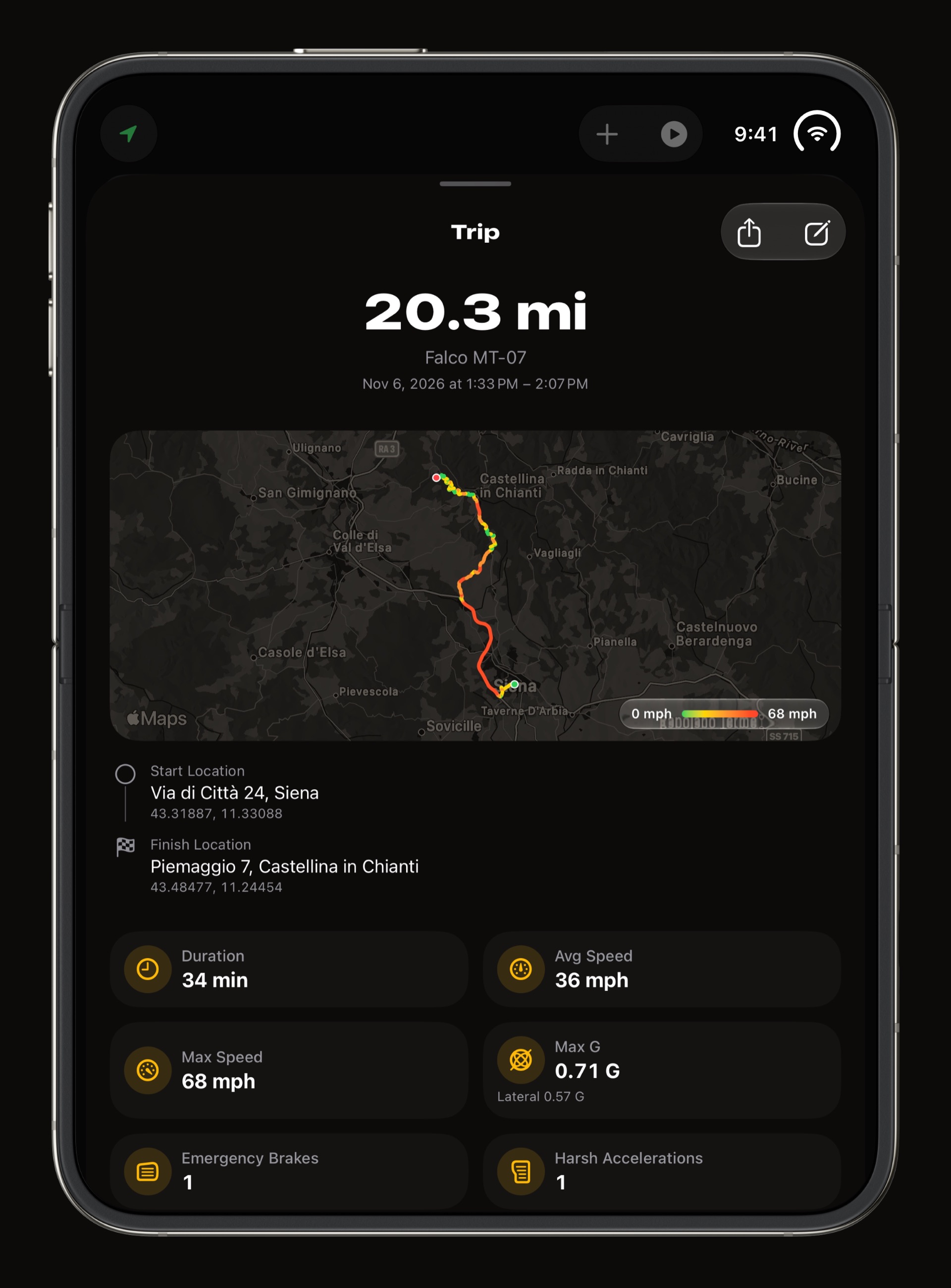
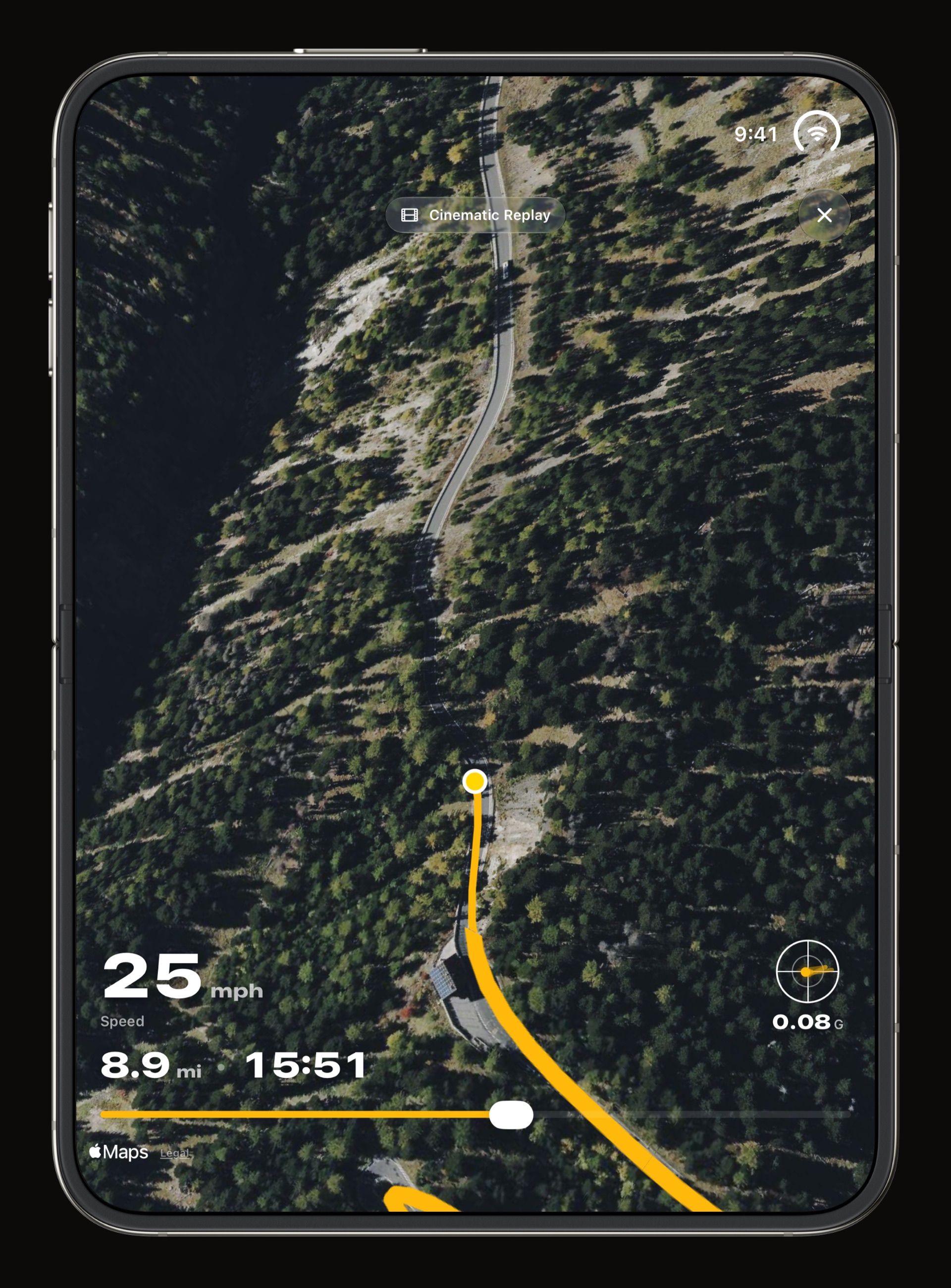
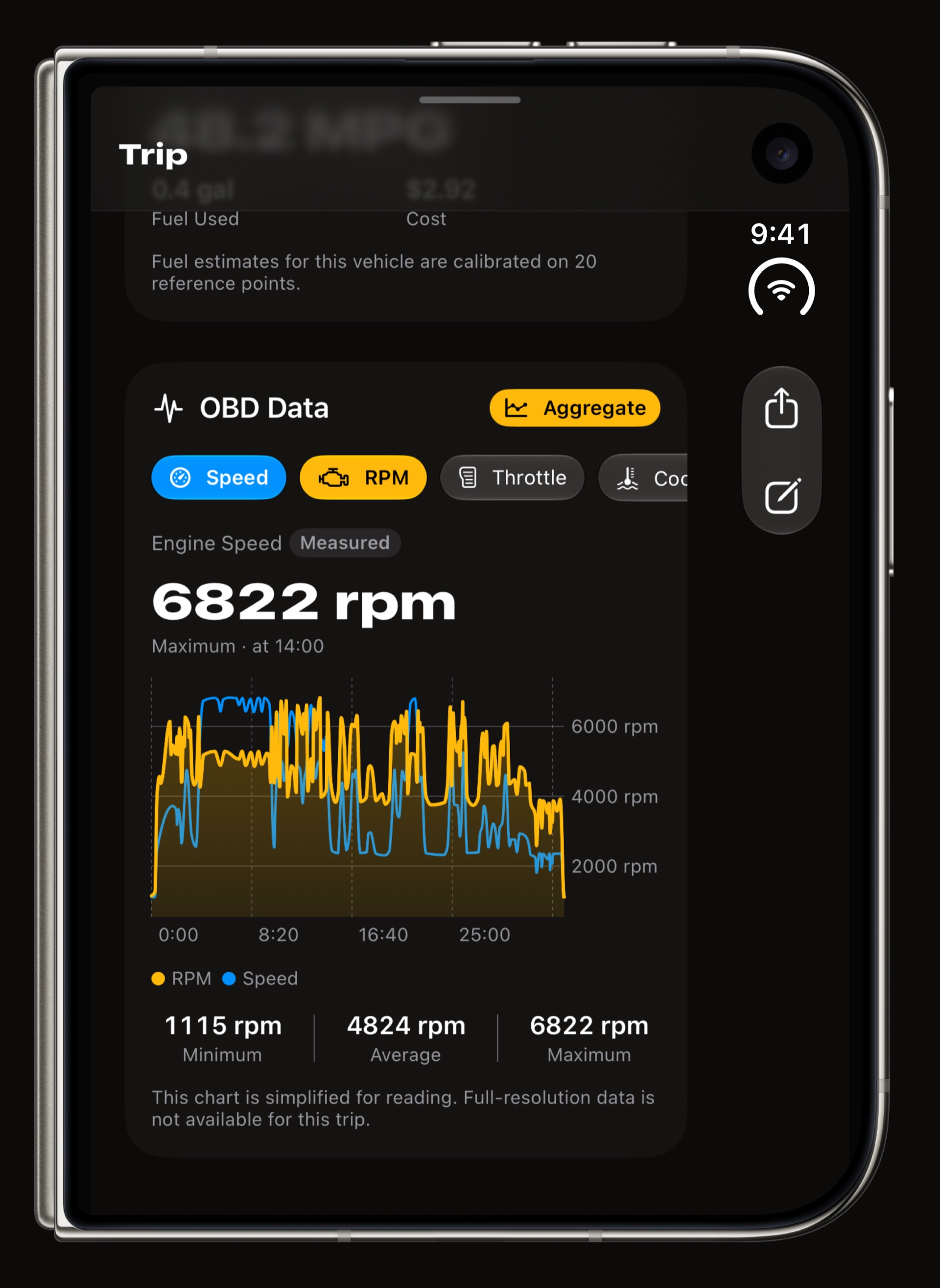
Trips are recorded on their own, from your car's Bluetooth or the motion of the drive, and the open display is the best place to read them back. On a sheet at least 820 points wide, which is the open iPhone Duo on its side or an iPad, a trip opens with its route map holding the left column at full height and its distance, speeds, G-force events and timeline scrolling on the right. Upright, the route map, the stats and the replay are stacked as on an iPhone, only bigger. How trips are detected is on the automatic mileage tracker page.
Does OBD-II work on iPhone Duo?
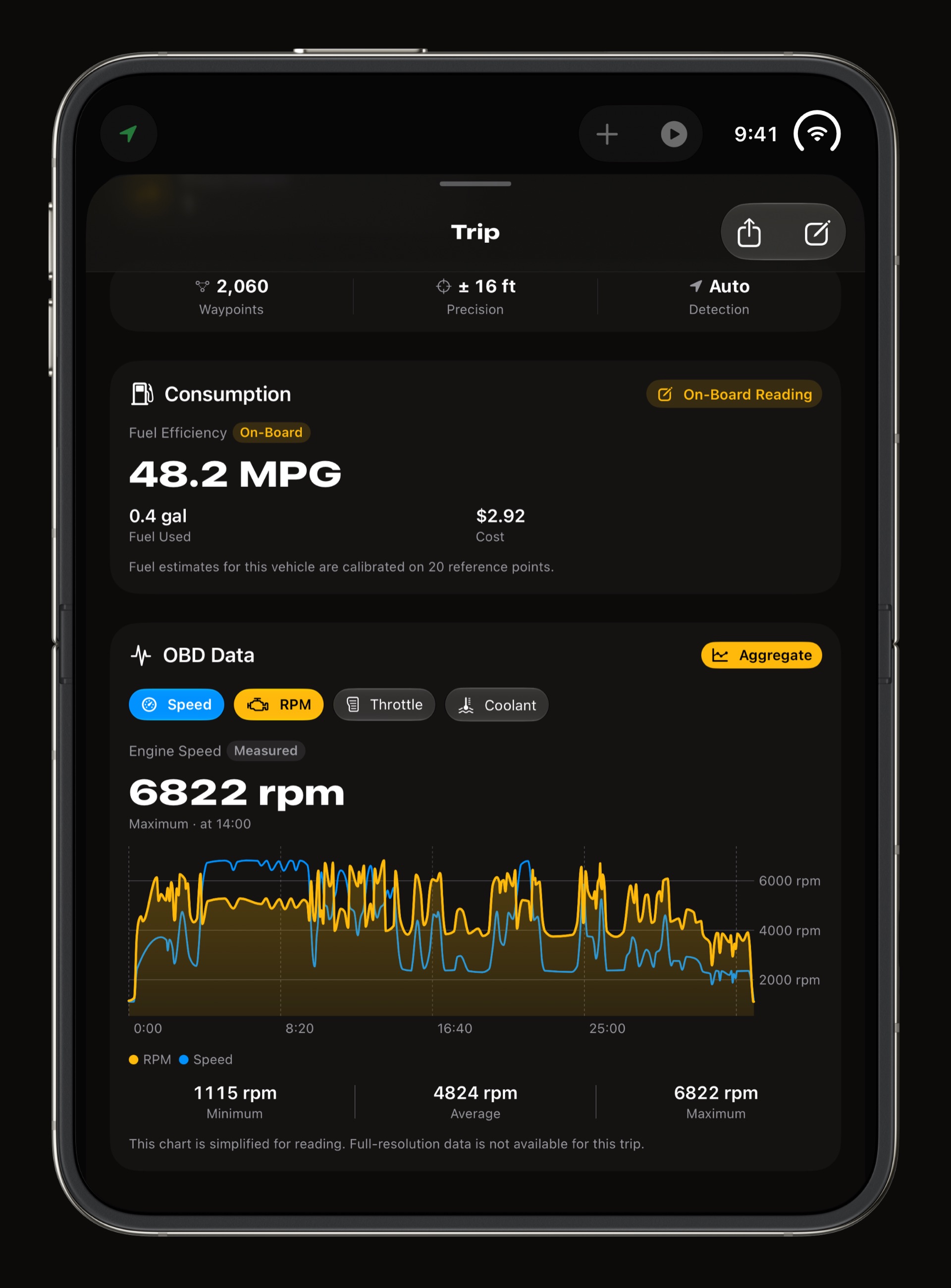
Yes, the same way it does on any iPhone. Pair a Bluetooth OBD-II adapter with the vehicle and WrenchTime reads its engine data during trips, shows it on the Live dashboard and keeps every reading of the drive on the trip's OBD Data card, which the open display has the room to chart at a readable size. Which adapters work is on the OBD-II adapter for iPhone page, and what the app reads with one is on the OBD-II app for iPhone page.
Does the same layout work on iPad?
Yes. The two panes appear wherever the window is wide and tall enough in both directions and on its side: the open iPhone Duo and iPad in landscape. On iPad in portrait the app keeps a permanent sidebar with the vehicle filter, the tabs and Settings instead. With iCloud Sync on, a fill-up logged on the phone is waiting on the iPad, and the other way round.
What is free on iPhone Duo?
Everything about the layout. The two panes, the chart grid, the two-column trips and the wide Live pages are part of the free app, with the free plan's limits: 1 vehicle, 3 instruments on the first Live page and 1 chart. WrenchTime Pro lifts the limits and adds CarPlay, vehicle sharing and the Apple Watch app, and it follows your Apple Account, so one purchase covers your iPhone Duo, an iPhone and an iPad alike.
Does CarPlay work with iPhone Duo?
Yes. iPhone Duo connects to CarPlay like any other iPhone, and WrenchTime's CarPlay app comes with it: a grid of OBD-II gauges, the current trip, nearby fuel prices or chargers, and your vehicle's upcoming maintenance, on the car's own screen. CarPlay is part of WrenchTime Pro and its Live gauges need an OBD-II adapter; the rest is on the CarPlay OBD-II app page.
Frequently asked questions
Is WrenchTime optimised for iPhone Duo?
Yes. On the open display on its side WrenchTime shows two panes, your vehicle on the left and fuel, care, trips or charts on the right, with charts in a grid, trips in two columns and Live pages as wide as the display.
Does WrenchTime work with the iPhone Duo closed?
Yes. On the cover display it works like on any iPhone, with every feature available.
Is the iPhone Duo layout free?
Yes. The two panes, the chart grid and the wide Live pages are part of the free app. WrenchTime Pro lifts the free plan's limits and adds CarPlay, sharing and the Apple Watch app.
Will my data move to my iPhone Duo?
Yes. Turn on iCloud Sync in Settings > Data & iCloud and your vehicles, fill-ups, maintenance and trips follow you to the iPhone Duo, your iPhone and your iPad.
Does the two-pane layout work on iPad?
Yes. iPad in landscape shows the same two panes; in portrait it keeps a sidebar with the vehicle filter and the tabs.
Made for people who would rather know than guess.
Free to download. One vehicle, real features, no ads. Your garage will thank you.
Download WrenchTime on the App Store