Acceleration timer · 0-60 · 0-100 km/h · quarter mile
Time 0-60 mph, 0-100 km/h and the quarter mile with your iPhone
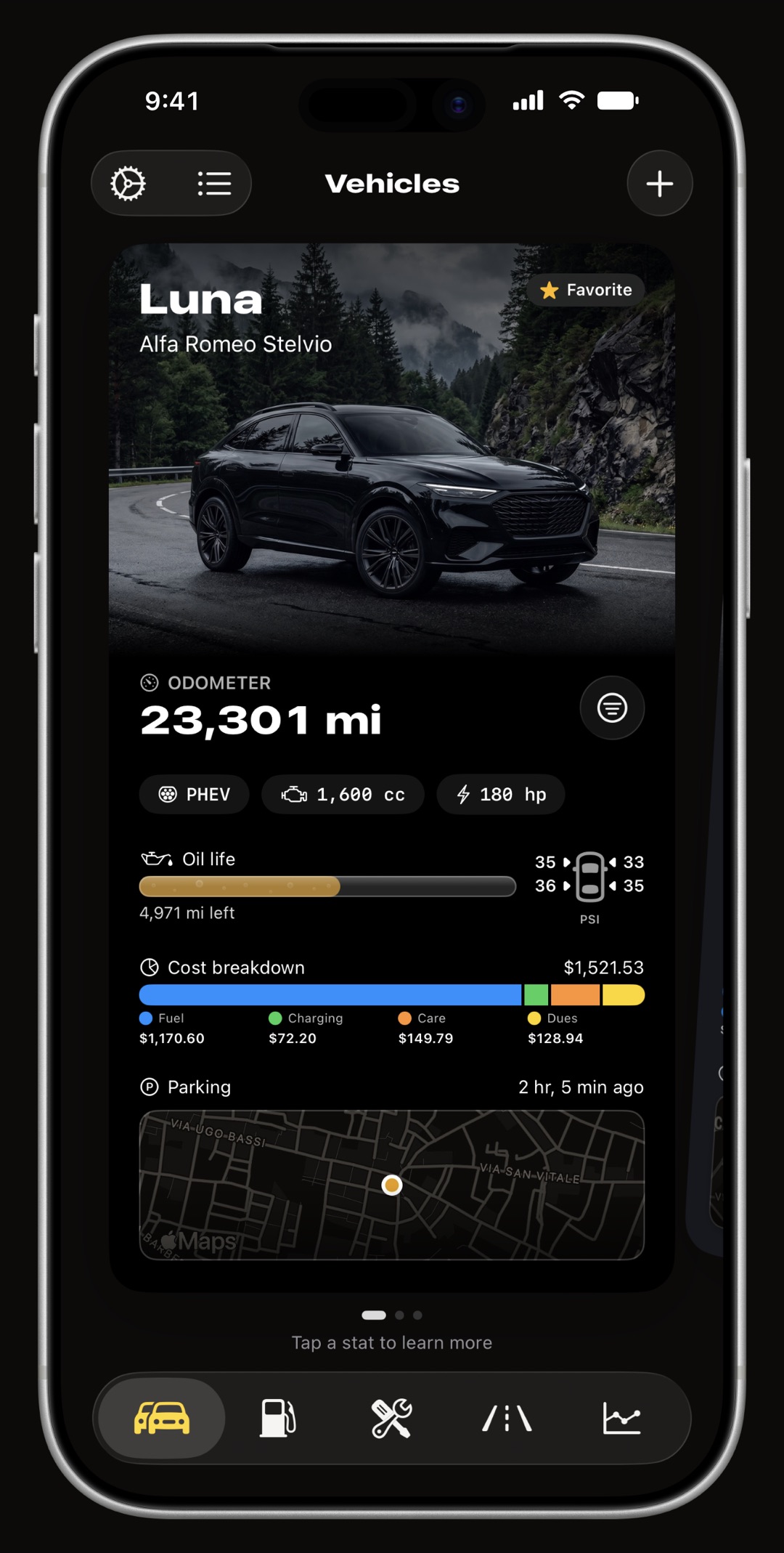
WrenchTime includes a free acceleration timer that times your own car or motorcycle with nothing but the iPhone's GPS: no OBD adapter, no extra hardware. Open the Vehicles tab, tap the Vehicle Tools button and choose Acceleration Timer. Tap Go, bring the vehicle to a full stop, and once it has been still for two seconds the timer is ready; it starts the moment you pull away and stops by itself. With miles as your distance unit it times 0-60 mph, 60-120 mph, 50-75 mph, 0-120 mph and the quarter mile; with kilometres, 0-100 km/h, 100-200 km/h, 80-120 km/h, 0-200 km/h and 0-400 m. The iPhone's GPS updates about once a second, so every result is an estimate within roughly two tenths of a second, and a run with poor GPS accuracy, a lost signal or too steep a road is thrown out rather than saved. Each vehicle keeps its best and most recent time per benchmark and a history of attempts with a map and notes. Use it only on a closed road or a track, never in traffic.
How do I time 0-60 or 0-100 km/h with my iPhone?
Open the Vehicles tab and tap the round Vehicle Tools button at the bottom of the screen; it opens the toolbox for whichever vehicle is in view, and Acceleration Timer is one of its tools. With more than one vehicle in the garage, a picker at the top of the timer switches between them. The timer needs location access while the app is in use, and the first time it opens it asks you to confirm you will only use it on a closed road or a track. From there every attempt starts with a tap, so a car idling at a light never starts a run nobody asked for. The label above the speed ring says where the attempt is:
- Tap Go to Start nothing is being timed. Go waits for a first GPS fix before it can be tapped.
- Waiting for Standstill you tapped Go and the timer is waiting for the vehicle to stop. Every run is a standing start, including the rolling benchmarks.
- Ready the vehicle has been below 1 km/h (about 0.6 mph) for two seconds. The clock starts at the moment it crosses that speed again, worked out between the two GPS fixes either side of it.
- Running each benchmark tile fills in with its time as you cross its end speed or distance, and the speed ring shows your current speed.
- Done or Invalid the verdict stays on screen for a few seconds, then the timer waits for your next tap on Go. A finished run's times stay in the card until the next launch. Cancel gives up on an attempt at any point.
Where is it safe to use an acceleration timer?
Only on a closed road or a track: a drag strip, a test day, private land with the owner's permission. Never on a public road, with or without traffic. A full-throttle run from a standstill to 120 mph or 200 km/h is illegal on public roads almost everywhere, and a phone on the dashboard does not make it safer. The app says the same thing when the timer first opens and in the timer's own header, and it cannot tell where you are driving, so the decision is yours. Mount the phone before you set off, and do not look at or touch it while the vehicle is moving: the timer arms, starts and stops on its own precisely so you never have to.
Which benchmarks does the acceleration timer measure?
Five at a time, and which five depends on the distance unit you chose in Settings, Units & Currency. A run times all five together: one launch gives you 0-60 mph and the quarter mile, or 0-100 km/h and 0-400 m, from the same pull. The set is fixed when the timer screen opens, so changing units elsewhere never moves the finish line under a run already under way.
- With miles 0-60 mph, 60-120 mph, 50-75 mph, 0-120 mph and the quarter mile.
- With kilometres 0-100 km/h, 100-200 km/h, 80-120 km/h, 0-200 km/h and 0-400 m.
- Rolling windows 60-120 mph, 50-75 mph, 100-200 km/h and 80-120 km/h are timed from the moment you cross their start speed, not from launch, inside a run that still begins at a standstill. 50-75 mph and 80-120 km/h are the usual passing-power figures.
- Distance runs the quarter mile and 0-400 m end on distance rather than speed, measured by adding up the GPS speed over time.
- Only what you reached a run that tops out at 90 mph saves its 0-60 and 50-75 and simply has no 0-120. A run that reached nothing at all is discarded.
How accurate is an iPhone GPS acceleration timer?
Close, but not exact. The timer reads the speed the iPhone's GPS measures from the satellite signal itself, which is more precise than working speed out from changes in position, but the GPS only reports about once a second. A 0-60 mph run in a quick car is a handful of fixes, so the moment you cross 60 falls somewhere between two of them. WrenchTime works it out by interpolating between the fix before and the fix after, for the start, for every end speed and for the distance runs, which is why it shows hundredths; read the result as within roughly two tenths of a second, as the timer itself says. It is good for comparing your own runs on the same road, before and after a change to the car, and a poor fit for settling a tenth between two cars.
- Clear sky helps tall buildings, trees and cuttings degrade the fix. The timer rejects a run rather than save a bad one, so a place with open sky simply gets more valid runs.
- No rollout the clock starts as the vehicle moves off, at about 0.6 mph. Some published 0-60 figures, American road tests in particular, subtract the first foot of travel the way a drag strip does, so they can read a little quicker than the same car timed here.
- Conditions count load, tyres, temperature and altitude all move a time. Compare runs made in similar conditions.
Why was my run marked invalid?
Because the data could not support the time, and the timer would rather show nothing than a wrong number. An invalid run shows its reason for a few seconds and is not saved; tap Go and try again.
- Poor GPS accuracy the iPhone reported no speed accuracy, or one worse than one and a half metres per second, on the launch fix or during the run. A phone that has only just found its position often does this; give it a minute with a clear view of the sky.
- Lost GPS signal more than two seconds passed between two fixes, so the timing across the gap cannot be trusted. A bridge or an underpass on the course is the usual cause.
- Road grade too steep the road rose or fell by more than one and a half percent between the start and the end of the run. Downhill flatters a time and uphill costs it, so neither is kept.
What does "Road grade not verified" mean?
That the timer could not check the slope for that run, not that the road was flat. The grade is worked out from the GPS altitude at the start and at the end of the run over the distance covered, and GPS altitude is much less precise than position. When either reading's vertical accuracy is worse than ten metres the check is skipped: the run is saved, and its result and detail say the grade was not verified. When the check does run, the detail shows the grade to one decimal place, and a run steeper than one and a half percent either way is thrown out. Because only the two ends are compared, a dip in the middle of a course that starts and finishes at the same height passes.
When does the timer stop?
On its own, at the first of these. You never need to touch the phone to end a run.
- Everything reached you have crossed the highest end speed (120 mph or 200 km/h) and the longest distance (the quarter mile or 400 m).
- Slowing down three seconds after your peak speed while the vehicle decelerates, which is how most runs end: lift off, and the run finishes with whatever it reached.
- One minute a run is capped at sixty seconds from launch.
Where are my runs saved, and can I compare them?
Every finished run is saved to the vehicle it was timed for. Each benchmark tile shows that vehicle's best time and its most recent one, and a new personal best is marked PB. Below the tiles, the History lists one card per attempt with a map of where it was run, the peak speed, every benchmark it reached and the start of its notes; swipe a card to delete it. Tapping a card opens the run:
- Map the route of the run, drawn from the GPS fixes it was timed from.
- Figures date, maximum speed, road grade (or that it was not verified) and the time for each benchmark reached, with the vehicle's best marked.
- Notes free text for the conditions: tyres, weather, fuel, a modification, the track.
- Speed trace each run also stores its speed against time, one point per GPS fix. It is kept with the run and in backups, but the app does not draw it as a graph today.
- Sync and sharing runs sync across your devices with iCloud Sync and travel with a vehicle you share. On a vehicle shared with you as view only, you can see the runs but Go is disabled.
- Kept until you say runs are never pruned unless you pick a retention period for Acceleration Runs in Settings, Data & iCloud. They are not part of the CSV and PDF vehicle export.
Is an iPhone as accurate as a dedicated GPS performance metre?
No, and it does not try to be. Dedicated performance metres, the Dragy being the best-known, sit on the dashboard with their own GPS receiver and report ten times a second or more, so a crossing is pinned down between fixes a tenth of a second apart instead of a full second apart. That is the difference between a figure you can quote and an estimate within a couple of tenths. What WrenchTime offers instead is that it is already on your phone and costs nothing extra.
- Choose a dedicated metre if you race, need figures to publish or compare against other people's, or want to settle a tenth of a second.
- Choose WrenchTime if you want to see what your car or bike does, check it against itself before and after a change, and keep the result next to its fuel, service and trip history.
Is the acceleration timer free?
Yes. The acceleration timer is free, with no limit on runs, and it needs no OBD-II adapter, unlike the Pro tools next to it in Vehicle Tools, such as trouble codes and custom PIDs. It works for any vehicle in your garage, car or motorcycle. It arrived in version 6.3.
Frequently asked questions
Can my iPhone time 0-60 mph without extra hardware?
Yes. WrenchTime's acceleration timer uses only the iPhone's built-in GPS: no OBD-II adapter and no external GPS receiver. Open the Vehicles tab, tap Vehicle Tools, choose Acceleration Timer, tap Go and come to a stop; the timer starts when you pull away and stops by itself. Because the iPhone's GPS updates about once a second, read the result as within roughly two tenths of a second. Use it only on a closed road or a track.
Does it show 0-100 km/h or 0-60 mph?
It follows your distance unit in Settings, Units & Currency. With kilometres it times 0-100 km/h, 100-200 km/h, 80-120 km/h, 0-200 km/h and 0-400 m; with miles, 0-60 mph, 60-120 mph, 50-75 mph, 0-120 mph and the quarter mile. One set is shown at a time.
Can I time a quarter mile with my iPhone?
Yes. With miles as your distance unit, the quarter mile is timed in the same run as 0-60 mph and the other speed benchmarks, from a standing start, with the distance measured by adding up the GPS speed over time. With kilometres, the distance run is 0-400 m. There is no rollout, so the time starts as the vehicle moves off.
Why is my 0-60 time slower than the manufacturer's figure?
Usually because of how it is measured. Some published figures subtract the first foot of travel, as a drag strip does, while WrenchTime starts the clock as the vehicle moves off. Load, tyres, temperature, altitude, the road surface and the driver all move a time too, and the iPhone's GPS gives an estimate within roughly two tenths of a second.
Why did the acceleration timer reject my run?
It rejects a run when the GPS speed accuracy was missing or worse than one and a half metres per second, when more than two seconds passed between two GPS fixes, or when the road rose or fell by more than one and a half percent from start to end. The reason is shown for a few seconds and the run is not saved.
Does the acceleration timer work on a motorcycle?
Yes. It works for any vehicle in your garage, car or motorcycle, and keeps each vehicle's runs apart. Mount the phone securely before setting off and do not handle it while riding; the timer arms, starts and stops on its own.
Is the WrenchTime acceleration timer free?
Yes. It is one of the free tools in Vehicle Tools, with no limit on runs. Trouble codes and custom PIDs in the same toolbox are part of WrenchTime Pro and need an OBD-II adapter; the acceleration timer needs neither.
Is it legal to use a 0-60 timer app?
The app is legal; flat-out acceleration on a public road generally is not, and it is dangerous. Use the timer only on a closed road, a track or private land where you have permission, never in traffic.

Made for people who would rather know than guess.
Free to download. One vehicle, real features, no ads. Your garage will thank you.
Download WrenchTime on the App Store