App comparison
Wheelz App vs WrenchTime: Which Drive Tracker Fits You?
Wheelz is a free social drive tracker for iPhone and Android by Vortac Labs Inc.: the Wheelz app records your drives in the background and lets you compare them with friends on leaderboards, a live map and convoys, with navigation on iPhone and CarPlay and an optional Wheelz Pro subscription. WrenchTime is an iPhone app that also records trips automatically, but it is built as a private car log: maintenance, fuel, EV charging, costs and OBD-II data, with no account. Pick Wheelz for driving with friends, WrenchTime for running and keeping a record of the car itself.
Wheelz vs WrenchTime in three points
I build WrenchTime, so read this comparison knowing that. I did not test, rate or score Wheelz: every claim about it on this page comes from its App Store listing and its version history, its Google Play listing, its website or its privacy policy, checked on October 14, 2026, and each one links to where it was read. Every claim about WrenchTime comes from its own feature documentation.
Wheelz is a trademark of Vortac Labs Inc. This comparison is independent: WrenchTime is not affiliated with, sponsored by or endorsed by Vortac Labs.
- Wheelz is social first: drives are logged on their own, then shared with friends through leaderboards, live friend tracking, convoys and meetups, with navigation and speed camera alerts on iPhone and CarPlay.
- WrenchTime is a car log first: trips record themselves too, and feed the odometer, the maintenance schedule, the fuel and charging logs and the running costs of each vehicle.
- They do not overlap much: Wheelz's sources do not mention maintenance, fuel or charging, and WrenchTime has no friends, leaderboards or navigation, so some drivers will use both.
What is the Wheelz app?
The Wheelz app, listed on the App Store as "Wheelz - Social Drive Tracker", is a drive tracker by Vortac Labs Inc. in the Navigation category, with the subtitle "GPS Navigation & Mileage". A drive tracker is an app that records each drive you make, with its route, distance, time and speed, from the phone's GPS and motion sensors. The Wheelz website describes it as "Free on iPhone & Android".
On the US App Store on October 14, 2026, Wheelz was marked "Only for iPhone", required iOS 18.0 or later and was rated 4.7 from 4.1K ratings, at version 5.4 dated October 8, 2026. On Google Play it showed more than 10,000 downloads and a 4.8 rating from 2.13K reviews, last updated September 16, 2026. The developer ships updates often, so features and prices may have moved since that date.
The Wheelz App Store description says the app "detects when you start moving, begins a trip in the background, and wraps it up when you're done", with a breakdown of distance, duration and route history, a timeline of detailed trip views and leaderboards. Its version history adds ghost mode and live friend tracking, weekly and monthly recaps, 0 to 60 times and G-force tracking, widgets and Live Activities, more than 300 3D vehicles, a 3D replay of every drive, heatmaps, meetups, navigation on iPhone and CarPlay, and speed camera and Flock camera locations with routing that avoids them. The website adds live convoys.
Which Wheelz app is this? Apps with the same name
Several unrelated products share the Wheelz name, and search results for "wheelz app" mix them together. Besides Wheelz - Social Drive Tracker by Vortac Labs Inc., the results on October 14, 2026 included Wheelz Tracker, a vehicle GPS tracking and security service for fleets, an older fleet app called WHEELZ on Google Play, and a monster truck game. This page is only about the social drive tracker by Vortac Labs.
What is WrenchTime?
WrenchTime is an iOS app for vehicle maintenance, fuel and EV charging logs, trips and costs, for cars and motorcycles. It runs on iPhone with iOS 26 or later, on iPad, and on Apple Watch with WrenchTime Pro. It has no account and no login: the data is stored on the device and synced through the owner's private iCloud.
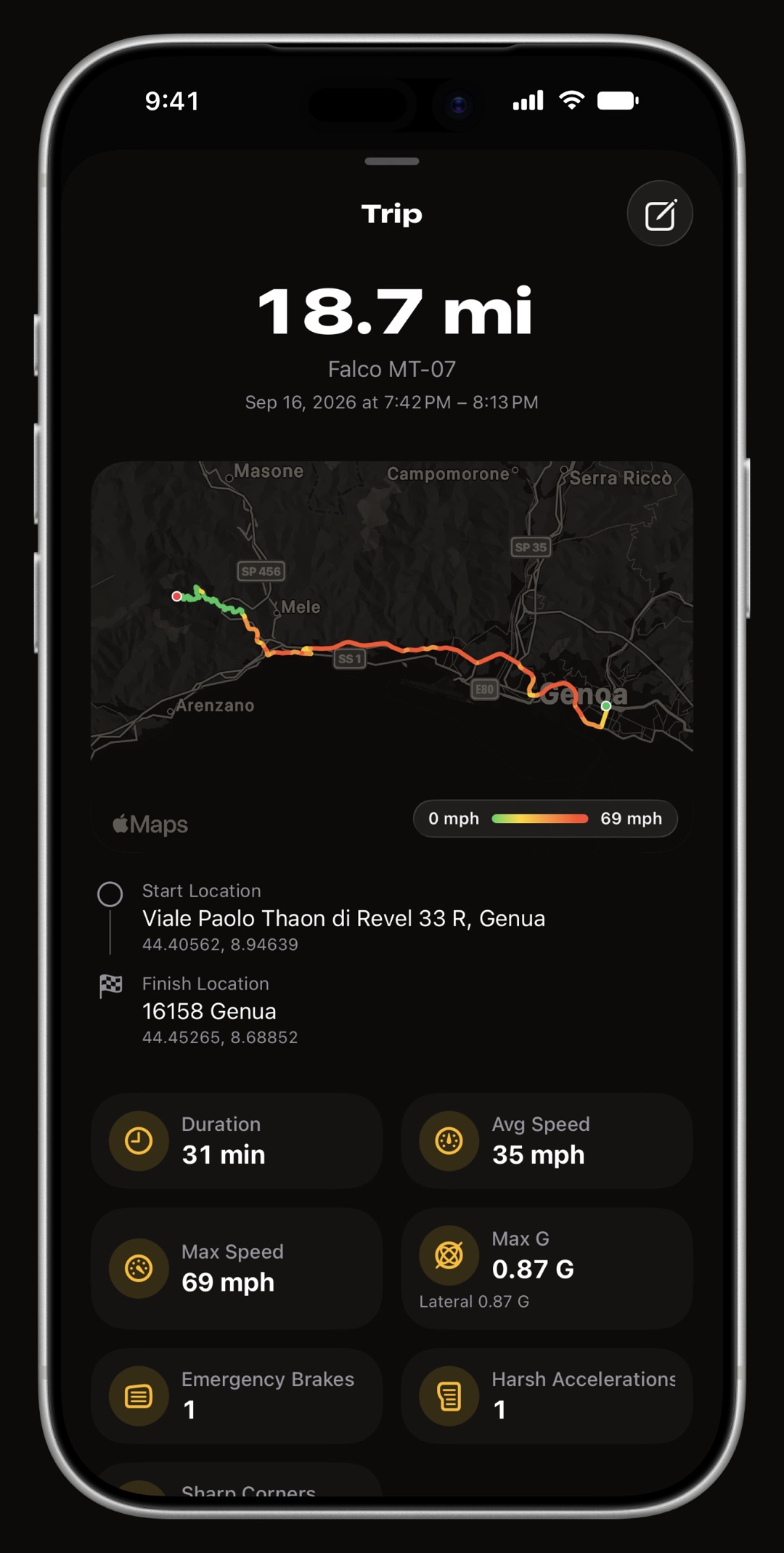
- Trips: they record themselves when the phone connects to the car's Bluetooth stereo or detects a drive, with a GPS route, distance, duration, average and top speed, and the distance is added to the odometer.
- Care: 56 maintenance procedures, scheduled by date, by distance or both, with reminders and recurring series.
- Fuel and charging: a fuel log with tank-to-tank economy and a missed fill-up flag, and an EV charging log with kWh, charger type and home charging ratio.
- OBD-II: OBD-II is the standard diagnostic port under a car's dashboard, and a Bluetooth adapter plugged into it lets a phone read engine data. With a Bluetooth LE ELM327 adapter or an OBDLink MX+, WrenchTime reads over fifty standard parameters live and records them with each trip; trouble codes are part of WrenchTime Pro.
- Costs and export: 31 charts on spending and consumption, and CSV and PDF export per vehicle, included on the free tier.
Wheelz vs WrenchTime at a glance
Wheelz and WrenchTime both record drives automatically on iPhone, both show a Live Activity and both run on CarPlay, and differ on almost everything around that. Wheelz adds friends, a live map, convoys, navigation and camera alerts, and runs on Android too. WrenchTime adds maintenance, fuel and charging logs, OBD-II data, an Apple Watch app and export, and needs no account. "Not listed" in the table means the app's public sources do not mention the feature, not that the app is confirmed to lack it.
| Feature | Wheelz | WrenchTime |
|---|---|---|
| Price | Free; Wheelz Pro subscription | Free; WrenchTime Pro monthly, yearly with a free trial, or lifetime |
| Free tier | Last 30 days of drive history, three starter cars | 1 vehicle, 10 recorded trips a week, CSV and PDF export |
| Ads | Premium page lists "No ads" | No ads on either tier |
| Platforms | iPhone ("Only for iPhone" on the App Store) and Android | iPhone, iPad, Apple Watch (Watch needs Pro) |
| Minimum iOS | iOS 18.0 | iOS 26 |
| Account | Required: username, email, sign-in provider | None |
| Where your data lives | Google Firebase | On the device and in your private iCloud |
| Automatic trip detection | Starts when you move, ends when you stop | Armed by the car's Bluetooth, motion or leaving the parking spot; starts above a speed threshold |
| Start on CarPlay connect | CarPlay Only tracking mode | Shortcuts automation on CarPlay connect |
| Manual trips | Manual Only setting | Start button; auto stop after five minutes without movement |
| Vehicles | Vehicle profiles with make, model and year; 300+ 3D cars | Cars and motorcycles across 11 engine types, with photo and odometer |
| Trip stats | Distance, duration, route, average and top speed | Distance, duration, average and top speed, start and end addresses |
| Drive replay | 3D replay of every drive | Replay with a timeline; cinematic 3D replay exported as a video |
| Driving dynamics | G-force tracking, 0 to 60 times | G-force events with a motorcycle cornering profile; acceleration timer |
| Merge drives | Combine drives from the same vehicle | Merge and split trips (Pro) |
| Heatmap | Yes | Yes |
| Recaps and statistics | Weekly and monthly recaps, lifetime stats | 31 charts on costs, fuel, charging and trips |
| Friends, leaderboards, live friend map, convoys | Yes | Not listed; a vehicle can be shared with family over iCloud (Pro) |
| Turn-by-turn navigation | Yes, on iPhone and CarPlay | Not listed; walking directions back to the parked car |
| Speed camera alerts | Speed and Flock camera locations, with avoidance routing | Not listed |
| CarPlay | Navigation, speed and trip stats | Pro: live OBD-II gauges, Trip, Nearby fuel or chargers, Vehicle |
| Live Activity | Yes | Yes, with distance, average speed and elapsed time |
| Widgets | Yes | 9 Home Screen and Lock Screen widgets |
| Apple Watch app | Not listed | Yes, with Pro |
| Parking and find my car | Not listed | Yes, with walking directions |
| Maintenance schedule and reminders | Not listed | 56 procedures, by date or distance |
| Fuel log and fuel economy | Not listed | Yes, tank to tank |
| EV charging log | Not listed | Yes, with kWh and charger type |
| Fuel prices and chargers nearby | Not listed | Price Radar: pump prices in Italy, France, Spain and Germany; chargers worldwide |
| OBD-II live data and trouble codes | Not listed | Live data free; trouble codes with Pro |
| Export | Not listed | CSV and PDF, free |
| Import from other apps | Not listed | CSV from Fuelio, Drivvo, Fuelly or Spritmonitor (Pro) |
| Siri and Shortcuts | Not listed | Start Trip and Stop Trip actions |
Checked October 14, 2026 from Wheelz's App Store listing and version history, Google Play listing, website, Premium page and privacy policy, and from WrenchTime's feature documentation.
Trip tracking: how do Wheelz and WrenchTime compare?
Wheelz and WrenchTime both record drives without a tap. The Wheelz App Store listing says it detects when you start moving, begins a trip in the background and wraps it up when you are done, and its website promises "nothing to start, nothing to stop". Version 5.2 brought back a CarPlay Only mode that starts recording when CarPlay connects and finishes 45 seconds after it disconnects, and the developer's replies to App Store reviews point to a Manual Only setting for drivers who prefer to start trips themselves.
WrenchTime arms detection when the phone connects to a paired car stereo or helmet headset, which also assigns the trip to the right vehicle, and when iOS reports automotive motion or a departure from where you parked. The trip starts at the first GPS fix above a speed threshold, so sitting in a parked car with the stereo on creates no trip. A Shortcuts automation on CarPlay connect can start and stop trips too, with no Bluetooth pairing. You set a minimum distance and duration, a manual trip stops itself after five minutes without movement unless you turn that off, and a drive interrupted by iOS closing the app is rebuilt from motion history. More on automatic trip and mileage tracking in WrenchTime.
Both apps keep the drive on the Lock Screen: Wheelz added widgets and Live Activities in version 3.0, and WrenchTime shows distance, average speed and elapsed time in a Live Activity and the Dynamic Island while a trip records. A Live Activity is the iPhone feature that keeps a live readout on the Lock Screen while something is in progress.
After the drive, Wheelz replays every drive in 3D along the line you took, with G-force tracking and 0 to 60 times. WrenchTime keeps a replay with a scrubbable timeline, a cinematic 3D replay you can export as a short video, G-force events with a separate cornering profile for motorcycles, an acceleration timer and a fuel consumption estimate for each trip.
Do Wheelz and WrenchTime work with CarPlay?
Both apps run on CarPlay, for different jobs. According to its App Store version history, Wheelz offers navigation on iPhone and CarPlay with speed camera and Flock camera locations and routing that avoids them, and since version 5.3 it shows your speed and trip stats in CarPlay without starting navigation.
WrenchTime on CarPlay is part of WrenchTime Pro and has four tabs and no navigation. Live is a grid of ring gauges fed by an OBD-II adapter, with an alert when a reading such as coolant temperature enters its critical band. Trip starts and stops a recording, shows distance, duration and average speed, and lists the last ten finished drives. Nearby finds fuel stations or EV chargers, and Vehicle shows the odometer and upcoming maintenance. See live OBD2 gauges on CarPlay.
Does WrenchTime have friends and leaderboards like Wheelz?
No. Social features are the core of Wheelz: leaderboards to compare stats with friends, live friend tracking, ghost mode, meetups and live convoys, according to its App Store listing and website. The developer states on the App Store listing: "Our leaderboards do not contain speed related metrics."
WrenchTime has no social layer and no account, by design. The nearest it comes to sharing is a vehicle shared over iCloud with family or a co-driver, part of WrenchTime Pro, so that everyone's fill-ups, services and trips land in the same log. If driving with friends is the point, Wheelz does something WrenchTime does not try to do.
Wheelz app privacy: what data does it collect?
The Wheelz privacy policy, effective June 23, 2026, lists the data it collects: account information (username, display name, an optional real name, email, an optional phone number, sign-in provider ID, device ID and IP address) and precise location while drive recording is active (latitude, longitude, course, speed, altitude and timestamps). It stores data on Google Firebase: Authentication, Firestore, Storage, Functions and Cloud Messaging. The same policy says data is encrypted in transit with TLS and is not used for targeted advertising.
On deletion, the privacy policy describes a 30-day soft-delete period, encrypted backups kept up to 90 days and network activity kept up to 24 months, and individual drives can be deleted in the app.
The App Store privacy label lists "Data Used to Track You: Usage Data", and under Data Linked to You: precise location, contact info (email, name, phone number), user content, identifiers, usage data and diagnostics. The listing also notes the app may use location even when it is not open. On Google Play, the developer declares that no data is shared with third parties and that you can request deletion.
Whether that fits you is your call: a social tracker needs an account and a server to show your drives to friends. WrenchTime takes the other route: no account, no login, routes and parking spots stored on the device and synced only through your own private iCloud. The one network service of its own is a relay that starts a Live Activity when iOS will not let the app do it, carrying the trip's display data only.
Does Wheelz track maintenance, fuel or EV charging?
Not according to its own sources. The Wheelz App Store listing, Google Play listing and website, checked October 14, 2026, do not mention maintenance, fuel, fuel economy, EV charging or OBD-II. Its "GPS Navigation & Mileage" subtitle refers to drives and distance, not to a service or fuel record.
That record is where WrenchTime differs most. Its Care tab holds 56 maintenance procedures across 9 categories, scheduled by date, by distance or both, with reminders by date or odometer, recurring series and 12 maintenance kits. Because trips update the odometer, every drive moves a mileage-based service closer to due. Read how to keep a complete service record.
The fuel log computes economy tank to tank between full fill-ups and flags a missed one rather than averaging over it, and electric and plug-in hybrid vehicles get a charging log with kWh, charger type, battery percentage and a home charging ratio. 31 charts turn those entries into running costs, and each vehicle exports to CSV and PDF. See the fuel economy tracker and the EV charging log.
How much do Wheelz and WrenchTime cost?
Wheelz is free to download. Its Premium page lists drive history for the last 30 days and three starter cars on the free tier, and unlimited drive history, all 300+ 3D cars, full lifetime stats, unlimited friends and convoys and no ads with Premium, sold on the App Store as Wheelz Pro in weekly, monthly and yearly plans. Prices are set in the App Store and can differ by country, so check the purchase screen before you subscribe.
WrenchTime is free for 1 vehicle, 3 fuel and 3 charging entries a month, 2 maintenance entries a month, 10 recorded trips a week and 1 chart, with CSV and PDF export and iCloud sync included and no ads. WrenchTime Pro removes the limits and adds trip route maps, CarPlay and the Apple Watch app, as a monthly subscription, a yearly subscription with a free trial, or a one-time lifetime purchase.
| Free tier | Wheelz free | WrenchTime free |
|---|---|---|
| Drive history | Last 30 days | 10 recorded trips a week, kept as your retention setting says |
| Vehicles | Three starter cars in the garage | 1 vehicle |
| Ads | Premium lists "No ads" | No ads |
| Export | Not listed | CSV and PDF |
| Paid tier | Wheelz Pro: weekly, monthly or yearly | WrenchTime Pro: monthly, yearly with a free trial, or lifetime |
Sources: Wheelz Premium page and App Store listing, checked October 14, 2026; WrenchTime's feature documentation.
Should you choose Wheelz or WrenchTime?
The choice follows what you want the app to keep: your drives as something to share, or your car's record. The checklist below sorts it out, and if neither fits, other mileage tracker apps compared covers six more. Running both is possible: both use location in the background, so expect some extra battery use.
- Choose Wheelz if you want friends, leaderboards, convoys and meetups, navigation with speed camera alerts, or you use Android.
- Choose WrenchTime if you want maintenance reminders, fuel or charging records, OBD-II data, an Apple Watch app, or a log with no account.
- Use both if you want the social drive and the car's record: Wheelz for driving with friends, WrenchTime for the service, fuel and cost history.
Key takeaways
What to remember about Wheelz and WrenchTime, checked on October 14, 2026.
- Wheelz is a social drive tracker by Vortac Labs Inc., free on iPhone and Android, with leaderboards, live friend tracking, convoys and navigation with camera alerts.
- WrenchTime is a private car log on iPhone, iPad and Apple Watch: automatic trips plus maintenance, fuel, EV charging, OBD-II data and costs, with no account.
- The overlap is trip tracking. Both record drives on their own, show a Live Activity and run on CarPlay; Wheelz's sources do not mention maintenance, fuel or charging, and WrenchTime has no friends, leaderboards or navigation.
- Data lives in different places: Wheelz keeps account and drive data on Google Firebase; WrenchTime keeps it on the device and in your private iCloud.
- Free tiers limit different things: Wheelz free keeps the last 30 days of drive history; WrenchTime free covers 1 vehicle and 10 recorded trips a week, with CSV and PDF export.
Keep your trips and your car's record in one private log
If you want your trips and your car's maintenance, fuel and costs in one private log, WrenchTime records drives on its own and keeps the service record they feed: free for 1 vehicle, 10 recorded trips a week, 3 fuel entries and 2 maintenance entries a month, with CSV and PDF export included. How WrenchTime's automatic mileage tracker works. If you mainly want to drive with friends, Wheelz is built for that.
Frequently asked questions
What is the Wheelz app?
Wheelz is a free social drive tracker for iPhone and Android by Vortac Labs Inc. It logs drives automatically in the background and adds leaderboards, live friend tracking, convoys, meetups and navigation on iPhone and CarPlay with speed camera alerts. An optional Wheelz Pro subscription unlocks unlimited drive history.
Is the Wheelz app free?
Yes, Wheelz is free to download. According to its Premium page, the free tier keeps the last 30 days of drive history and three starter cars, and Wheelz Pro, sold on the App Store in weekly, monthly and yearly plans, adds unlimited history, all 300+ 3D cars and no ads.
Does Wheelz track maintenance or fuel?
Not according to its own sources. The Wheelz App Store listing, Google Play listing and website, checked October 14, 2026, do not mention maintenance, fuel or EV charging. WrenchTime covers those, with 56 maintenance procedures and reminders, a tank-to-tank fuel log and an EV charging log, next to automatic trips.
What data does the Wheelz app collect?
Wheelz collects account details and precise location while a drive is recording, according to its privacy policy effective June 23, 2026. Account details include username, email, an optional phone number, sign-in provider ID, device ID and IP address. The data is stored on Google Firebase, and a deleted account has a 30-day soft-delete period.
Is there a Wheelz alternative without an account?
Yes, WrenchTime records trips automatically on iPhone with no account and no login. Trips start when the phone connects to the car's Bluetooth or detects a drive, and the data stays on the device and in your private iCloud. It has no friends, leaderboards or navigation, so it replaces the tracking, not the social side.
Can I use Wheelz and WrenchTime together?
Yes. The two apps do different jobs, Wheelz the social drive and WrenchTime the car's record, and both can record the same trip. Both use location in the background, so expect some extra battery use when both are installed and tracking.
